实训报告--具身智能工业视觉分析与物联监护应用演练
实训报告–具身智能工业视觉分析与物联监护应用演练
1 工效组合展示
2 具身智能工业视觉获取与分析应用
2.1 工具软件安装

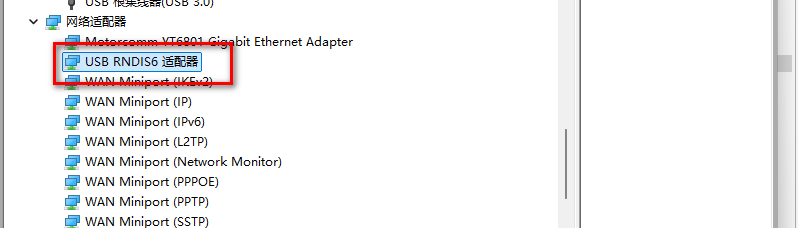
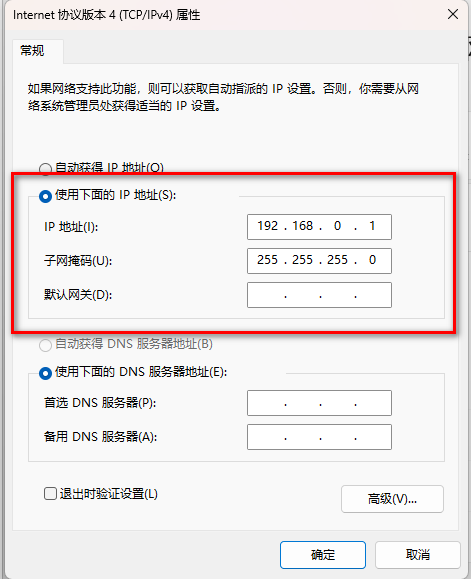
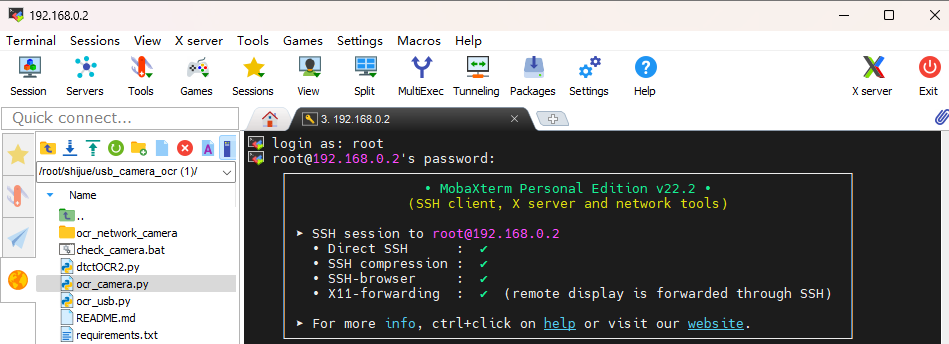
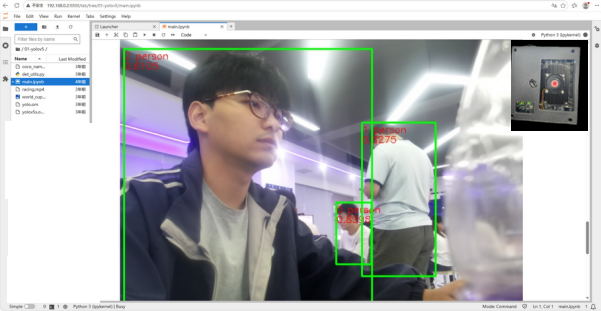
2.2 工业视觉环境构建与应用
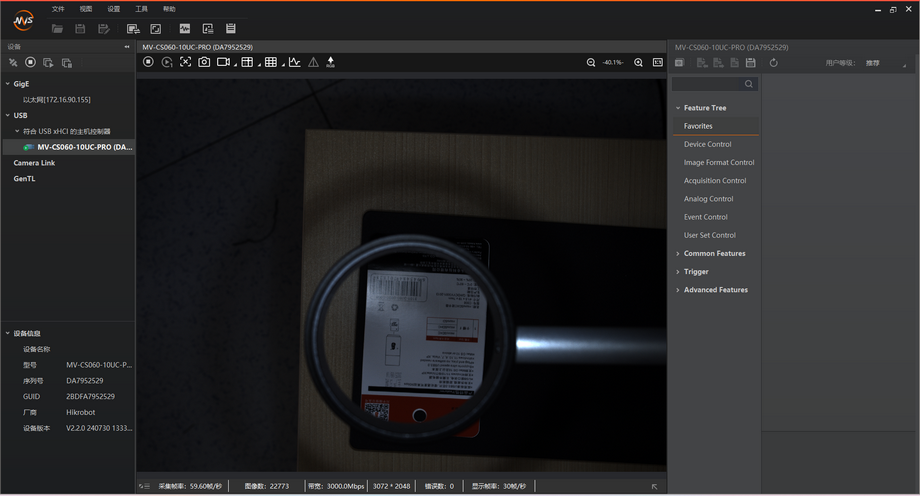
2.3 昇腾工业视觉终端应用展现
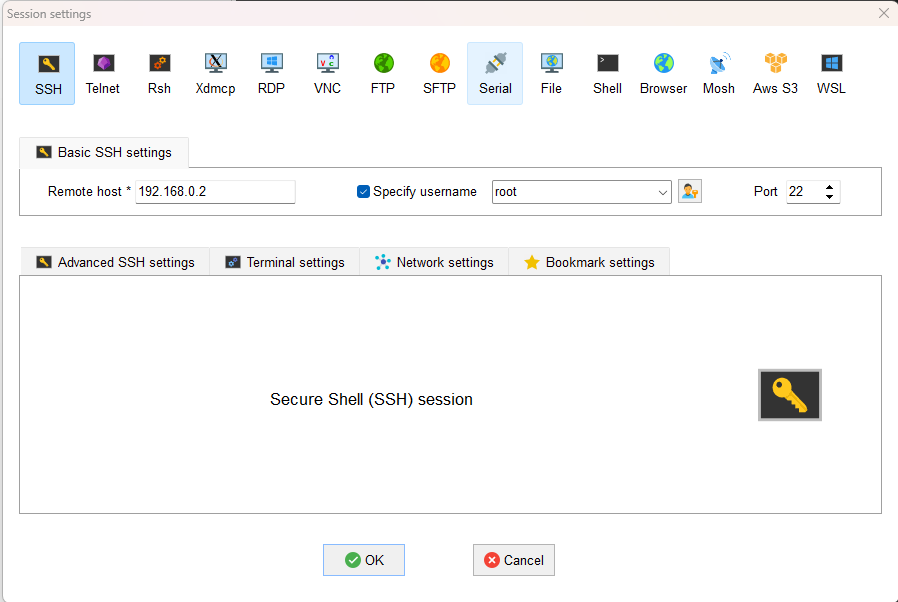
3 具身智能工业视觉识别快速编码实现
3.1 IMA-DS借力
需求描述:给出 PYTHON 虚拟环境 OCR 文字识别的编码及其运行过程,包括汉字,WINDOWS 环境,CPU 运行,非 Conda,使用本机 USB 连接的海康工业相机,编码用一个完整文件。
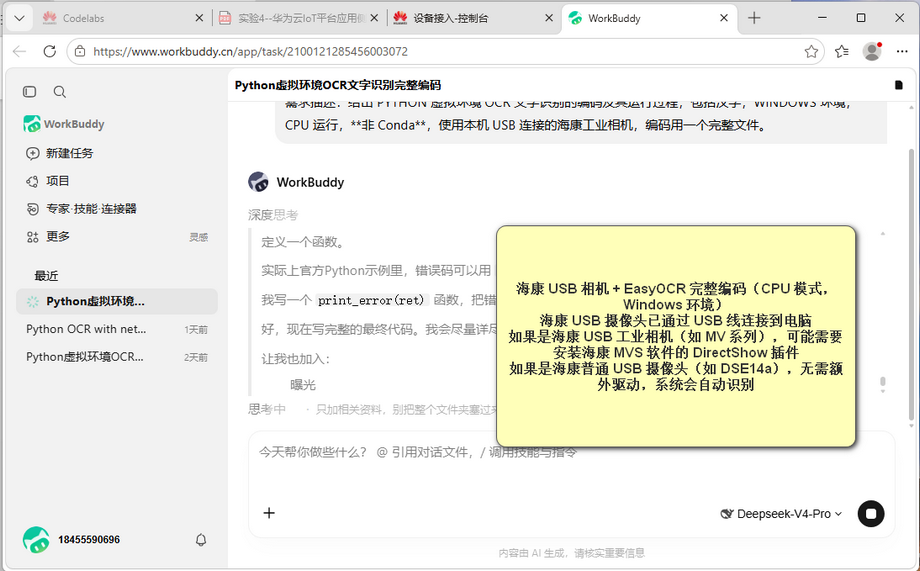
这是Windows 平台 CPU 版 EasyOCR + 海康 USB 相机方案;如果你要移植到昇腾 Atlas200I DK A2 板子上(aarch64 欧拉系统),有两点改动:
Windows 的虚拟环境命令不再适用,改用板子的python -m venv;
easyocr ARM 版本需要确认是否可以 pip 直接安装,不行就要离线下载 aarch64 的 whl 包。
3.2 运行环境构造
# 创建虚拟环境
python -m venv ocr-cam-env
# 激活虚拟环境(Windows)
ocr-cam-env\Scripts\activate
#安装依赖包
pip install easyocr opencv-python pillow numpy
3.3 编码实现
import argparse
import sys
import time
if sys.platform == "win32":
try:
sys.stdout.reconfigure(encoding="utf-8")
sys.stderr.reconfigure(encoding="utf-8")
except Exception:
pass
import cv2
import numpy as np
from PIL import Image, ImageDraw, ImageFont
# ===================== 配置区 =====================
CAMERA_INDEX = 0 # 默认摄像头编号:笔记本内置=0,外接 USB 常为 1
LANG = "ch" # 文字识别语言:ch=中英文混合
USE_ANGLE_CLS = True # 文字方向分类
USE_GPU = False # 是否用 GPU
OCR_INTERVAL = 0.5 # 两次文字识别间隔(秒)
OCR_RESIZE = 1280 # 文字识别前等比缩放宽度(加速)
SHOW_SCORE = True # 是否显示文字置信度
ENABLE_OCR = True # 是否开启文字识别
ENABLE_FACE = True # 是否开启人脸检测
ENABLE_PERSON = True # 是否开启人体检测
FONT_PATH = r"C:\Windows\Fonts\simhei.ttf" # 中文字体
# =================================================
def draw_chinese_text(img_bgr, text, pos, font_path=FONT_PATH, font_size=18,
color=(0, 255, 0)):
"""在 OpenCV BGR 图像上绘制中文(cv2.putText 不支持中文,用 PIL)。"""
img_rgb = cv2.cvtColor(img_bgr, cv2.COLOR_BGR2RGB)
pil_img = Image.fromarray(img_rgb)
draw = ImageDraw.Draw(pil_img)
try:
font = ImageFont.truetype(font_path, font_size)
except Exception:
font = ImageFont.load_default()
draw.text(pos, text, font=font, fill=(color[2], color[1], color[0]))
return cv2.cvtColor(np.array(pil_img), cv2.COLOR_RGB2BGR)
class OCREngine:
"""文字识别(PaddleOCR),兼容 2.x / 3.x。"""
def __init__(self, lang=LANG, use_angle_cls=USE_ANGLE_CLS, use_gpu=USE_GPU):
try:
from paddleocr import PaddleOCR
except ImportError as e:
print("[错误] 未安装 PaddleOCR,请先运行 setup_usb.bat")
raise e
self.use_angle_cls = use_angle_cls
attempts = []
# PaddleOCR 3.x(GPU 用 device,CPU 不传)
p3 = dict(lang=lang,
use_textline_orientation=use_angle_cls,
use_doc_orientation_classify=False,
use_doc_unwarping=False,
enable_mkldnn=False) # 修复 PaddlePaddle 3.3.x CPU 推理崩溃
if use_gpu:
p3["device"] = "gpu"
attempts.append(p3)
# PaddleOCR 2.x
attempts.append(dict(lang=lang, use_angle_cls=use_angle_cls,
use_gpu=use_gpu, show_log=False))
# 兜底
attempts.append(dict(lang=lang))
last_err = None
for params in attempts:
try:
self.engine = PaddleOCR(**params)
break
except (TypeError, ValueError) as e:
last_err = e
else:
raise last_err
self.is_v3 = hasattr(self.engine, "predict")
def recognize(self, img_bgr):
"""识别一帧,返回 [(box, text, score), ...]。"""
items = []
result = self.engine.predict(img_bgr) if self.is_v3 \
else self.engine.ocr(img_bgr, cls=self.use_angle_cls)
if result is None:
return items
if isinstance(result, dict):
result = [result]
for page in result:
if page is None:
continue
try: # 3.x:rec_texts / rec_boxes / rec_scores
for box, text, score in zip(page["rec_boxes"],
page["rec_texts"],
page["rec_scores"]):
items.append((box, text, float(score)))
continue
except (KeyError, TypeError):
pass
for line in page: # 2.x:[[box, (text, score)], ...]
try:
box, (text, score) = line[0], line[1]
items.append((box, text, float(score)))
except Exception:
continue
return items
def draw(self, frame_bgr, items, show_score=SHOW_SCORE):
for box, text, score in items:
pts = np.array(box, dtype=np.int32).reshape((-1, 1, 2))
cv2.polylines(frame_bgr, [pts], True, (0, 255, 0), 2)
x, y = int(pts[0][0][0]), int(pts[0][0][1])
label = f"{text} {score:.2f}" if show_score else text
frame_bgr = draw_chinese_text(frame_bgr, label, (x, max(0, y - 26)),
font_size=18, color=(0, 255, 0))
return frame_bgr
class FaceDetector:
"""人脸检测(OpenCV Haar 级联,无需额外模型)。"""
def __init__(self):
path = cv2.data.haarcascades + "haarcascade_frontalface_default.xml"
self.cascade = cv2.CascadeClassifier(path)
def detect(self, gray):
faces = self.cascade.detectMultiScale(
gray, scaleFactor=1.1, minNeighbors=5, minSize=(30, 30))
return faces # [(x, y, w, h), ...]
class PersonDetector:
"""人体/行人检测(OpenCV HOG + SVM,无需额外模型)。"""
def __init__(self):
self.hog = cv2.HOGDescriptor()
self.hog.setSVMDetector(cv2.HOGDescriptor_getDefaultPeopleDetector())
def detect(self, frame):
rects, _ = self.hog.detectMultiScale(
frame, winStride=(8, 8), padding=(16, 16), scale=1.05)
return rects # [(x, y, w, h), ...]
def open_camera(index):
"""打开摄像头,多后端尝试并读帧验证。"""
backends = [cv2.CAP_DSHOW, getattr(cv2, "CAP_MSMF", cv2.CAP_ANY), cv2.CAP_ANY]
for backend in backends:
try:
cap = cv2.VideoCapture(index, backend)
if cap.isOpened():
ok, _ = cap.read()
if ok:
return cap
cap.release()
except Exception:
pass
return None
def find_camera(prefer=CAMERA_INDEX, max_index=5):
if prefer >= 0:
cap = open_camera(prefer)
if cap is not None:
return cap, prefer
for i in range(max_index + 1):
if i == prefer:
continue
cap = open_camera(i)
if cap is not None:
return cap, i
return None, -1
def list_cameras():
print("[信息] 正在检测摄像头(编号 0~5)...")
found = []
for i in range(6):
cap = open_camera(i)
if cap is not None:
found.append(i)
cap.release()
if found:
for i in found:
print(f" 编号 {i} 可用")
print(f" 建议:python ocr_usb.py --camera {found[0]}")
else:
print("[提示] 未检测到摄像头,请检查连接/驱动/是否被占用")
def run(index, enable_ocr=ENABLE_OCR, enable_face=ENABLE_FACE,
enable_person=ENABLE_PERSON):
cap, used = find_camera(index)
if cap is None:
print("[错误] 未找到可用摄像头,请依次检查:")
print(" 1) USB 摄像头是否插入、指示灯是否亮")
print(" 2) Windows 设置 → 隐私 → 相机 是否允许访问")
print(" 3) 关闭占用摄像头的程序(浏览器/微信/会议等)")
print(" 4) 设备管理器 → 照相机 里是否能看到设备")
return
engine = OCREngine() if enable_ocr else None
face_det = FaceDetector() if enable_face else None
person_det = PersonDetector() if enable_person else None
last_items = []
last_ocr_time = 0.0
frame_count = 0
print(f"[信息] 已打开摄像头编号 {used}")
if enable_ocr:
print("[信息] 首次文字识别会自动下载中文模型,请耐心等待 ...")
print("[信息] 按键:q/ESC 退出;s 保存画面和结果")
while True:
ok, frame = cap.read()
if not ok:
print("[警告] 读取画面失败")
time.sleep(1.0)
continue
frame_count += 1
gray = cv2.cvtColor(frame, cv2.COLOR_BGR2GRAY)
# ---- 人脸检测(每帧)----
faces = []
if face_det is not None:
try:
faces = face_det.detect(gray)
except Exception as e:
print(f"[错误] 人脸检测失败:{e}")
# ---- 人体检测(每隔 2 帧)----
persons = []
if person_det is not None and frame_count % 2 == 0:
try:
persons = person_det.detect(frame)
except Exception as e:
print(f"[错误] 人体检测失败:{e}")
# ---- 文字识别(按间隔)----
if engine is not None and time.time() - last_ocr_time >= OCR_INTERVAL:
last_ocr_time = time.time()
img = frame
if OCR_RESIZE and frame.shape[1] > OCR_RESIZE:
scale = OCR_RESIZE / frame.shape[1]
img = cv2.resize(frame, None, fx=scale, fy=scale,
interpolation=cv2.INTER_AREA)
try:
last_items = engine.recognize(img)
if last_items:
print("-" * 40)
for box, text, score in last_items:
print(f" 文字:{text} (置信度 {score:.2f})")
except Exception as e:
print(f"[错误] 文字识别失败:{e}")
# ---- 绘制结果 ----
display = frame.copy()
if engine is not None:
display = engine.draw(display, last_items)
for (x, y, w, h) in faces:
cv2.rectangle(display, (x, y), (x + w, y + h), (255, 0, 0), 2)
display = draw_chinese_text(display, "人脸", (x, max(0, y - 24)),
font_size=18, color=(255, 0, 0))
for (x, y, w, h) in persons:
cv2.rectangle(display, (x, y), (x + w, y + h), (0, 0, 255), 2)
display = draw_chinese_text(display, "人物", (x, max(0, y - 24)),
font_size=18, color=(0, 0, 255))
tip = (f"文字 {len(last_items)} | 人脸 {len(faces)} | 人体 {len(persons)}"
" | q 退出 / s 保存")
display = draw_chinese_text(display, tip, (10, 10),
font_size=16, color=(0, 200, 255))
cv2.imshow("USB Camera - 文字/人脸/人体识别", display)
key = cv2.waitKey(1) & 0xFF
if key in (ord("q"), 27):
break
elif key == ord("s"):
stamp = time.strftime("%Y%m%d_%H%M%S")
jpg_path = f"snapshot_{stamp}.jpg"
txt_path = f"snapshot_{stamp}.txt"
cv2.imwrite(jpg_path, display)
lines = [f"文字\t{text}\t{score:.4f}"
for _, text, score in last_items]
lines += [f"人脸\t{x},{y},{w},{h}" for (x, y, w, h) in faces]
lines += [f"人体\t{x},{y},{w},{h}" for (x, y, w, h) in persons]
with open(txt_path, "w", encoding="utf-8") as f:
f.write("\n".join(lines))
print(f"[信息] 已保存:{jpg_path} 和 {txt_path}")
cap.release()
cv2.destroyAllWindows()
def main():
parser = argparse.ArgumentParser(description="USB 摄像头 文字/人脸/人体识别")
parser.add_argument("--camera", type=int, default=CAMERA_INDEX)
parser.add_argument("--list", action="store_true", help="列出可用摄像头")
parser.add_argument("--lang", default=LANG)
parser.add_argument("--gpu", action="store_true")
parser.add_argument("--no-ocr", action="store_true", help="关闭文字识别")
parser.add_argument("--no-face", action="store_true", help="关闭人脸检测")
parser.add_argument("--no-person", action="store_true", help="关闭人体检测")
args = parser.parse_args()
if args.list:
list_cameras()
else:
run(args.camera,
enable_ocr=not args.no_ocr,
enable_face=not args.no_face,
enable_person=not args.no_person)
if __name__ == "__main__":
main()
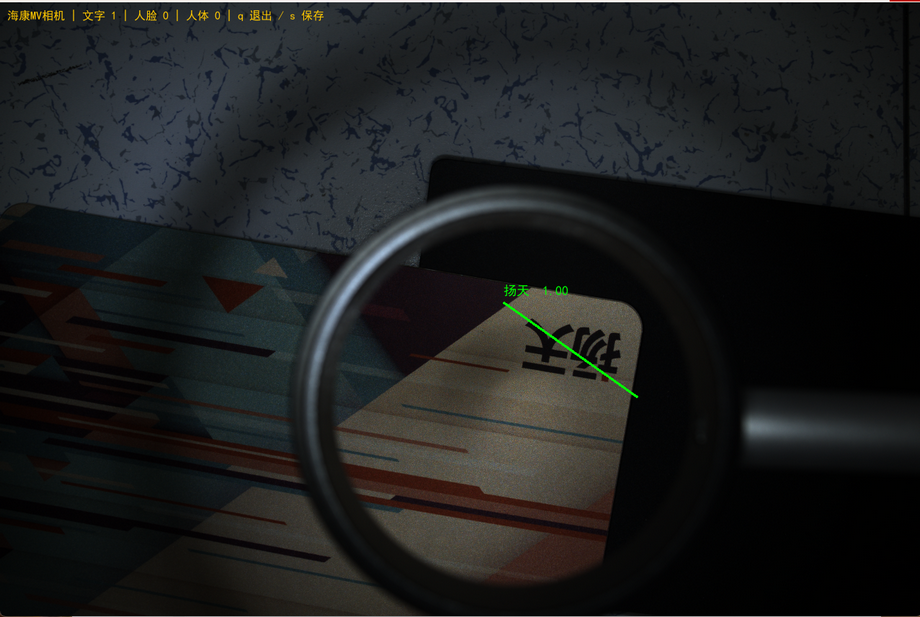
3.4 运行测试
4 IoTDA中转空间构建
4.0 IoTDA构造
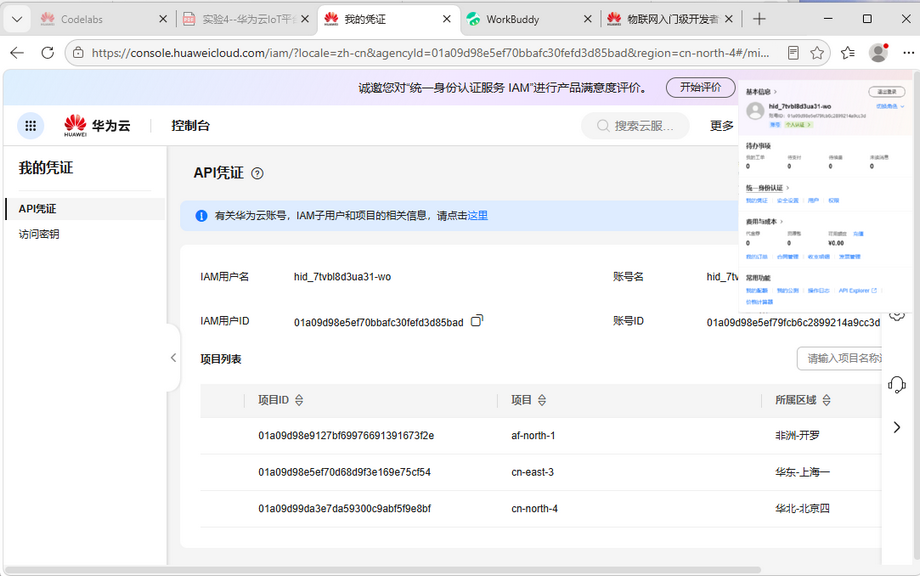
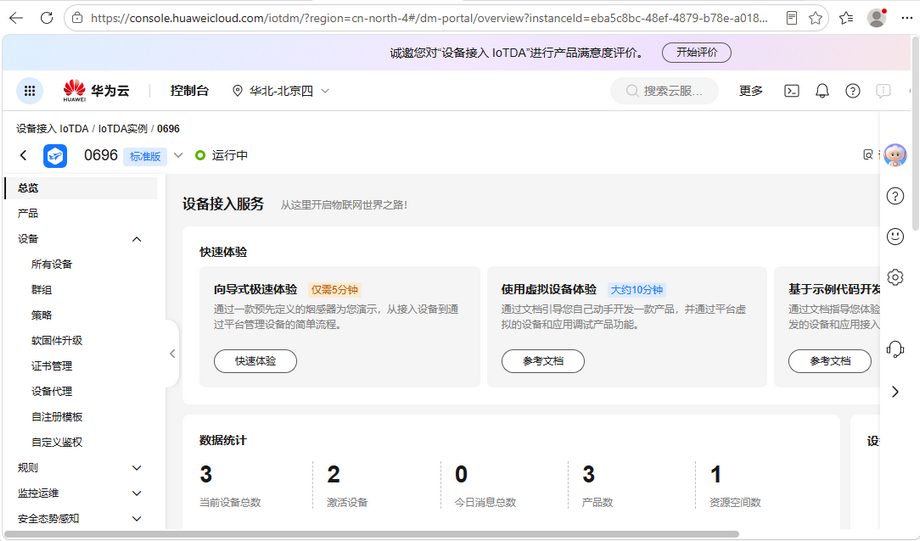
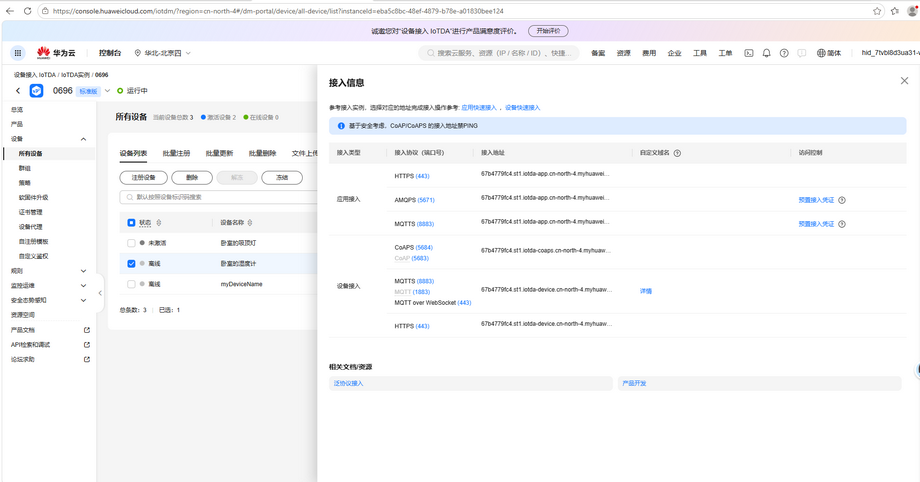
4.1 产品及其模型构建
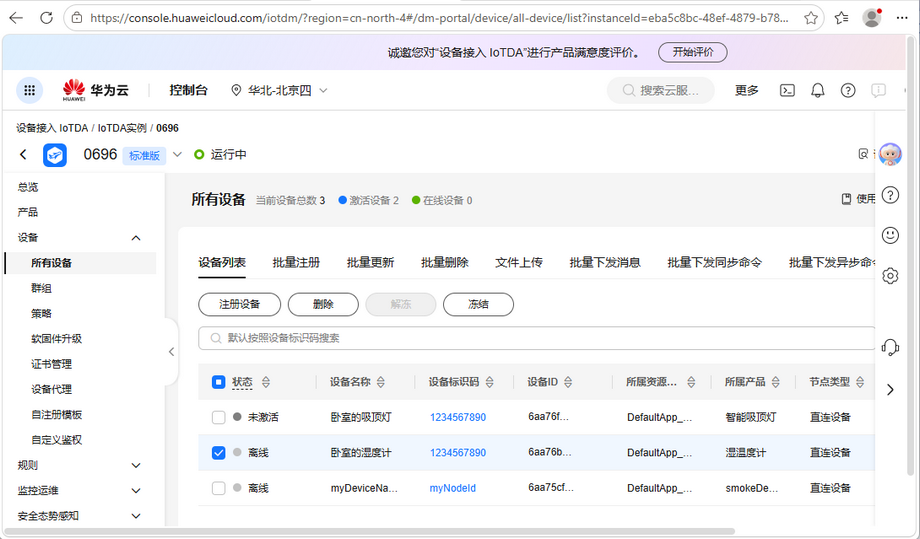
4.1.1 温湿度计
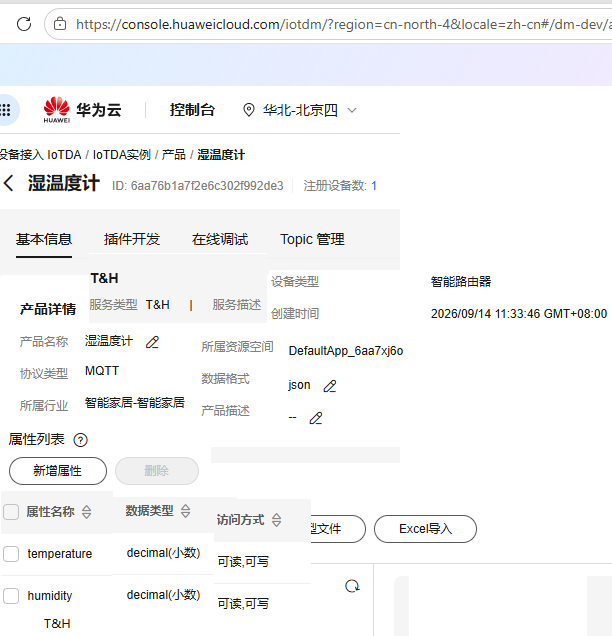
产品信息;
产品名称:温湿度计
协议类型:MQTT
数据格式:JSON
所属行业:智能家居
服务列表详情(服务 ID:T&H)
属性名称:temperature,数据类型:decimal,访问权限:可读可写,取值范围:100 ~ 100
属性名称:humidity,数据类型:decimal,访问权限:可读可写,取值范围:0 ~ 100
4.1.2 吸顶灯
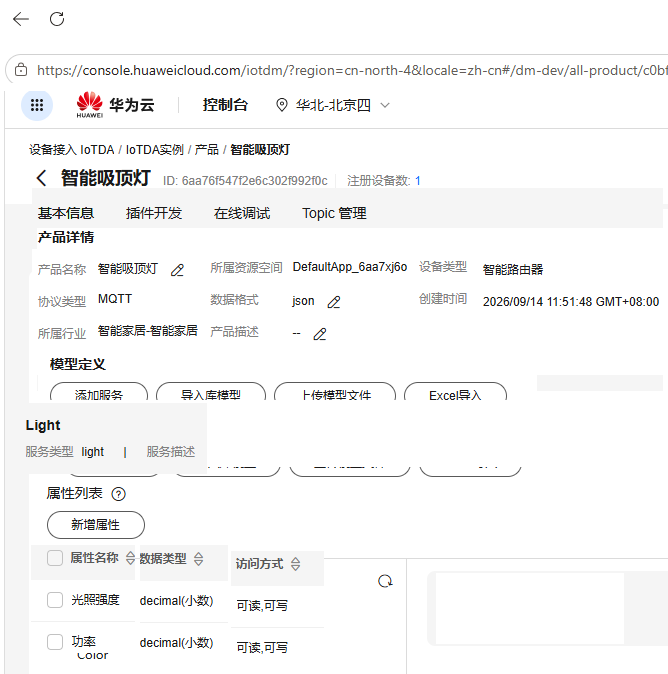
产品信息
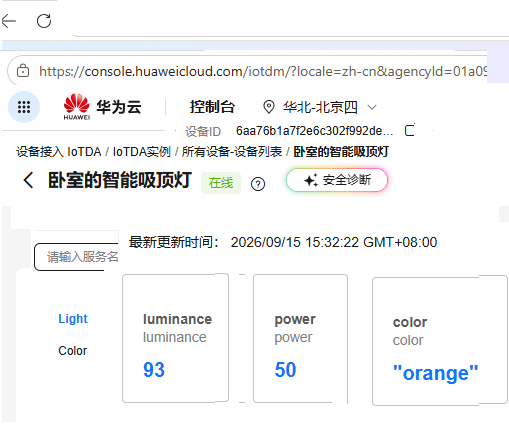
产品名称:智能吸顶灯 协议类型:MQTT 数据格式:JSON 所属行业:智能家居
服务列表定义
服务 ID:Light
属性名称:光照强度 (luminance),数据类型:decimal,访问权限:可读可写,取值范围:05000
属性名称:功率 (power),数据类型:decimal,访问权限:可读可写,取值范围:010000
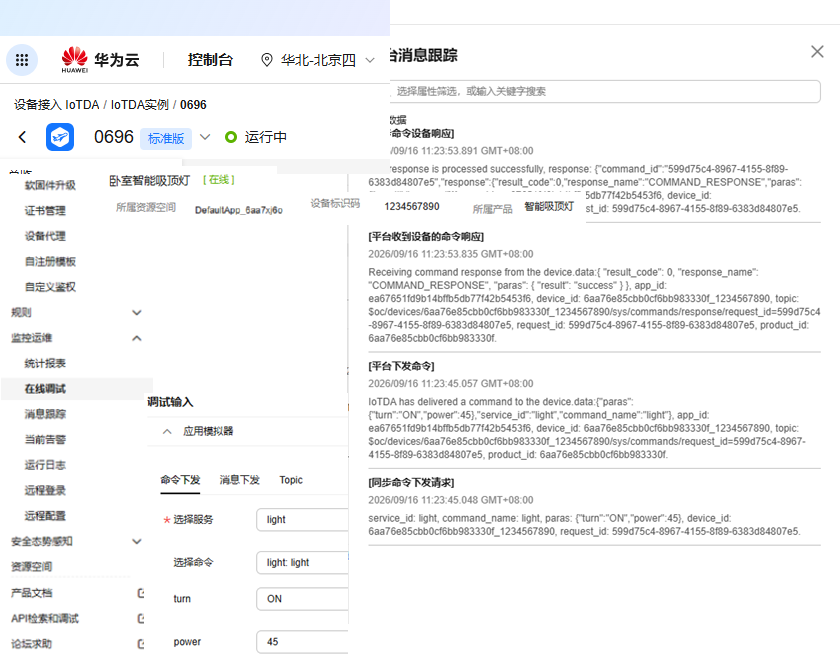
命令名称:Light 下发参数名称:turn,数据类型:string,长度:10 下发参数名称:power,数据类型:string,取值范围:010000
服务 ID:Color
属性名称:crtColor(灯光颜色),数据类型:string,长度:10
命令名称:setColor,数据类型:string,长度:10
4.2 设备实例化应用
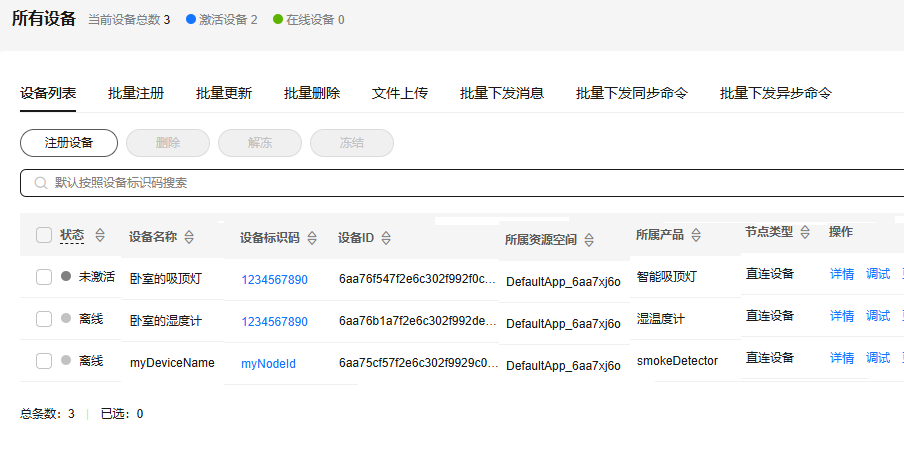
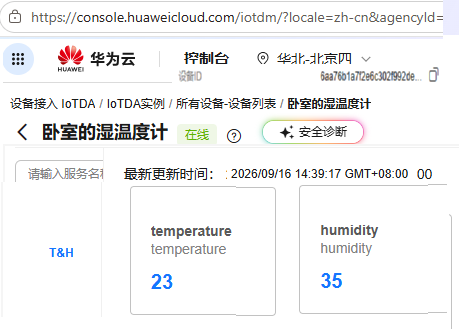
4.2.1 温湿度计设备注册及模拟测试
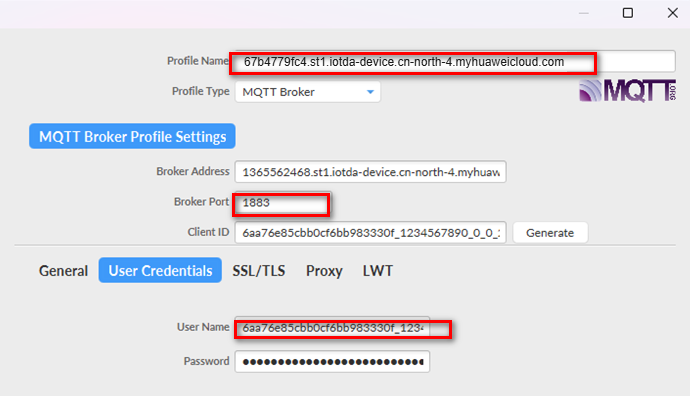
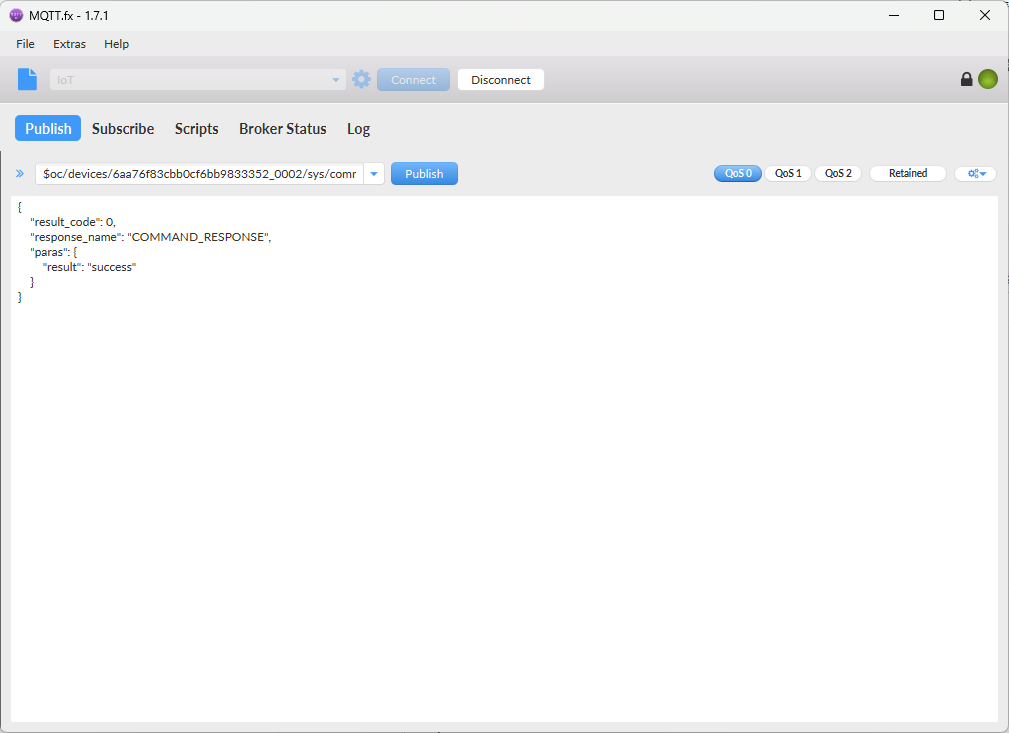
4.2.2 吸顶灯设备注册及模拟测试
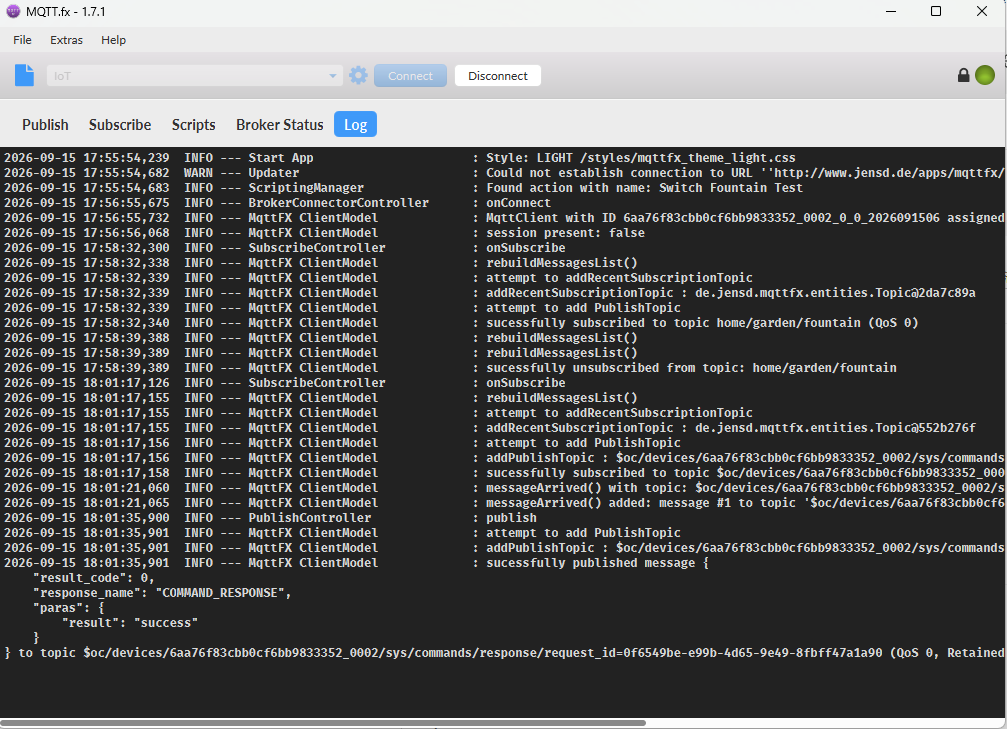
5 CodeArts智慧路灯快速构建与部署
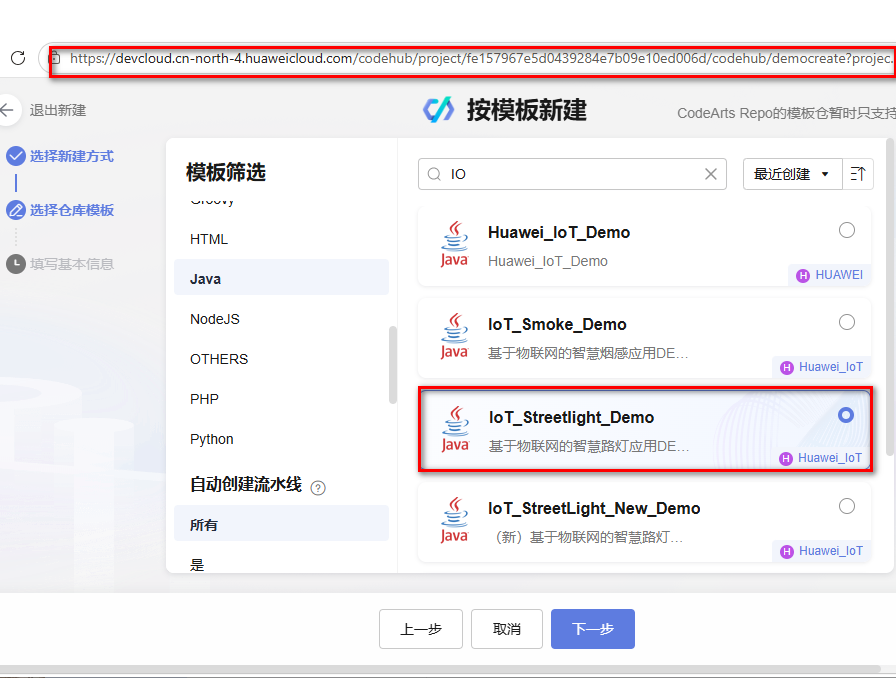
5.1 应用项目创建

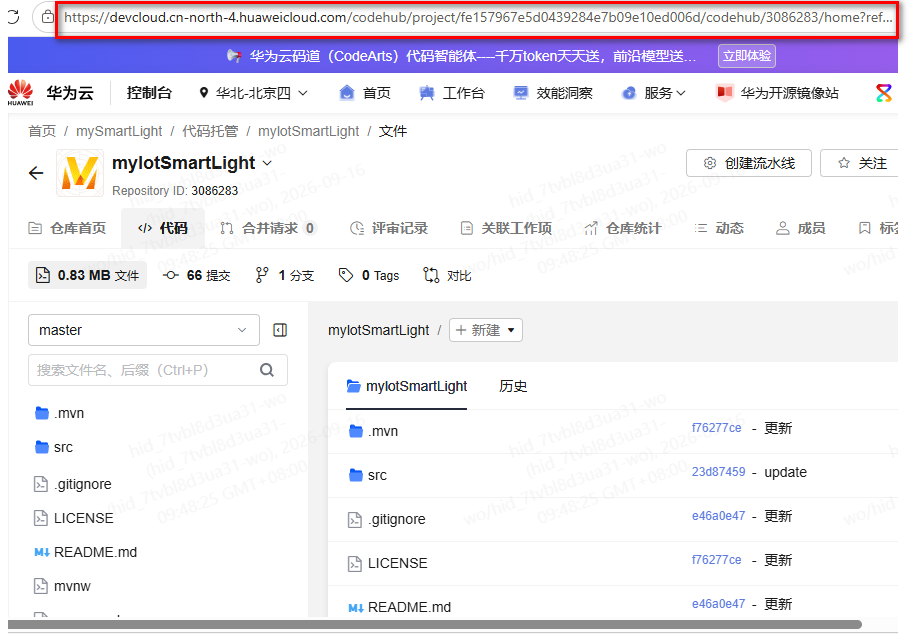
5.2 代码托管操作
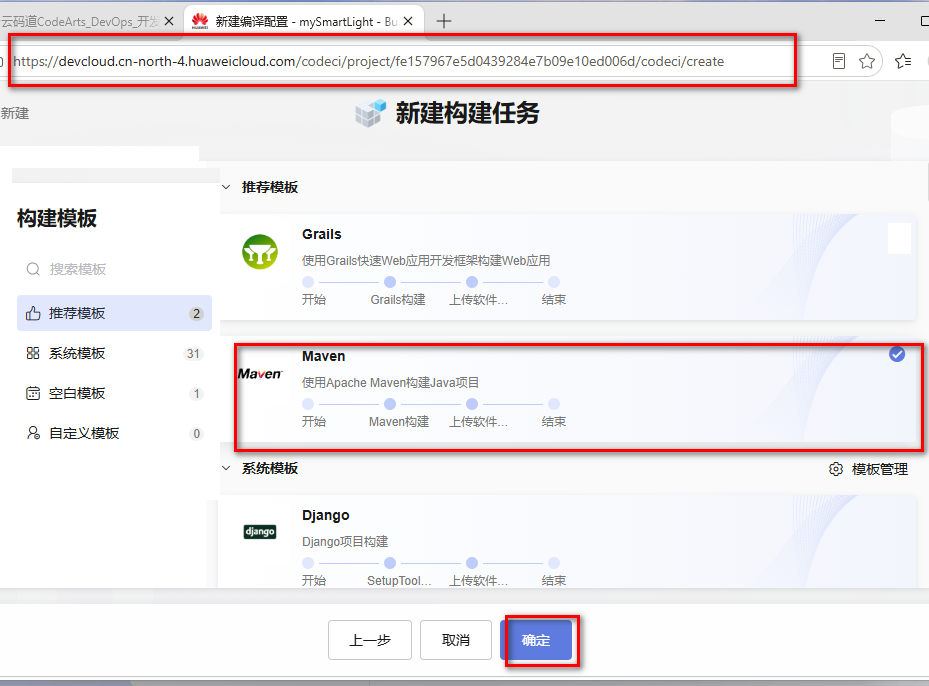
5.3 构建任务设立

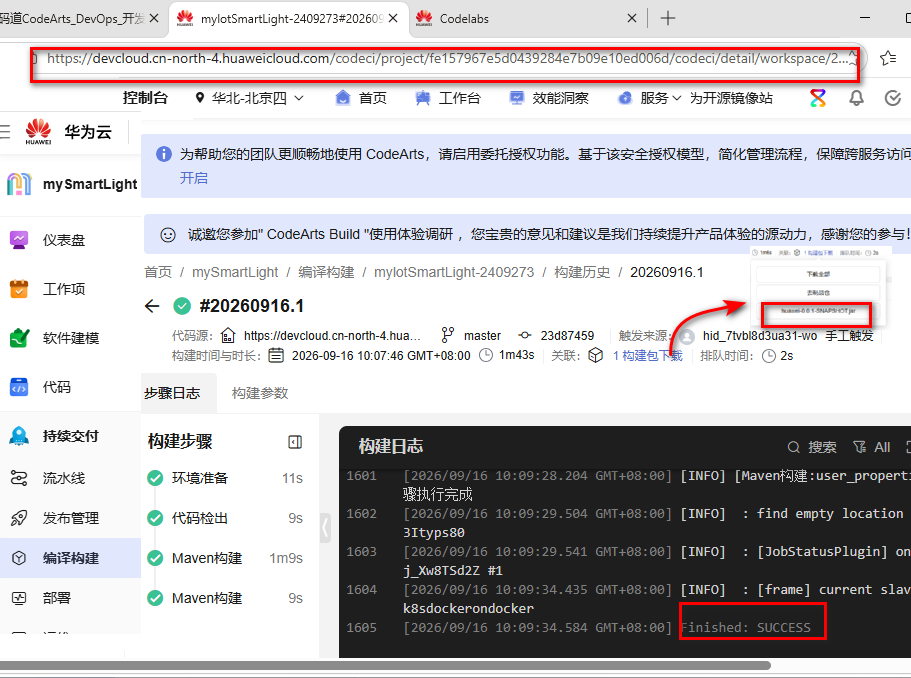
5.4 项目构建实现
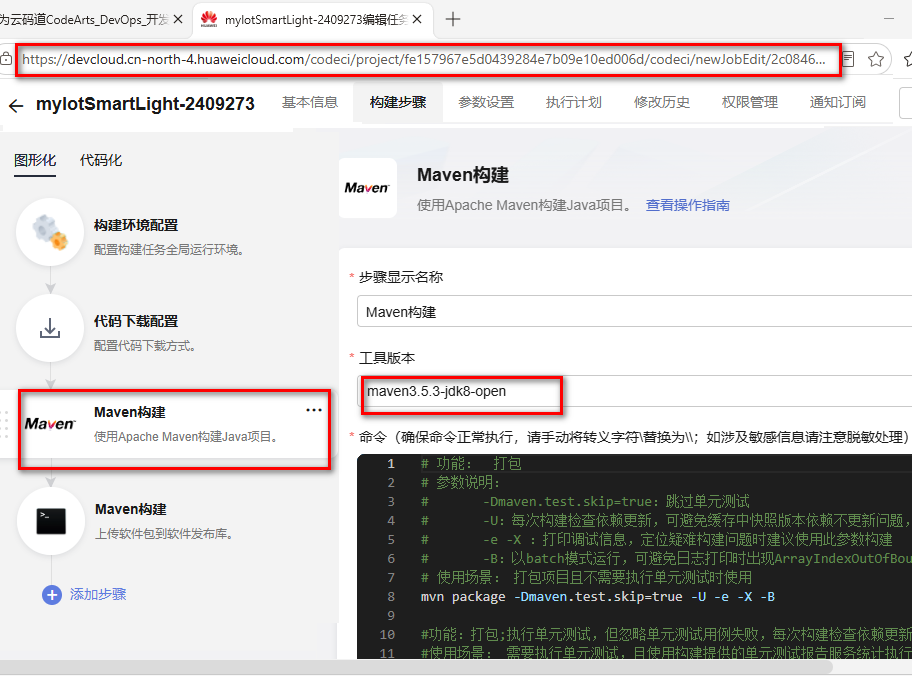
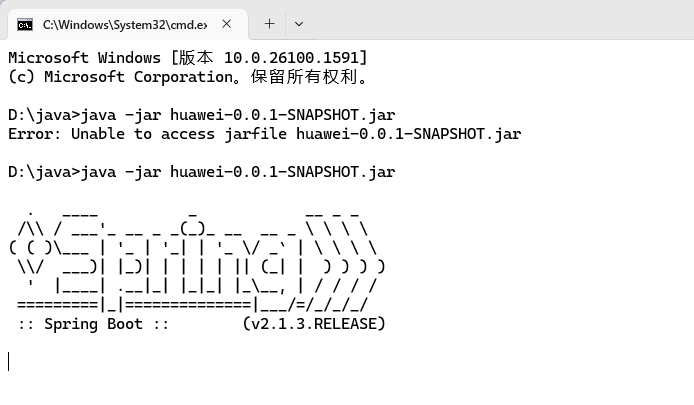
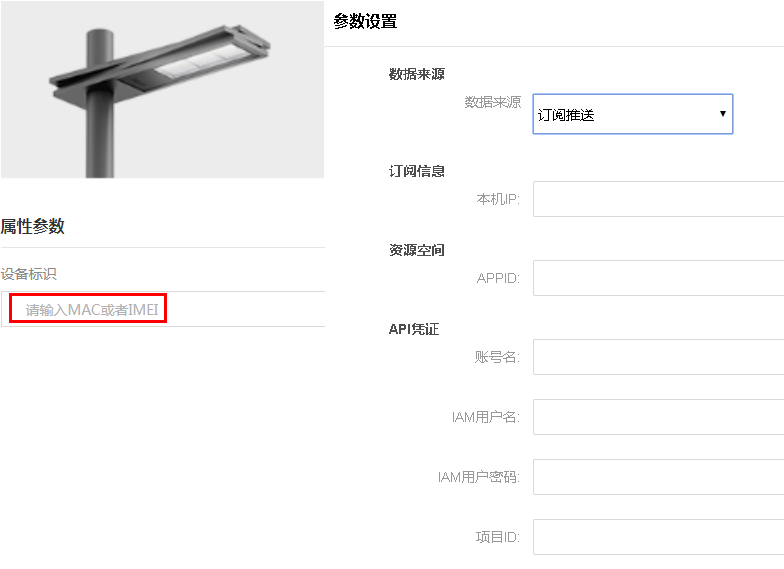
5.5 项目部署运行

DAMO开发者矩阵,由阿里巴巴达摩院和中国互联网协会联合发起,致力于探讨最前沿的技术趋势与应用成果,搭建高质量的交流与分享平台,推动技术创新与产业应用链接,围绕“人工智能与新型计算”构建开放共享的开发者生态。
更多推荐


 0
0 0
0- 0


 已为社区贡献1条内容

所有评论(0)