Unity 百度人脸识别SDK之人脸检测
·
前期准备
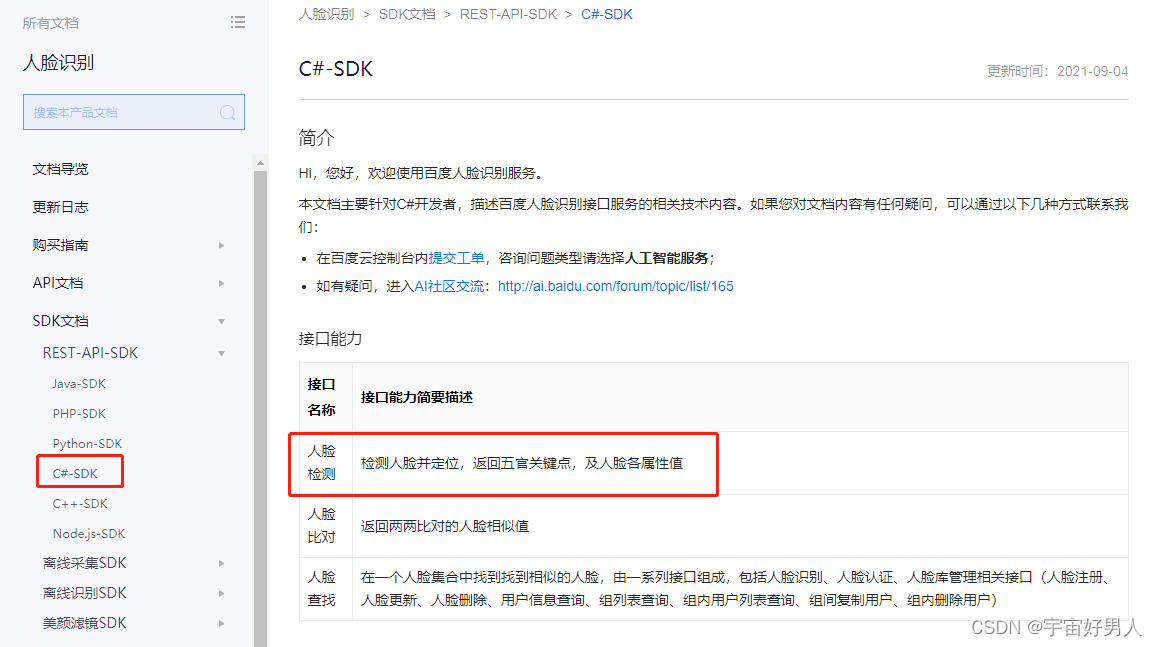
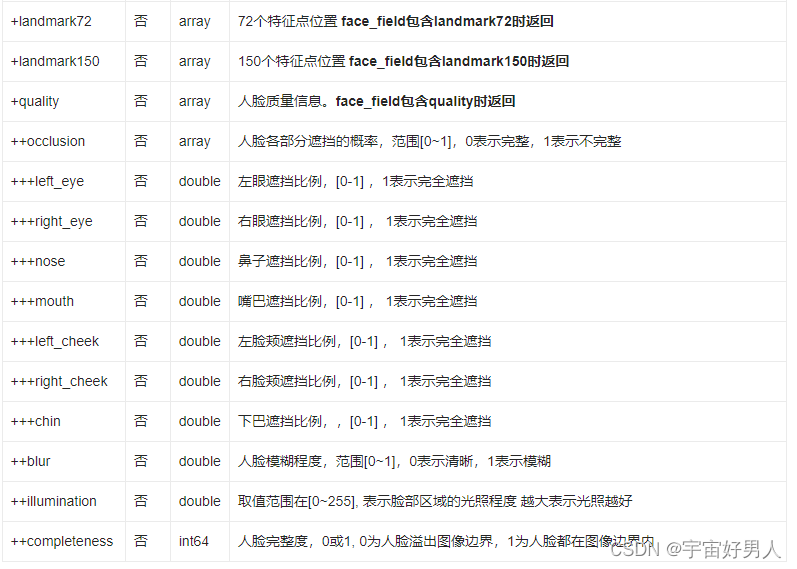
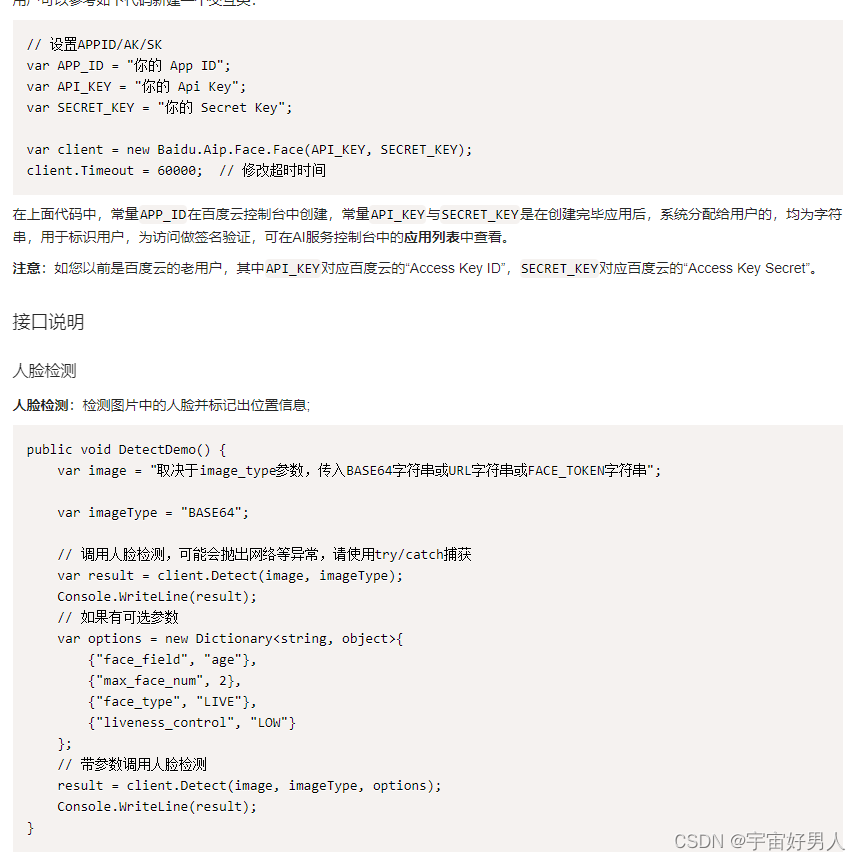
不管在调用什么SDK,都得先查看相应的SDK文档,本人比较懒,就直接贴出百度人脸检测的文档内容。之后跟着文档一步一步的去实现。
可以看到SDK的功能有人脸检测、人脸对比和查找人脸。本篇主要实现人脸检测的功能。
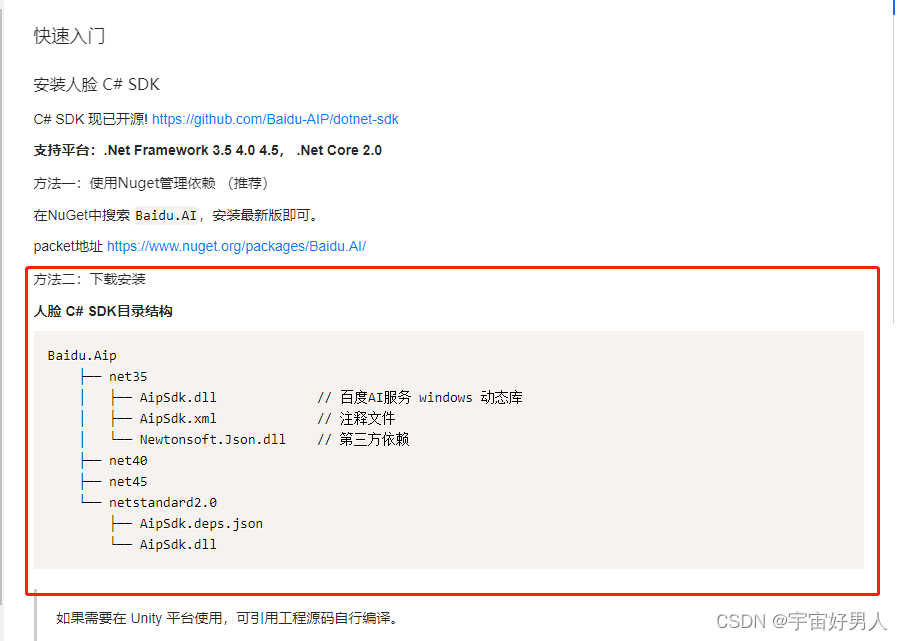
选择方法二进行SDK的下载安装
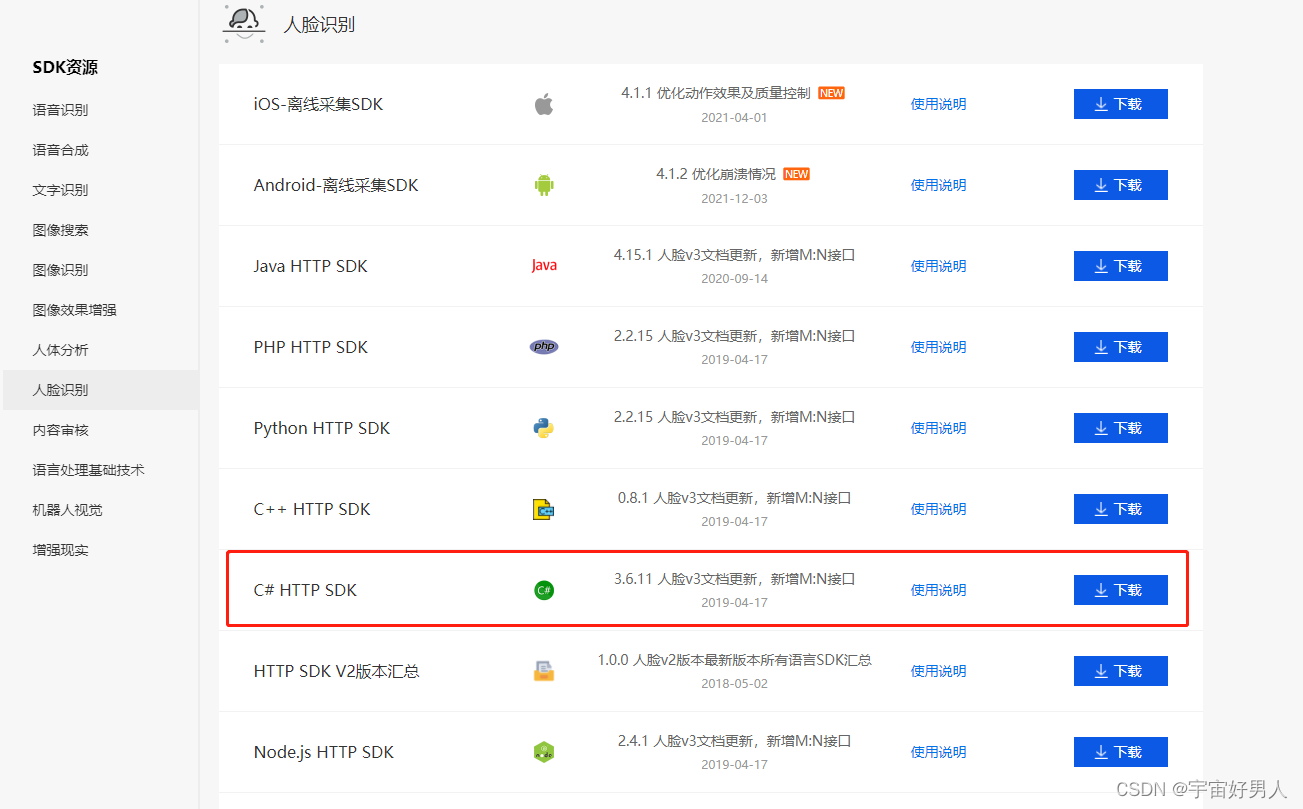
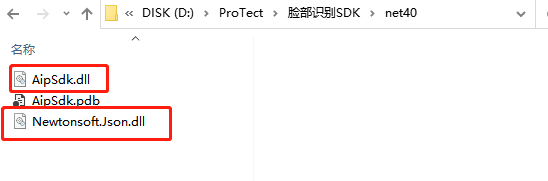
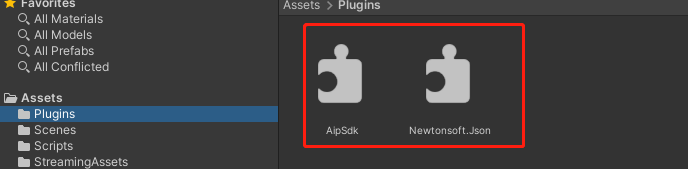
在下载好的SDK里面找到net40文件夹中的AipSdk.dll和Newtonsoft.Json.dll导入Unity工程中
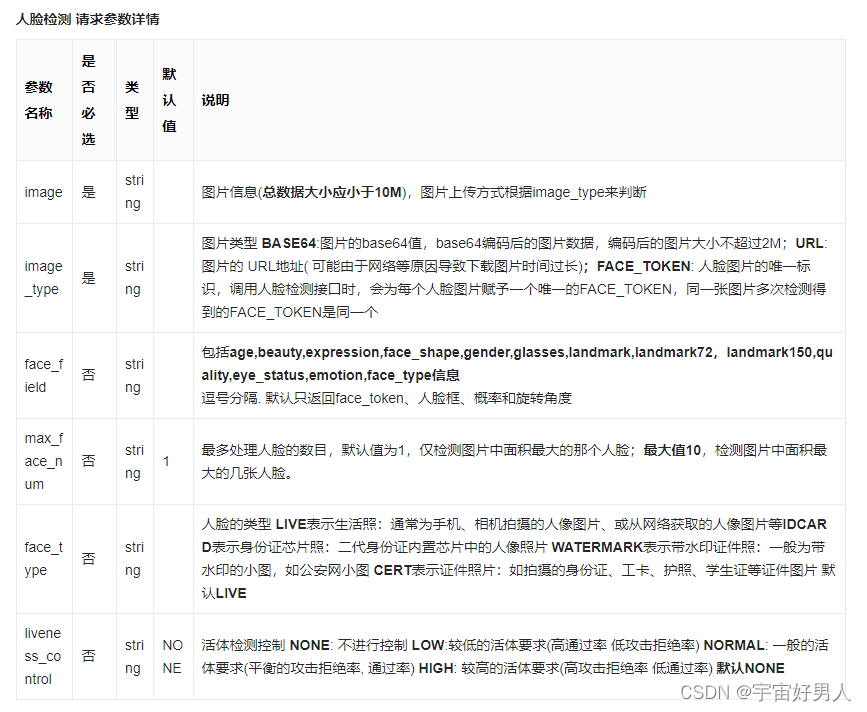
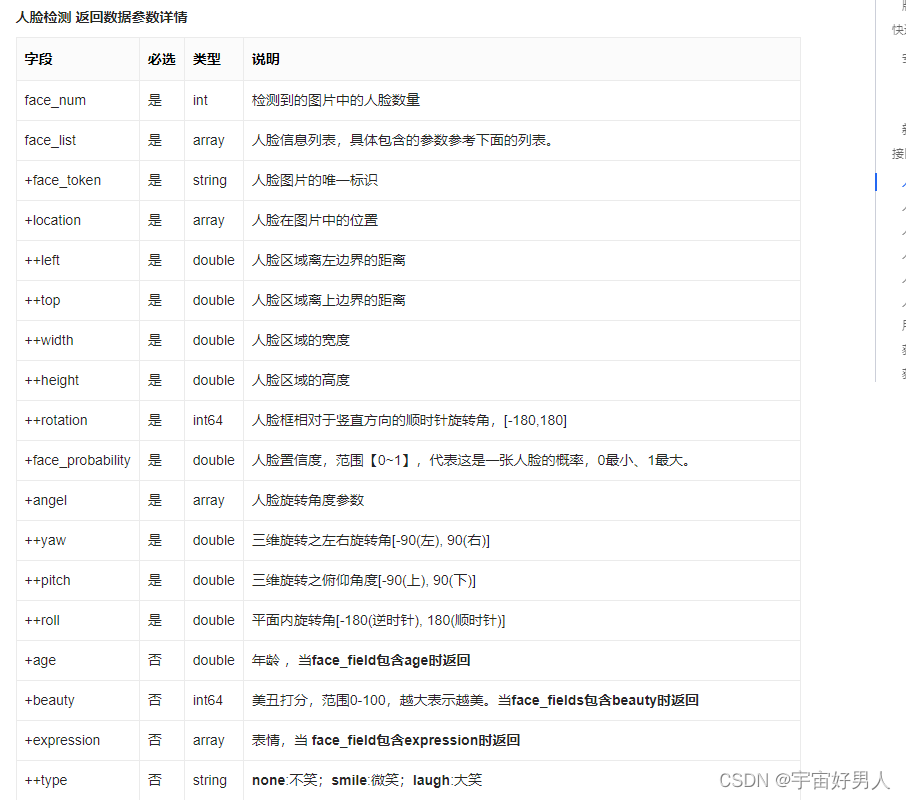
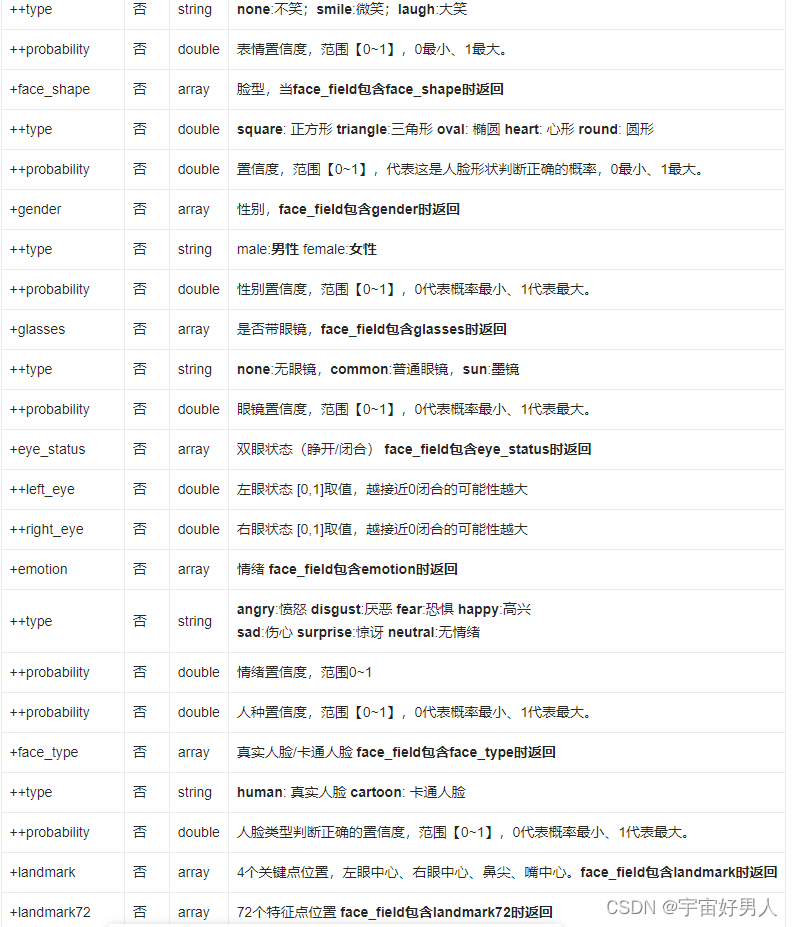
编写代码调用摄像头,根据SDK文档参数选择,实现实时上传图片接收返回相应数据:
using System.Collections;
using System.Collections.Generic;
using UnityEngine;
using Baidu.Aip.Face;
using UnityEngine.UI;
using System.IO;
using System;
using System.Text;

public class FaceDetect : MonoBehaviour
{
    //自己的密钥
    public string app_id;
    public string api_key;
    public string secret_key;
    //脸部识别接口
    Face client;

    //摄像头调用
    private string devicename;
    private WebCamTexture webCamTex;

    //检测的频率和时间
    float timer = 1f;

    //截图保存上传
    RawImage mainImage;
    public Camera cam;
    string imagename = Application.streamingAssetsPath + "/" + "face.jpg";
    public int width;
    public int height;
    private int Frame = 30;

    //显示结果
    public Text resultText;
    string result;

    bool isStart=false;
    void Start()
    {
        StartCoroutine(OpenCamera());
        mainImage = transform.GetComponent<RawImage>();
        client = new Face(api_key,secret_key);
        client.Timeout = 60000;
    }

    /// <summary>
    /// 调用摄像头
    /// </summary>
    /// <returns></returns>
    IEnumerator OpenCamera()
    {
        yield return Application.RequestUserAuthorization(UserAuthorization.WebCam);
        if (Application.HasUserAuthorization(UserAuthorization.WebCam))
        {
            WebCamDevice[] devices = WebCamTexture.devices;
            devicename = devices[0].name;
            webCamTex = new WebCamTexture(devicename,width,height,Frame);
            webCamTex.Play();
            mainImage.texture = webCamTex;
            isStart = true;
        }
    }

    private void Update()
    {
        if (isStart)
        {
            isStart = false;
            StartCoroutine(CupScreenImage());
        }
    }
    /// <summary>
    /// 截屏并且调用保存方法
    /// </summary>
    IEnumerator CupScreenImage()
    {
        while (true)
        {
            yield return new WaitForSeconds(timer);
            if (File.Exists(imagename))
            {
                File.Delete(imagename);
            }
            Texture2D screenShot;
            RenderTexture rt = new RenderTexture(width,height,1);
            cam.targetTexture = rt;
            cam.Render();
            RenderTexture.active = rt;
            screenShot = new Texture2D(width, height, TextureFormat.RGB24, false);
            screenShot.ReadPixels(new Rect(0,0,width,height),0,0);
            screenShot.Apply();
            SaveImage(screenShot);
        }
    }
    /// <summary>
    /// 保存图片方法
    /// </summary>
    void SaveImage(Texture2D tex)
    {
        Color[] pixels = new Color[(int)(width * height)];
        Texture2D newTex = new Texture2D(Mathf.CeilToInt(width), Mathf.CeilToInt(height));
        pixels = tex.GetPixels(0, 0, (int)width, (int)height);//批量获取点像素
        newTex.SetPixels(pixels);
        newTex.anisoLevel = 2;
        newTex.Apply();
        byte[] bytes = newTex.EncodeToJPG();
        File.WriteAllBytes(imagename, bytes);//将截图后的新图片存在相应的路径中
        FaceVecDectect(bytes);
    }

    /// <summary>
    /// 检测图片中得人脸并标记出位置信息
    /// 人脸检测接口调用
    /// </summary>
    public void FaceVecDectect(byte[] vs)
    {
        string imageType = "BASE64";
        if (File.Exists(imagename))
        {
            var options = new Dictionary<string, object>
            {
                {"face_field","age,beauty,gender,glasses"},//包括age,beauty,expression,face_shape,gender,glasses,landmark,landmark72,landmark150,quality,eye_status,emotion,face_type信息 逗号分隔. 默认只返回face_token、人脸框、概率和旋转角度
                {"max_face_num",3},//最多处理人脸的数目,默认值为1,仅检测图片中面积最大的那个人脸;最大值10,检测图片中面积最大的几张人脸。
                {"face_type","LIVE"},//人脸的类型 LIVE表示生活照:通常为手机、相机拍摄的人像图片、或从网络获取的人像图片等IDCARD表示身份证芯片照:二代身份证内置芯片中的人像照片 WATERMARK表示带水印证件照:一般为带水印的小图,如公安网小图 CERT表示证件照片:如拍摄的身份证、工卡、护照、学生证等证件图片 默认LIVE
                {"liveness_control","LOW"}//活体检测控制 NONE: 不进行控制 LOW:较低的活体要求(高通过率 低攻击拒绝率) NORMAL: 一般的活体要求(平衡的攻击拒绝率, 通过率) HIGH: 较高的活体要求(高攻击拒绝率 低通过率) 默认NONE
            };
            var result = client.Detect(Texture2DToBase64(vs), imageType, options);
            this.result = result.ToString();
            resultText.text = this.result;
        }

    }

    public string Texture2DToBase64(byte[] texture2)
    {
        string str = Convert.ToBase64String(texture2);
        return str;
    }
}
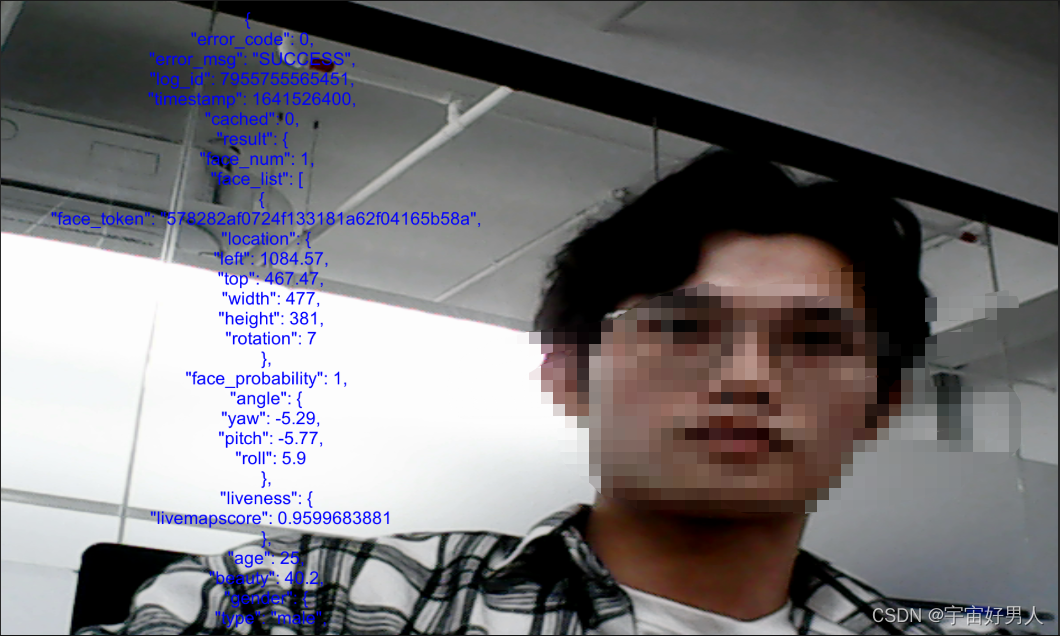
实现效果演示:

DAMO开发者矩阵,由阿里巴巴达摩院和中国互联网协会联合发起,致力于探讨最前沿的技术趋势与应用成果,搭建高质量的交流与分享平台,推动技术创新与产业应用链接,围绕“人工智能与新型计算”构建开放共享的开发者生态。
更多推荐
 1
1 0
0- 0


 已为社区贡献1条内容

所有评论(0)