行人检测数据集CrowdHuman简介,odgt标注格式转为yolo格式
行人检测数据集CrowdHuman简介,odgt标注格式转为yolo格式
一、引言
当前业内针对行人检测的数据集有很多,但针对实际场景中的遮挡目标的检测精度仍有待进一步提升。
二、CrowdHuman数据集简介
于是就找到了旷世公开的CrowdHuman数据集。地址:https://www.crowdhuman.org/。该数据集的中文摘要如下:
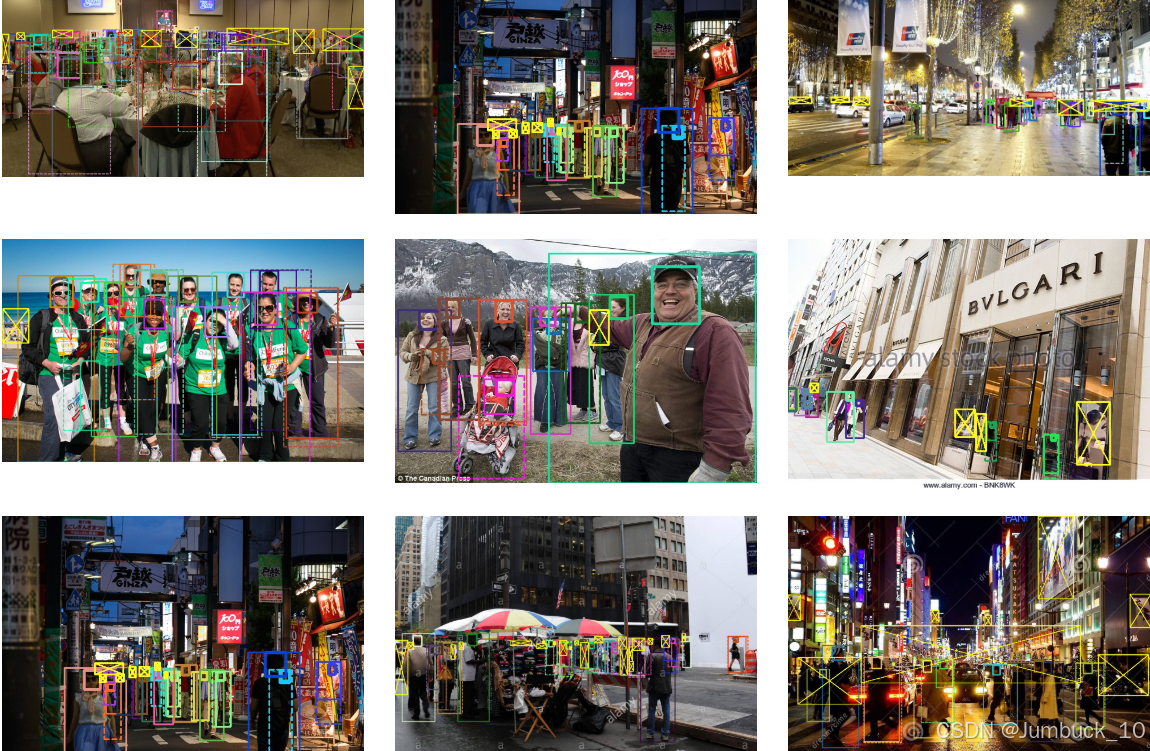
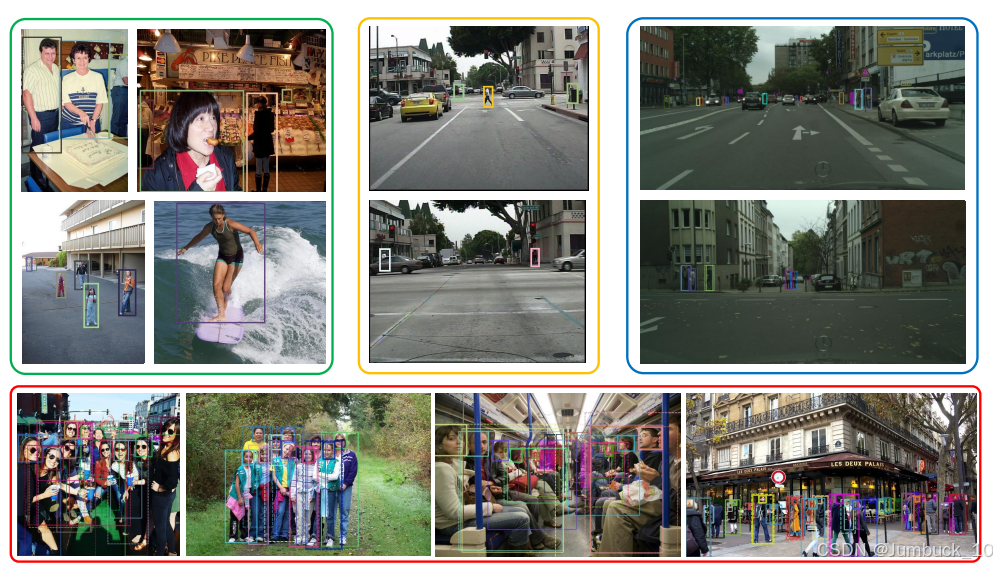
**近年来,人类检测技术取得了显著进展。然而,在高度拥挤的环境中,人体检测仍面临遮挡问题,且现有的人体检测基准在代表人群场景方面仍显不足。为了解决这一问题,本文介绍了一个新的数据集——CrowdHuman1,以便更好地评估人群场景中的检测器。CrowdHuman数据集规模庞大,注释丰富,具有高度的多样性。该数据集包含47万个人体实例,训练和验证子集中每张图片平均有22.6个人,且包含各种遮挡情况。每个人体实例都配有头部边界框、可见区域边界框和全身边界框的注释。
本文还介绍了基于CrowdHuman数据集的基线性能,展示了最先进的检测框架。在跨数据集泛化的实验中,CrowdHuman在多个之前的数据集(如加州理工学院数据集、CityPersons和Brainwash)上表现出色,取得了领先的性能,无需复杂的特征工程。我们希望CrowdHuman数据集能够作为一个坚实的基准,推动人类检测任务的未来研究。**
该数据集的图像样本数和图像中的遮挡目标很多,比较适用于实际场景。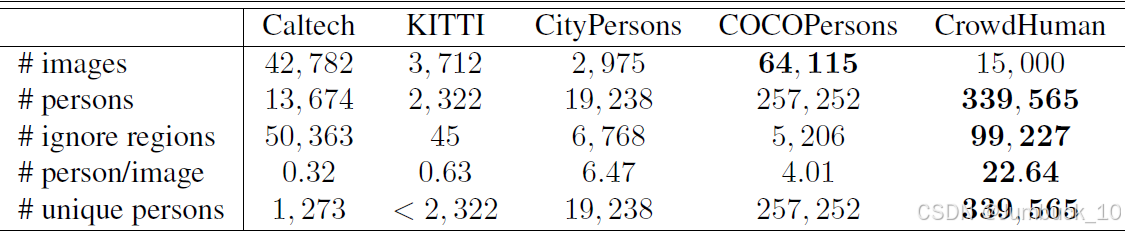
三、odgt格式转成yolo格式
但是该数据集的标注格式是odgt的,找了很多文章但是都没法解决,要么是转化格式出错,要么是转成的yolo格式的标注数据没有归一化,网上目前开源的转换源码都没法用。
因为我这边只需要检测人员(person),所以干脆就自己写了一个,直接把odgt的标注数据转化到一个文件夹下,生成对应的txt标注数据,
代码如下:
(
大家只需要改这三处路径即可
odgt_path = odgt后缀的文件位置;
output_dir = 输出的txt文件夹的位置;
img_path = 图像文件夹位置(需要找到原图的尺寸以此计算txt文件归一化后的值)
)
import os
import json
from PIL import Image

def load_func(fpath):
    """
    Load and parse ODGT file
    """
    assert os.path.exists(fpath), f"File not found: {fpath}"
    with open(fpath, 'r') as fid:
        lines = fid.readlines()
    records = [json.loads(line.strip('\n')) for line in lines]
    return records


def convert_crowdhuman_odgt_to_txt(odgt_path, output_dir):
    """
    Convert CrowdHuman ODGT annotations to COCO format TXT files
    将边界框坐标从[x, y, w, h]转换为[x_center, y_center, w, h]
    并进行归一化
    """
    # Create output directory if it doesn't exist
    os.makedirs(output_dir, exist_ok=True)

    # Create classes.txt
    with open(os.path.join(output_dir, 'classes.txt'), 'w') as f:
        f.write('person\n')

    # Load ODGT annotations
    bbox_records = load_func(odgt_path)

    # Process each record
    for record in bbox_records:
        # Get image ID
        image_id = record['ID']
        txt_filename = f"{image_id}.txt"
        txt_path = os.path.join(output_dir, txt_filename)

        # Get image size 这里也需要修改
        img_path = os.path.join(os.path.dirname(odgt_path),"images",
                                f"{image_id}.jpg")  # Assuming images are in the same folder as ODGT
        img = Image.open(img_path)
        img_width, img_height = img.size

        with open(txt_path, 'w') as f:
            for bbox in record['gtboxes']:
                # 跳过mask标签和需要忽略的框
                if bbox['tag'] == 'mask' or bbox.get('extra', {}).get('ignore', 0) == 1:
                    continue

                # 获取全身框坐标 [x, y, w, h]
                x, y, w, h = bbox['fbox']

                # 计算中心点坐标
                x_center = x + w / 2
                y_center = y + h / 2

                # 归一化坐标
                x_center /= img_width
                y_center /= img_height
                w /= img_width
                h /= img_height

                # 写入COCO格式:class_id x_center y_center width height
                bbox_str = f"0 {x_center} {y_center} {w} {h}"
                f.write(f"{bbox_str}\n")


def main():
    # 需要修改的两处
    odgt_path = 'E:\DeepLearningDatasets\CrowdHuman_val/annotation_val.odgt'  # Replace with your ODGT file path
    output_dir = 'E:\DeepLearningDatasets\CrowdHuman_val\labels'  # Replace with desired output directory

    try:
        convert_crowdhuman_odgt_to_txt(odgt_path, output_dir)
        print(f"转换完成。标签文件保存在: {output_dir}")
        print("\n每个txt文件的格式:")
        print("class_id x_center y_center width height")
        print("其中class_id=0表示person类")
        print("注意:坐标格式为COCO格式(中心点坐标 + 宽高)")

    except Exception as e:
        print(f"转换过程中出错: {str(e)}")


if __name__ == "__main__":
    main()
四、转化结果
转换后的标注标注图像格式: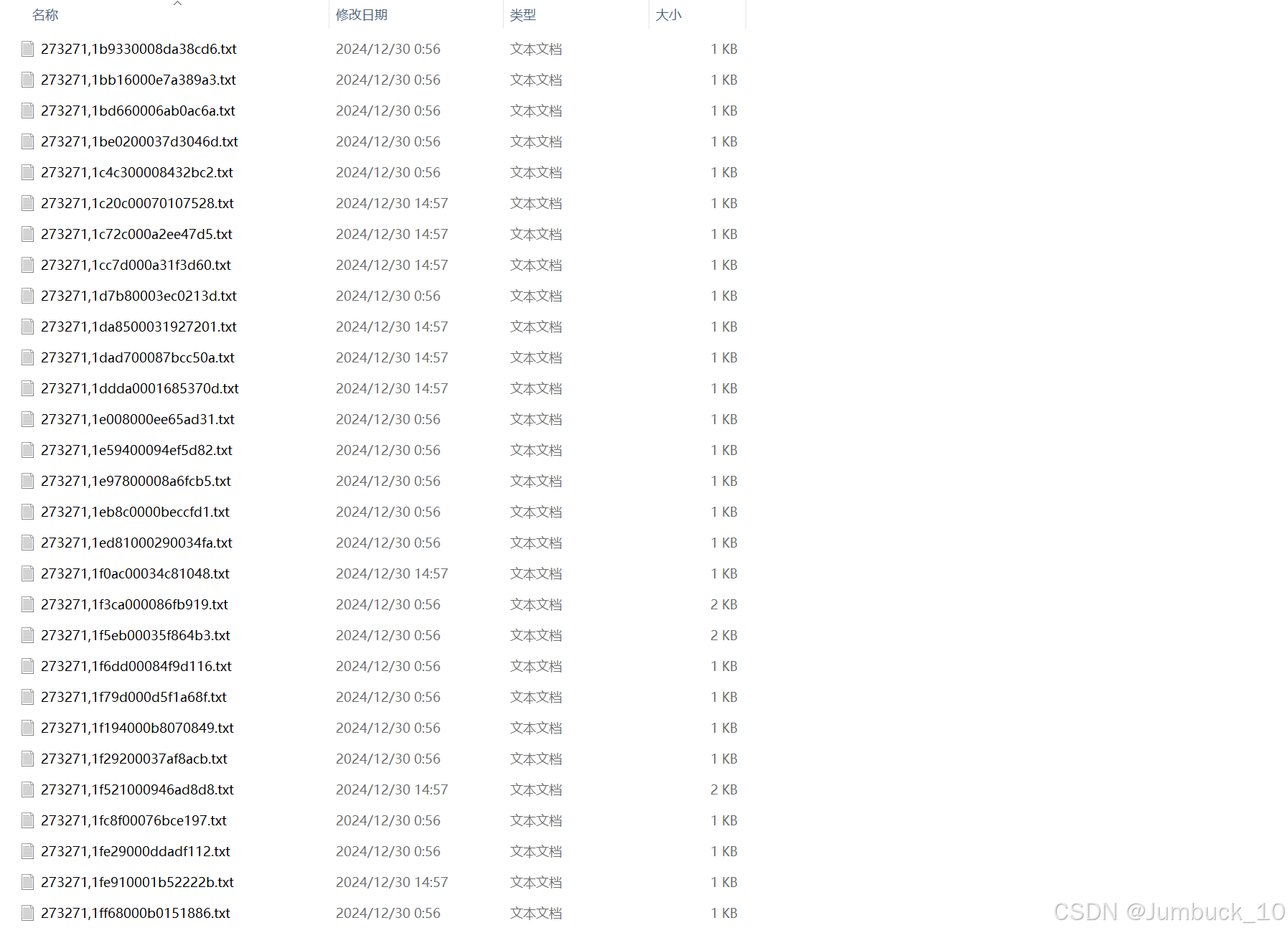
转化后的标注图像文件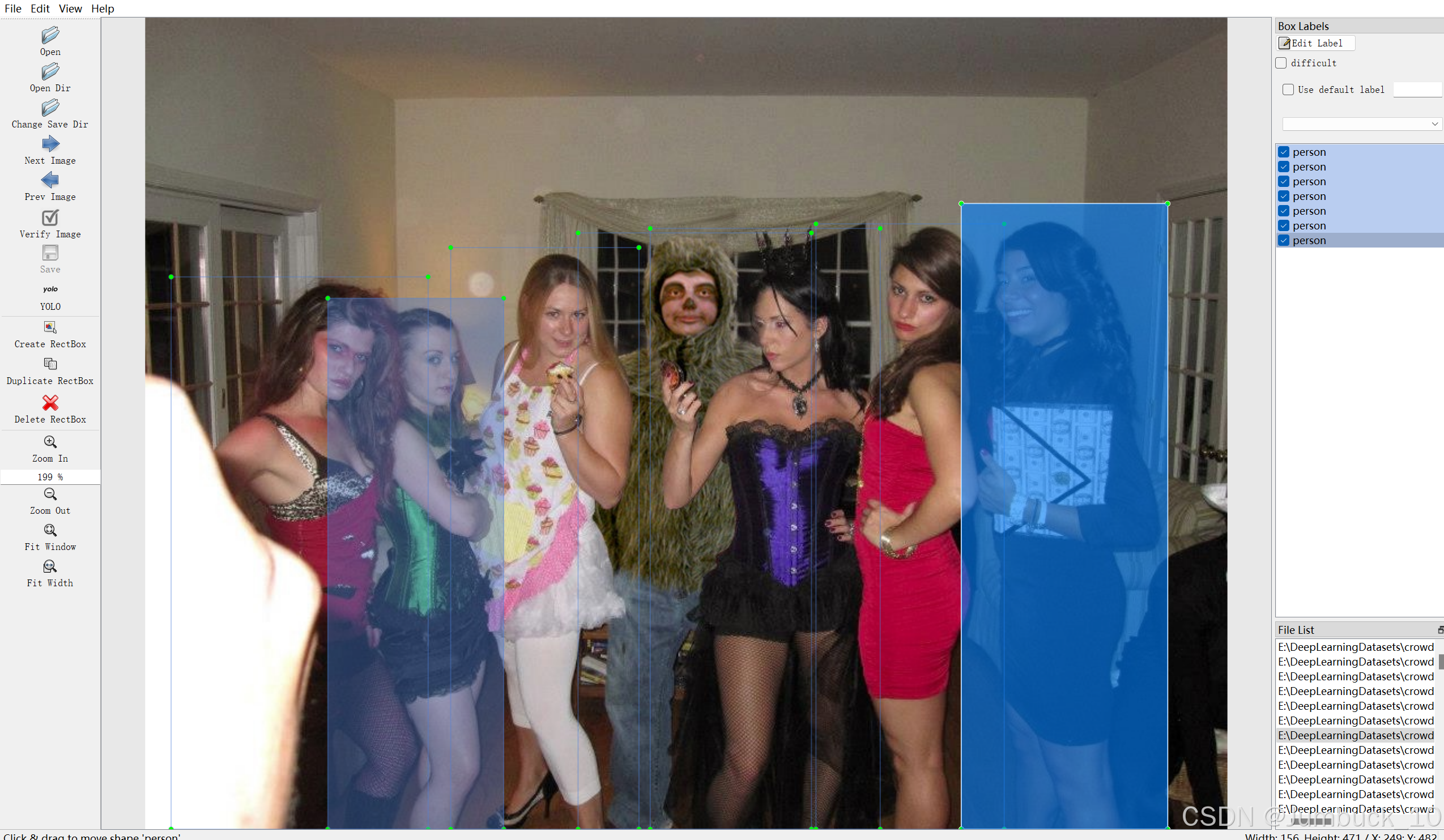

五、数据集获取
上文已经给出数据集标注文件格式转化的代码。
如果不想下载,需要打包好的yolo格式的数据可以关注我的个人主页。

DAMO开发者矩阵,由阿里巴巴达摩院和中国互联网协会联合发起,致力于探讨最前沿的技术趋势与应用成果,搭建高质量的交流与分享平台,推动技术创新与产业应用链接,围绕“人工智能与新型计算”构建开放共享的开发者生态。
更多推荐



 15
15 0
0- 0


 已为社区贡献7条内容

所有评论(0)