lammps计算聚合物例子_lammps案例分享:聚乙烯拉伸过程分子动力学模拟
本文分享一个聚乙烯拉伸的案例代码。复合物的拉伸过程和金属的拉伸类似,差别在于势函数的设置。金属原子直接没有键连接,因此,在进行金属材料拉伸时,只要指定势函数文件名和指定原子类型即可。聚合物则需要设置键、键角、二面角等势函数参数。具体模拟过程如下:(1)在MS中生成50个单体、10个链的聚乙烯,设置cvff力场,导出car文件。生成的聚乙烯如下图所示:(2)运行msi2lmp pp -cla
·
本文分享一个聚乙烯拉伸的案例代码。复合物的拉伸过程和金属的拉伸类似,差别在于势函数的设置。
金属原子直接没有键连接,因此,在进行金属材料拉伸时,只要指定势函数文件名和指定原子类型即可。
聚合物则需要设置键、键角、二面角等势函数参数。
具体模拟过程如下:
(1)在MS中生成50个单体、10个链的聚乙烯,设置cvff力场,导出car文件。
生成的聚乙烯如下图所示:
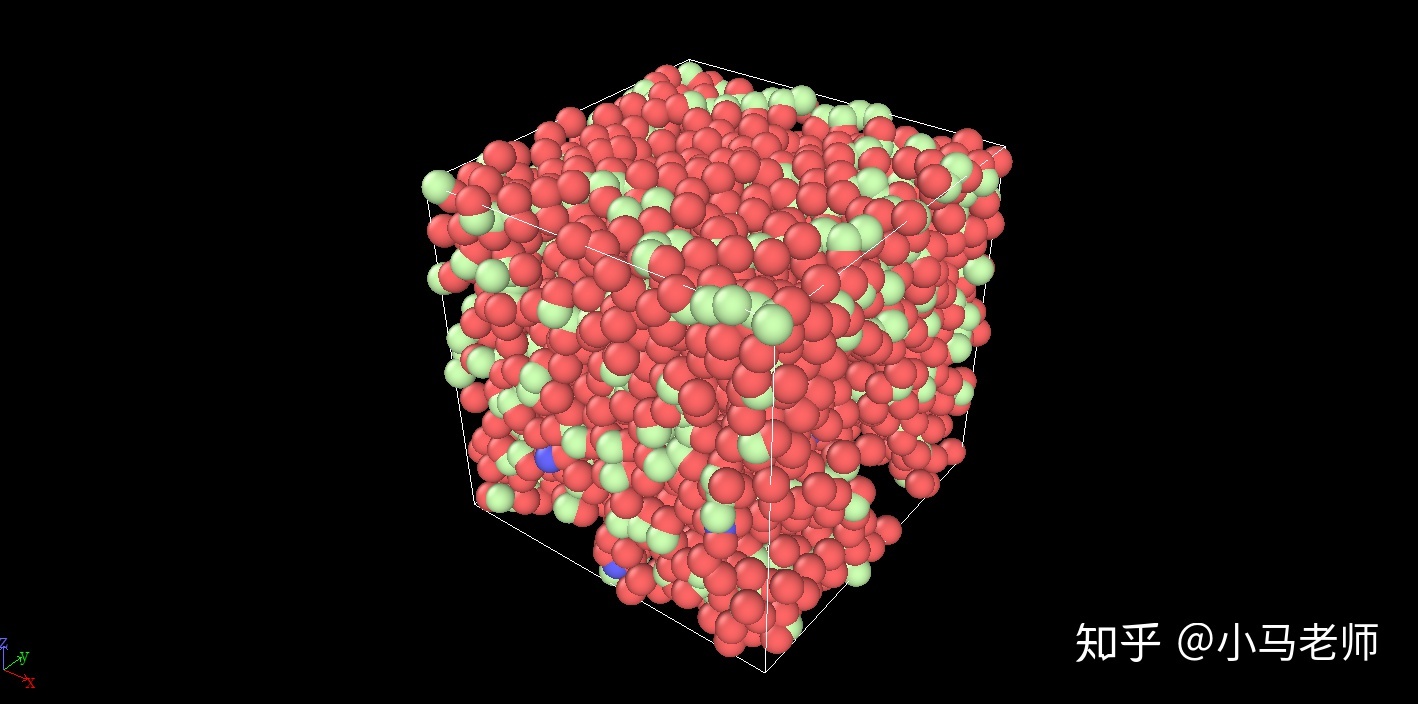
(2)运行msi2lmp pp -class I -frv cvff >data.pp命令,生成pp.data聚乙烯结构数据文件。
(3)在in.pp中设置势函数参数,读取pp.data,驰豫后进行拉伸。
in.pp代码如下:
#聚乙烯拉伸
# 模型初始化
units		real
boundary	p p p
atom_style	full

#设置键势类型
bond_style      harmonic
#设置键角势类型
angle_style     harmonic
#设置二面角势类型
dihedral_style	harmonic
#设置对势类型
pair_style	lj/cut 10.5

#读取聚乙烯结构数据
read_data	pp.data

#设置邻居参数
neighbor	0.4 bin
neigh_modify	every 10 one 10000

#nve系综下驰豫
dump 1 all custom 100 nve.xyz id type x y z vx vy vz
#温度初始化
velocity 	all create 300.0 1231
#设置nve系综
fix		1 all nve
#热力学输出
thermo_style	custom step temp press
thermo          100
run		1000
#取消fix、dump设置
unfix 1
undump 1

#npt系综下驰豫
fix		1 all npt temp 300 300 50 iso 0 0 1000 drag 2
#dump输出设置
dump 1 all custom 100 npt.xyz id type x y z vx vy vz
#热力学输出
thermo_style	custom step temp press epair ebond eangle edihed pxx pyy pzz lx ly lz
thermo          10
#重新设置模拟步长
timestep	0.5
#步数初始化
reset_timestep 	0
#运行50000步
run		50000
#取消设置
unfix 1
undump	1

#npt系综下拉伸
#计算应变值
variable tmp equal "lx"
variable L0 equal ${tmp}
variable strain equal "(lx - v_L0)/v_L0"
#dump输出
dump 1 all custom 1000 dump.pp id type x y z vx vy vz
#设置npt系综
fix		1 all npt temp 100 100 50 y 0 0 1000 z 0 0 1000 drag 2
#deform拉伸,x方向
fix		2 all deform 1 x erate 1e-5 units box remap x
#热力学输出
thermo_style	custom step temp v_strain pxx pyy pzz lx ly lz epair ebond eangle edihed
thermo          100
reset_timestep	0
#启动模拟,20万步
run		200000
unfix 1
unfix 2
undump 1模拟结果如下图所示:
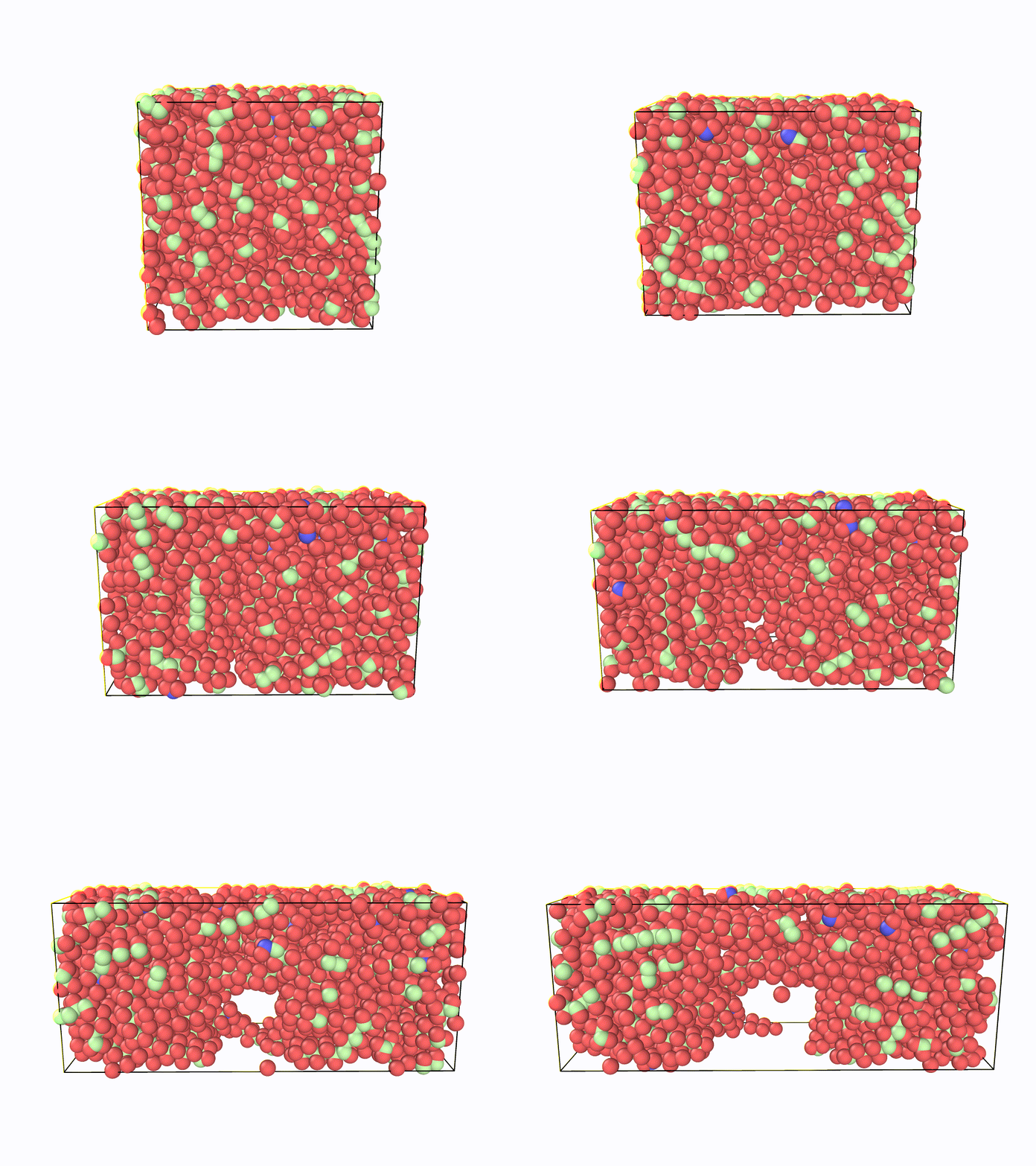
----------------------------------------------------------------------------------
更多lammps案例请关注微信公众号:lammps加油站

DAMO开发者矩阵,由阿里巴巴达摩院和中国互联网协会联合发起,致力于探讨最前沿的技术趋势与应用成果,搭建高质量的交流与分享平台,推动技术创新与产业应用链接,围绕“人工智能与新型计算”构建开放共享的开发者生态。
更多推荐

 3
3 0
0- 0


 已为社区贡献1条内容

所有评论(0)