nacos 适配人大金仓数据
·
nacos 适配人大金仓数据库
1、下载nacos源码
git clone https://github.com/alibaba/nacos.git
2、下载完成后,添加金仓依赖
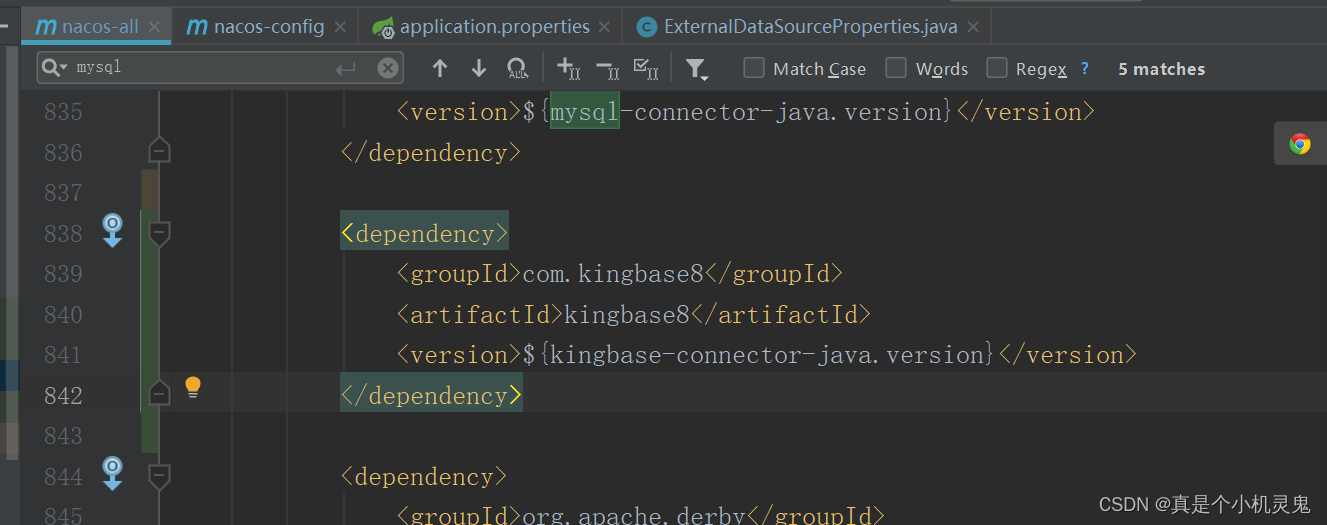
3、在nacos-all中添加金仓数据库驱动的依赖

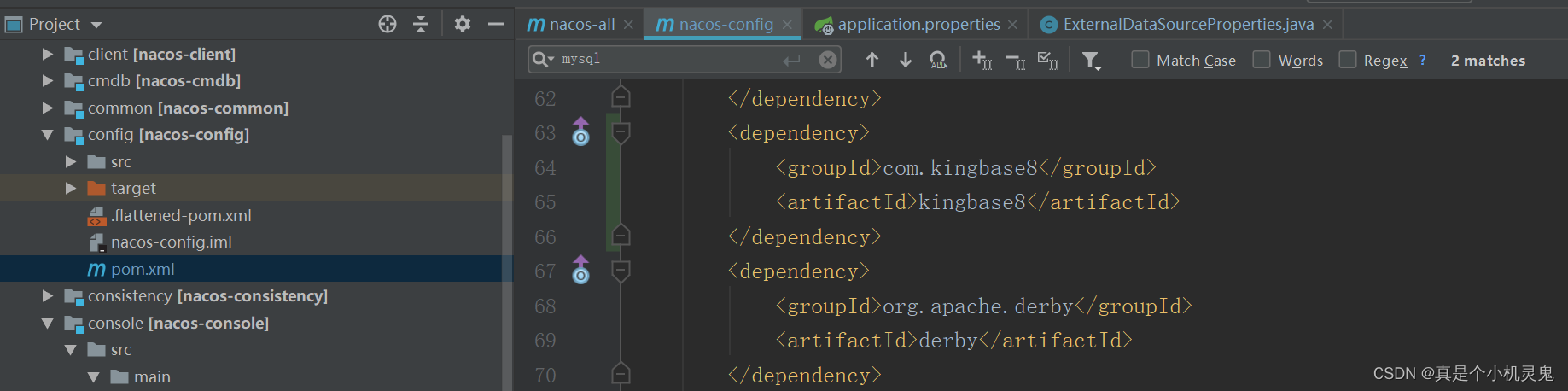
4、在nacos-config模块添加数据库依赖
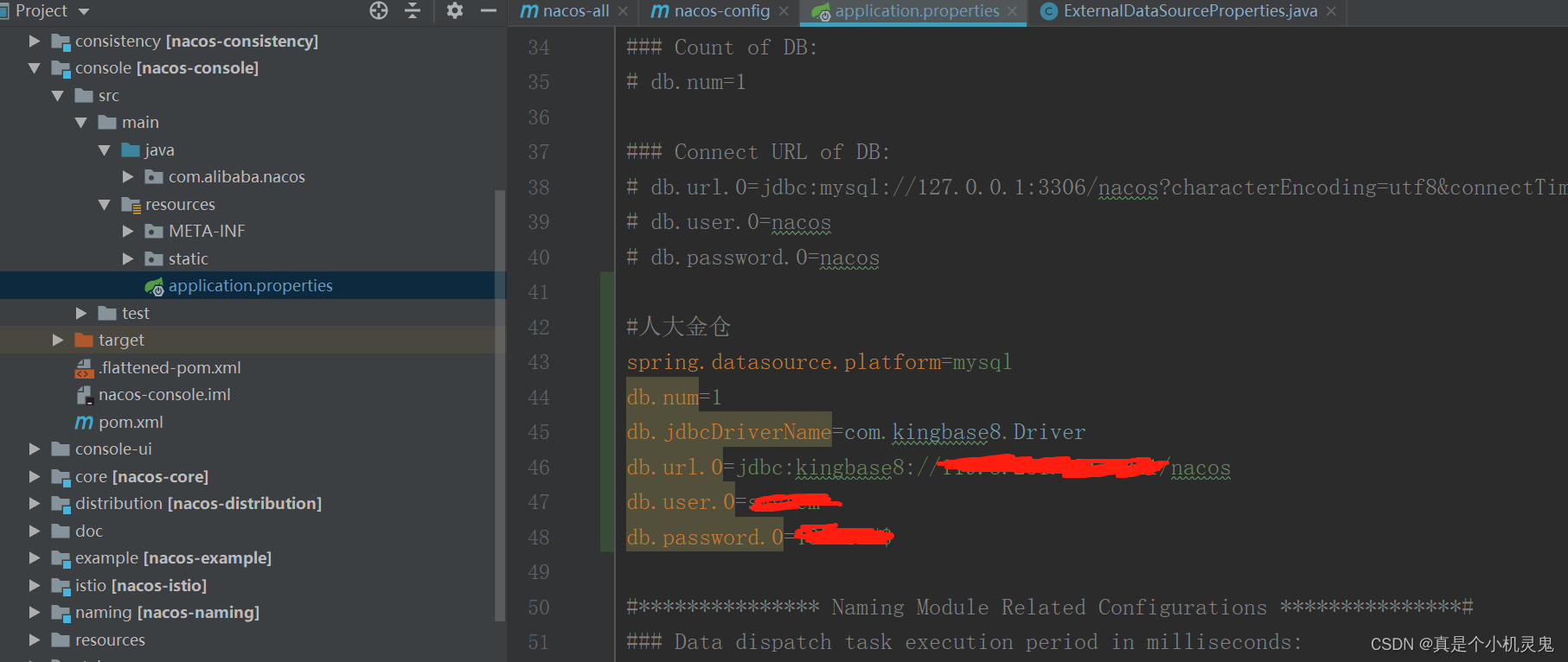
5、修改nacos-console模块的application.properties:
6、修改nacos-config模块的ExternalDataSourceProperties
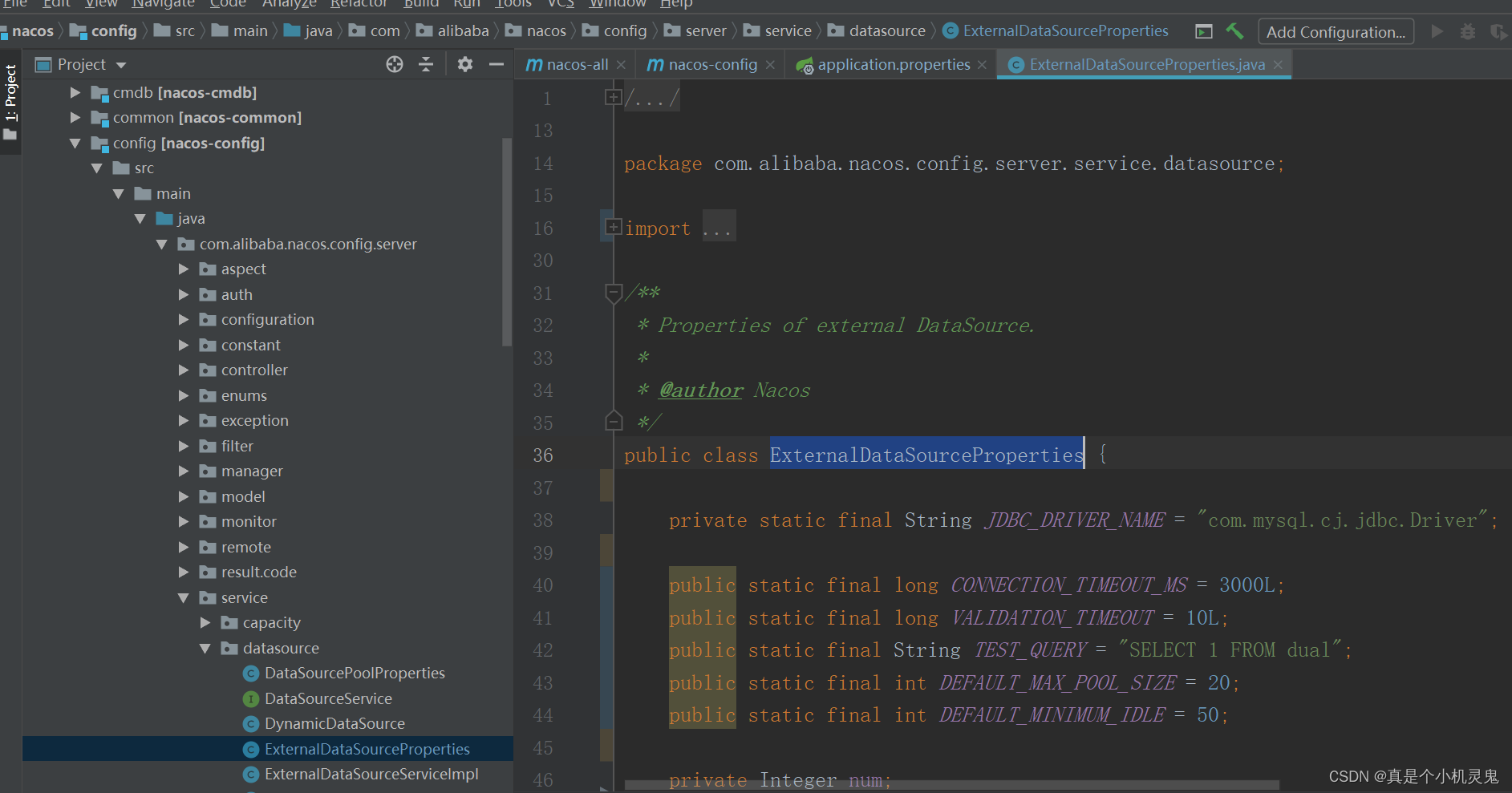
代码如下:
/*
 * Copyright 1999-2018 Alibaba Group Holding Ltd.
 *
 * Licensed under the Apache License, Version 2.0 (the "License"); you may not use this file except in compliance with
 * the License. You may obtain a copy of the License at
 *
 * http://www.apache.org/licenses/LICENSE-2.0
 *
 * Unless required by applicable law or agreed to in writing, software distributed under the License is distributed on
 * an "AS IS" BASIS, WITHOUT WARRANTIES OR CONDITIONS OF ANY KIND, either express or implied. See the License for the
 * specific language governing permissions and limitations under the License.
 */

package com.alibaba.nacos.config.server.service.datasource;

import com.alibaba.nacos.common.utils.StringUtils;
import com.google.common.base.Preconditions;
import com.zaxxer.hikari.HikariDataSource;
import org.apache.commons.collections.CollectionUtils;
import org.springframework.boot.context.properties.bind.Bindable;
import org.springframework.boot.context.properties.bind.Binder;
import org.springframework.core.env.Environment;

import java.util.ArrayList;
import java.util.List;
import java.util.Objects;
import java.util.concurrent.TimeUnit;

import static com.alibaba.nacos.common.utils.CollectionUtils.getOrDefault;

/**
 * Properties of external DataSource.
 *
 * @author Nacos
 */
public class ExternalDataSourceProperties {

    private static final String JDBC_DRIVER_NAME = "com.mysql.cj.jdbc.Driver";

    public static final long CONNECTION_TIMEOUT_MS = 3000L;
    public static final long VALIDATION_TIMEOUT = 10L;
    public static final String TEST_QUERY = "SELECT 1 FROM dual";
    public static final int DEFAULT_MAX_POOL_SIZE = 20;
    public static final int DEFAULT_MINIMUM_IDLE = 50;

    private Integer num;
    private List<String> url = new ArrayList<>();
    private List<String> user = new ArrayList<>();
    private List<String> password = new ArrayList<>();
    private List<Integer> maxPoolSize = new ArrayList<>();
    private List<Integer> minIdle = new ArrayList<>();

    /**
     * 数据库驱动
     * 增加对达梦、人大金仓数据库的支持
     */
    private String jdbcDriverName;

    public String getJdbcDriverName() {
        return jdbcDriverName;
    }

    public void setJdbcDriverName(String jdbcDriverName) {
        this.jdbcDriverName = jdbcDriverName;
    }

    public void setNum(Integer num) {
        this.num = num;
    }

    public void setUrl(List<String> url) {
        this.url = url;
    }

    public void setUser(List<String> user) {
        this.user = user;
    }

    public void setPassword(List<String> password) {
        this.password = password;
    }

    public void setMaxPoolSize(List<Integer> maxPoolSize) {
        this.maxPoolSize = maxPoolSize;
    }

    public void setMinIdle(List<Integer> minIdle) {
        this.minIdle = minIdle;
    }

    /**
     *
     * @param environment
     *            {@link Environment}
     * @param callback
     *            Callback function when constructing data source
     * @return List of {@link HikariDataSource}
     */
    List<HikariDataSource> build(Environment environment, Callback<HikariDataSource> callback) {
        List<HikariDataSource> dataSources = new ArrayList<>();
        Binder.get(environment).bind("db", Bindable.ofInstance(this));
        com.google.common.base.Preconditions.checkArgument(Objects.nonNull(num), "db.num is null");
        com.google.common.base.Preconditions.checkArgument(CollectionUtils.isNotEmpty(user), "db.user or db.user.[index] is null");
        com.google.common.base.Preconditions.checkArgument(CollectionUtils.isNotEmpty(password), "db.password or db.password.[index] is null");
        for (int index = 0; index < num; index++) {
            int currentSize = index + 1;
            com.google.common.base.Preconditions.checkArgument(url.size() >= currentSize, "db.url.%s is null", index);
            HikariDataSource ds = new HikariDataSource();

            // ds.setDriverClassName(JDBC_DRIVER_NAME)
            // 增加对达梦、人大金仓数据库的支持
            ds.setDriverClassName(jdbcDriverName);
            if(StringUtils.isNotEmpty(jdbcDriverName)){
                // 增加对达梦、人大金仓数据库的支持
                ds.setDriverClassName(jdbcDriverName);
            }else{
                //默认使用mysql驱动
                ds.setDriverClassName(JDBC_DRIVER_NAME);
            }

            ds.setJdbcUrl(url.get(index).trim());
            ds.setUsername(getOrDefault(user, index, user.get(0)).trim());
            ds.setPassword(getOrDefault(password, index, password.get(0)).trim());
            ds.setConnectionTimeout(CONNECTION_TIMEOUT_MS);
            ds.setMaximumPoolSize(getOrDefault(maxPoolSize, index, DEFAULT_MAX_POOL_SIZE));
            ds.setMinimumIdle(getOrDefault(minIdle, index, DEFAULT_MINIMUM_IDLE));
            // Check the connection pool every 10 minutes
            ds.setValidationTimeout(TimeUnit.MINUTES.toMillis(VALIDATION_TIMEOUT));
            ds.setConnectionTestQuery(TEST_QUERY);
            dataSources.add(ds);
            callback.accept(ds);
        }
        Preconditions.checkArgument(CollectionUtils.isNotEmpty(dataSources), "no datasource available");
        return dataSources;
    }

    interface Callback<DataSource> {
        /**
         *  Perform custom logic
         * @param dataSource
         */
        void accept(DataSource dataSource);
    }
}
7、修改完成后到nocas的下载目录执行
mvn -Prelease-nacos -Dmaven.test.skip=true -Dcheckstyle.skip=true clean install -U
8、成功后可以在下边这个目录看到zip和tar.gz包
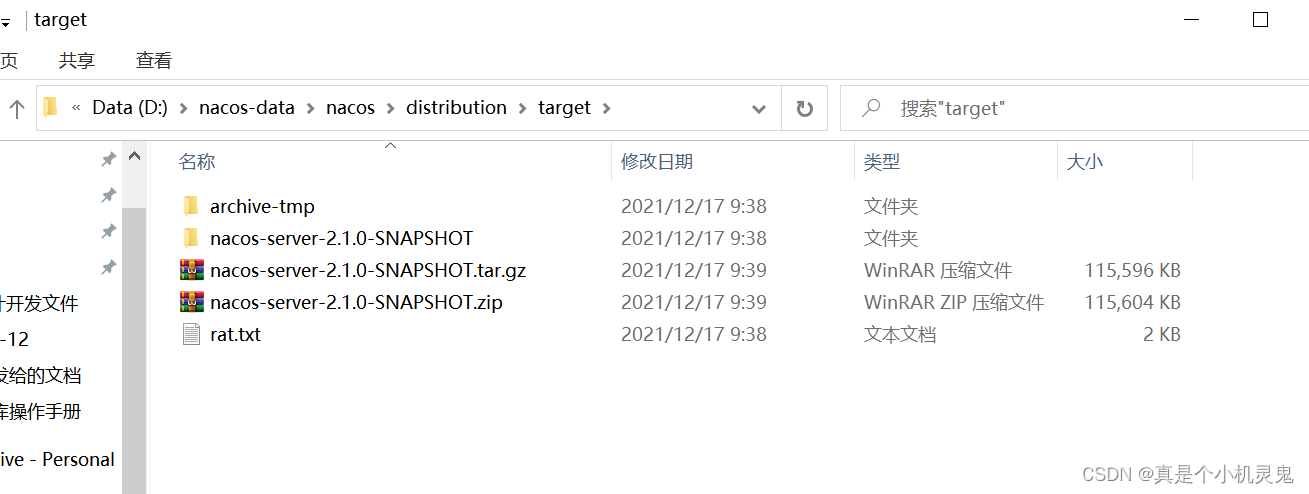
此时nacos支持金仓数据库
nacos集群配置的话也是修改 application.properties与cluster.conf


DAMO开发者矩阵,由阿里巴巴达摩院和中国互联网协会联合发起,致力于探讨最前沿的技术趋势与应用成果,搭建高质量的交流与分享平台,推动技术创新与产业应用链接,围绕“人工智能与新型计算”构建开放共享的开发者生态。
更多推荐


 2
2 0
0- 0


 已为社区贡献1条内容

所有评论(0)