【无标题】
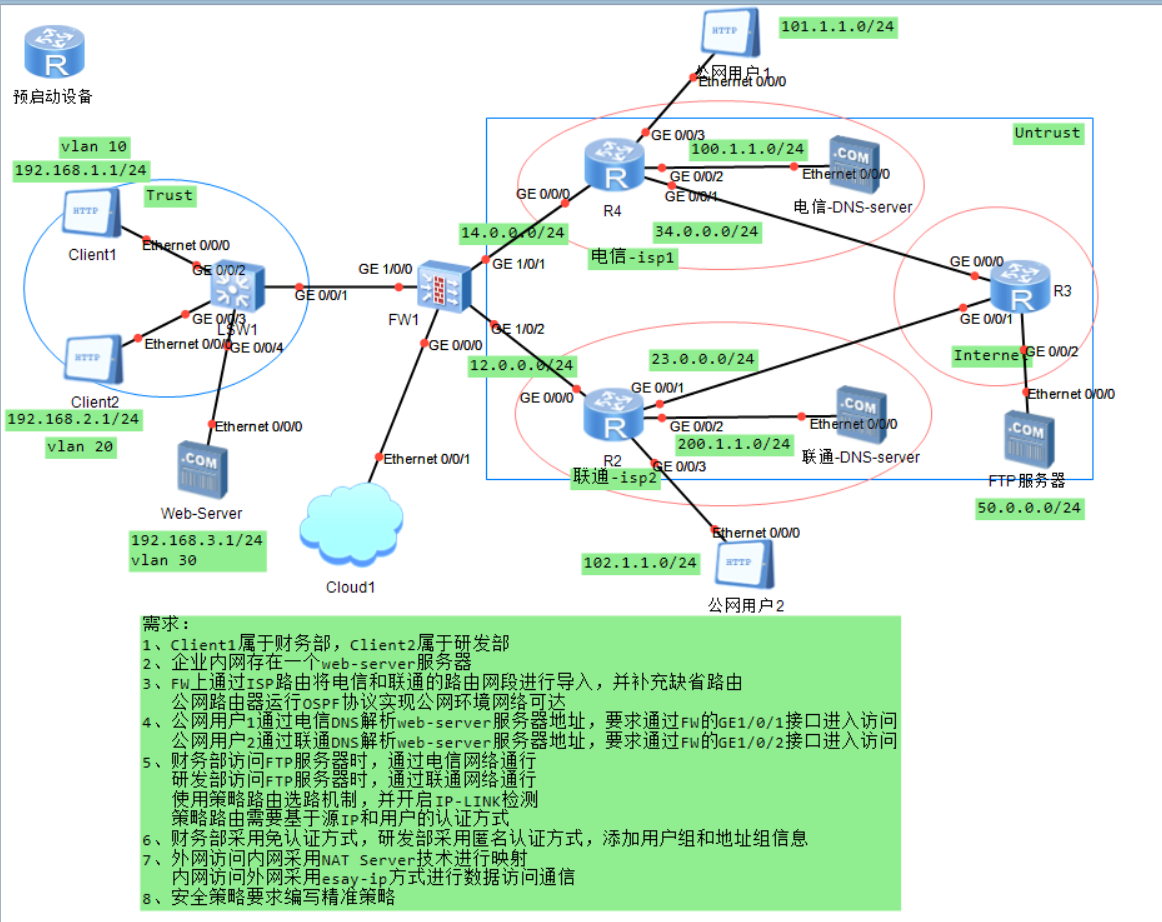
LSW1的配置
<Huawei> system-view
[Huawei] sysname LSW1
# 1. 创建VLAN
vlan batch 10 20 30
# 2. 配置连接终端的接口 (Access)
# Client1 (财务)
interface GigabitEthernet 0/0/2
port link-type accessport default vlan 10
# Client2 (研发)
interface GigabitEthernet 0/0/3
port link-type access
port default vlan 20
# Web-Server
interface GigabitEthernet 0/0/4
port link-type access
port default vlan 30
# 3. 配置上行连接防火墙的接口 (Trunk)
interface GigabitEthernet 0/0/1
port link-type trunk
port trunk allow-pass vlan 10 20 30
# 4. 配置VLANIF网关
interface Vlanif 10
ip address 192.168.1.1 24
quit
interface Vlanif 20
ip address 192.168.2.1 24
quit
interface Vlanif 30
ip address 192.168.3.1 24
FW1的配置
<FW1> system-view
[FW1] sysname FW1
# 1. 接口配置 IP
# 内网接口 (对应Switch的Trunk口)
[FW1] interface GigabitEthernet 1/0/0
[FW1-GigabitEthernet1/0/0] ip address 192.168.1.254 24
[FW1] interface GigabitEthernet 1/0/0
[FW1-GigabitEthernet1/0/0] ip address 10.0.0.1 24
# 外网接口 电信
[FW1] interface GigabitEthernet 1/0/1
[FW1-GigabitEthernet1/0/1] ip address 14.0.0.1 24
# 外网接口 联通
[FW1] interface GigabitEthernet 1/0/2
[FW1-GigabitEthernet1/0/2] ip address 12.0.0.1 24
# 2. 划分安全区域
[FW1] firewall zone trust
[FW1-zone-trust] add interface GigabitEthernet 1/0/0
[FW1-zone-trust] quit
[FW1] firewall zone untrust
[FW1-zone-untrust] add interface GigabitEthernet 1/0/1
[FW1-zone-untrust] add interface GigabitEthernet 1/0/2
[FW1-zone-untrust] quit
[FW1] ip route-static 0.0.0.0 0.0.0.0 14.0.0.2 # 电信缺省
[FW1] ip route-static 0.0.0.0 0.0.0.0 12.0.0.2 preference 70 # 联通备份
# 4. 配置ISP路由
# 电信网段
[FW1] ip route-static 100.1.1.0 24 14.0.0.2
[FW1] ip route-static 100.1.1.0 24 14.0.0.2 preference 60
# 联通网段
[FW1] ip route-static 102.1.1.0 24 12.0.0.2
需求四
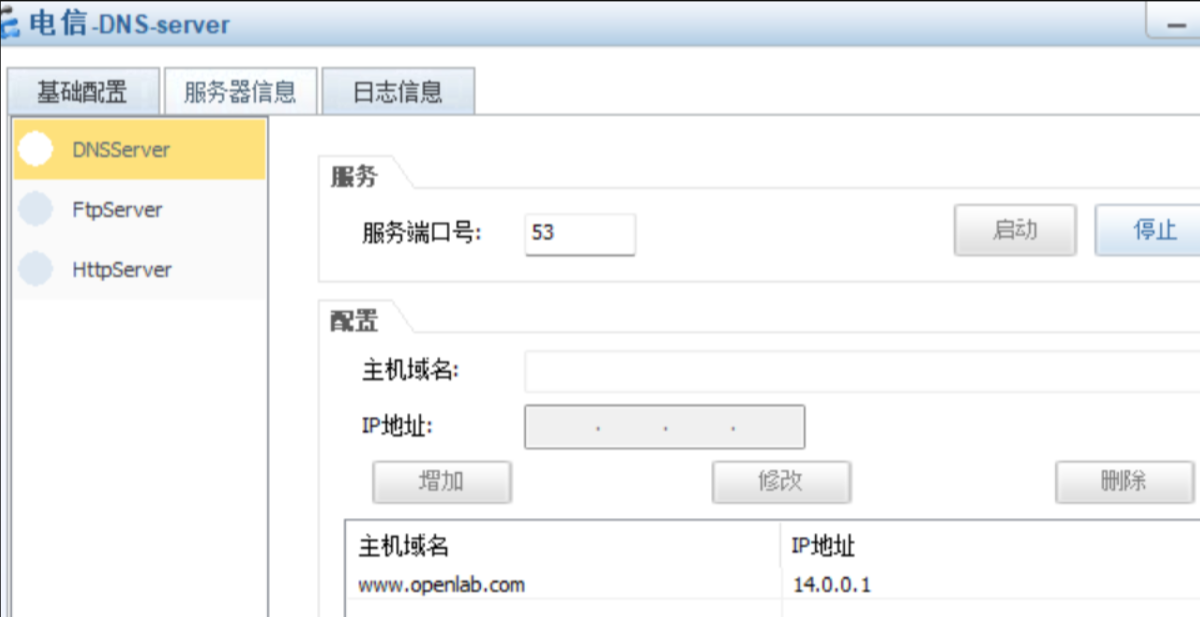
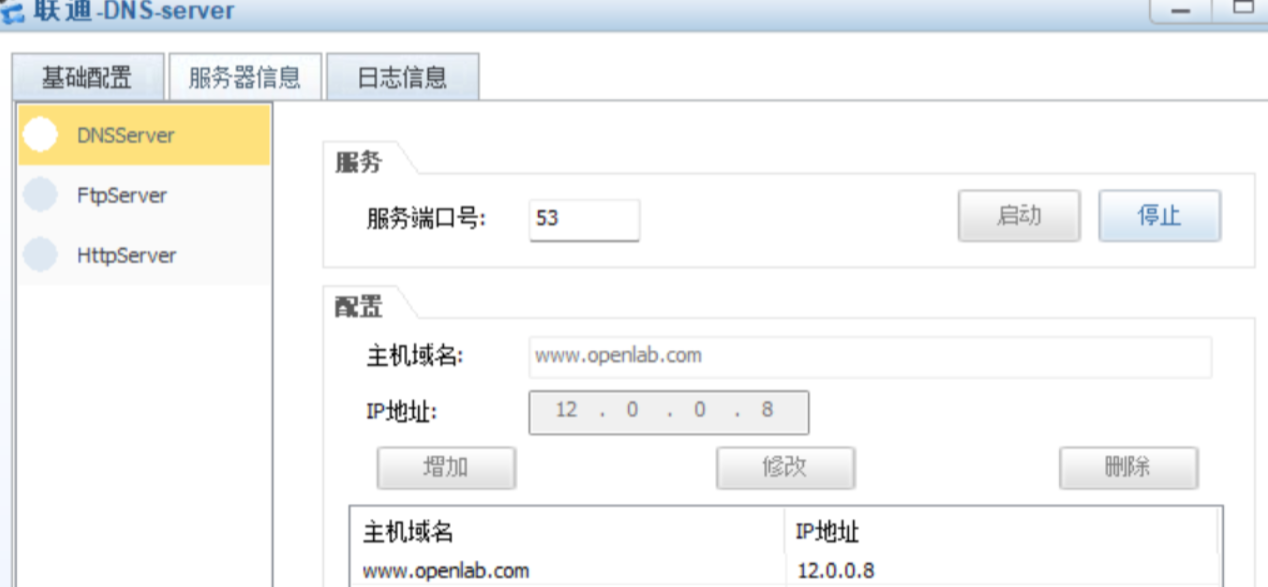
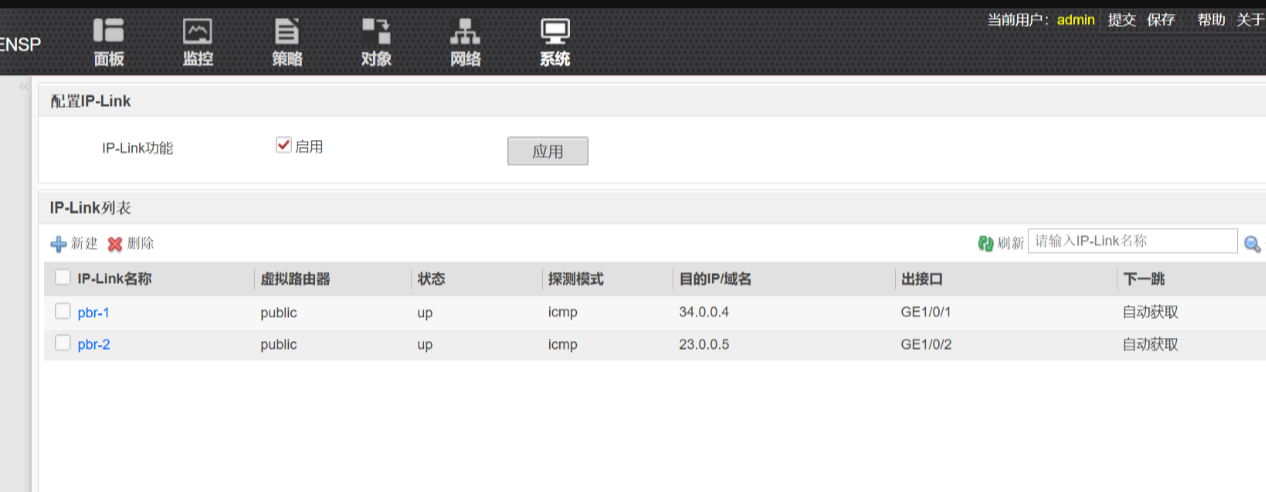
需求五

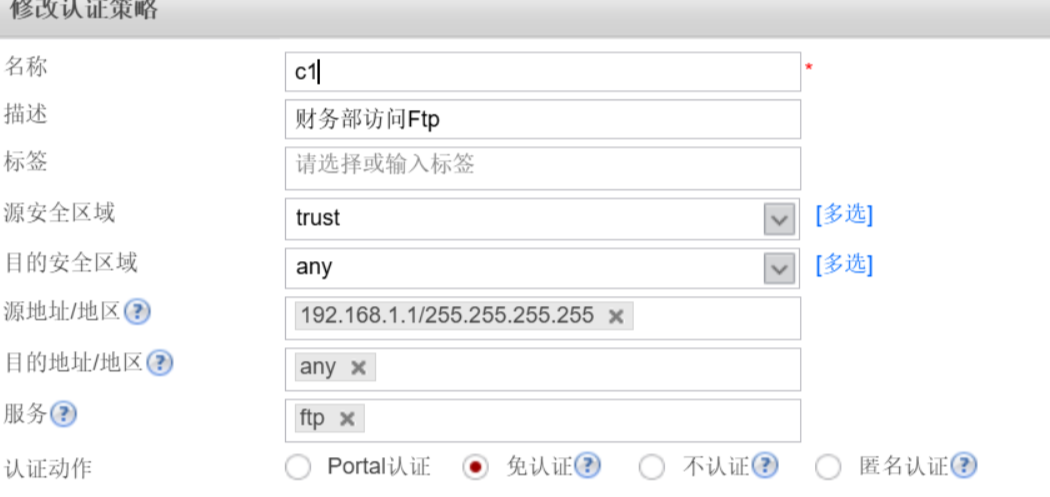
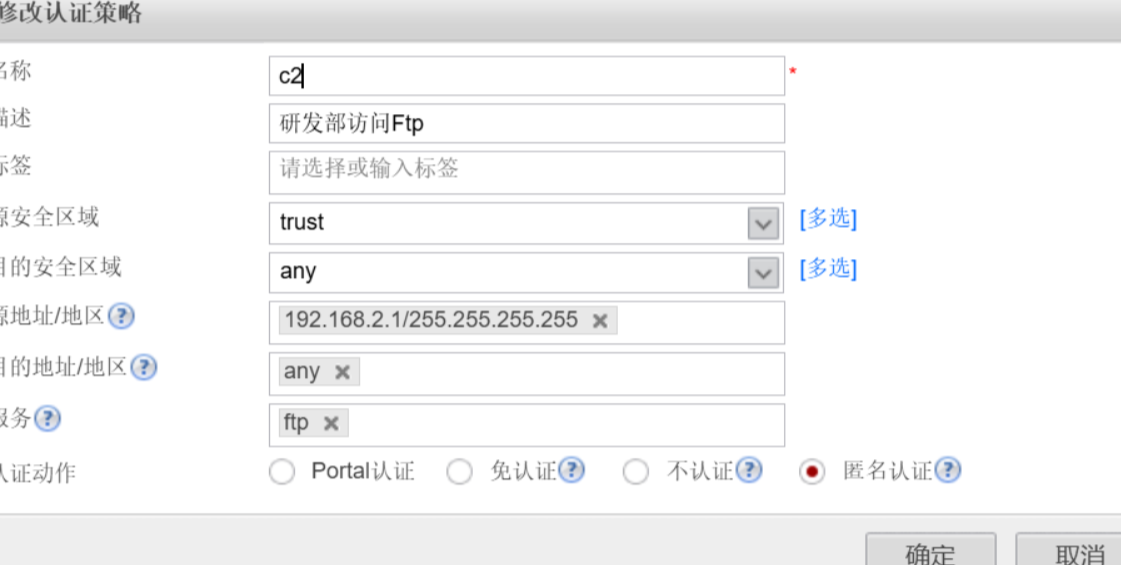

需求七
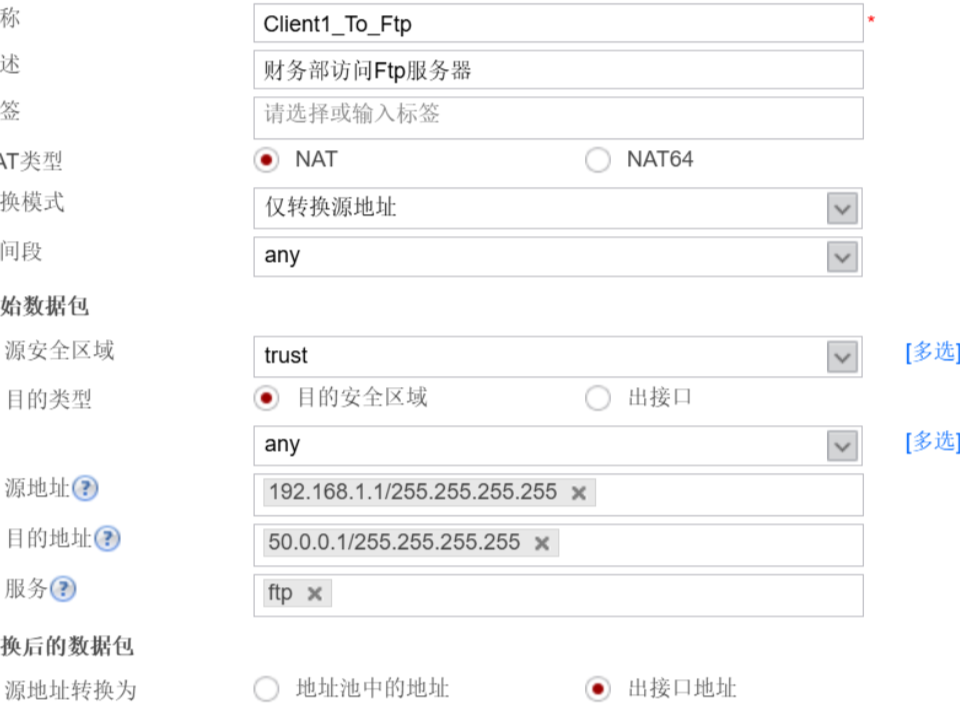
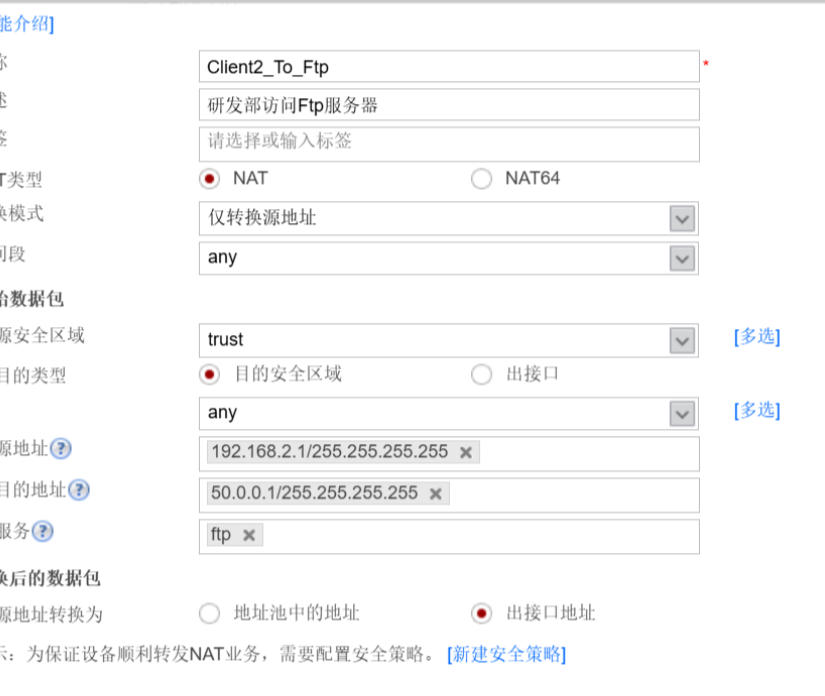

DAMO开发者矩阵,由阿里巴巴达摩院和中国互联网协会联合发起,致力于探讨最前沿的技术趋势与应用成果,搭建高质量的交流与分享平台,推动技术创新与产业应用链接,围绕“人工智能与新型计算”构建开放共享的开发者生态。
更多推荐
 6
6 0
0- 0


 已为社区贡献2条内容

所有评论(0)