Hermes 配置企业微信,私聊,群聊
环境
Win11,WSL2,Ubuntu24.04
一、相关文档
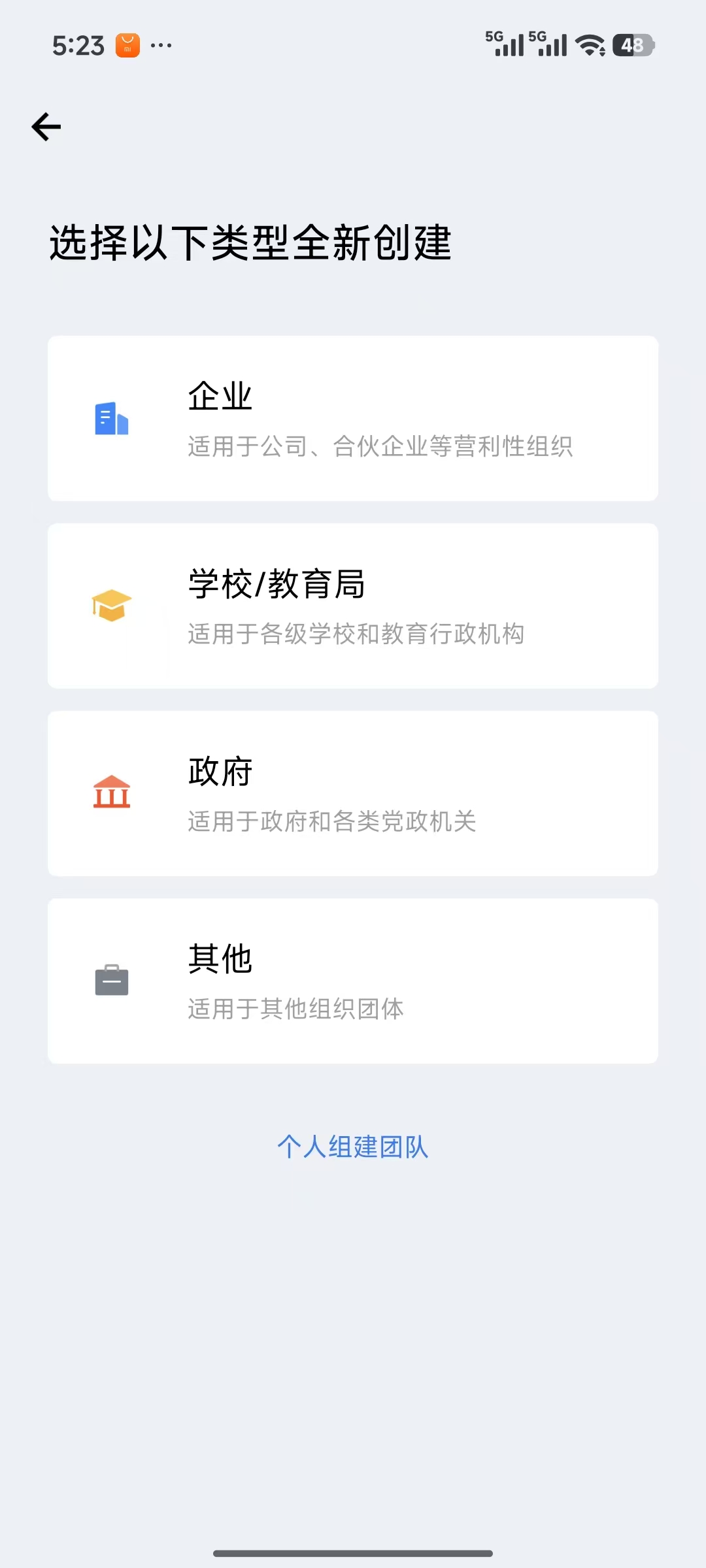
二、企业微信创建企业
可以创建“其他”企业,用于测试,无需企业认证,有工作台,可以管理企业,可以创建管理智能机器人。
个人组件团队,太简单了,没有工作台,不好管理企业,不好(创建)管理智能机器人。
(可以改“未命名企业”名称,没名称占用提示即可)
三、安装配置企业微信
hermes gateway setup
Select a platform to configure:
↑↓ navigate ENTER/SPACE select ESC cancel
(○) 💬 Mattermost (not configured)
(○) 📡 Signal (not configured)
(○) 💬 Weixin / WeChat (configured)
(○) 💬 BlueBubbles (iMessage) (not configured)
(○) 🐧 QQ Bot (not configured)
(○) 💎 Yuanbao (not configured)
(○) 🐳 DingTalk (not configured)
(○) 🎮 Discord (not configured)
(○) 📧 Email (not configured)
(○) 🪽 Feishu / Lark (not configured)
(○) 💬 Google Chat (not configured)
(○) 🏠 Home Assistant (not configured)
(○) 💬 IRC (not configured)
(○) 💚 LINE (not configured)
(○) 🔐 Matrix (not configured)
(○) 🔔 ntfy (not configured)
(○) 📱 iMessage via Photon (not configured)
(○) 🔔 Raft (not configured)
(○) 🔒 SimpleX Chat (not configured)
(○) 💼 Slack (not configured)
(○) 📱 SMS (Twilio) (not configured)
(○) 💼 Microsoft Teams (not configured)
(○) ✈️ Telegram (not configured)
(○) 💼 WeCom (Enterprise WeChat) (not configured)
(○) 💼 WeCom Callback (self-built apps) (not configured)
(○) 💬 WhatsApp (not configured)
→ (●) Done
选择
→ (○) 💼 WeCom (Enterprise WeChat) (not configured)
如何设置企业微信(扫码)
How would you like to set up WeCom?
↑↓ navigate ENTER/SPACE select ESC cancel
→ (●) Scan QR code to obtain Bot ID and Secret automatically (recommended)
(○) Enter existing Bot ID and Secret manually
使用企业微信扫码
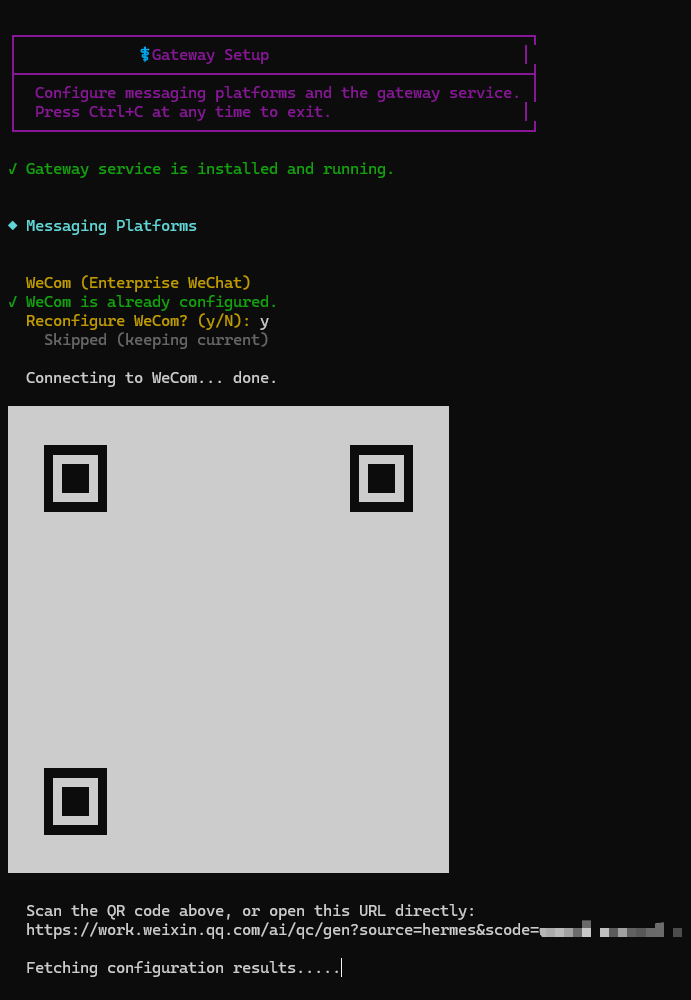
设置允许的用户ID
✓ ✔ QR scan successful! Bot ID and Secret obtained.
The gateway DENIES all users by default for security.
Enter user IDs to create an allowlist, or leave empty.
Allowed user IDs (comma-separated, or empty):ZhangSan(企业微信的账号ID)
✓ Saved — only these users can interact with the bot.
可以先空着,不填的话,后续用可以通过配对后聊天。
设置主聊天ID(通知主通道)
Home chat ID (optional, for cron/notifications):ZhangSan(企业微信的账号ID)
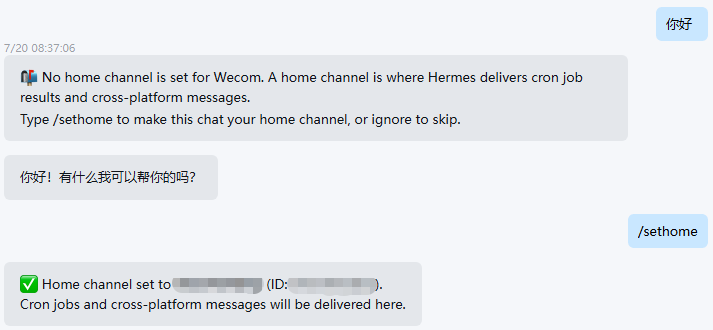
可以先空着,后续可以在聊天窗口输入/sethome设置
选择平台配置
Select a platform to configure:
↑↓ navigate ENTER/SPACE select ESC cancel
→ (●) Done
配置完成,重启网关
✓ 💬 WeCom configured!
◆ Messaging Platforms
Skipped (keeping current)
──────────────────────────────────────────────────────────
Restart the gateway to pick up changes? [Y/n]: Y
⏳ User service restarting gracefully (PID 9889)...
⚠ Graceful restart did not complete within 5s; forcing a service restart...
⏳ User service process started (PID 13225); waiting for gateway runtime...
✓ User service restarted (PID 13234)
重启完网关才能聊天
四、配置文件
.env
~/hermes/.env
WECOM_BOT_ID=aiba6GU74z22p0fSMzmq3HvFpabcdefghij
WECOM_SECRET=X8h9xkPKDQ3h6IqtqFp73xgVFF3CuebPHabcdefghij
WECOM_ALLOWED_USERS=ZhangSan
WECOM_HOME_CHANNEL=ZhangSan
WECOM_HOME_CHANNEL_THREAD_ID=

# 群聊策略(全部打开)
#WECOM_GROUP_POLICY=open
# 允许所有用户(官网没有,日志有输出,配上管用)
#WECOM_ALLOW_ALL_USERS=true

# 群聊策略(允许部分)
#WECOM_GROUP_POLICY=allowlist
# 没这个参数,可以在config.yaml中配置
##WECOM_GROUP_ALLOW_FROM=wrWHa7JQAAFhy479RLtZoabcdef_abcd
五、私聊测试
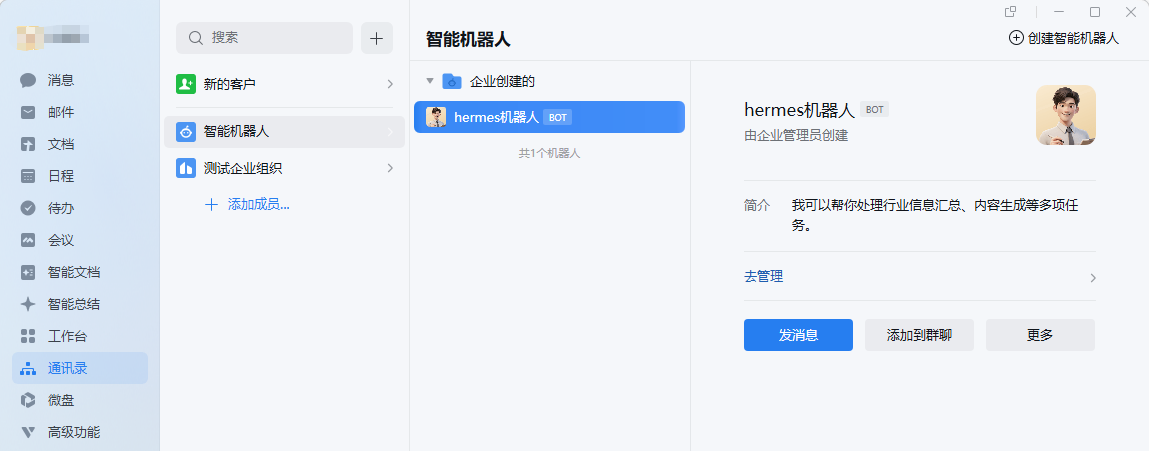
修改机器人名称和头像
在PC端企业微信修改
通讯录--智能机器人,(选择机器人),点击 去管理,选择机器人,点编辑
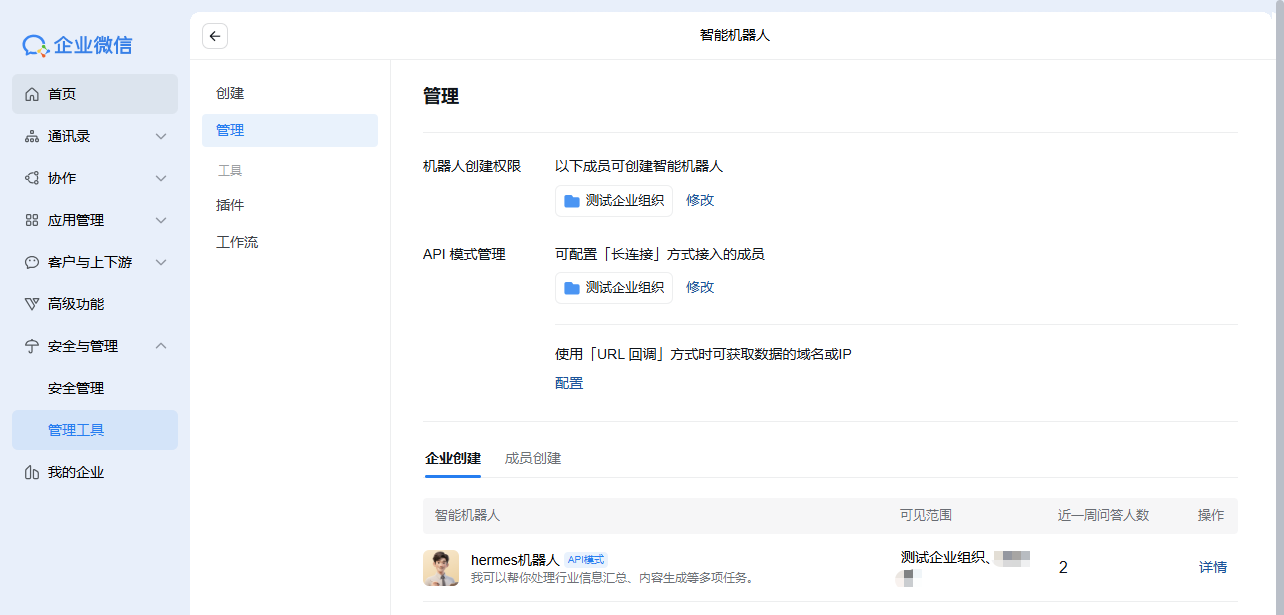
企业微信管理后台
安全与管理--管理工具,选择智能机器人,管理,选择智能机器人,点编辑
设置通知主通道(主聊天)
配对
如果之前没填允许的用户ID,那么聊天需要先配对
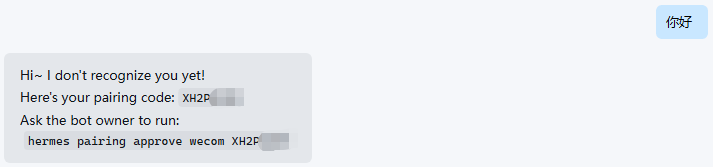
在命令行执行
uadmin@UD26:~$ hermes pairing approve wecom XH2PABCD

  Approved! User ZhangSan(ZhangSan) on wecom can now use the bot~
  They'll be recognized automatically on their next message.
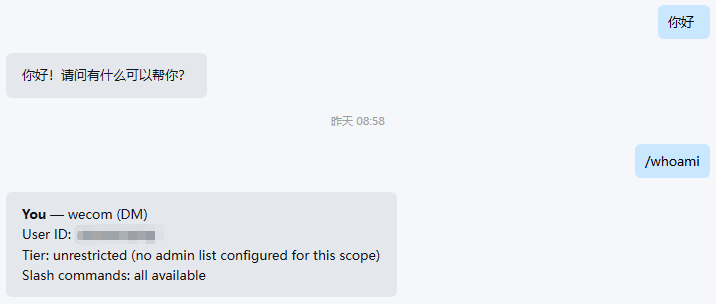
聊天成功
聊天成功后,可以发/whoami,返回User ID
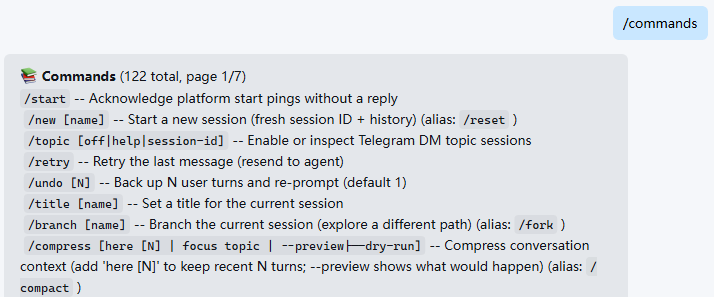
命令查询
输入/commands
六、群聊测试
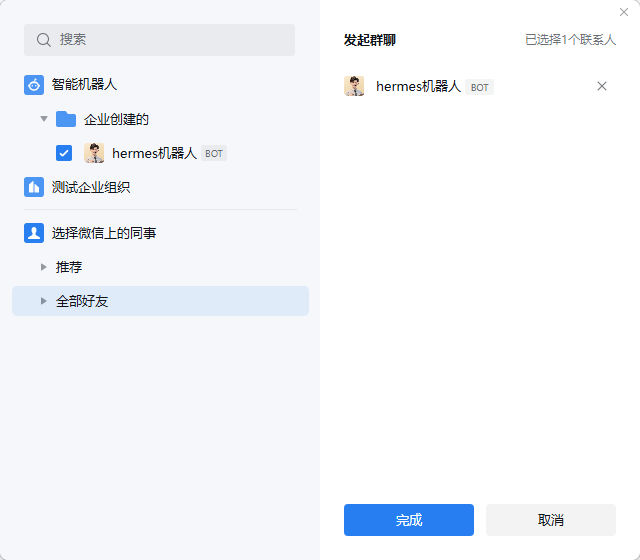
发起群聊
选择“通讯录”上面的智能机器人,再选择一个好友,新建一个内部群聊
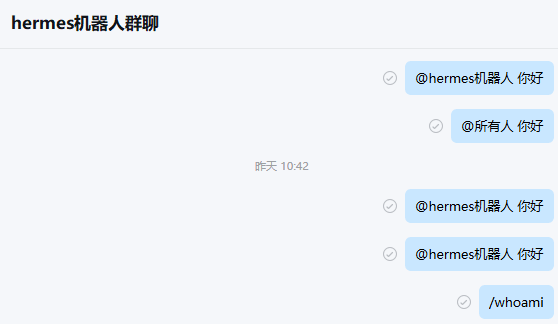
聊天没反应
在群里@选择机器人,和他聊天没反应。
查看日志
tail -f ~/.hermes/logs/gateway.log (这个日志稍微少点,够用)
2026-07-20 20:10:27,292 ERROR gateway.run: Refusing to start: weixin has dm_policy/group_policy set to 'open' but neither GATEWAY_ALLOW_ALL_USERS nor WEIXIN_ALLOW_ALL_USERS is enabled.
2026-07-21 01:19:52,395 ERROR gateway.run: Refusing to start: wecom has dm_policy/group_policy set to 'open' but neither GATEWAY_ALLOW_ALL_USERS nor WECOM_ALLOW_ALL_USERS is enabled.
hermes logs -f (这个日志稍微多点,够用)
journalctl --user -u hermes-gateway -f (这个不全,别用)
虽然WECOM_GROUP_POLICY默认是open(group_policy默认是open),但是不配置WECOM_ALLOW_ALL_USERS=ture不好使。官网没这个参数,日志打出来了,配置上好使。
修改群聊策略(全部打开)
~/hermes/.env
# 群聊策略(全部打开)
WECOM_GROUP_POLICY=open
# 允许所有用户(官网没有,日志有输出,配上管用)
WECOM_ALLOW_ALL_USERS=true
重启网关
聊天成功
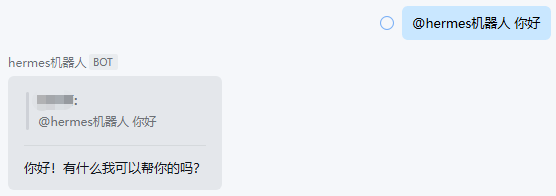
日志输出
2026-07-20 21:23:37,037 INFO hermes_plugins.wecom_platform.adapter: [WeCom] Flushing text batch agent:main:wecom:group:wrWHa7JQAAFhy479RLtZoabcdef_abcd:ZhaoYanQing (2 chars)
2026-07-20 21:23:37,064 INFO gateway.run: inbound message: platform=wecom user=ZhaoYanQing chat=wrWHa7JQAAFhy479RLtZoabcdef_abcd msg='你好' reply_to_id=None reply_to_text=''
2026-07-20 21:23:40,404 INFO gateway.run: response ready: platform=wecom chat=wrWHa7JQAAFhy479RLtZoabcdef_abcd time=3.3s api_calls=1 response=13 chars
2026-07-20 21:23:40,427 INFO gateway.platforms.base: [Wecom] Sending response (13 chars) to wrWHa7JQAAFhy479RLtZoabcdef_abcd
日志里可以看到群聊ID,可以在配置文件里配置
群聊策略(允许部分)
~/hermes/.env
# 群聊策略(全部打开)
#WECOM_GROUP_POLICY=open
# 允许所有用户(官网没有,日志有输出,配上管用)
#WECOM_ALLOW_ALL_USERS=true

# 群聊策略(允许部分)
WECOM_GROUP_POLICY=allowlist
# 没这个参数,可以在config.yaml中配置
#WECOM_GROUP_ALLOW_FROM=wrWHa7JQAAFhy479RLtZo0bxlP8_rGng
~/hermes/config.yaml
platforms:
  wecom:
    enabled: true
    extra:
      group_policy: "allowlist"
      group_allow_from:
        - "wrWHa7JQAAFhy479RLtZoabcdef_abcd"
重启网关

DAMO开发者矩阵,由阿里巴巴达摩院和中国互联网协会联合发起,致力于探讨最前沿的技术趋势与应用成果,搭建高质量的交流与分享平台,推动技术创新与产业应用链接,围绕“人工智能与新型计算”构建开放共享的开发者生态。
更多推荐

 6
6 0
0- 0


 已为社区贡献2条内容

所有评论(0)