基于Paddle的计算机视觉入门教程【学习笔记】(6)PaddleDetection安装
·
版本要求:
- PaddlePaddle 2.2
- cuDNN v8.1.1
- CUDA 11.2.2
| PaddleDetection 版本 | PaddlePaddle版本 | 备注 |
|---|---|---|
| release/2.1 | >= 2.1.0 | 默认使用动态图模式 |
一、安装PaddlePaddle
PaddlePaddle我已经安装过了,版本为2.2,安装教程:https://blog.csdn.net/qq_44447544/article/details/123432542
二、安装PaddleDetection
注意: pip安装方式只支持Python3
先克隆仓库,找到 Releases/v2.1.0,Github链接:https://github.com/PaddlePaddle/PaddleDetection/releases/tag/v2.1.0

源码下载好后解压即可。
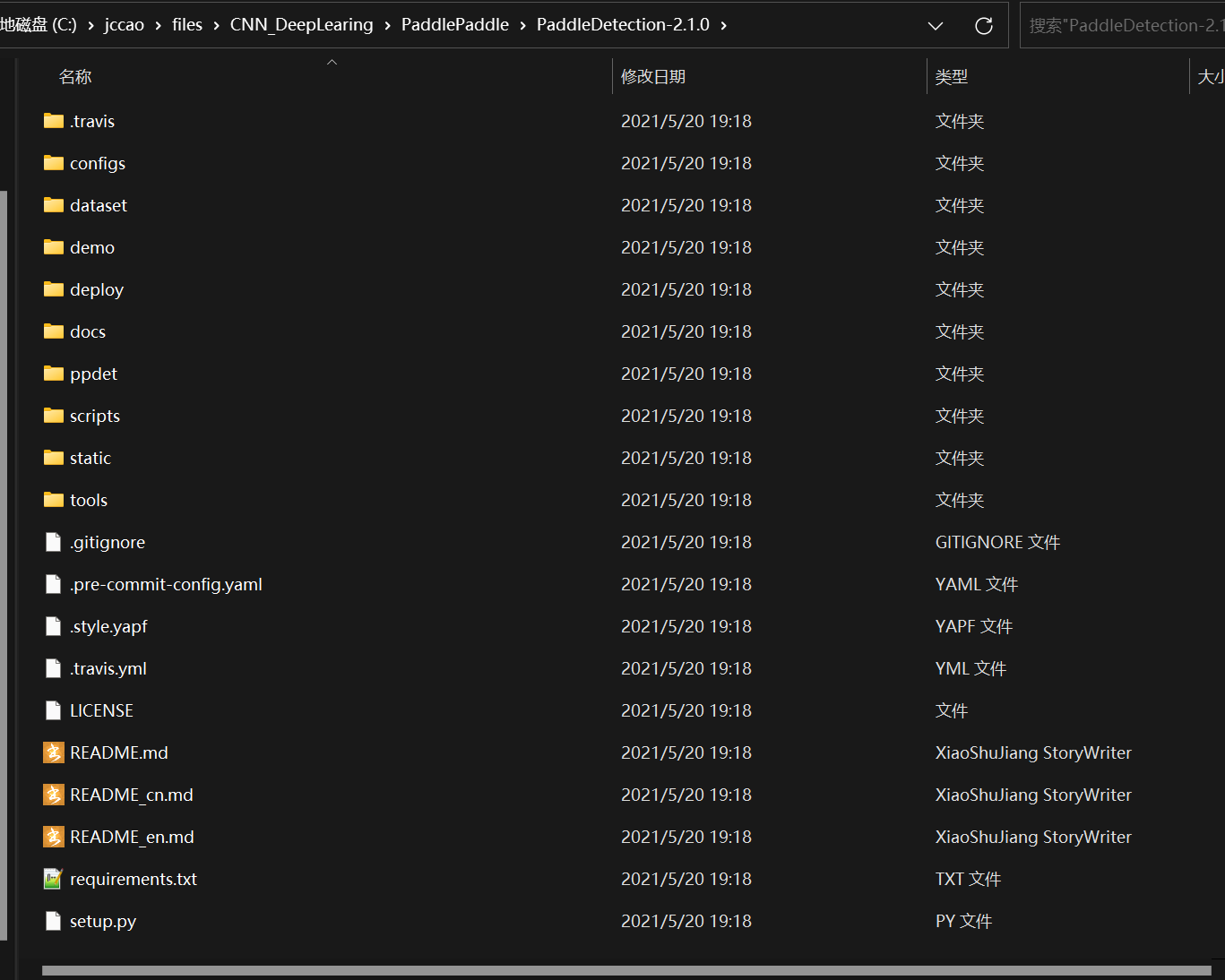
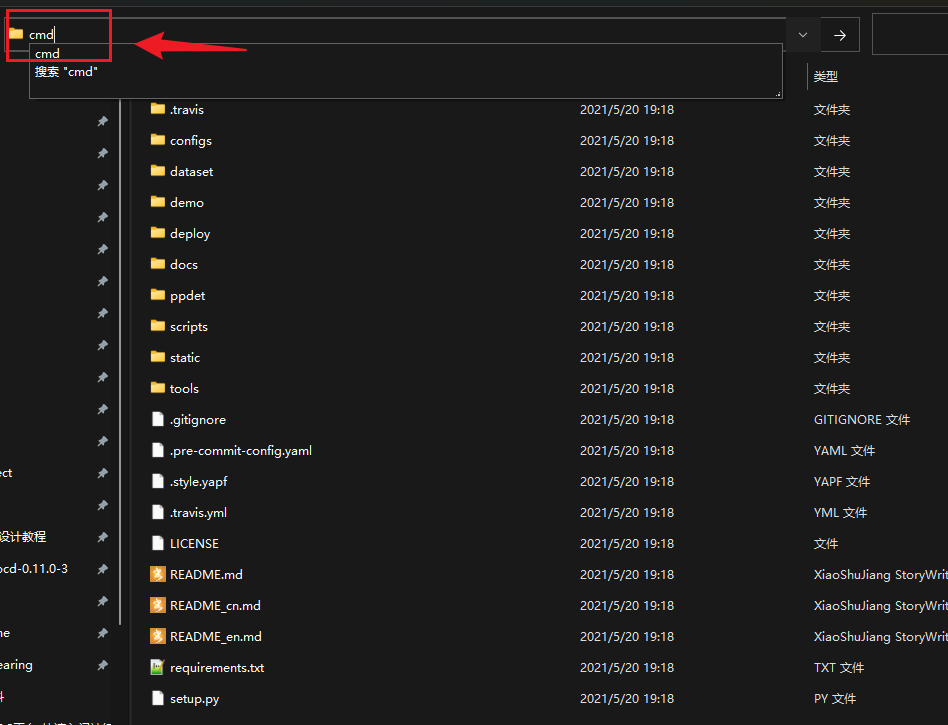
在此文件夹地址栏输入 CMD 回车,打开命令行:
启动已经安装了 PaddlePaddle 的虚拟环境 padddle,并输入下述命令:
# # 安装其他依赖(不要挂梯子,会报错)
pip install -r requirements.txt

# 编译安装paddledet
python setup.py install
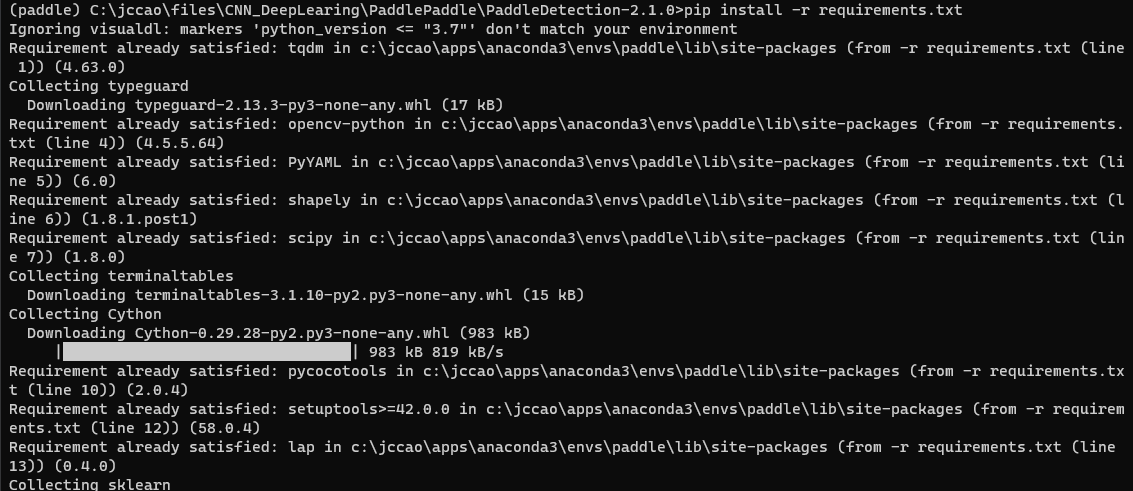

三、测试与体验
在 paddle 虚拟环境下输入:
python ppdet/modeling/tests/test_architectures.py

这里提示 cuDNN版本与 Paddle不兼容,暂时不用管。
再输入:
# 在GPU上预测一张图片(不要挂梯子,会保存)
python tools/infer.py -c configs/ppyolo/ppyolo_r50vd_dcn_1x_coco.yml -o use_gpu=true weights=https://paddledet.bj.bcebos.com/models/ppyolo_r50vd_dcn_1x_coco.pdparams --infer_img=demo/000000014439.jpg
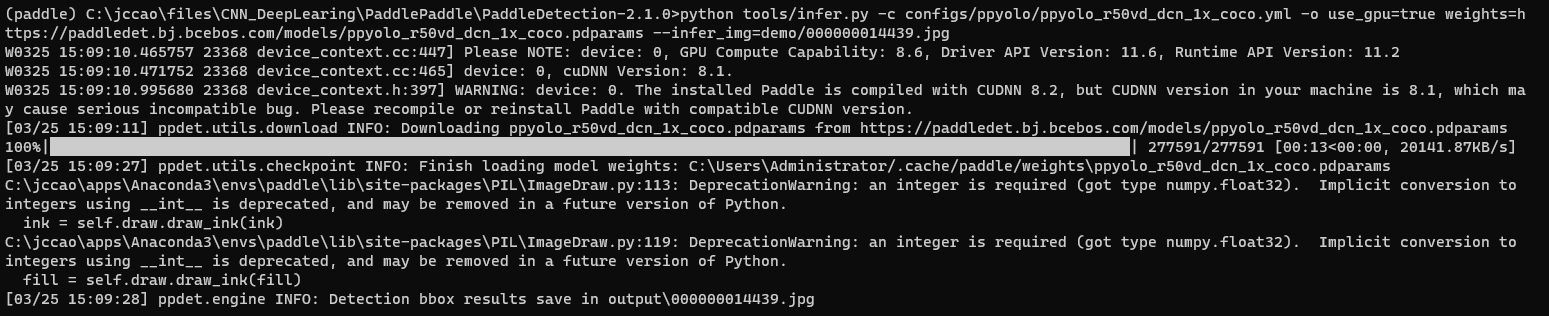
结果保存在 Output文件夹下:
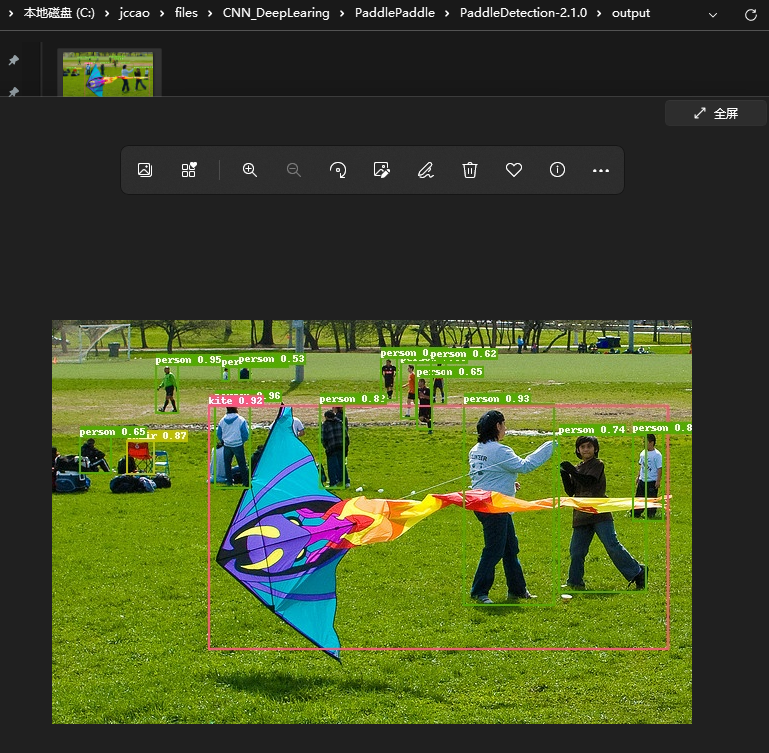
至此 PaddleDetection 环境搭建完成。

DAMO开发者矩阵,由阿里巴巴达摩院和中国互联网协会联合发起,致力于探讨最前沿的技术趋势与应用成果,搭建高质量的交流与分享平台,推动技术创新与产业应用链接,围绕“人工智能与新型计算”构建开放共享的开发者生态。
更多推荐

 0
0 0
0- 0


 已为社区贡献4条内容

所有评论(0)