深度学习环境安装MACOS完整版(python版本过高不兼容d2l的问题解决)
目录
步骤1.别担心python版本过高问题!
在不同的环境下可以容纳不同版本的python。例如在环境1下,python版本为3.7,在环境2下,python版本为3.9。因此建立d2l环境时,可以将指定python的版本配置到d2l环境之中,具体见步骤5。
步骤2.miniconda 下载
网址:Index of /anaconda/miniconda/ | 清华大学开源软件镜像站 | Tsinghua Open Source Mirror
ps*要判断Mac电脑是ARM架构还是x86架构,打开终端,运行 uname -m对应python3.9- mac- arm64 地址 https://mirrors.tuna.tsinghua.edu.cn/anaconda/miniconda/Miniconda3-py39_25.5.1-0-MacOSX-arm64.sh
wget https://mirrors.tuna.tsinghua.edu.cn/anaconda/miniconda/Miniconda3-py39_25.5.1-0-MacOSX-arm64.shps*如果mac提示未装wget,即 “zsh: command not found: wget”
brew install libunistring

brew install openssl@1.1

brew install wget
步骤3.miniconda 安装
sh Miniconda3-py39_4.12.0-MacOSX-x86_64.sh -b步骤4.初始化shell
其实就是将conda路径写入shell配置。激活环境运行成功后在shell的最前边会看到 有一个 (base)。
source ./miniconda3/bin/activate

conda init zsh

conda --version # 如果有输出对应的conda版本则安装成功
我装的是conda 25.5.1。
步骤5:创建名为d2l的环境,并指定python版本3.9
conda create --name d2l python=3.9 -y激活 d2l环境:
conda activate d2l成功后在shell的最前边会从 (base)变成 (d2l)
步骤6:安装PyTorch(GPU版)
PyTorch是一个流行的开源深度学习框架,由Facebook AI Research实验室开发和维护。它提供了广泛的工具和函数,用于构建和训练各种神经网络模型。GPU版本的PyTorch可以利用GPU的并行计算能力来加速训练过程,从而显著提高深度学习模型的训练速度。
pip install torch==2.7.1 torchvision==0.22.1 -f https://download.pytorch.org/whl/torch_stable.htmlimport torch
print(torch.backends.mps.is_available())打印结果是 true。
- ps*GPU加速:目前PyTorch的GPU加速主要依赖于CUDA,但Mac M3 Pro使用的是苹果自家的Apple Silicon芯片,不支持CUDA。因此,PyTorch的GPU加速在Mac M3 Pro上主要通过Metal Performance Shaders(MPS)实现。
步骤7:点击本书HTML页面顶部的“Jupyter 记事本”选项下载后解压代码,cd到解压后到目录,直接运行jupyter notebook。大功告成。
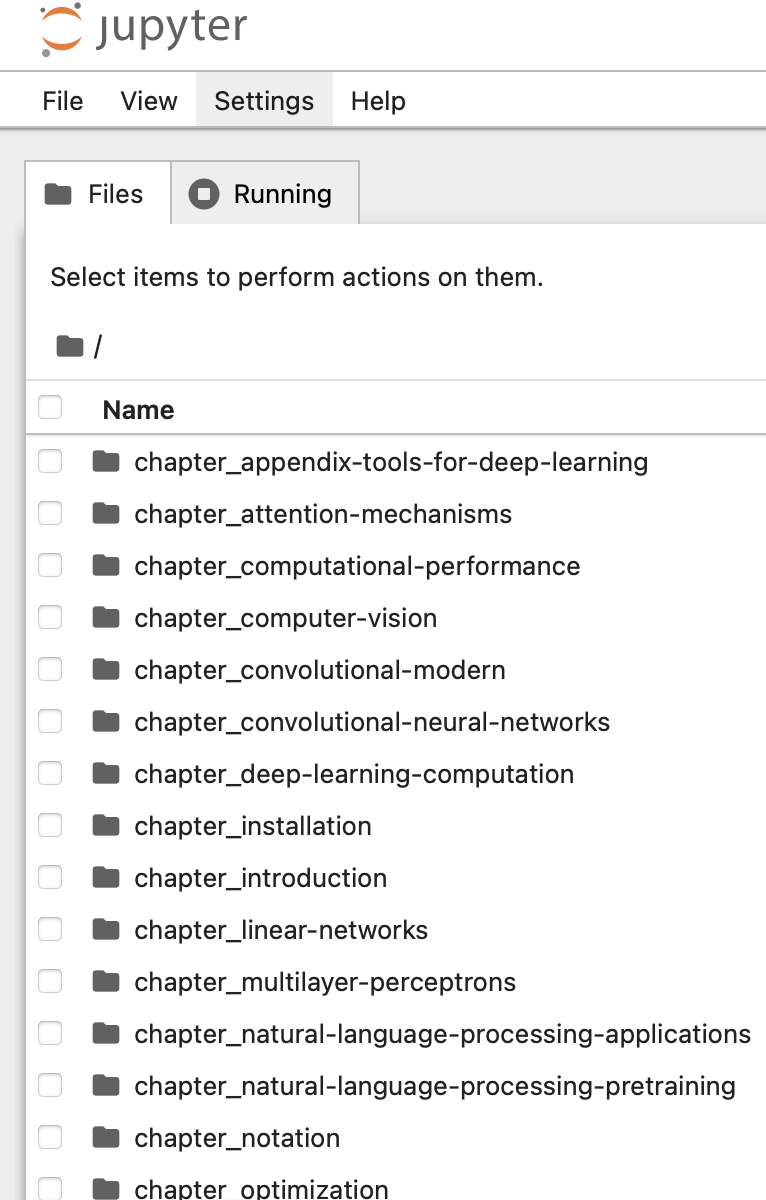
到此完结。
最后,说说验证方法。
验证方法1:
import torch


x = torch.ones((1024 * 12, 1024 * 12), dtype=torch.float32,device='mps')


print(x)
从活动监视器看,GPU和CPU的使用情况来看,的确是在用GPU跑。所以程序没有问题。
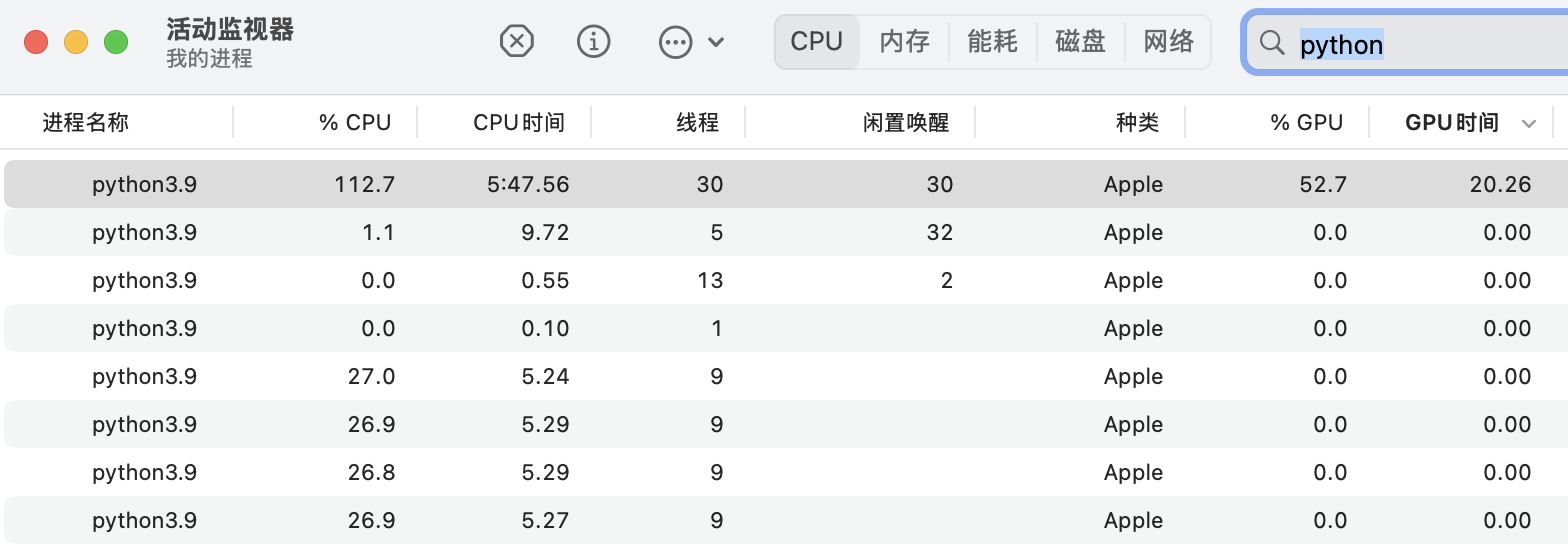
验证方法2:
有博主还写了mps加速代码,后续需要时用。(我这GPU也太慢了,可能会用到)
def try_gpu(i=0):
 """Return gpu(i) if exists, otherwise return cpu().

    Defined in :numref:`sec_use_gpu`"""
 if torch.cuda.device_count() >= i + 1:
 return torch.device(f'cuda:{i}')
 try:
 print('Apple silicon GPU detected')
 return torch.device('mps')
 except:
 print('No GPU detected, using CPU')
 return torch.device('cpu')
 # return torch.device('cpu')

def try_all_gpus():
 """Return all available GPUs, or [cpu(),] if no GPU exists.

    Defined in :numref:`sec_use_gpu`"""
 devices = [torch.device(f'cuda:{i}')
 for i in range(torch.cuda.device_count())]
 # return devices if devices else [torch.device('cpu')]
 try:
 device_macos = torch.device('mps')
 except:
 device_macos = torch.device('cpu')
 return devices if devices else [device_macos]
验证方法3:
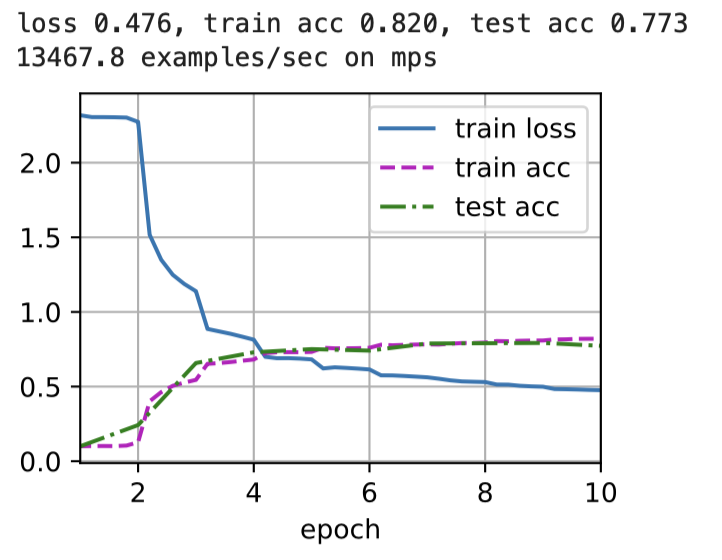
李老师书中给出的是:5w5+
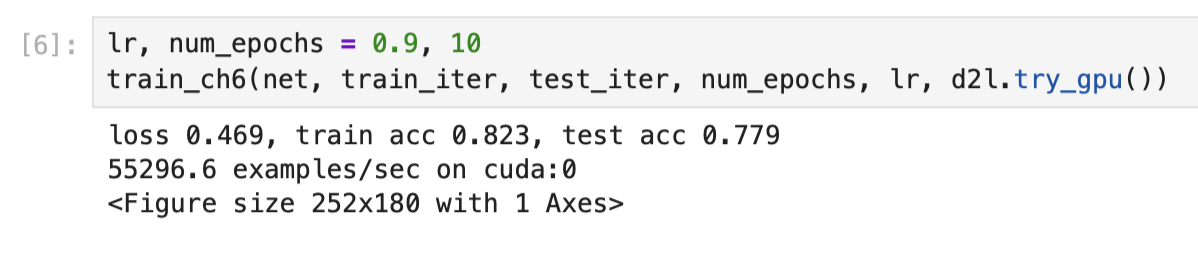
我(macair m3)跑的结果: 用CPU是0.4699w,用GPU是1.35w,是CPU的三倍。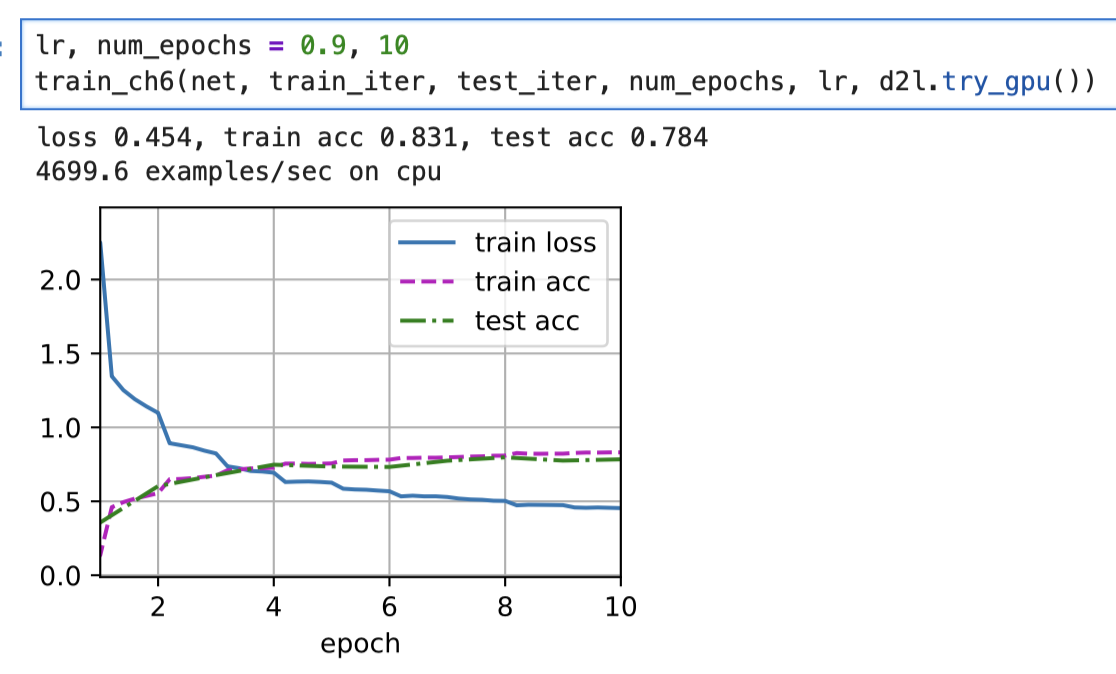
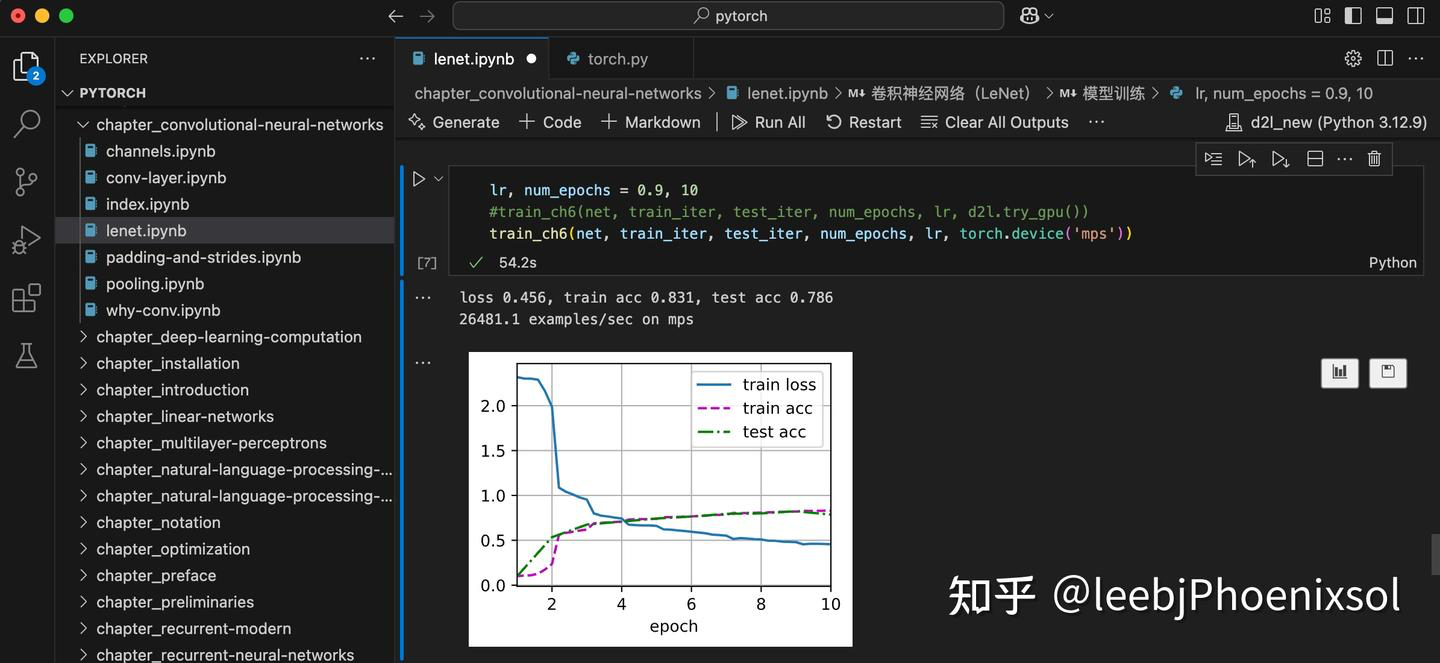
某博主跑的结果: 2.6W,和CPU比提升了一倍

DAMO开发者矩阵,由阿里巴巴达摩院和中国互联网协会联合发起,致力于探讨最前沿的技术趋势与应用成果,搭建高质量的交流与分享平台,推动技术创新与产业应用链接,围绕“人工智能与新型计算”构建开放共享的开发者生态。
更多推荐

 22
22 0
0- 0


 已为社区贡献5条内容

所有评论(0)