Cache数据库之ECP改M卡死问题
·
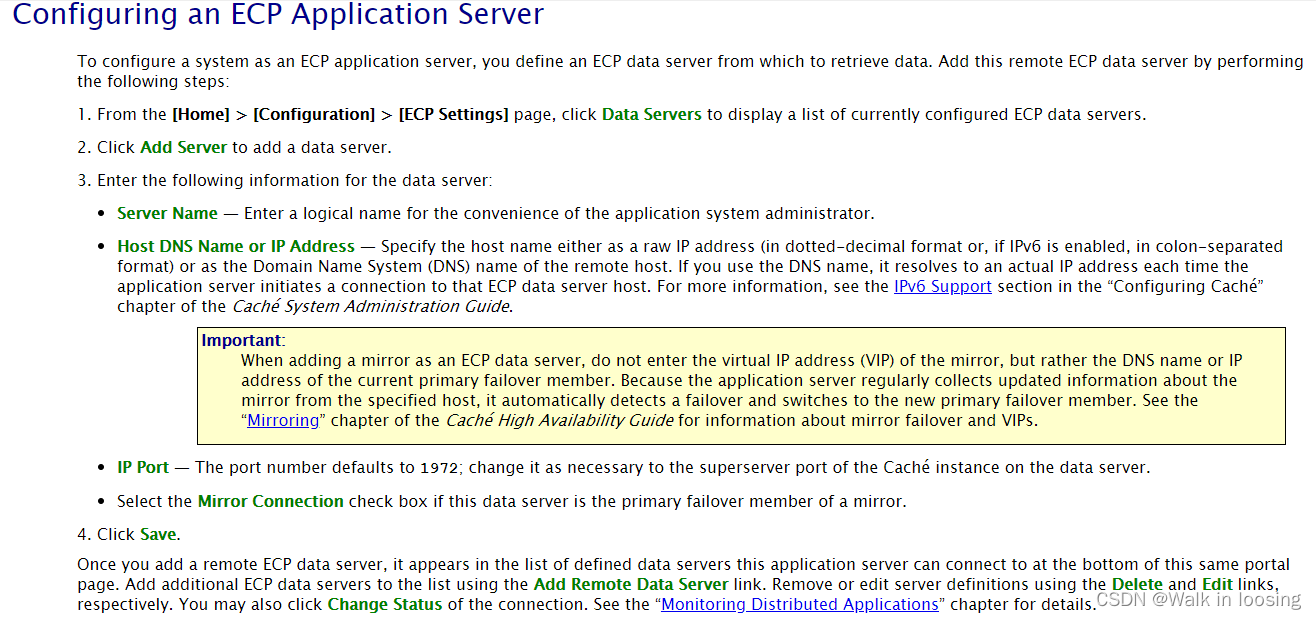
“Cache数据库之ECP搭建”一篇介绍了ECP搭建,搭建完成测试了M代码查看,terminal输出数据,portal查看globel没问题。但是没试过修改M,后面发现一改M保存ECP和小机的数据库都卡死了。
开发发现小机ping不通ecp的网,解决了网之后还是一改M就卡死的现象。把Cache的ECP介绍文档细读了一遍也没相关介绍。小机端和ECP端各种设置都试完了。
后面到小机cconsole.log日志后发现ECP是连上小机了,有报错如下
*** Recovery started at Sun Mar  6 12:03:26 2022
     Current default directory: /intersystem/cache/mgr
     Log file directory: /intersystem/cache/mgr/
     WIJ file spec: ./CACHE.WIJ
Recovering local (./CACHE.WIJ) image journal file...
Starting WIJ recovery for './CACHE.WIJ'.
  0 blocks pending in this WIJ.
WIJ pass # is 0.
Starting fast WIJ compare
Finished comparing 6 blocks in 0 seconds
Exiting with status 3 (Success)
03/06/22-12:03:26:553 (2263) 0 Automatically configuring buffers
03/06/22-12:03:26:570 (2263) 2 Failed to allocate 567MB shared memory: 452MB global buffers, 35MB routine buffers
03/06/22-12:03:26:624 (2263) 1 Allocated 92MB shared memory: 1MB global buffers, 26MB routine buffers
03/06/22-12:03:26:626 (2263) 0 Intel AES-NI instructions not supported by this CPU.
03/06/22-12:03:26:783 (2263) 0 Jrn info from prior WIJ (imflags: 0):
	wdpass: 0
	jrnwdpass: 38
	fspec: /intersystem/cache/mgr/journal/20220306.010
	filecnt: 101
	fileoff: 333808
	prevfcnt: 101
	prevfileoeff: 333672
	min trans cnt: 101
	min trans index: 131088
03/06/22-12:03:26:787 (2263) 0
CSTART of Cache for UNIX (Red Hat Enterprise Linux for x86-64) 2016.2.3 (Build 907_11_20446U) Thu Nov 12 2020 17:04:03 EST.
	in /intersystem/cache/mgr
	with wij: /intersystem/cache/mgr/CACHE.WIJ
	from: /intersystem/cache/mgr/
03/06/22-12:03:26:788 (2263) 0
  OS=[Linux], version=[#1 SMP Tue Nov 16 14:42:35 UTC 2021], release=[4.18.0-348.2.1.el8_5.x86_64], machine=[x86_64]
  nodename=[zlzlinux].
  numasyncwijbuf: 0, swdwrtmax: 0, wijdirectio: off, synctype: 3
  System Initialized.
03/06/22-12:03:26:799 (2344) 0 Write daemon started with strategy #1
03/06/22-12:03:26:924 (2355) 0 Instance 'CACHE' starting on node zlzlinux by user cacheusr
03/06/22-12:03:26:924 (2355) 0 Using parameters from file '/intersystem/cache/cache.cpf'
03/06/22-12:03:26:950 (2355) 0 Loading DLLs
03/06/22-12:03:26:950 (2355) 0 Switching to temporary %SYS Namespace
03/06/22-12:03:26:961 (2355) 0 DKMOUNT: Mounted SFN 1 DB '/intersystem/cache/mgr/cachelib/' as Read Only DB. Database label is marked read-only.
03/06/22-12:03:27:075 (2355) 0 Loading Locale enuw (English, United States, Unicode) from objects
03/06/22-12:03:27:408 (2355) 0 /intersystem/cache/mgr/cachetemp/ initialized as CACHETEMP
03/06/22-12:03:27:422 (2355) 0 Switching to default %SYS Namespace
03/06/22-12:03:27:480 (2355) 0 Added ethernet device docker0,enp4s0f2,virbr0,wlp3s0 to default list
03/06/22-12:03:27:522 (2387) 0 MONITOR Started
03/06/22-12:03:27:623 (2355) 2 Previous system shutdown was abnormal, ^SHUTDOWN forced down
03/06/22-12:03:27:623 (2355) 0 Enabling long strings
03/06/22-12:03:27:653 (2388) 0 Clean Daemon Started
03/06/22-12:03:27:867 (2355) 0 Performing Journal Recovery
03/06/22-12:03:30:070 (2355) 0 Restoring from journal /intersystem/cache/mgr/journal/20220306.010
03/06/22-12:03:30:493 (2355) 0 Performing Transaction Rollback if necessary
03/06/22-12:03:30:516 (2355) 0   Scanning /intersystem/cache/mgr/journal/20220306.010
03/06/22-12:03:30:518 (2355) 0 No open transactions to roll back
03/06/22-12:03:31:149 (2355) 0 START: /intersystem/cache/mgr/journal/20220306.011
03/06/22-12:03:31:149 (2355) 1 Warning: Alternate and primary journal directories are the same
03/06/22-12:03:31:392 (2355) 0 CACHE JOURNALING SYSTEM MESSAGE
Journaling started to: /intersystem/cache/mgr/journal/20220306.011
03/06/22-12:03:31:392 (2355) 0 Journaling to /intersystem/cache/mgr/journal/20220306.011 started.
03/06/22-12:03:31:392 (2355) 0 Processing Startup section
03/06/22-12:03:31:403 (2492) 0 Purging old application errors
03/06/22-12:03:31:801 (2355) 0 Initializing Security system
03/06/22-12:03:31:867 (2355) 0 Processing Network section
03/06/22-12:03:31:893 (2355) 0 Activating Network
03/06/22-12:03:32:159 (2355) 0 Processing Databases section
03/06/22-12:03:32:227 (2355) 0 Processing Namespaces section
03/06/22-12:03:32:227 (2355) 0 Namespaces are up to date
03/06/22-12:03:32:227 (2355) 0 Activating namespaces
03/06/22-12:03:32:238 (2355) 0 Activating new namespace map
03/06/22-12:03:32:342 (2355) 0 Namespace changes have been activated
03/06/22-12:03:32:343 (2355) 0 Auditing to /intersystem/cache/mgr/cacheaudit/
03/06/22-12:03:32:438 (2355) 0 Starting Super Server on port 1972
03/06/22-12:03:32:465 (2355) 0 Network Lock Upload Phase Starting
03/06/22-12:03:32:465 (2355) 0 Lock Upload Phase Complete
03/06/22-12:03:32:465 (2355) 0 Processing Miscellaneous section
03/06/22-12:03:32:538 (2355) 0 init_gcr_seed:  gen_crypt_rand seeded from /dev/urandom:  64 bytes.
03/06/22-12:03:32:539 (2355) 0 Processing Devices section
03/06/22-12:03:32:542 (2499) 0 LMF Info:  Licensed for 300 users.
03/06/22-12:03:32:544 (2355) 0 Processing DeviceSubTypes section
03/06/22-12:03:32:545 (2355) 0 Processing MagTape section
03/06/22-12:03:32:580 (2355) 0 Processing IO section
03/06/22-12:03:32:580 (2355) 0 Processing SQL section
03/06/22-12:03:32:612 (2355) 0 Executing ^ZSTU routine
03/06/22-12:03:32:612 (2355) 0 Executing ^%ZSTART routine
03/06/22-12:03:32:700 (2355) 0 Enabling logons
03/06/22-12:03:33:062 (2500) 0 Private webserver started on 57772
03/06/22-12:03:33:076 (2500) 0 Processing Shadows section (this system as shadow)
03/06/22-12:03:33:094 (2500) 0 Processing Monitor section
03/06/22-12:03:33:180 (2656) 0 [System Monitor] System Monitor started in %SYS
03/06/22-12:03:34:613 (2499) 0 LMF Info:  License server started on port 4001
03/06/22-12:03:36:614 (2499) 0 LMF Info:  Connected to license server 127.0.0.1,4001
03/06/22-12:06:58:268 (2790) 0 ECP: Connection request from 'ECPN:LOCALHOST.LOCALDOMAIN:CACHE' (192.168.0.106:51064)
03/06/22-12:07:33:295 (2495) 0 Starting 1 more ECP worker daemons
03/06/22-12:11:03:337 (2656) 1 Available buffers at 50% above MinBufBatch
03/06/22-12:12:33:346 (2656) 2 Available buffers below MinBufBatch
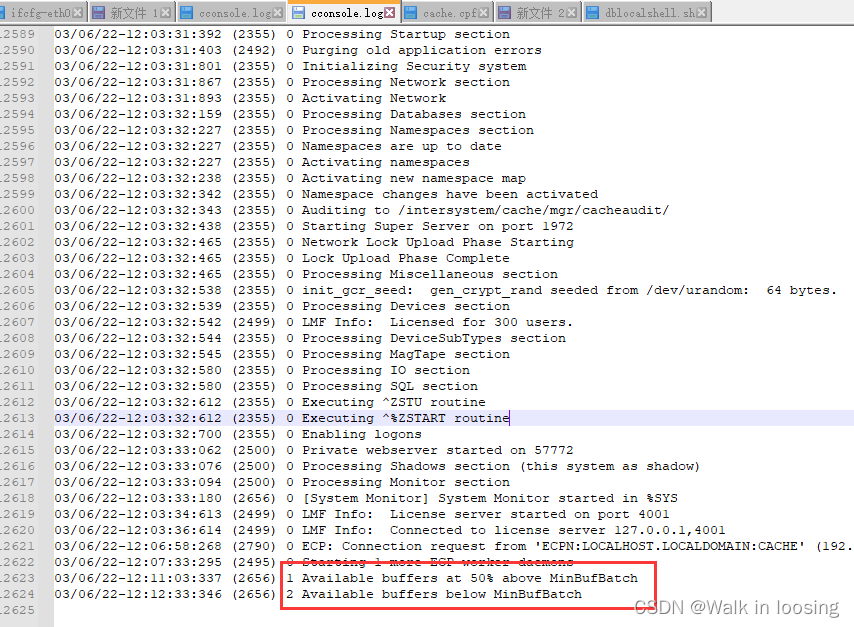
看着咋是内存不够的意思啊。好吧,难道是我CentOS笔记本内存太小了。总共两个多G的内存。
为了证实是不是内存原因,把ECP的服务指向我自己windows电脑。
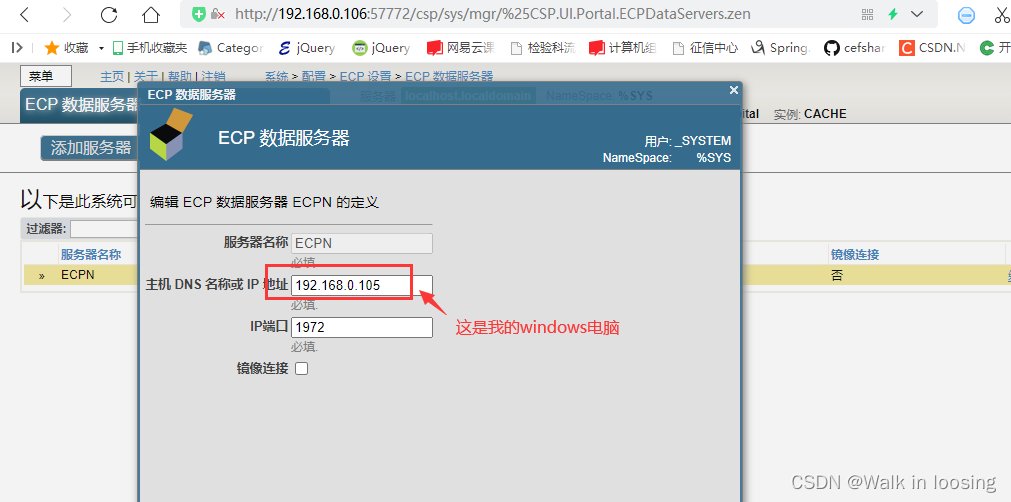
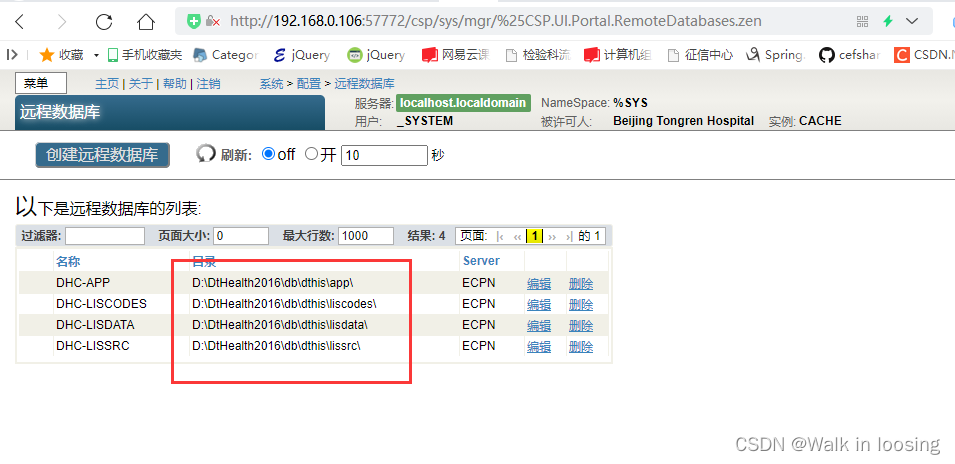
然后测试在ECP修改M,把两行注释改3行保存不卡死了
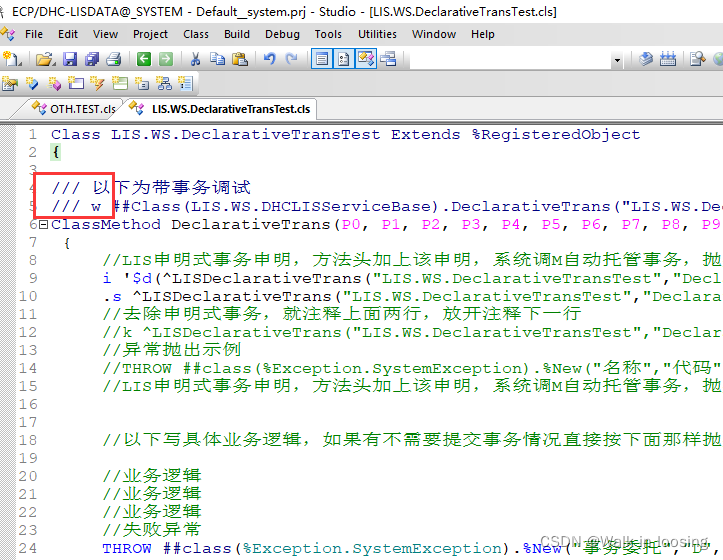
到本机windows电脑查看M确实也变了
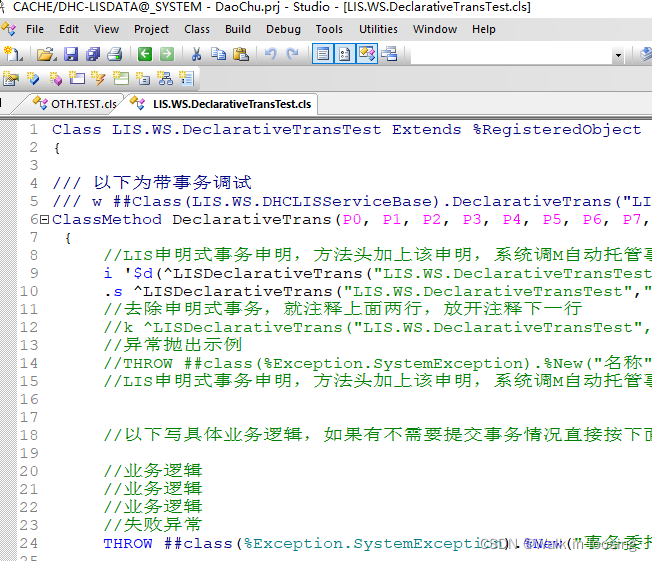
至此ECP保存M卡死两个库的原因找到了(从9点倒腾到13点),留下了没有高配硬件的泪水,呜呜

DAMO开发者矩阵,由阿里巴巴达摩院和中国互联网协会联合发起,致力于探讨最前沿的技术趋势与应用成果,搭建高质量的交流与分享平台,推动技术创新与产业应用链接,围绕“人工智能与新型计算”构建开放共享的开发者生态。
更多推荐



 0
0 0
0- 0


 已为社区贡献4条内容

所有评论(0)