部署deeplabv3+ 图像分割模型
·
参考csdn文档:https://blog.csdn.net/qq_30263737/article/details/114935101
代码地址
https://github.com/bubbliiiing/deeplabv3-plus-pytorch
部署步骤
1.从github上download下具体的代码
2.创建一个python3.10环境,并进行使用requirestments.txt进行下载包
使用预测代码predict.py
CUDA_VISIBLE_DEVICES=xxx python predict.py代码中的mode有三种模式,fps;predict; fps为单张 predict为多张或一个文件夹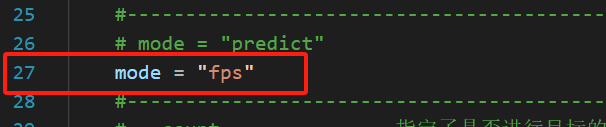
在fps模式下保存文件需要修改deeplab.py代码,如下: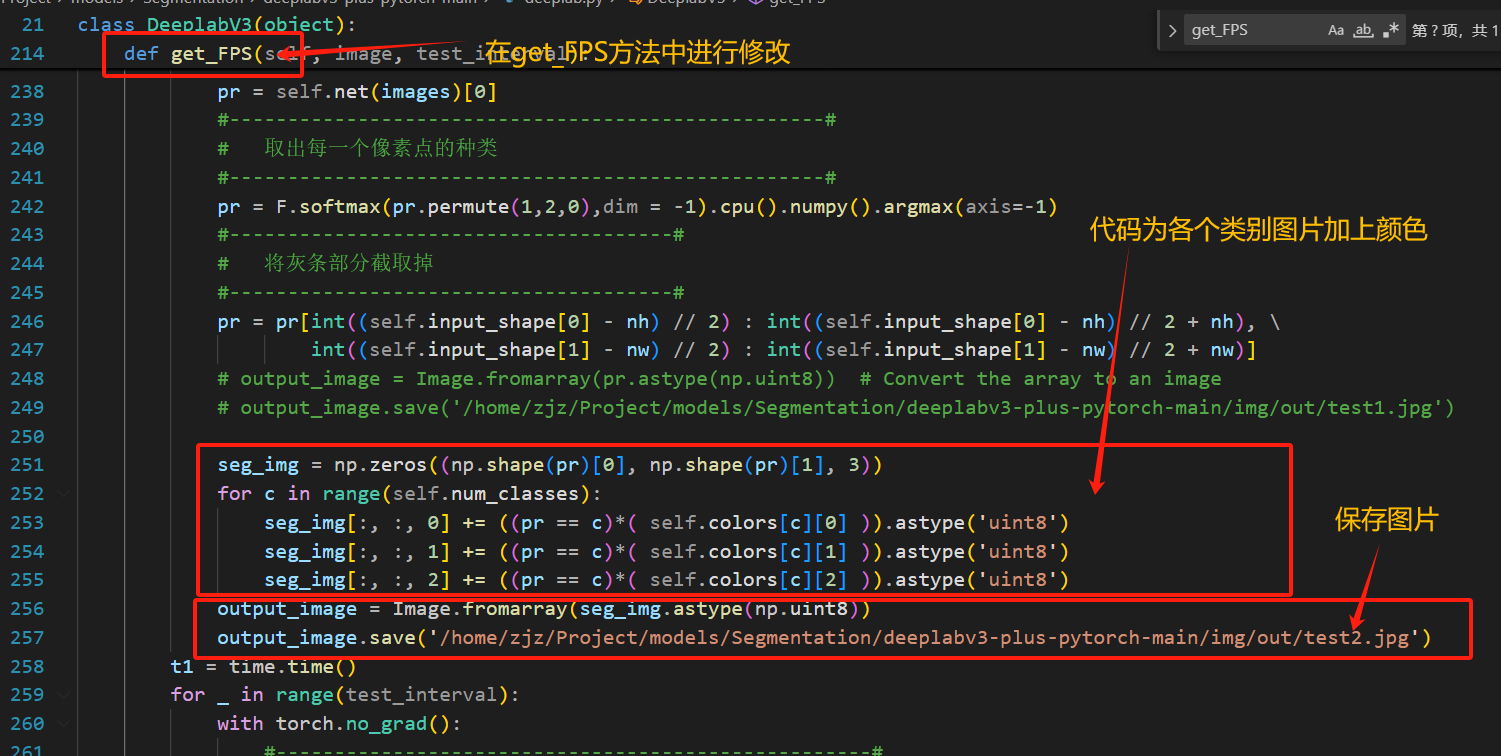
其中self.color为上文自定义的颜色数组如下所示记录了21种颜色,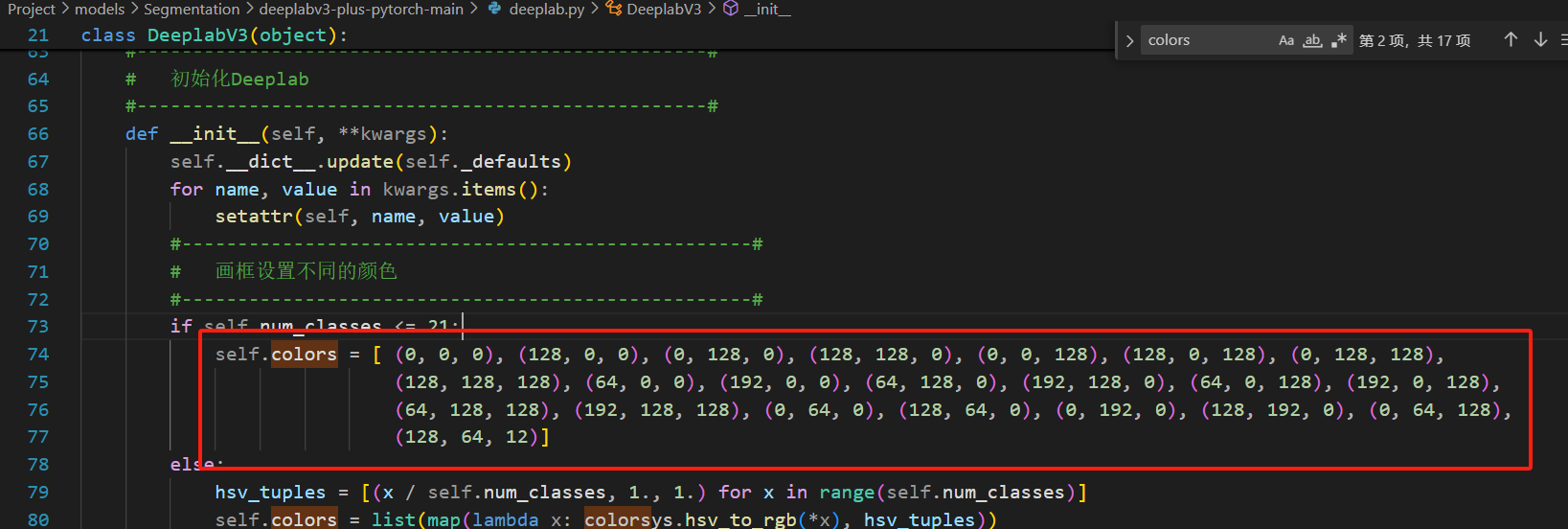
使用street.py预测结果如下: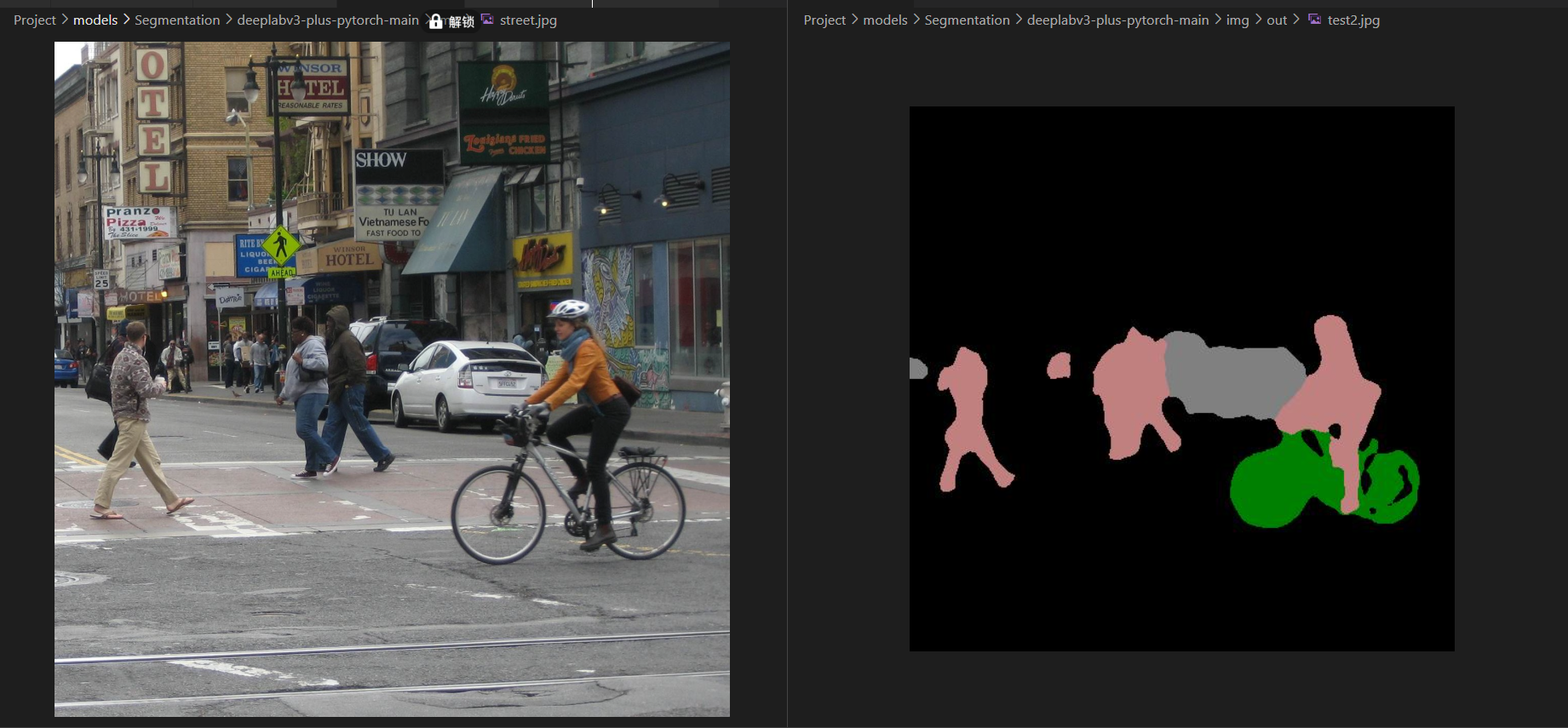
常见错误
1.出现CUDA error: out of memory
RuntimeError: CUDA error: out of memory
CUDA kernel errors might be asynchronously reported at some other API call, so the stacktrace below might be incorrect.
For debugging consider passing CUDA_LAUNCH_BLOCKING=1
Compile with TORCH_USE_CUDA_DSA to enable device-side assertions.
解决方案及原因:GPU显存不够,可使用nvidia-smi和nvitop进行查询哪个设备没有空闲的显存

DAMO开发者矩阵,由阿里巴巴达摩院和中国互联网协会联合发起,致力于探讨最前沿的技术趋势与应用成果,搭建高质量的交流与分享平台,推动技术创新与产业应用链接,围绕“人工智能与新型计算”构建开放共享的开发者生态。
更多推荐

 5
5 0
0- 0


 已为社区贡献1条内容

所有评论(0)