从 Figma 变量到 Web Animations API:构建无损动效参数同步的 CI/CD 机器人
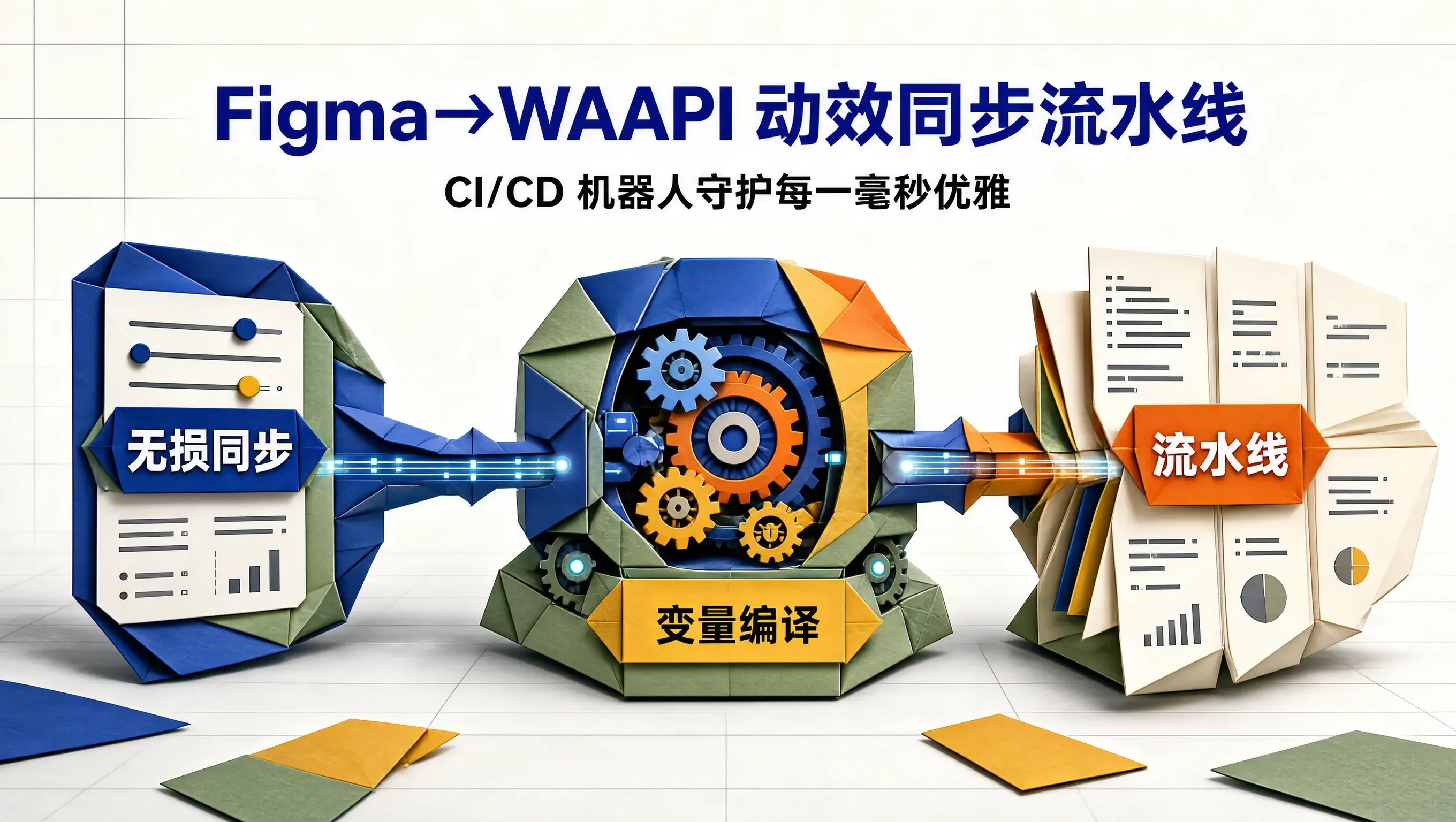
在现代数字产研团队中,动效从“设计稿”到“线上代码”的还原过程,往往是一场充满妥协与信息磨损的“灾难游戏”:
动效设计师在 Figma 中反复对比了数十次转场手感,将某个核心交互的弹出时长定为精确的 240ms,入场曲线定为极其舒展的 cubic-bezier(0.16, 1.0, 0.3, 1.0),回弹阻尼比严格设置为 0.72。
然而,在没有自动化约束的传统协作模式下,前端开发者在赶业务工期时,往往随手在 CSS 里敲下一行死板的 transition: all 0.3s ease。
当下一次设计走查(Design Review)时,设计师皱起眉头说“手感不对”,开发只能在 Chrome DevTools 里凭肉眼一遍遍盲改,整个团队陷入极其低效的拉扯中。
在现代工业制造中,一条汽车生产线上的图纸参数绝不会由工人在机床上用手抄本传达。设计图纸上的公差参数,通过数字控制接口直接驱动数控机床(CNC)精密加工。
随着 Figma 全面推出 Figma Variables(设计变量) 以及开放的 REST API,配合现代浏览器的 Web Animations API(WAAPI),我们完全可以在 CI/CD 流水线中部署一台全自动动效同步机器人(Motion Sync Bot):设计师在 Figma 中改动一个动效参数,30 秒内全自动转换为类型安全的 TypeScript 常量,并以 Pull Request 的形式精准投递到前端代码仓库中。
动效全自动同步流水线架构图
整个自动化闭环的流转架构如下:
       ┌────────────────────────┐
       │  Figma Variables 资产  │  <- 设计师在 Figma 维护的动效曲线与物理参数
       └───────────┬────────────┘
                   │ Figma Webhook / 定时触发 (GitHub Actions)
                   ▼
       ┌────────────────────────┐
       │ Motion Sync Bot 核心   │  <- 提取变量、单位折算、WAAPI 类型组装
       └───────────┬────────────┘
                   │ 自动创建分支与 Pull Request
                   ▼
       ┌────────────────────────┐
       │ 前端组件库代码仓库     │  <- 生成 motion-tokens.ts 供业务直接消费
       └────────────────────────┘
Figma Variables 数据结构剖析
通过调用 Figma 的 REST API GET /v1/files/:file_key/variables/local,我们可以获取到设计文件中结构化的变量元数据:
{
  "status": 200,
  "error": false,
  "meta": {
    "variables": {
      "VariableID:12:345": {
        "id": "VariableID:12:345",
        "name": "motion/modal-pop/duration",
        "resolvedType": "FLOAT",
        "valuesByMode": {
          "ModeID:1": 240
        }
      },
      "VariableID:12:346": {
        "id": "VariableID:12:346",
        "name": "motion/modal-pop/easing",
        "resolvedType": "STRING",
        "valuesByMode": {
          "ModeID:1": "cubic-bezier(0.16, 1.0, 0.3, 1.0)"
        }
      }
    }
  }
}
同步机器人核心实现:Node.js 自动化转换脚本
下面是运行在 CI/CD 环境中的 Node.js 同步转换脚本,它能抓取 Figma 动效变量,自动生成具备强类型约束的 WAAPI 配置包:
// syncMotionTokens.ts
import fs from 'fs';
import path from 'path';

interface FigmaVariable {
  id: string;
  name: string;
  resolvedType: string;
  valuesByMode: Record<string, any>;
}

interface FigmaApiResponse {
  meta: {
    variables: Record<string, FigmaVariable>;
  };
}

async function fetchFigmaVariables(fileKey: string, token: string): Promise<FigmaVariable[]> {
  const url = `https://api.figma.com/v1/files/${fileKey}/variables/local`;
  const res = await fetch(url, {
    headers: {
      'X-Figma-Token': token
    }
  });

  if (!res.ok) {
    throw new Error(`Figma API 请求失败: ${res.statusText}`);
  }

  const data = (await res.json()) as FigmaApiResponse;
  return Object.values(data.meta.variables);
}

export async function generateMotionCode(fileKey: string, token: string, outputPath: string): Promise<void> {
  console.log('🤖 [Motion Sync Bot] 正在拉取 Figma 动效变量...');
  const variables = await fetchFigmaVariables(fileKey, token);

  // 过滤以 "motion/" 开头的专属动效变量
  const motionVars = variables.filter(v => v.name.startsWith('motion/'));

  const tokenTree: Record<string, any> = {};

  for (const v of motionVars) {
    // 例如: "motion/modal-pop/duration" -> ["modal-pop", "duration"]
    const pathParts = v.name.replace('motion/', '').split('/');
    const rawVal = Object.values(v.valuesByMode)[0];

    let current = tokenTree;
    for (let i = 0; i < pathParts.length - 1; i++) {
      const part = pathParts[i];
      if (!current[part]) current[part] = {};
      current = current[part];
    }

    const leafKey = pathParts[pathParts.length - 1];
    current[leafKey] = rawVal;
  }

  // 生成类型安全的 TypeScript 代码
  const tsContent = `/**
 * 🚨 由 Motion Sync Bot 自动从 Figma 编译生成,严禁手动修改!
 * 生成时间: ${new Date().toISOString()}
 */

export interface MotionTokenSpec {
  duration: number; // 毫秒
  easing: string;
  waapiOptions: KeyframeAnimationOptions;
}

export const MotionTokens = ${JSON.stringify(tokenTree, null, 2)} as const;

/**
 * 转换为原生 Web Animations API 标准参数
 */
export function getWaapiOptions(spec: { duration: number; easing: string }): KeyframeAnimationOptions {
  return {
    duration: spec.duration,
    easing: spec.easing,
    fill: 'forwards'
  };
}
`;

  fs.writeFileSync(outputPath, tsContent, 'utf-8');
  console.log(`✅ [Motion Sync Bot] 动效产物已成功生成并写入: ${outputPath}`);
}
业务侧消费:零摩擦驱动 Web Animations API
前端在业务组件中,直接引用这份经过 CI 验证的权威字典,无论是原生 CSS 还是 WAAPI,都能获得 IDE 的代码自动补全与类型提示:
// Dialog.tsx
import React, { useRef } from 'react';
import { MotionTokens, getWaapiOptions } from './generated/motion-tokens';

export const PopDialog: React.FC<{ isOpen: boolean }> = ({ isOpen }) => {
  const dialogRef = useRef<HTMLDivElement>(null);

  const handleOpen = () => {
    if (!dialogRef.current) return;

    // 1. 获取来自 Figma 权威源的动效规范
    const spec = MotionTokens['modal-pop'];

    // 2. 调用浏览器原生 Web Animations API (Compositor 线程硬件加速)
    dialogRef.current.animate(
      [
        { transform: 'scale(0.85) translateY(12px)', opacity: 0 },
        { transform: 'scale(1.0) translateY(0px)', opacity: 1 }
      ],
      getWaapiOptions(spec)
    );
  };

  return <div ref={dialogRef} className="pop-dialog-panel">弹窗内容</div>;
};
GitHub Actions 自动化分发流水线配置
我们将上述同步逻辑编排为一段清晰的 GitHub Actions 工作流:
# .github/workflows/motion-sync.yml
name: Figma Motion Sync Pipeline

on:
  workflow_dispatch: # 支持手动一键触发
  schedule:
    - cron: '0 2 * * *' # 每天凌晨自动对齐

jobs:
  sync:
    runs-on: ubuntu-latest
    steps:
      - name: Checkout Code
        uses: actions/checkout@v4

      - name: Setup Node.js
        uses: actions/setup-node@v4
        with:
          node-version: 20

      - name: Run Motion Bot
        env:
          FIGMA_TOKEN: ${{ secrets.FIGMA_API_TOKEN }}
          FIGMA_FILE_KEY: ${{ secrets.FIGMA_FILE_KEY }}
        run: |
          npx ts-node scripts/syncMotionTokens.ts

      - name: Create Pull Request
        uses: peter-evans/create-pull-request@v6
        with:
          commit-message: "chore(motion): 自动同步 Figma 最新动效变量"
          branch: "chore/figma-motion-sync"
          labels: "design-tokens, automated-pr"
架构优势与团队协同变革
这套自动化工具链在产研团队落地后,带来了三项质的飞跃:
- 协同摩擦力完全消除:
设计师在 Figma 中调整贝塞尔手感后,点击触发按钮,五分钟后对应的前端 PR 就会自动出现在 GitHub 上。走查流程从以往的“凭感觉找茬”变成了精准的代码 Diff 审查。 - 动效资产版本化追溯(Version Control):
由于所有动效参数都落盘为 Git 代码,任何一次转场时间的微调都有明确的 Git Commit 记录,出现交互退化时可以秒级回滚。 - 零运行时解析负担:
完全抛弃了笨重的客户端运行时解析方案,代码直接以极简的 TypeScript 常量交付,兼顾了顶级工程的可维护性与极致轻盈的运行性能。
工业化软件工程的核心精髓,是把一切可能被人为疏忽破坏的环节,彻底交付给确定性的自动化管道。用机器人串联设计与代码,我们不仅守护了动效的每一毫秒优雅,更守护了工程与设计之间最珍贵的信任纽带。

DAMO开发者矩阵,由阿里巴巴达摩院和中国互联网协会联合发起,致力于探讨最前沿的技术趋势与应用成果,搭建高质量的交流与分享平台,推动技术创新与产业应用链接,围绕“人工智能与新型计算”构建开放共享的开发者生态。
更多推荐
 0
0 0
0- 0


 已为社区贡献2条内容

所有评论(0)