开源!基于Three.js视频融合、视频投射。
·
示例
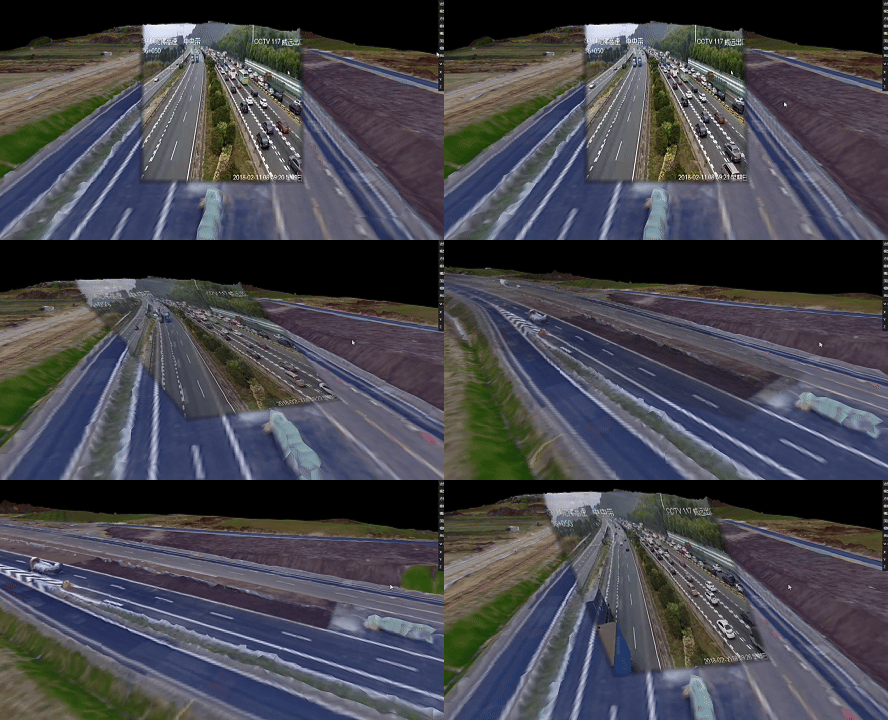
开源地址
https://github.com/hh-hang/three-video-projection
在线体验
https://hh-hang.github.io/three-video-projection/
安装与使用
npm install three-video-projectionimport * as THREE from "three";
import { createVideoProjector } from "three-video-projection";
// 创建video元素并生成 VideoTexture
const video = document.createElement("video");
video.src = "path/to/video.mp4";
video.loop = true;
video.muted = true;
video.playsInline = true;
await video.play();
const videoTexture = new THREE.VideoTexture(video);
// 注:可以使用视频流,只要保证最后成功创建videoTexture
// 创建投影器
const projector = await createVideoProjector({
scene, // three 场景
renderer, // three 渲染器
videoTexture, // 视频纹理
projCamPosition: [2, 2, 2], // 投影相机位置
projCamParams: { fov: 30, aspect: 1, near: 0.5, far: 50 }, // 投影相机参数
orientationParams: { azimuthDeg: 180, elevationDeg: -10, rollDeg: 0 }, // 方位角/俯仰/滚转
intensity: 1.0, // 投影颜色强度
opacity: 1.0, // 投影透明度
projBias: 0.0001, // 深度偏移
edgeFeather: 0.05, // 边缘羽化程度
isShowHelper: true, // 是否显示相机辅助器
});
// 将需要被投影的 mesh 加入
projector.addTargetMesh(myMesh1);
// 渲染循环
function animate() {
// ... 更新场景、控制器
projector.update();
}
animate();
// 销毁时
projector.dispose();结语
核心逻辑是着色器,太多人只分享效果不提供源码甚至收费,不喜欢这样。刚好马上有个项目需要用到视频投射技术,分享出来给大家。

DAMO开发者矩阵,由阿里巴巴达摩院和中国互联网协会联合发起,致力于探讨最前沿的技术趋势与应用成果,搭建高质量的交流与分享平台,推动技术创新与产业应用链接,围绕“人工智能与新型计算”构建开放共享的开发者生态。
更多推荐
 2
2 0
0- 0


 已为社区贡献1条内容

所有评论(0)