谷歌搜索 API

⚠️ 自 2025 年 1 月起,Google 要求启用 JavaScript 才能渲染搜索结果。此更新旨在阻止依赖非 JavaScript 方法的传统机器人、爬虫与 SEO 工具。因此,使用 Google 搜索进行市场研究或排名分析的企业必须采用支持 JavaScript 渲染的工具。
本仓库提供两种获取 Google SERP 数据的方法:
- 免费的小规模爬虫,适合基础数据采集
- 面向高并发与高可靠性的企业级 API 方案
目录
免费爬虫
一款轻量级的 Google 爬虫,满足基础数据采集需求。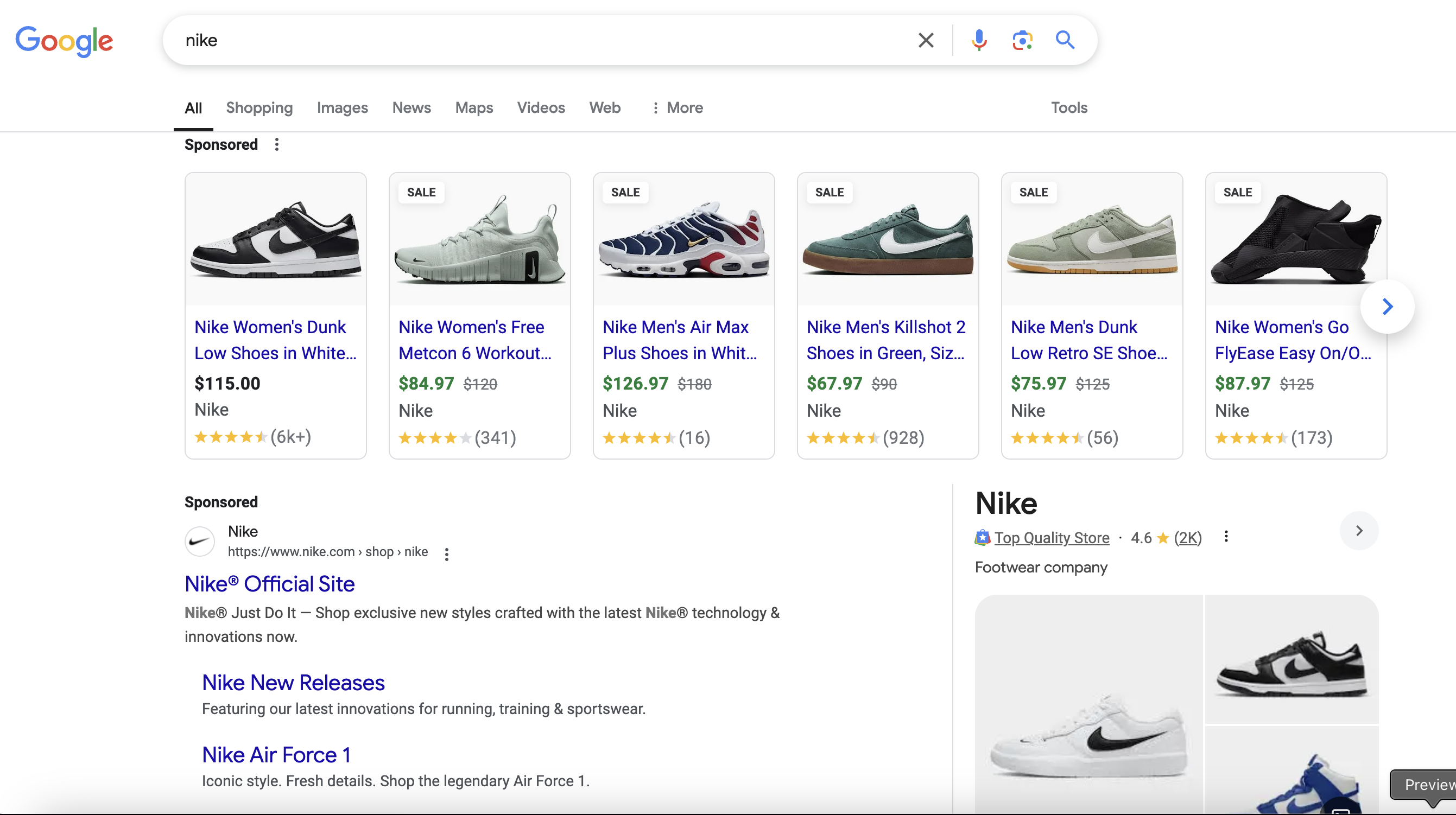
输入参数
- 文件:需要在 Google 中查询的搜索关键词列表(必填)
- 页数:为每个关键词抓取的 Google 结果页数
实现
在此 Python 文件 中修改以下参数:
HEADLESS = False
MAX_RETRIES = 2
REQUEST_DELAY = (1, 4)

SEARCH_TERMS = [
    "nike shoes",
    "macbook pro"
]
PAGES_PER_TERM = 3
💡 提示:将 HEADLESS = False 有助于降低被 Google 识别的概率。
示例输出

限制
Google 采用多种反爬策略:
- 验证码(CAPTCHAs):区分人机
- IP 封禁:对可疑行为进行临时或永久封锁
- 速率限制:请求过快会触发限制
- 地理定向:结果受位置、语言、设备影响
- 蜜罐陷阱:用于检测自动化访问的隐藏元素
多次请求后,通常会遇到 Google 的验证码挑战: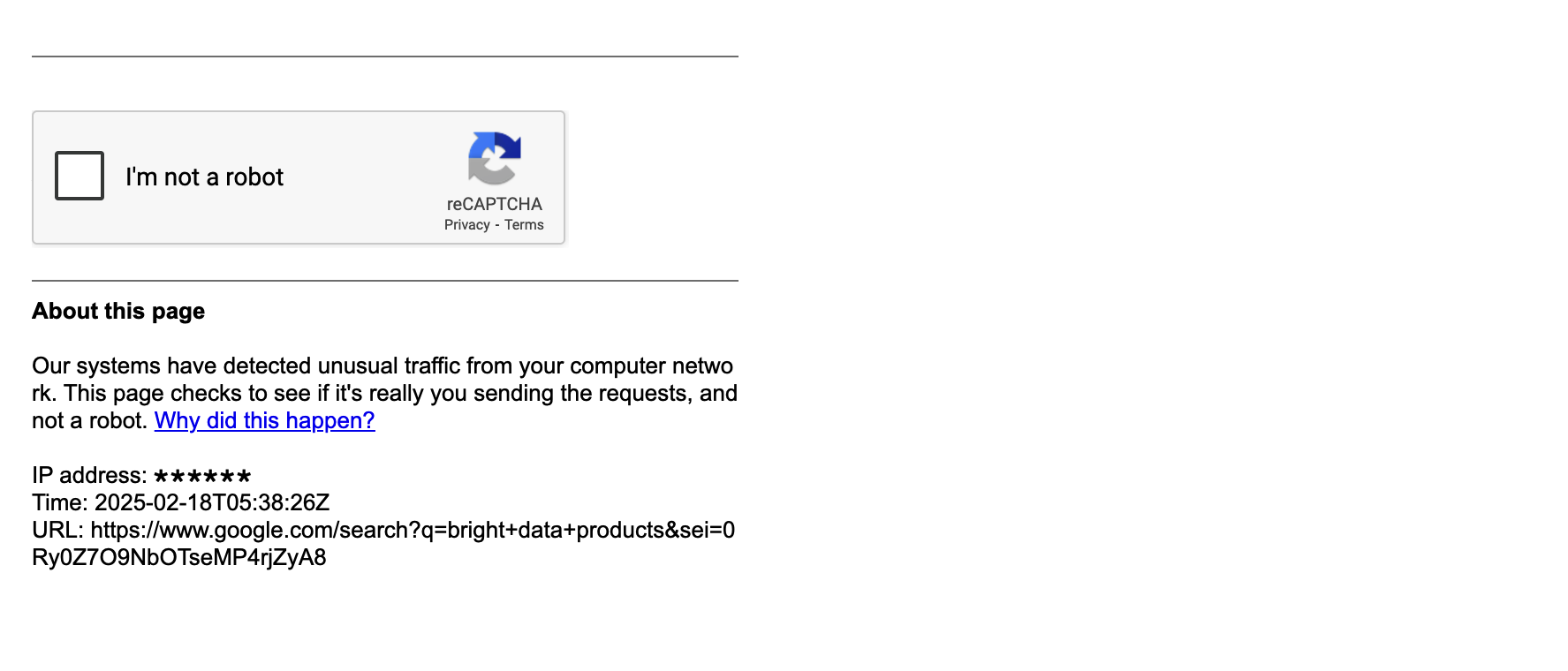
Bright Data 谷歌搜索 API
Bright Data 的 Google Search API 使用可自定义的搜索参数提供真实用户视角的 Google 搜索结果。该服务基于与 SERP API 相同的先进技术构建,具备高成功率与强大性能,可大规模抓取公开可用数据。
关键特性
- 高成功率:即使在大批量请求下仍然稳定
- 按成功付费:仅为成功请求付费
- 响应快速:通常低于 5 秒
- 地理定向:可针对任意国家、城市或设备采集
- 多种输出格式:JSON 或原始 HTML
- 多种搜索类型:新闻、图片、购物、职位等
- 异步请求:批量获取结果
- 面向规模:适配高并发与流量峰值
📌 可在我们的 SERP Playground 免费试用: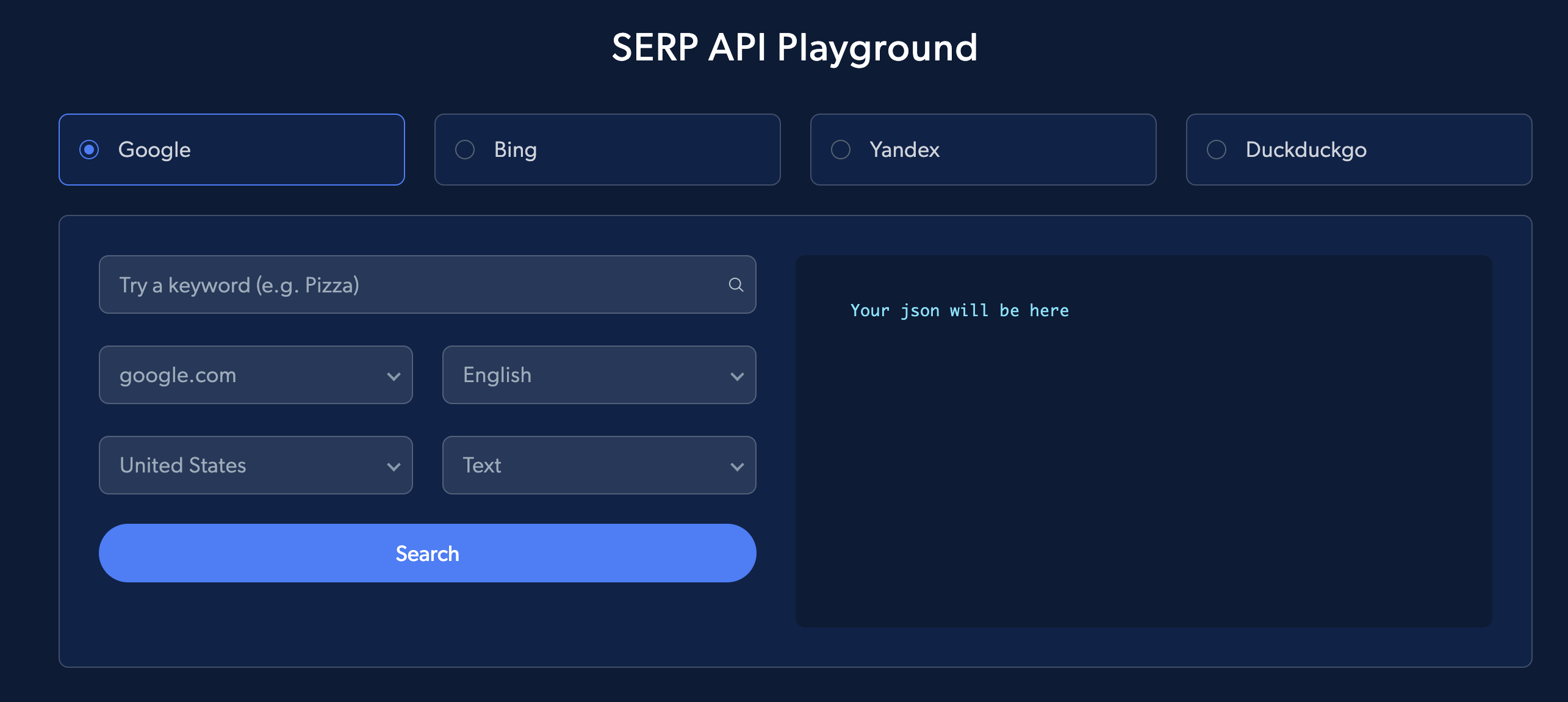
开始使用
- 前置条件:
- 注册 Bright Data 账号(新用户可获 $5 额度)
- 获取API 密钥
- 设置:按照此分步指南将 SERP API 集成到你的 Bright Data 账号
- 接入方式:
- 直接 API 访问
- 原生代理访问
直接 API 访问
最简单的方法是直接向 API 发起请求。
cURL 示例
curl https://api.brightdata.com/request \
  -H "Content-Type: application/json" \
  -H "Authorization: Bearer API_TOKEN" \
  -d '{
        "zone": "ZONE_NAME",
        "url": "https://www.google.com/search?q=ollama&brd_json=1",
        "format": "raw"
      }'
Python 示例
import requests
import json

url = "https://api.brightdata.com/request"

headers = {"Content-Type": "application/json", "Authorization": "Bearer API_TOKEN"}

payload = {
    "zone": "ZONE_NAME",
    "url": "https://www.google.com/search?q=ollama&brd_json=1",
    "format": "raw",
}

response = requests.post(url, headers=headers, json=payload)

with open("serp_direct_api.json", "w") as file:
    json.dump(response.json(), file, indent=4)

print("Response saved to 'serp_direct_api.json'.")
👉 查看完整 JSON 输出
注意:使用
brd_json=1返回解析后的 JSON;使用brd_json=html返回“解析后的 JSON + 完整嵌套 HTML”。了解更多结果解析方法,请参阅我们的 SERP API 解析指南。
原生代理访问
你也可以使用我们的代理路由方式。
cURL 示例
curl -i \
  --proxy brd.superproxy.io:33335 \
  --proxy-user "brd-customer-<CUSTOMER_ID>-zone-<ZONE_NAME>:<ZONE_PASSWORD>" \
  -k \
  "https://www.google.com/search?q=ollama"
Python 示例
import requests
import urllib3

urllib3.disable_warnings(urllib3.exceptions.InsecureRequestWarning)

host = "brd.superproxy.io"
port = 33335
username = "brd-customer-<customer_id>-zone-<zone_name>"
password = "<zone_password>"
proxy_url = f"http://{username}:{password}@{host}:{port}"

proxies = {"http": proxy_url, "https": proxy_url}

url = "https://www.google.com/search?q=ollama"
response = requests.get(url, proxies=proxies, verify=False)

with open("serp_native_proxy.html", "w", encoding="utf-8") as file:
    file.write(response.text)

print("Response saved to 'serp_native_proxy.html'.")
👉 查看完整 HTML 输出
生产环境中,请加载 Bright Data 的 SSL 证书(参考我们的 SSL 证书指南)。
高级功能
本地化
-
gl(国家代码)
- 两位国家代码,决定搜索结果所属国家
- 模拟来自特定国家的搜索
示例:在法国搜索餐厅
curl --proxy brd.superproxy.io:33335 \ --proxy-user "brd-customer-<customer-id>-zone-<zone-name>:<zone-password>" \ "https://www.google.com/search?q=best+restaurants+in+paris&gl=fr" -
hl(语言代码)
- 两位语言代码,设置页面内容语言
- 影响界面与结果语言
示例:在日本搜索寿司餐厅(结果为日语)
curl --proxy brd.superproxy.io:33335 \
 --proxy-user "brd-customer-<customer-id>-zone-<zone-name>:<zone-password>" \
 "https://www.google.com/search?q=best+sushi+restaurants+in+tokyo&hl=ja"
也可同时使用以获得更准确的本地化:
curl --proxy brd.superproxy.io:33335 \
 --proxy-user "brd-customer-<customer-id>-zone-<zone-name>:<zone-password>" \
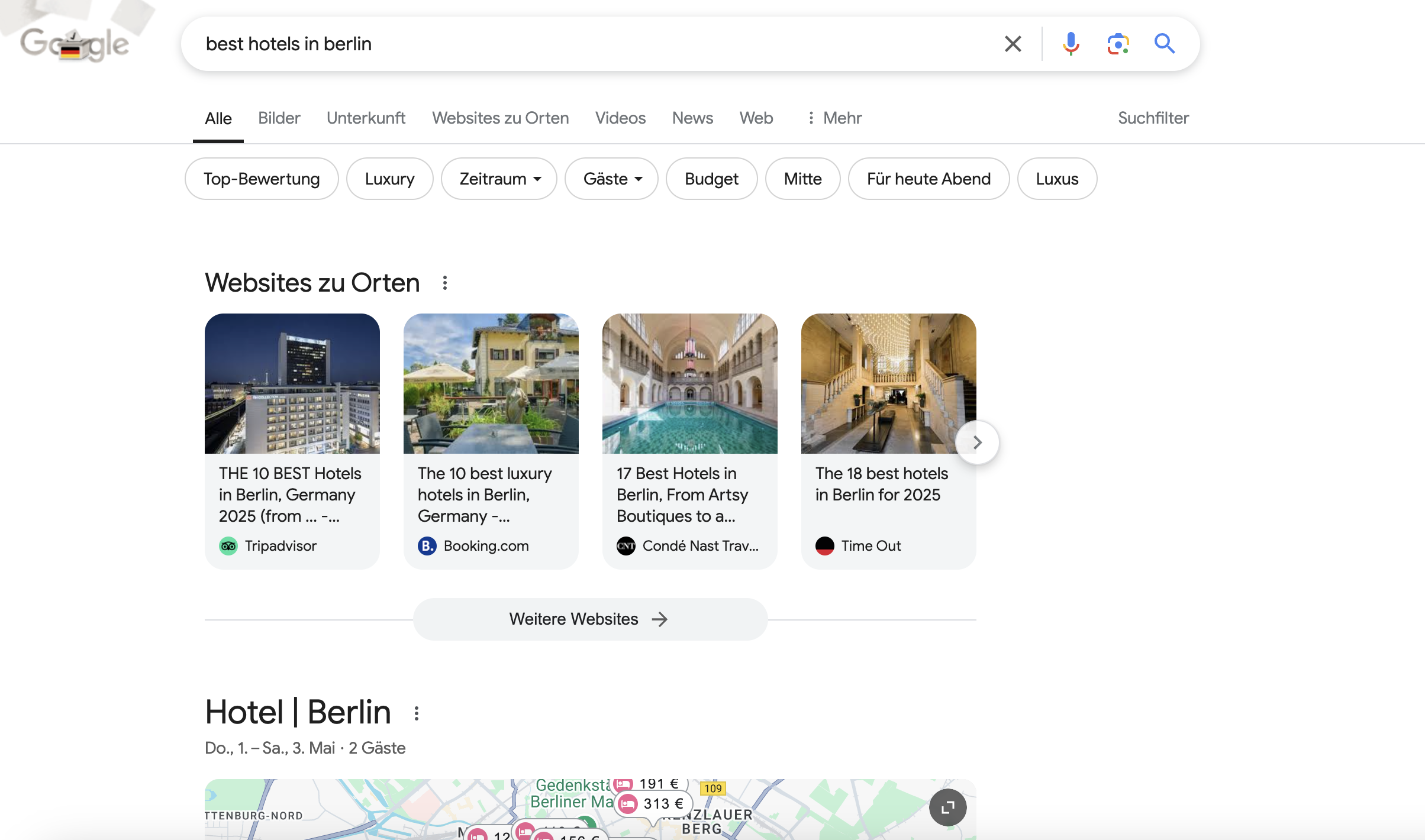
 "https://www.google.com/search?q=best+hotels+in+berlin&gl=de&hl=de"
搜索类型
-
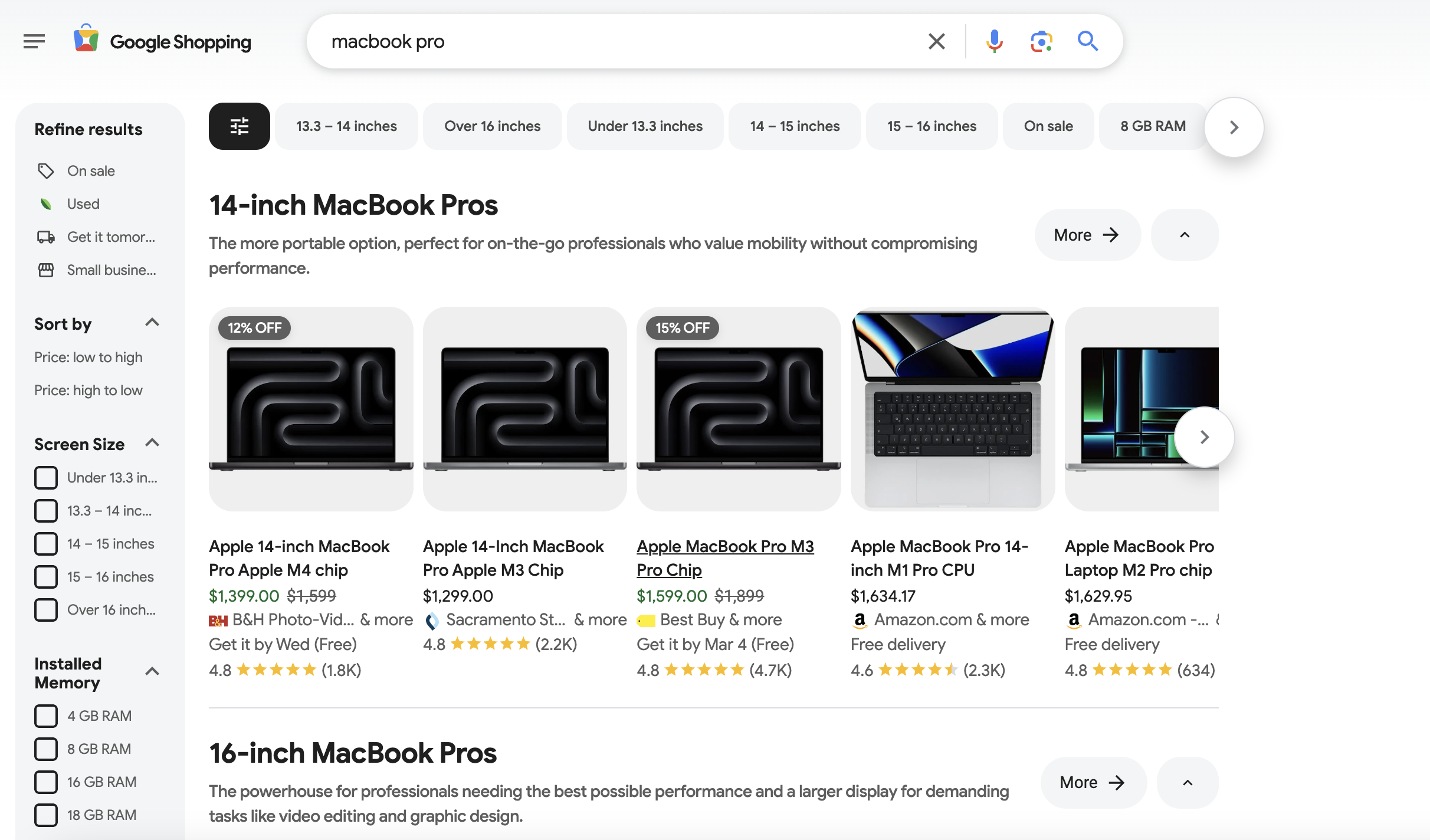
tbm(搜索类别)
- 指定特定的搜索类型(图片、新闻等)
- 选项:
tbm=isch→ 图片tbm=shop→ 购物tbm=nws→ 新闻tbm=vid→ 视频
示例(购物):
curl --proxy brd.superproxy.io:33335 \ --proxy-user "brd-customer-<customer-id>-zone-<zone-name>:<zone-password> \ "https://www.google.com/search?q=macbook+pro&tbm=shop" -
ibp(职位搜索参数)
- 专用于职位相关的搜索
- 示例:
ibp=htl;jobs返回职位列表
示例:
curl --proxy brd.superproxy.io:33335 \
     --proxy-user "brd-customer-<customer-id>-zone-<zone-name>:<zone-password>" \
     "https://www.google.com/search?q=technical+copywriter&ibp=htl;jobs"
分页
通过以下参数翻页或调整每页结果数:
-
start
- 定义结果起始位置
- 示例:
start=0(默认)——第一页start=10——第二页(第 11–20 条)start=20——第三页(第 21–30 条)
示例(从第 11 条开始):
curl --proxy brd.superproxy.io:33335 \ --proxy-user "brd-customer-<customer-id>-zone-<zone-name>:<zone-password>" \ "https://www.google.com/search?q=best+coding+laptops+2025&start=10" -
num
- 定义每页返回的结果数量
- 示例:
num=10(默认)——每页 10 条num=50——每页 50 条
示例(每页 40 条):
curl --proxy brd.superproxy.io:33335 \
     --proxy-user "brd-customer-<customer-id>-zone-<zone-name>:<zone-password>" \
     "https://www.google.com/search?q=best+coding+laptops+2025&num=40"
地理定位
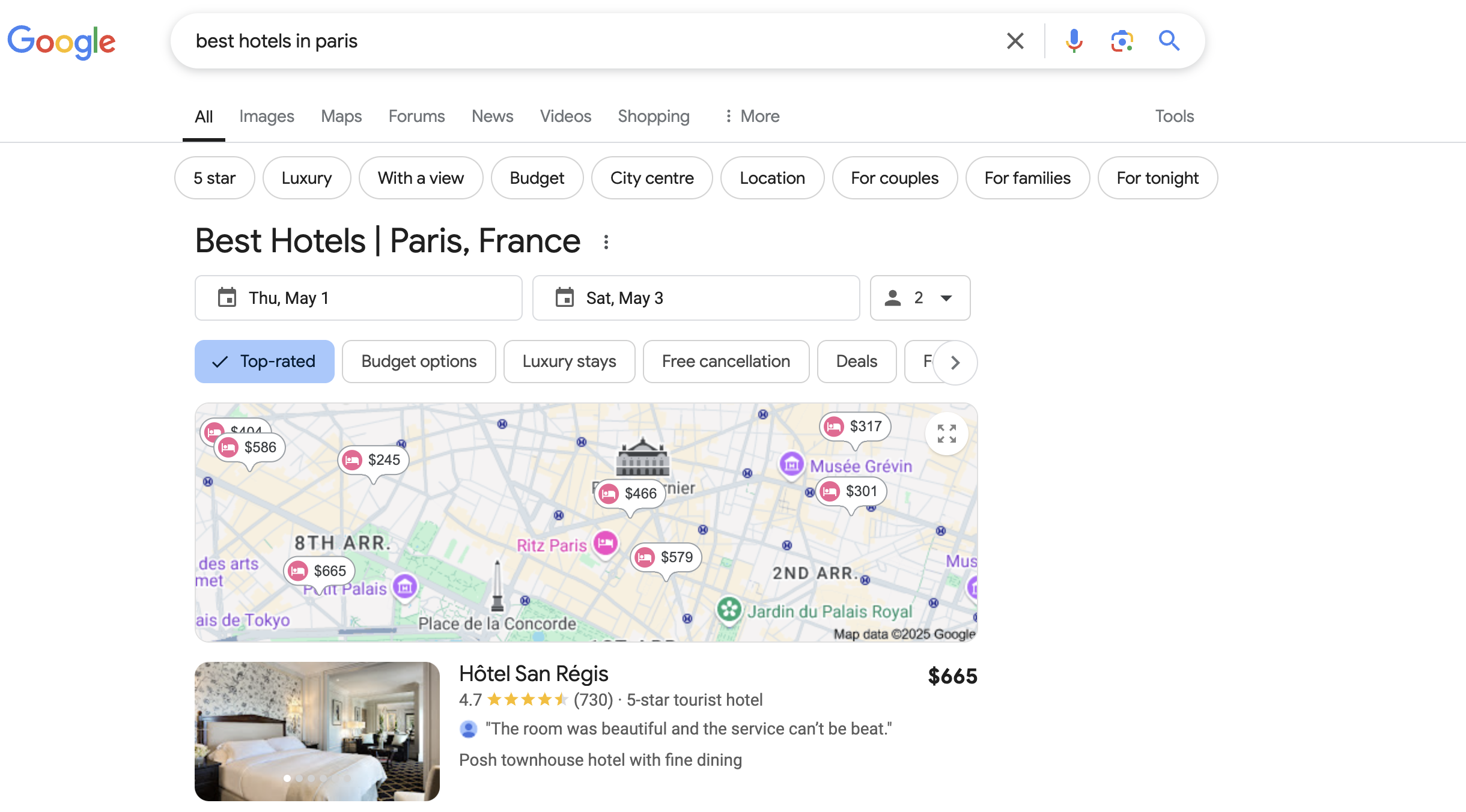
使用 uule 参数基于特定位置定制搜索结果:
- 该参数需要编码后的字符串,而非明文
- 在 Google 地理定向 CSV 的 Canonical Name 列找到原始位置字符串
- 使用第三方转换器或内置库将其编码
- 在请求中将编码后的字符串作为
uule的值
curl --proxy brd.superproxy.io:33335 \
     --proxy-user "brd-customer-<customer-id>-zone-<zone-name>:<zone-password>" \
     "https://www.google.com/search?q=best+hotels+in+paris&uule=w+CAIQICIGUGFyaXM"
设备类型
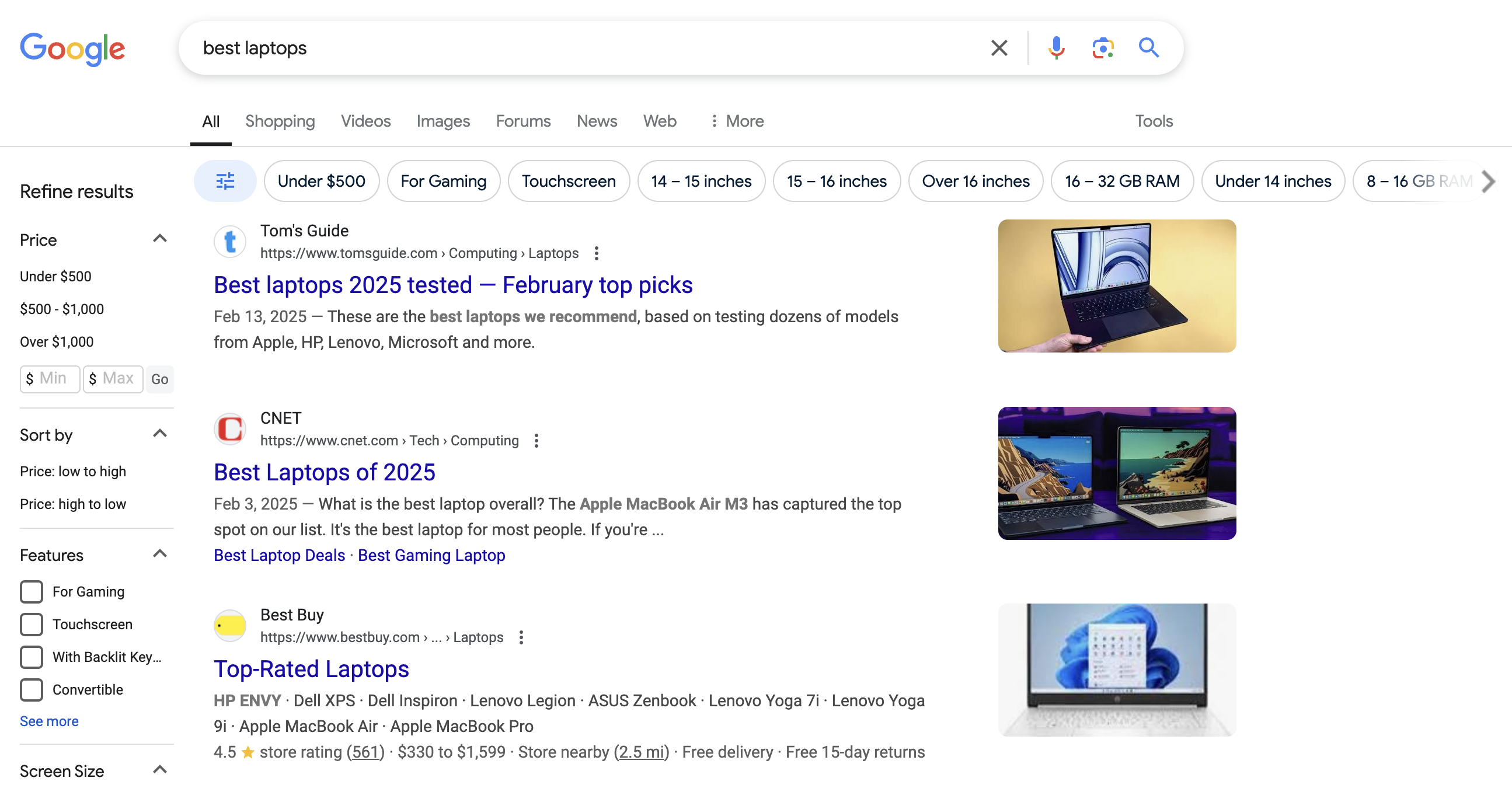
使用 brd_mobile 参数模拟不同设备的请求:
| 值 | 设备 | User-Agent 类型 |
|---|---|---|
0 或省略 |
桌面端 | Desktop |
1 |
移动端 | Mobile |
ios 或 iphone |
iPhone | iOS |
ipad 或 ios_tablet |
iPad | iOS 平板 |
android |
Android | Android |
android_tablet |
Android 平板 | Android 平板 |
示例(移动端搜索):
curl --proxy brd.superproxy.io:33335 \
     --proxy-user "brd-customer-<customer-id>-zone-<zone-name>:<zone-password>" \
     "https://www.google.com/search?q=best+laptops&brd_mobile=1"
浏览器类型
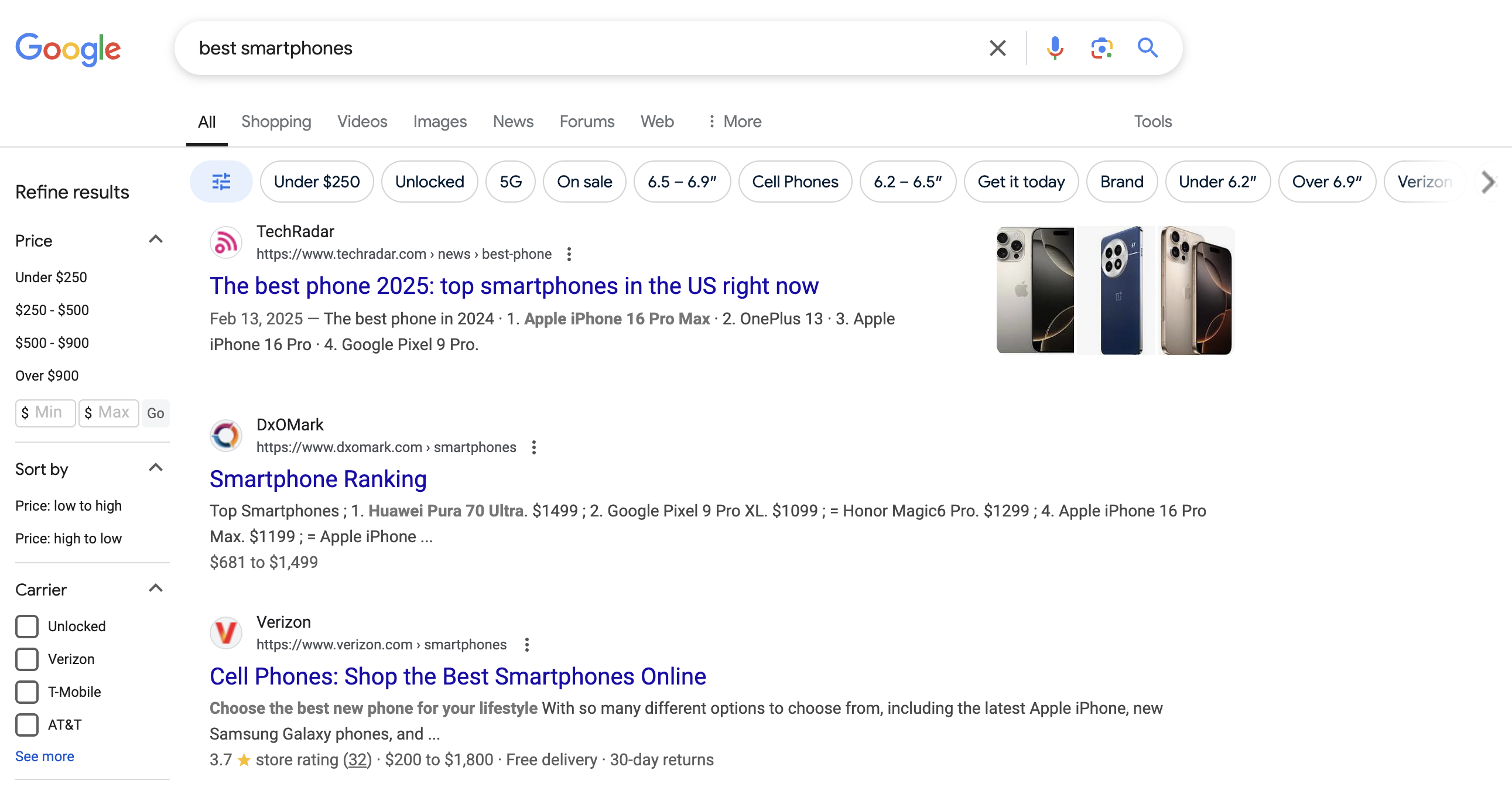
使用 brd_browser 参数模拟不同浏览器:
brd_browser=chrome— Google Chromebrd_browser=safari— Safaribrd_browser=firefox— Mozilla Firefox(与brd_mobile=1不兼容)
若未指定,API 将随机选择浏览器。
示例:
curl --proxy brd.superproxy.io:33335 \
     --proxy-user "brd-customer-<customer-id>-zone-<zone-name>:<zone-password>" \
     "https://www.google.com/search?q=best+gaming+laptops&brd_browser=chrome"
示例(同时指定浏览器与设备类型):
curl --proxy brd.superproxy.io:33335 \
     --proxy-user "brd-customer-<customer-id>-zone-<zone-name>:<zone-password>" \
     "https://www.google.com/search?q=best+smartphones&brd_browser=safari&brd_mobile=ios"
结果解析
使用 brd_json 参数以结构化格式接收搜索结果:
- 选项:
brd_json=1—— 返回解析后的 JSONbrd_json=html—— 返回 JSON,且附加 “html” 字段包含原始 HTML
示例(JSON 输出):
curl --proxy brd.superproxy.io:33335 \
     --proxy-user "brd-customer-<customer-id>-zone-<zone-name>:<zone-password>" \
     "https://www.google.com/search?q=best+hotels+in+new+york&brd_json=1"
示例(JSON + 原始 HTML):
curl --proxy brd.superproxy.io:33335 \
     --proxy-user "brd-customer-<customer-id>-zone-<zone-name>:<zone-password>" \
     "https://www.google.com/search?q=top+restaurants+in+paris&brd_json=html"
更多内容请查看 SERP API 解析指南。
酒店搜索
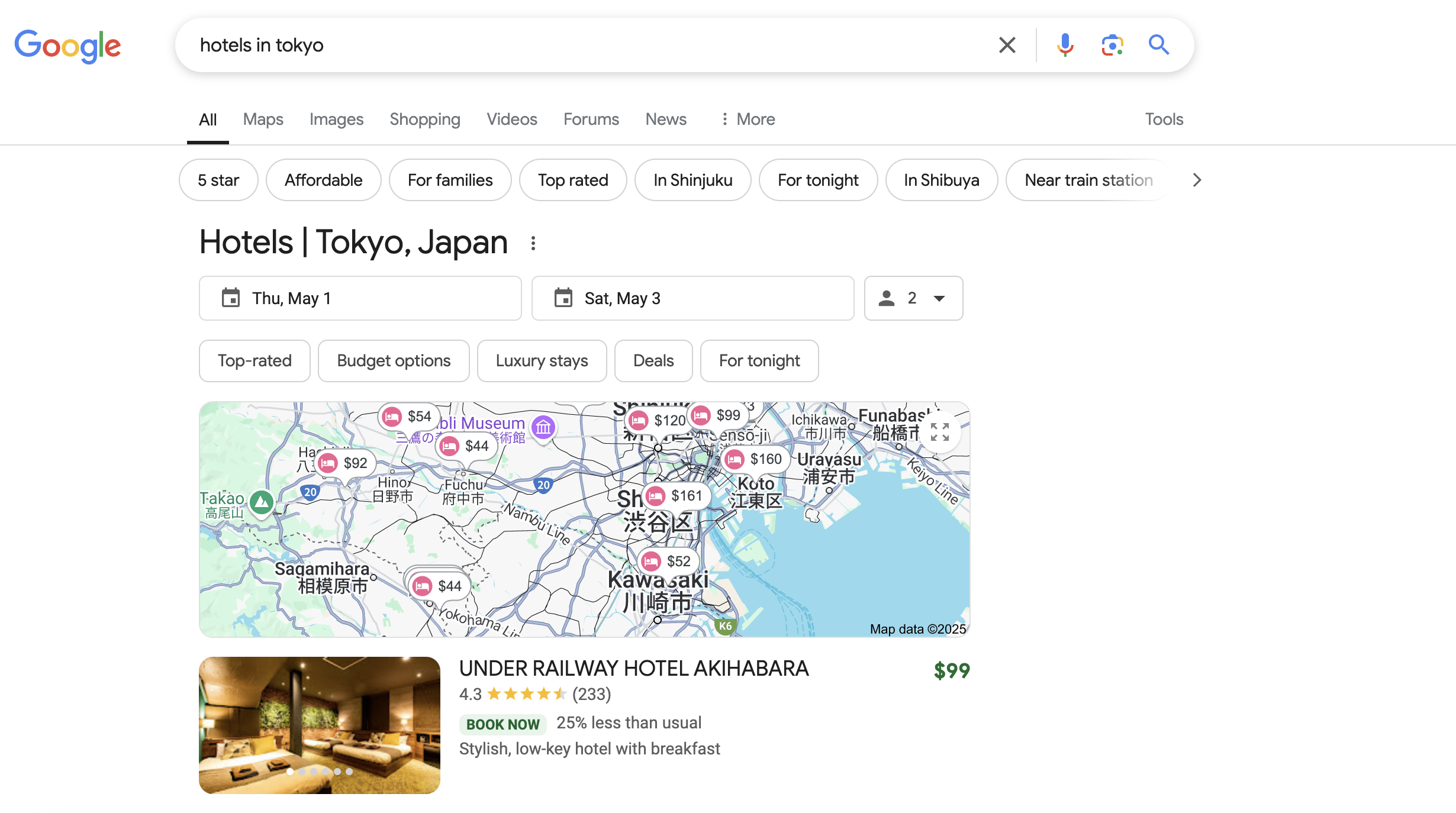
使用以下参数精细化酒店搜索:
-
hotel_occupancy(入住人数)- 设置入住人数(最多 4 人)
- 示例:
hotel_occupancy=1→ 1 位客人hotel_occupancy=2→ 2 位客人(默认)hotel_occupancy=4→ 4 位客人
示例(搜索纽约适合 4 位客人的酒店):
curl --proxy brd.superproxy.io:33335 \ --proxy-user "brd-customer-<customer-id>-zone-<zone-name>:<zone-password>" \ "https://www.google.com/search?q=hotels+in+new+york&hotel_occupancy=4" -
hotel_dates(入住与退房日期)- 按日期范围过滤结果
- 格式:YYYY-MM-DD, YYYY-MM-DD
示例(搜索 2025-05-01 至 2025-05-03 在巴黎的酒店):
curl --proxy brd.superproxy.io:33335 \
     --proxy-user "brd-customer-<customer-id>-zone-<zone-name>:<zone-password>" \
     "https://www.google.com/search?q=hotels+in+paris&hotel_dates=2025-05-01%2C2025-05-03"
组合示例:
curl --proxy brd.superproxy.io:33335 \
     --proxy-user "brd-customer-<customer-id>-zone-<zone-name>:<zone-password>" \
     "https://www.google.com/search?q=hotels+in+tokyo&hotel_occupancy=2&hotel_dates=2025-05-01%2C2025-05-03"
并行搜索
在同一节点与会话中同时发送多个搜索请求,便于对比结果。
- 发送包含
multi数组的 POST 请求,提供不同的搜索变体 - 获取
response_id用于稍后拉取结果 - 任务完成后使用
response_id获取结果
步骤 1:发送并行请求
RESPONSE_ID=$(curl -i --silent --compressed \
  "https://api.brightdata.com/serp/req?customer=<customer-id>&zone=<zone-name>" \
  -H "Content-Type: application/json" \
  -H "Authorization: Bearer API_TOKEN" \
  -d $'{
    "country": "us",
    "multi": [
      {"query": {"q": "top+macbook+for+developers", "num": 20}},
      {"query": {"q": "top+macbook+for+developers", "num": 100}}
    ]
  }' | sed -En 's/^x-response-id: (.*)/\1/p' | tr -d '\r')

echo "Response ID: $RESPONSE_ID"
步骤 2:获取结果
curl -v --compressed \
     "https://api.brightdata.com/serp/get_result?customer=<customer-id>&zone=<zone-name>&response_id=${RESPONSE_ID}" \
     -H "Authorization: Bearer API_TOKEN"
也可以在一个请求中查询多个关键词:
{
  "multi":[
    {"query":{"q":"best+smartphones+2025"}},
    {"query":{"q":"best+laptops+2025"}}
  ]
}
了解更多异步请求用法请参考这里。
AI 总览
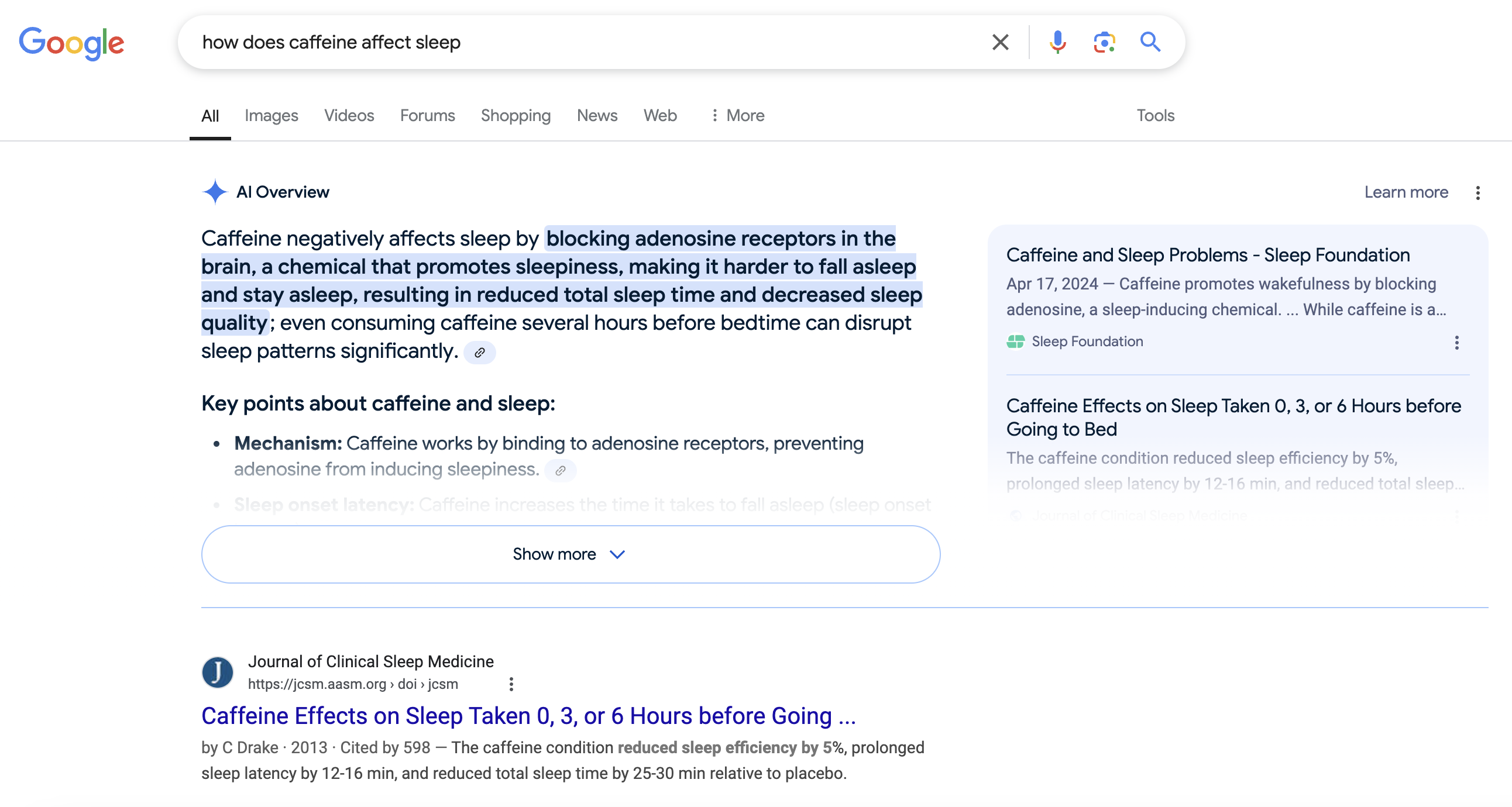
Google 有时会在结果顶部展示 AI 生成的摘要(AI Overviews)。使用 brd_ai_mode=1 可提高看到 AI 总览的概率:
curl --proxy brd.superproxy.io:33335 \
     --proxy-user "brd-customer-<customer-id>-zone-<zone-name>:<zone-password>" \
     "https://www.google.com/search?q=how+does+caffeine+affect+sleep&brd_ai_mode=1"
支持与资源
- 文档:SERP API 文档
- SEO 场景:SEO 监测与洞察
- 其他指南:
- 延伸阅读:
- 技术支持:联系我们

DAMO开发者矩阵,由阿里巴巴达摩院和中国互联网协会联合发起,致力于探讨最前沿的技术趋势与应用成果,搭建高质量的交流与分享平台,推动技术创新与产业应用链接,围绕“人工智能与新型计算”构建开放共享的开发者生态。
更多推荐


 5
5 0
0- 0


 已为社区贡献1条内容

所有评论(0)