华为AC+AP的无线配置(实验小结)
·
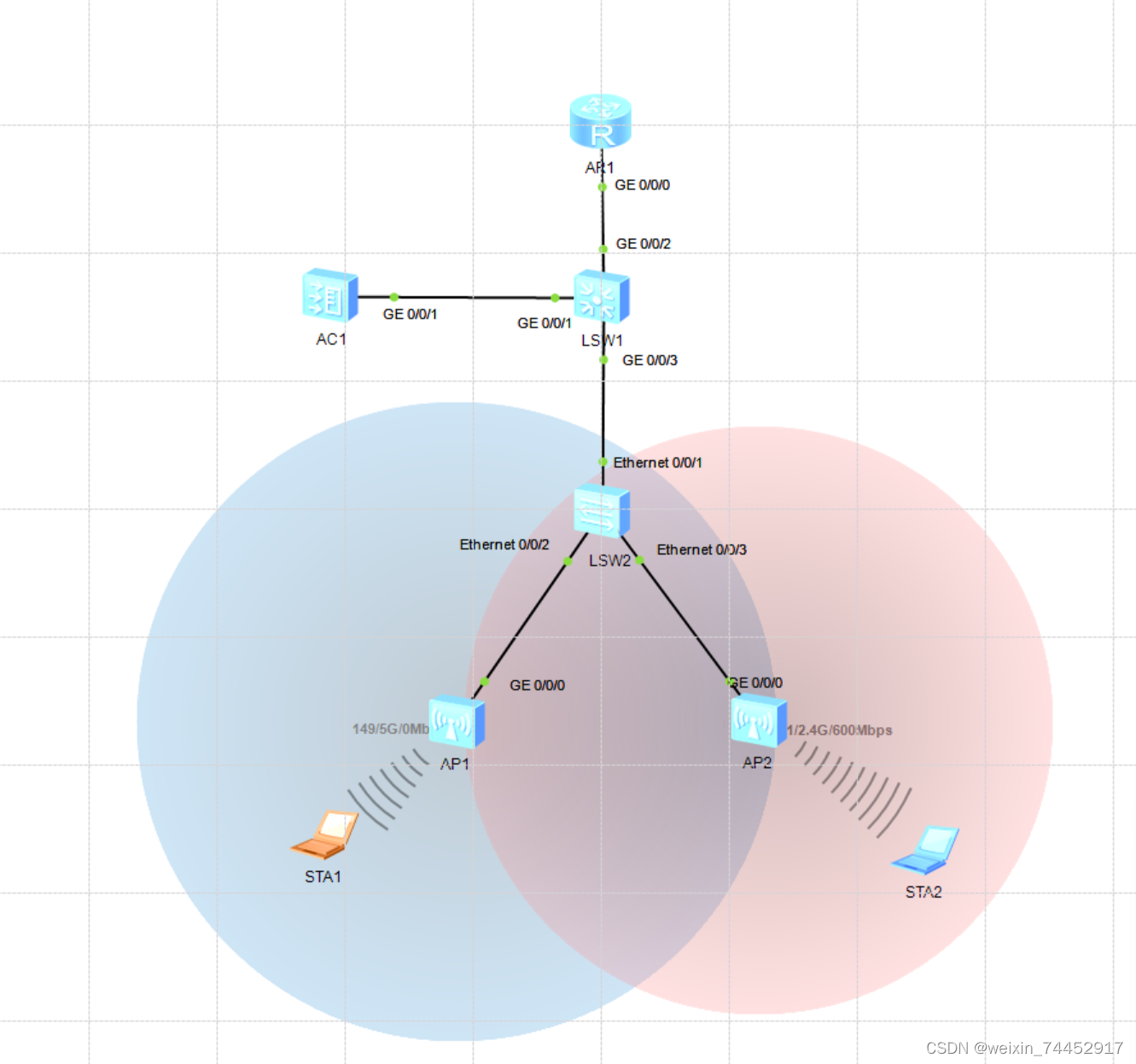
实验思路
我需要配置vlan 10 20 30 40,其中我想让vlan10为管理vlan,然后vlan20 30为业务vlan,将vlan20分配给AP1,vlan30分配给AP3,我通过dhcp的形式下发vlan10 20 30的地址,其中vlan40我将设置为access口,与上联链路进行连接,然后实现全网互通
SW2:
vlan batch 10 20 30
#

interface Ethernet0/0/1

 port link-type trunk

 port trunk allow-pass vlan 2 to 4094

#

interface Ethernet0/0/2

 port link-type trunk

 port trunk pvid vlan 10

 port trunk allow-pass vlan 10 20

#

interface Ethernet0/0/3

 port link-type trunk

 port trunk pvid vlan 10

 port trunk allow-pass vlan 10 30

#
SW1:
vlan batch 10 20 30 40

dhcp enable


#

interface Vlanif10

 ip address 10.1.1.2 255.255.255.0

#

interface Vlanif20

 ip address 20.1.1.1 255.255.255.0

 dhcp select interface

#

interface Vlanif30

 ip address 30.1.1.1 255.255.255.0

 dhcp select interface

#

interface Vlanif40

 ip address 40.1.1.1 255.255.255.0

#

interface MEth0/0/1

#

interface GigabitEthernet0/0/1

 port link-type trunk

 port trunk allow-pass vlan 2 to 4094

#

interface GigabitEthernet0/0/2

 port link-type access

 port default vlan 40

#

interface GigabitEthernet0/0/3

 port link-type trunk

 port trunk allow-pass vlan 2 to 4094

#
R1:
#

interface GigabitEthernet0/0/0

 ip address 40.1.1.2 255.255.255.0

#
AC:
vlan batch 10 20 30

#

interface Vlanif10

 ip address 10.1.1.1 255.255.255.0

 dhcp select interface

#

interface GigabitEthernet0/0/1

 port link-type trunk

 port trunk allow-pass vlan 2 to 4094

#
好了,我们配置完这些我们再去ap看一看能不能获取到ip地址
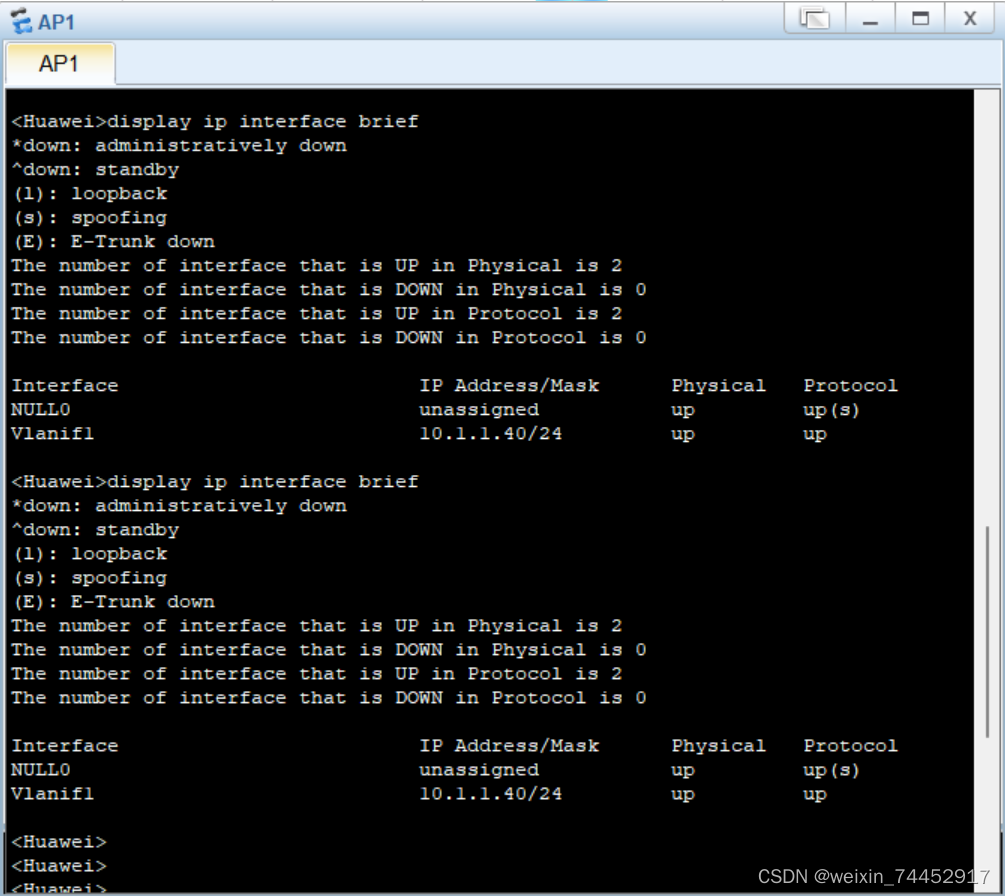
第一次没有获取到,我又获取了一下,就可以了
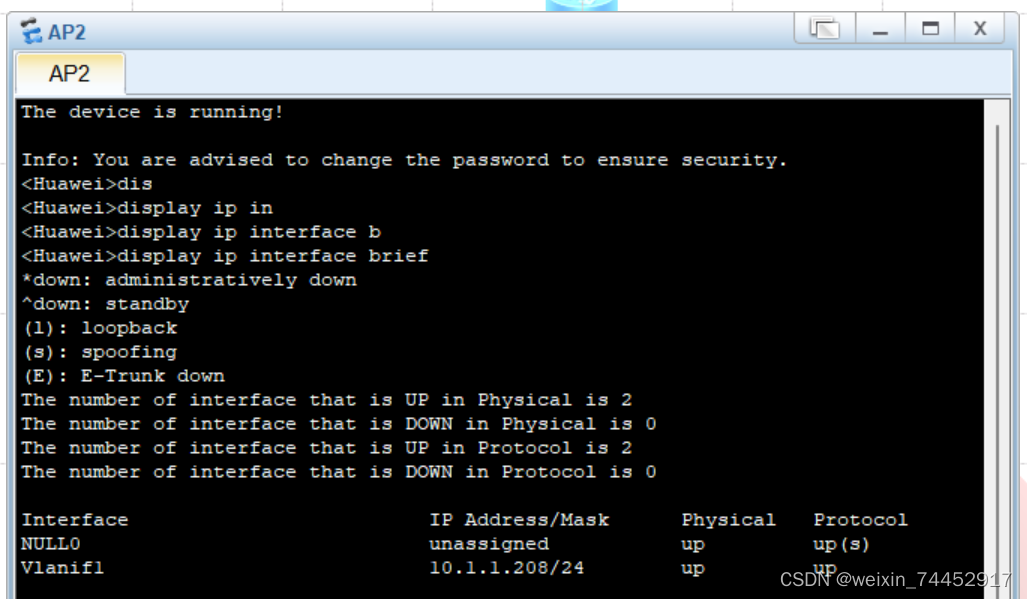
好了,我们两个AP都可以获取到ip地址了,接下来让我们配置WLAN吧
capwap source interface vlanif10
这个可是关键,不要忘记配哦
咱们先配置AP1的吧,我这里取名叫a,密码我才用wpa-wpa2的形式密码设置为12345678
ssid-profile name a

  ssid a

security-profile name a

  security wpa-wpa2 psk pass-phrase 12345678 aes

vap-profile name a

  service-vlan vlan-id 20

  ssid-profile a

  security-profile a

ap-group name a

  radio 0

   vap-profile a wlan 1

ap-id 0 ap-mac 00e0-fcb8-44b0

  ap-group a
AP2的我取名为b
ssid-profile name b

  ssid b

security-profile name b

 security-profile name default

 security-profile name default-wds

 security-profile name default-mesh

vap-profile name b

  service-vlan vlan-id 30

  ssid-profile b

  security-profile b

ap-group name b

  radio 1

   vap-profile b wlan 2

ap-id 1 ap-mac 00e0-fc39-1f40

  ap-group b
这时候我们就配置完了wlan部分了,紧着这没一会就会出圈了,然后我们就可以利用无线设备进行获取了,如果不知道mac地址怎么获取的话,可以试一试dis arp

此时我们进入笔记本电脑尝试ping AC的地址跟R1的40.1.1.2地址都是ping不通的,这时候我们可以在AC跟R1上都配置一条静态这样就可以ping通啦
AC:
ip route-static 0.0.0.0 0.0.0.0 10.1.1.2
R1:
ip route-static 0.0.0.0 0.0.0.0 40.1.1.1
这次我再去尝试ping就可以ping通了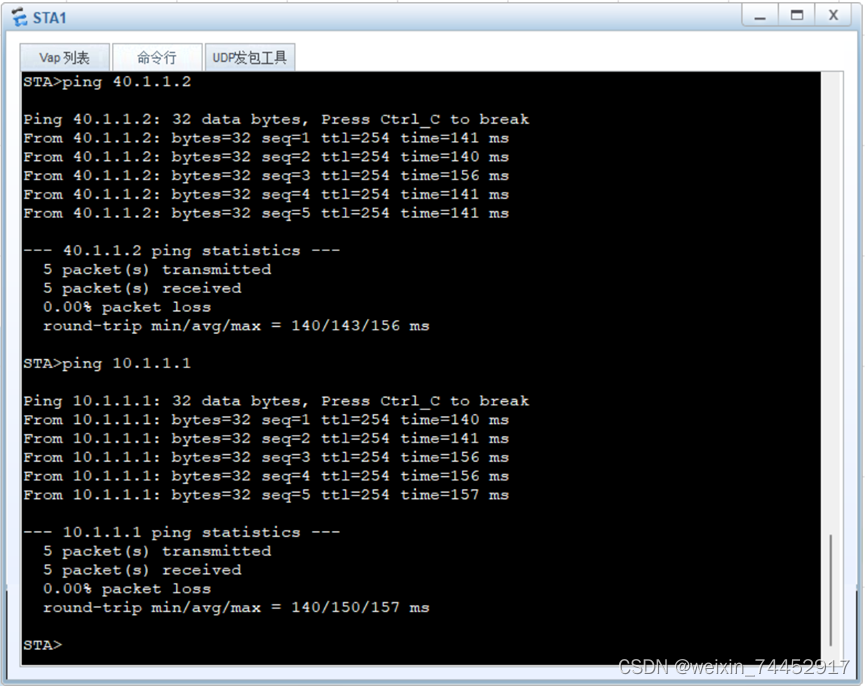

DAMO开发者矩阵,由阿里巴巴达摩院和中国互联网协会联合发起,致力于探讨最前沿的技术趋势与应用成果,搭建高质量的交流与分享平台,推动技术创新与产业应用链接,围绕“人工智能与新型计算”构建开放共享的开发者生态。
更多推荐

 9
9 0
0- 0


 已为社区贡献2条内容

所有评论(0)