SLAM 显示机器人的3D运动轨迹
·
这个程序可以读取文件中记录的机器人运动轨迹,绘制到窗口里。
看一下输入数据,大概有600多个数据:
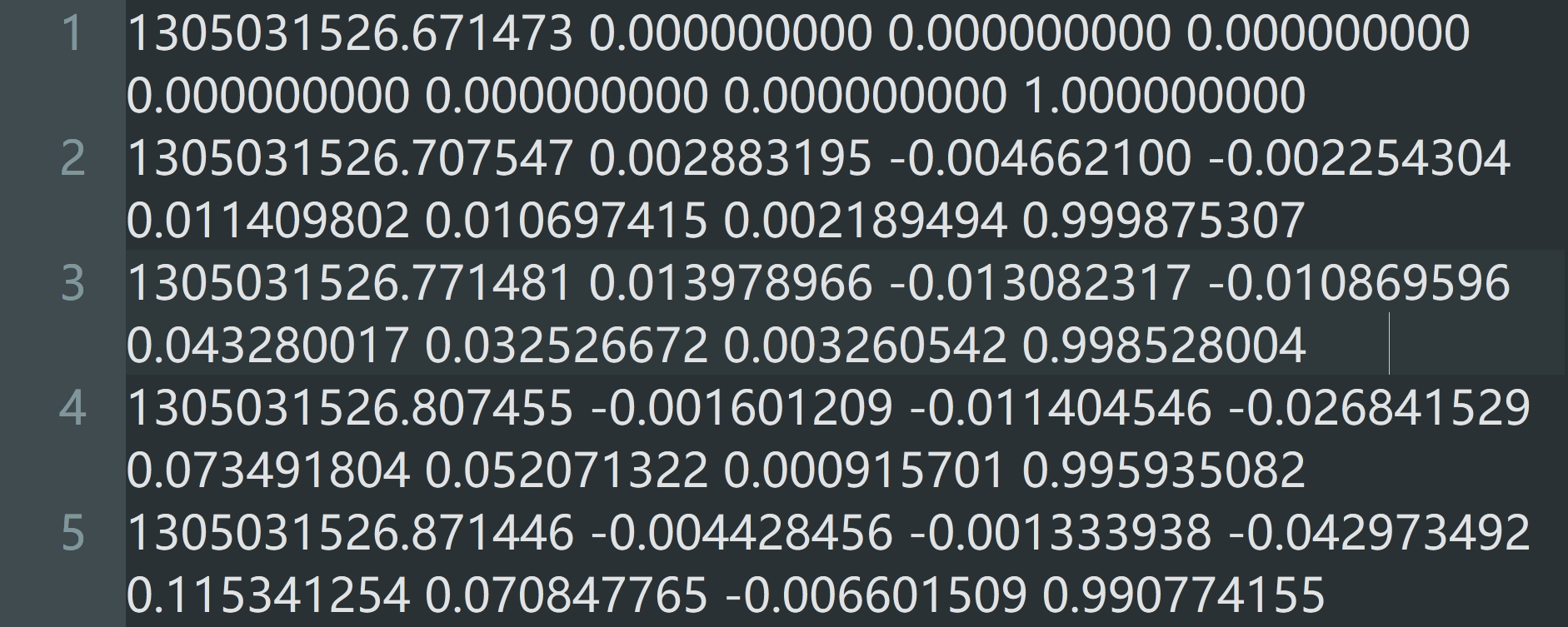
数据格式是:时间,平移t(x,y,z),旋转四元数q(x,y,z,w)
以第2个数据为例:时间是1305031526.707547,
x轴的平移是0.002883195,y轴的平移是-0.004662100,z轴的平移是-0.002254304,
旋转四元数是0.011409802,0.010697415,0.002189494,0.999875307.
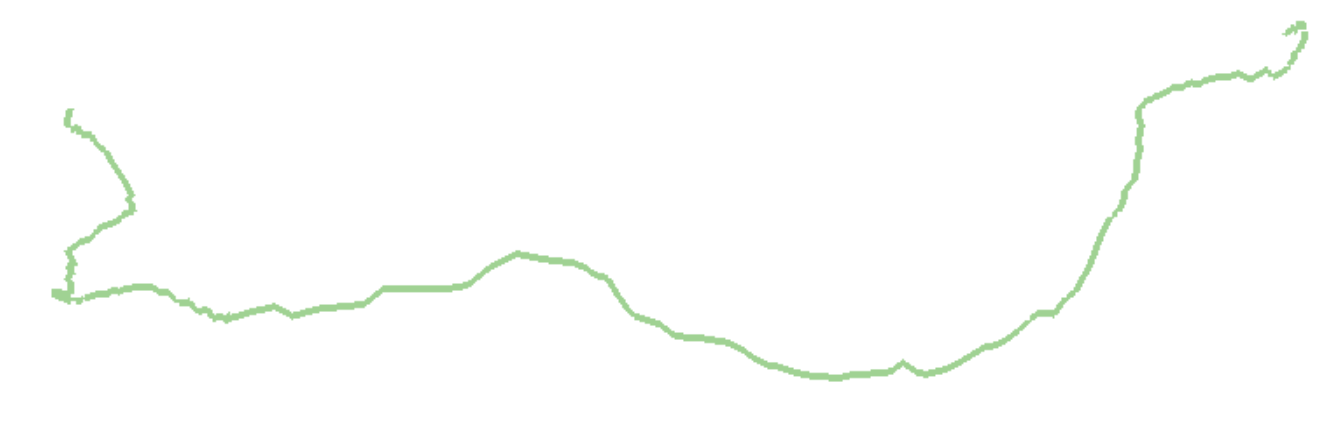
运行程序后会显示机器人的运动轨迹:
这是正在绘制时截的图:
这是绘制完成后的截图:
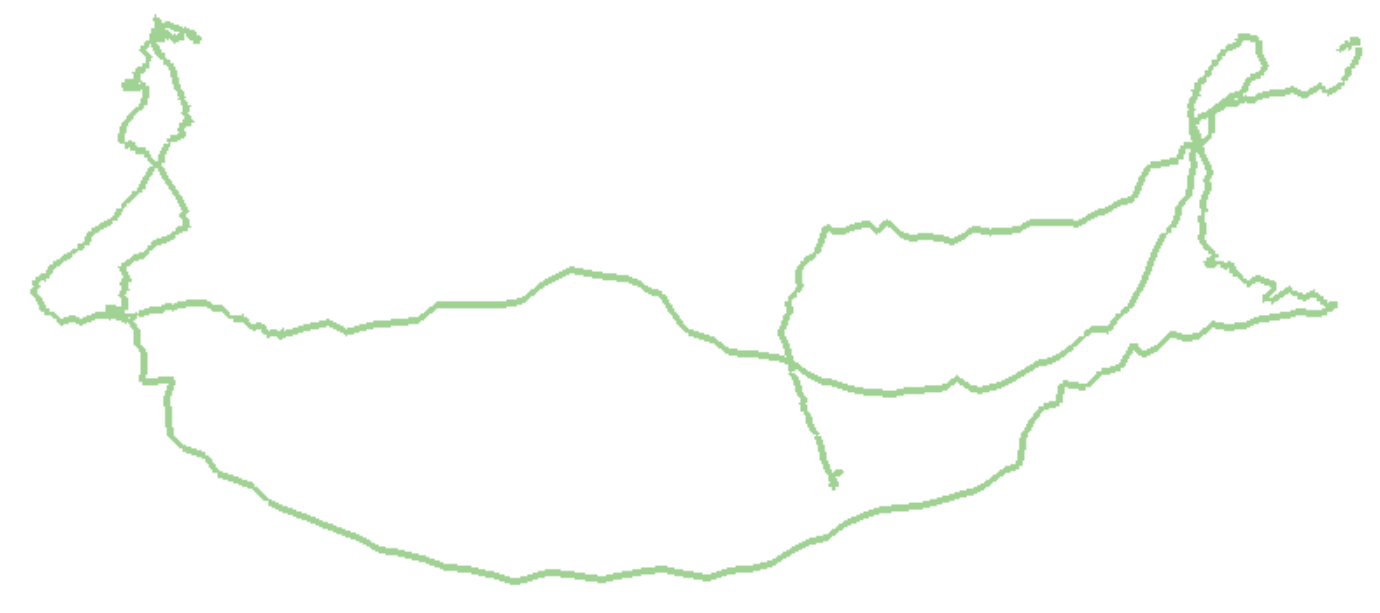
对比上面两张图片,可以看出来起点在第一张图片的右边。
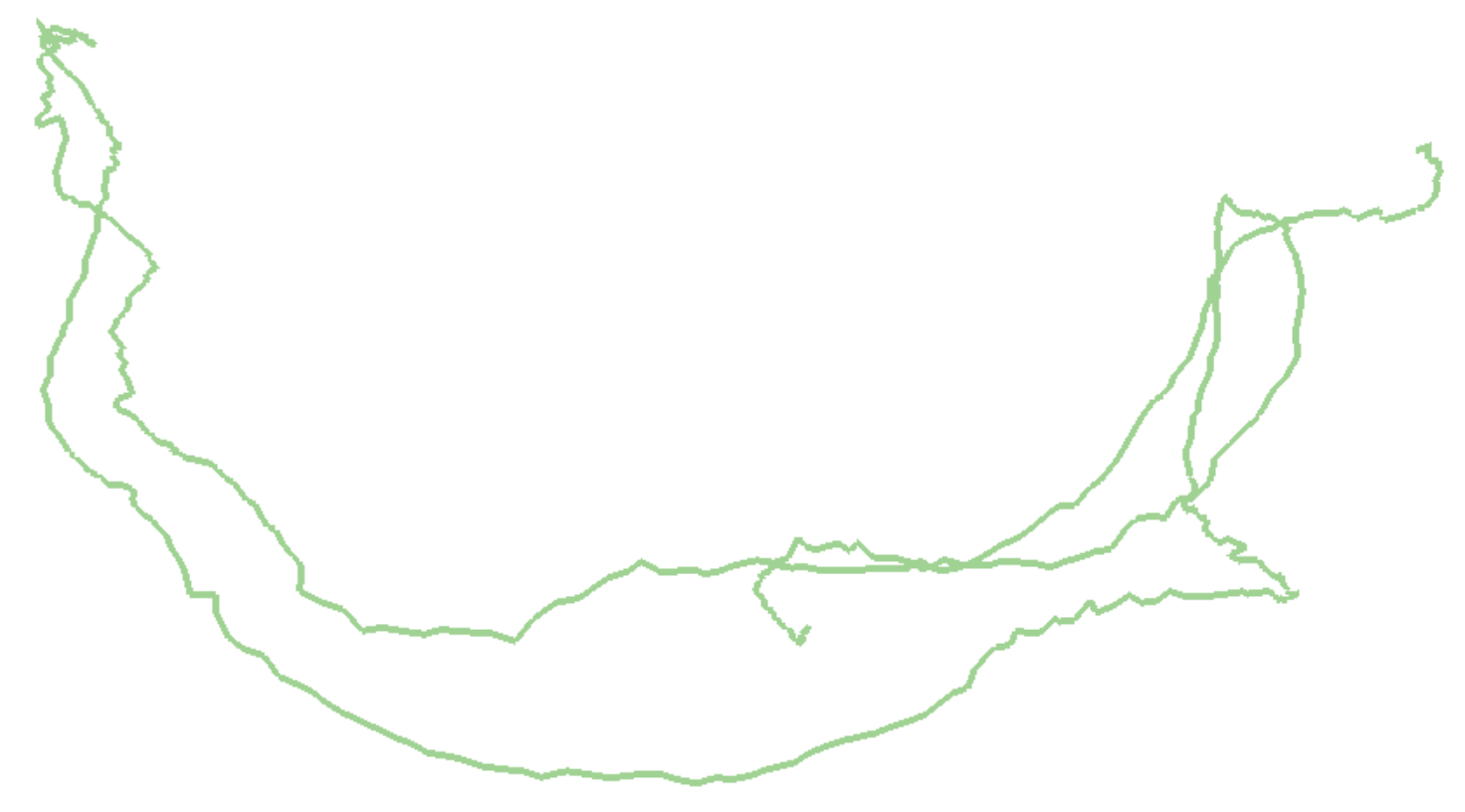
这还看不出来是3D的运动轨迹,再截一张不同角度的:
输入:trajectory.txt,记录机器人运动轨迹的文档
输出:没有保存输出结果
运行:编译后直接运行
视频演示:https://www.bilibili.com/video/BV1mD7B6eEVP/
代码:
#include <pangolin/pangolin.h>
#include <Eigen/Core>
#include <unistd.h>

using namespace Eigen;
using namespace std;

// path to trajectory file
string trajectory_file = "./examples/trajectory.txt";

void DrawTrajectory(vector<Isometry3d, Eigen::aligned_allocator<Isometry3d>>);

int main(int argc, char **argv) {
    vector<Isometry3d, Eigen::aligned_allocator<Isometry3d>> poses;
    ifstream fin(trajectory_file);
    if (!fin) {
        cout << "cannot find trajectory file at " << trajectory_file << endl;
        return 1;
    }

    while (!fin.eof()) {
        double time, tx, ty, tz, qx, qy, qz, qw;
        fin >> time >> tx >> ty >> tz >> qx >> qy >> qz >> qw;
        Isometry3d Twr(Quaterniond(qw, qx, qy, qz));
        Twr.pretranslate(Vector3d(tx, ty, tz));
        poses.push_back(Twr);
    }
    cout << "read total" << poses.size() << "pose entries" << endl;

    // draw trajectory in pangolin
    DrawTrajectory(poses);
    return 0;
}

void DrawTrajectory(vector<Isometry3d, Eigen::aligned_allocator<Isometry3d>> poses) {
    // create pangolin window and plot the trajectory
    pangolin::CreateWindowAndBind("Trajectory Viewer", 1024, 768);
    glEnable(GL_DEPTH_TEST);
    glEnable(GL_BLEND);
    glBlendFunc(GL_SRC_ALPHA, GL_ONE_MINUS_SRC_ALPHA);

    pangolin::OpenGlRenderState s_cam(
    pangolin::ProjectionMatrix(1024, 768, 500, 500, 512, 389, 0.1, 1000),
    pangolin::ModelViewLookAt(0, -0.1, -1.8, 0, 0, 0, 0.0, -1.0, 0.0)
    );

    pangolin::View &d_cam = pangolin::CreateDisplay()
        .SetBounds(0.0, 1.0, 0.0, 1.0, -1024.0f / 768.0f)
        .SetHandler(new pangolin::Handler3D(s_cam));

    while (pangolin::ShouldQuit() == false) {
        glClear(GL_COLOR_BUFFER_BIT | GL_DEPTH_BUFFER_BIT);
        d_cam.Activate(s_cam);
        glClearColor(1.0f, 1.0f, 1.0f, 1.0f);
        glLineWidth(2);
        for (size_t i = 0; i < poses.size(); i++) {
            // 画每个位姿的三个坐标轴
            Vector3d Ow = poses[i].translation();
            Vector3d Xw = poses[i] * (0.1 * Vector3d(1, 0, 0));
            Vector3d Yw = poses[i] * (0.1 * Vector3d(0, 1, 0));
            Vector3d Zw = poses[i] * (0.1 * Vector3d(0, 0, 1));
            glBegin(GL_LINES);
            glColor3f(1.0, 0.0, 0.0);
            glVertex3d(Ow[0], Ow[1], Ow[2]);
            glVertex3d(Xw[0], Xw[1], Xw[2]);
            glColor3f(0.0, 1.0, 0.0);
            glVertex3d(Ow[0], Ow[1], Ow[2]);
            glVertex3d(Yw[0], Yw[1], Yw[2]);
            glColor3f(0.0, 0.0, 1.0);
            glVertex3d(Ow[0], Ow[1], Ow[2]);
            glVertex3d(Zw[0], Zw[1], Zw[2]);
            glEnd();
        }
        // 画出连线
        for (size_t i = 0; i < poses.size(); i++) {
            glColor3f(0.0, 0.0, 0.0);
            glBegin(GL_LINES);
            auto p1 = poses[i], p2 = poses[i+1];
            glVertex3d(p1.translation()[0], p1.translation()[1], p1.translation()[2]);
            glVertex3d(p2.translation()[0], p2.translation()[1], p2.translation()[2]);
            glEnd();
        }
        pangolin::FinishFrame();
        usleep(5000); // sleep 5 ms
    }
}
参考:高翔《视觉SLAM十四讲》P66附近

DAMO开发者矩阵,由阿里巴巴达摩院和中国互联网协会联合发起,致力于探讨最前沿的技术趋势与应用成果,搭建高质量的交流与分享平台,推动技术创新与产业应用链接,围绕“人工智能与新型计算”构建开放共享的开发者生态。
更多推荐



 3
3 0
0- 0


 已为社区贡献2条内容

所有评论(0)