VM脚本调用数据库
·
1.安装Mysql8.0
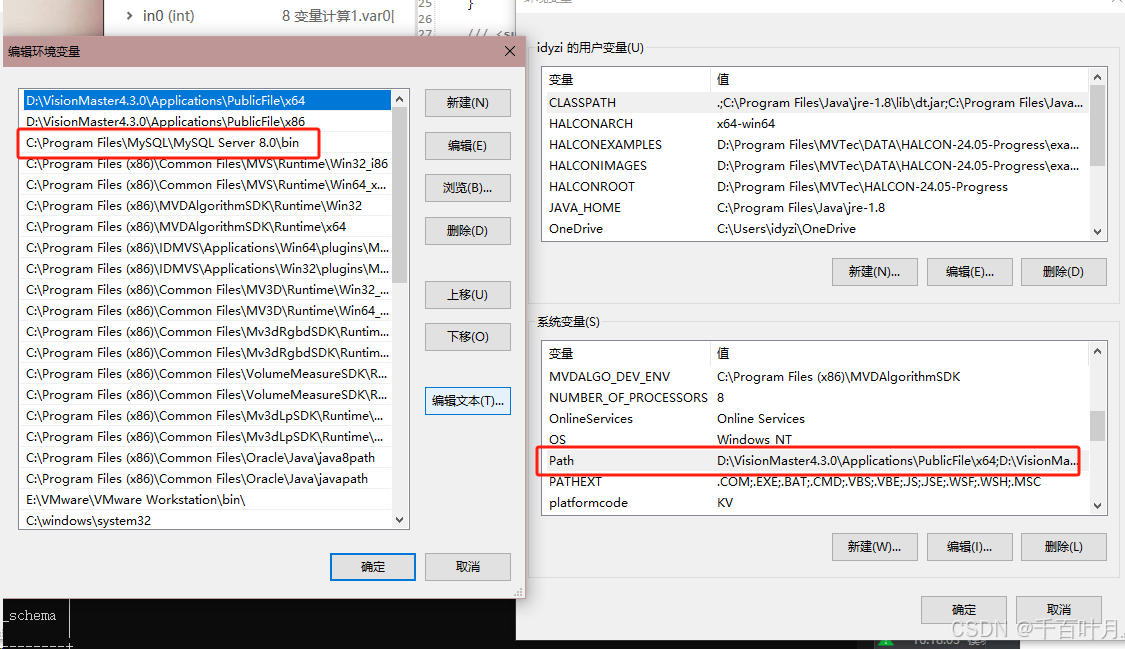
将C:\Program Files\MySQL\MySQL Server 8.0\bin添加至系统变量的path中。
2.检查安装是否成功
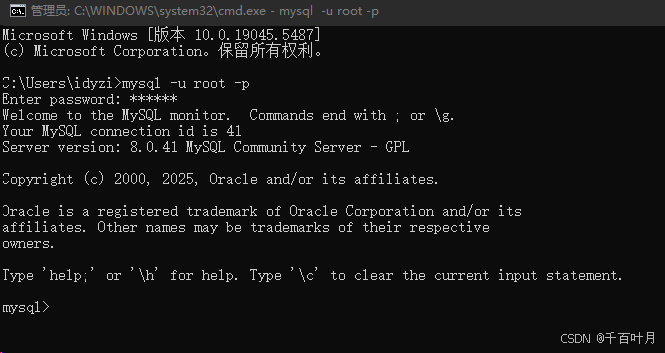
打开cmd,输入mysql -u root -p,若成功则可以输入密码并显示以下内容
3.创建数据库
create database testdb;查看是否创建成功
show databases;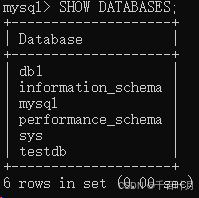
进入库testdb
use testdb;创建表与列
create table testtb (id int NOT NULL,event_time DATETIME NOT NULL);查看创建情况
desc testdb;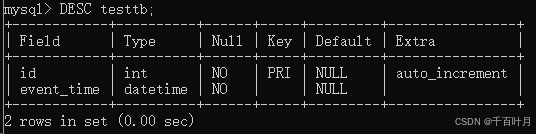
4.添加dll库
将 C:\Program Files (x86)\MySQL\MySQL Installer for Windows 的 MySql.Data.dll 和C:\Windows\Microsoft.NET\Framework64\v4.0.30319(例子,具体位置看情况)中的 System.Data.dll 复制粘贴到D:\VisionMaster4.3.0\Applications\Module(sp)\x64\Logic\ShellModule\DLL 路径下
5.添加引用
在脚本中添加引用 MySql.Data.dll 和 System.Data.dll
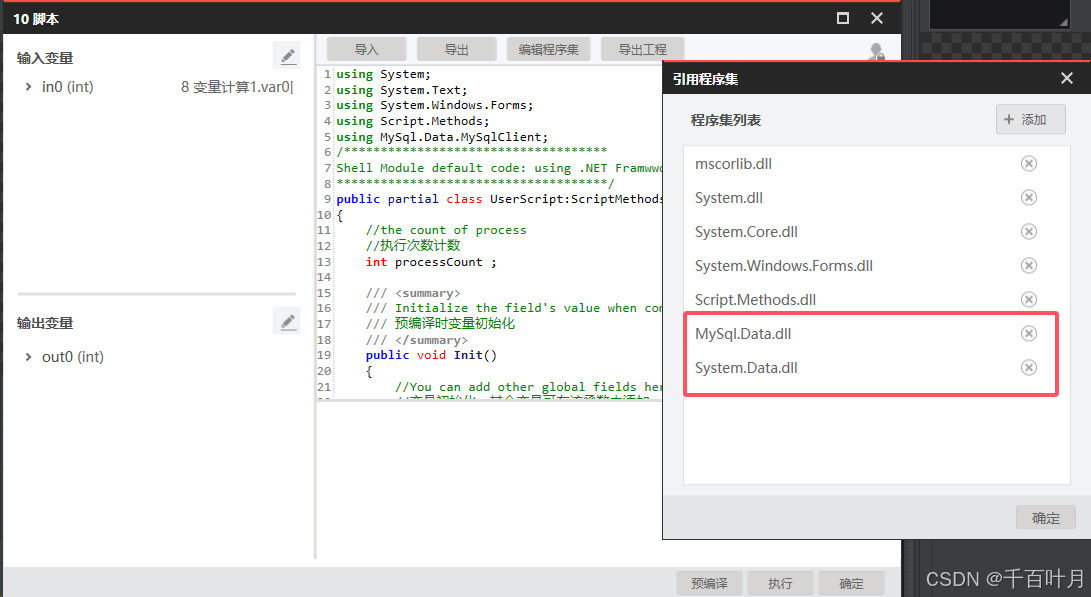
6.脚本代码
using System;
using System.Text;
using System.Windows.Forms;
using Script.Methods;
using MySql.Data.MySqlClient;
/************************************
Shell Module default code: using .NET Framwwork 4.6.1
*************************************/
public partial class UserScript:ScriptMethods,IProcessMethods
{
//the count of process
//执行次数计数
int processCount ;
/// <summary>
/// Initialize the field's value when compiling
/// 预编译时变量初始化
/// </summary>
public void Init()
{
//You can add other global fields here
//变量初始化,其余变量可在该函数中添加
processCount = 0;
}
/// <summary>
/// Enter the process function when running code once
/// 流程执行一次进入Process函数
/// </summary>
/// <returns></returns>
public bool Process()
{
// 每次执行将进入该函数,此处添加所需的逻辑流程处理
string time = DateTime.Now.ToString("yyyy-MM-dd HH:mm:ss");
string connStr = "server=localhost;user=root;password=200286;port=3306;database=testdb";
MySqlConnection conn = null;
MySqlCommand cmd = null;
try
{
// 打开数据库连接
conn = new MySqlConnection(connStr);
conn.Open();
// 定义插入语句
string cmdStr = "INSERT INTO testtb (id,event_time) VALUES (@id,@event_time);";
// 创建命令对象
cmd = new MySqlCommand(cmdStr, conn);
// 添加参数
int number = in0; // 插入的值
cmd.Parameters.AddWithValue("@id", number);
cmd.Parameters.AddWithValue("@event_time", time);
// 执行插入操作
int rowsAffected = cmd.ExecuteNonQuery();
// 检查是否插入成功
if (rowsAffected > 0)
{
//MessageBox.Show("数据插入成功!");
}
else
{
MessageBox.Show("数据插入失败!");
}
return true;
}
catch (Exception ex)
{
// 捕获异常并输出错误信息
MessageBox.Show("发生错误: " + ex.Message);
return false;
}
finally
{
// 关闭连接和释放资源
cmd.Dispose();
conn.Close();
}
}
} 7.查看记录
select * from testdb;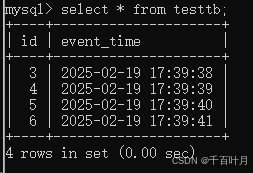

DAMO开发者矩阵,由阿里巴巴达摩院和中国互联网协会联合发起,致力于探讨最前沿的技术趋势与应用成果,搭建高质量的交流与分享平台,推动技术创新与产业应用链接,围绕“人工智能与新型计算”构建开放共享的开发者生态。
更多推荐

 6
6 0
0- 0


 已为社区贡献1条内容

所有评论(0)