数据统计:词频统计、词表生成、排序及计数、词云图生成
·
📚输入及输出
-
输入:读取一个
input.txt,其中包含单词及其对应的TED打卡号。
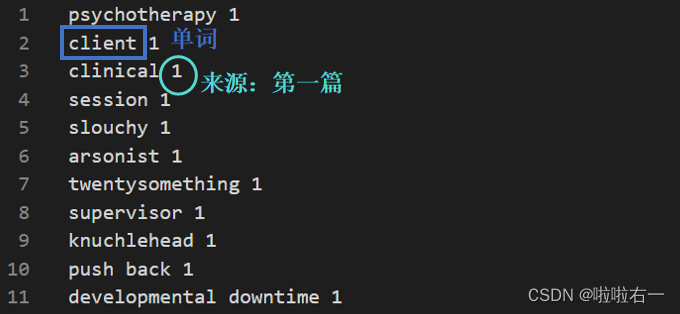
-
输出
-
output.txt:包含按频率降序排列的每个单词及其计数(这里直接用于后续的词云图生成)。
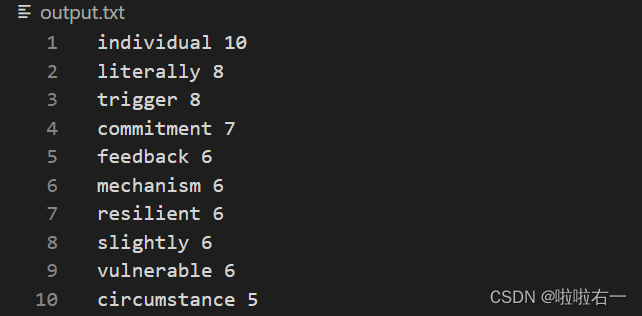
-
output_word.json:包含每个单词及其计数,以及与之关联的TED打卡号列表,生成一个json文件(按字母序排列,用于后续网页数据导入)。
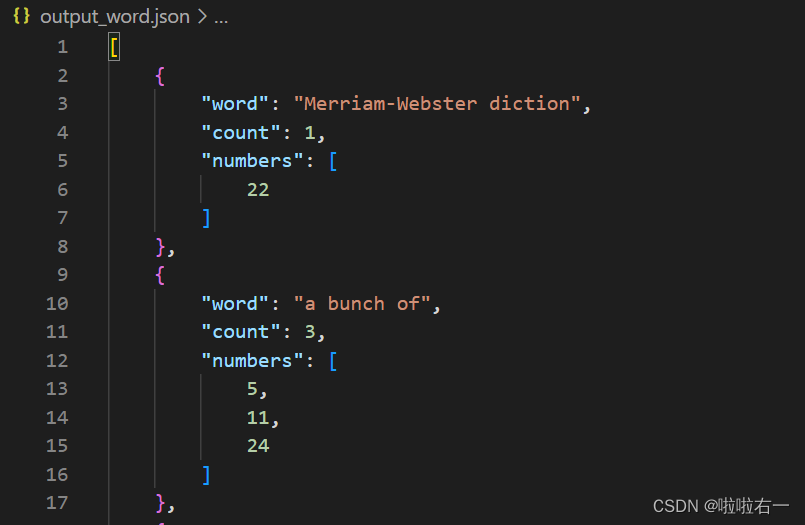
-
output2.txt:按字母顺序排序的所有单词,即导出一个单词词表(可以导入到不背单词里生成自定义词表)。
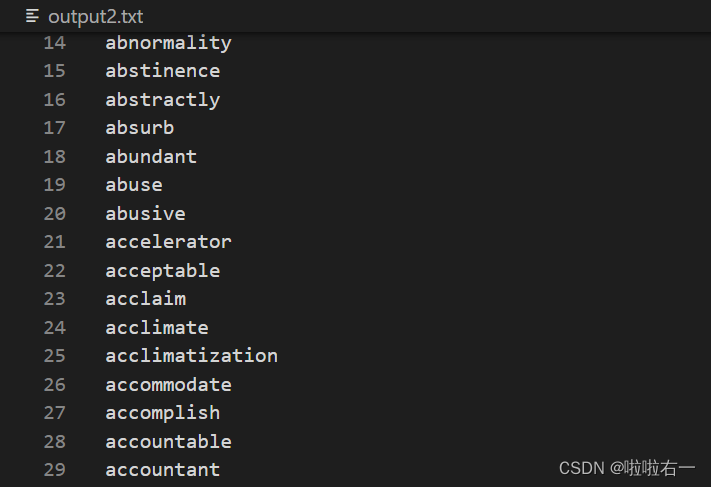
-
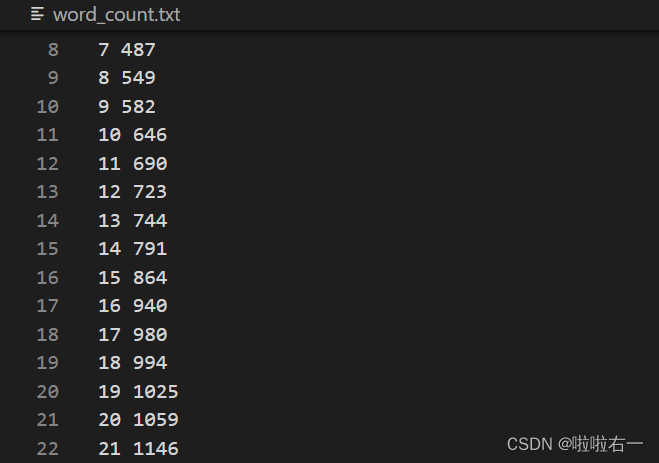
word_count.txt:记录截至每篇TED打卡号时涉及到的单词总数(该数据用于绘制后续的折线图)。
-
-
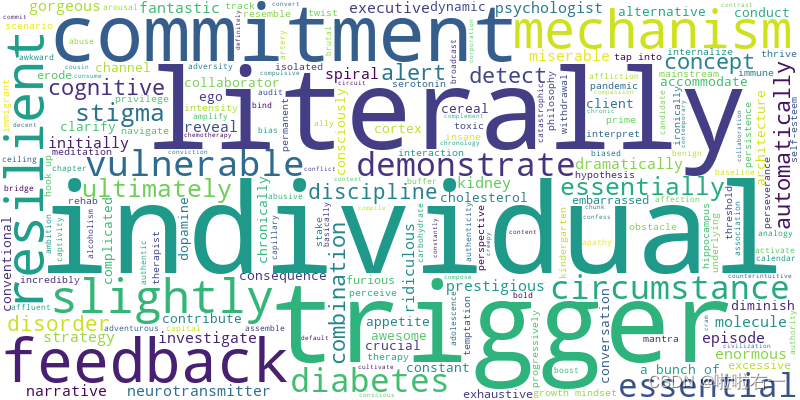
生成词云:在处理数据后,脚本读取
output.txt并生成基于单词频率的词云,并将词云保存至指定目录。
📚代码实现
-
逻辑梳理
- 在函数中使用了两个defaultdict,一个用于统计单词出现的频率,另一个用于记录单词对应的打卡号集合。
- 打开输入文件,并逐行读取单词及其对应的打卡号,对于每个单词,统计其出现的频率,并将打卡号添加到对应的集合中。同时,对每篇TED的打卡号进行统计,记录每篇 TED 结束时涉及到的当前单词总数量,写入
output_word_count_txt,对应word_count.txt。 - 统计完所有单词后,对单词频率进行排序,并将排序后的结果写入
output_txt_file,对应input.txt。 - 将单词、频率和相应的(排序过后的)打卡号列表存储为 JSON 文件,对应
output_word.json。 - 将所有单词按字母顺序写入
output_txt_file_sorted中,对应output2.txt。
-
具体详见注释↓
import json
from collections import defaultdict
from wordcloud import WordCloud
import matplotlib.pyplot as plt
import re

def count_word_frequency(input_file, output_txt_file, output_word_json_file, output_txt_file_sorted, output_word_count_txt):
    # 使用defaultdict初始化两个字典,用于统计单词出现频率、单词对应打卡号集合
    word_count = defaultdict(int)
    # 设置为set集合自动去重,单词对应的打卡号集合
    word_numbers = defaultdict(set)
    current_number = 0  # 当前打卡号初始化为0

    # 创建一个空的单词计数分析文本文件
    open(output_word_count_txt, 'w').close()

    # 打开输入文件并逐行读取单词及其对应的数字
    with open(input_file, 'r') as file:
        for line in file:
            line_parts = line.strip().split()
            word = " ".join(line_parts[:-1])  # 提取单词
            number = int(line_parts[-1])  # 提取打卡号

            # 如果当前打卡号与前一个不同(即已经开始下一篇了),记录前一个打卡号(即刚刚完成的那一篇)对应的(截至该篇的)单词总数到output_word_count_txt中
            if number != current_number:
                current_number = number
                # 用sum函数来统计word_numbers中非空集合的数量,即当前TED打卡号下已经出现过的单词数
                current_unique_count = sum(1 for word_set in word_numbers.values() if len(word_set) > 0)
                with open(output_word_count_txt, 'a') as count_file:
                    count_file.write(f"{current_number-1} {current_unique_count}\n")

            # 统计单词的频率及相应的打卡号(这里排除了同一个单词在一片篇TED里多次记录的重复计数情况)
            if number not in word_numbers[word]:
                word_count[word] += 1
                word_numbers[word].add(number)

    # 对每个单词的打卡号进行排序,使得最后TED打卡号列表按序显示
    for word in word_numbers:
        word_numbers[word] = sorted(word_numbers[word])

    # 补充记录最后一个打卡号对应的(截至该篇的)单词总数到output_word_count_txt中
    current_unique_count = sum(1 for word_set in word_numbers.values() if len(word_set) > 0)
    with open(output_word_count_txt, 'a') as count_file:
        count_file.write(f"{current_number} {current_unique_count}\n")

    # 对单词频率进行排序,并将排序后的结果写入输出文本文件中
    sorted_words = sorted(word_count.items(), key=lambda x: (-x[1], x[0]))
    with open(output_txt_file, 'w') as file_txt:
        for word, count in sorted_words:
            file_txt.write(word + " " + str(count) + "\n")

    # 将单词、频率和相应的打卡号列表存储为JSON文件
    word_data = []
    for word, count in word_count.items():
        word_entry = {
            "word": word,
            "count": count,
            "numbers": list(word_numbers[word])
        }
        word_data.append(word_entry)
    word_data_sorted = sorted(word_data, key=lambda x: x["word"])
    with open(output_word_json_file, 'w') as file_word_json:
        json.dump(word_data_sorted, file_word_json, indent=4)

    # 将所有单词按字母顺序写入输出文本文件中
    all_words = list(word_count.keys())
    all_words.sort()
    with open(output_txt_file_sorted, 'w') as file_txt_sorted:
        file_txt_sorted.write('\n'.join(all_words) + '\n')

# 定义输入文件和输出文件的名称
input_file = "input.txt"
output_txt_file = "output.txt"
output_word_json_file = "output_word.json"
output_txt_file_sorted = "output2.txt"
output_word_count_txt = "word_count.txt"

# 调用函数统计单词频率并生成相关输出
count_word_frequency(input_file, output_txt_file, output_word_json_file, output_txt_file_sorted, output_word_count_txt)

# 读取输出文本文件的单词频率数据
words = []
with open('output.txt', 'r', encoding='utf-8') as file:
    for line in file:
        # 使用正则表达式匹配每行的单词和对应的频率
        match = re.match(r'(.+?)\s+(\d+)', line)
        if match:  # 如果匹配成功
            word = match.group(1)  # 提取匹配到的单词部分
            freq = int(match.group(2))  # 提取匹配到的数字部分作为频率
            words.append((word, freq))  # 将单词和对应的频率以元组的形式添加到列表中

# 生成词云图像并保存为文件
wordcloud = WordCloud(width=800, height=400, background_color='white').generate_from_frequencies(dict(words))
plt.figure(figsize=(10, 6))
plt.imshow(wordcloud, interpolation='bilinear')
plt.axis('off')
wordcloud.to_file('./images/wordcloud.png')
plt.show()
更新:由于不背单词自定义词本只支持单个单词而不支持词组,于是针对output2.txt的写入作一下修改。
-
before# 将所有单词按字母顺序写入输出文本文件中 all_words = list(word_count.keys()) all_words.sort() with open(output_txt_file_sorted, 'w') as file_txt_sorted: file_txt_sorted.write('\n'.join(all_words) + '\n') -
after# 将所有单词按字母顺序写入输出文本文件中 all_words = list(word_count.keys()) # 过滤掉长度大于1的词组 single_words = [word for word in all_words if len(word.split()) == 1] single_words.sort() with open(output_txt_file_sorted, 'w') as file_txt_sorted: for word in single_words: file_txt_sorted.write(word + '\n')

DAMO开发者矩阵,由阿里巴巴达摩院和中国互联网协会联合发起,致力于探讨最前沿的技术趋势与应用成果,搭建高质量的交流与分享平台,推动技术创新与产业应用链接,围绕“人工智能与新型计算”构建开放共享的开发者生态。
更多推荐

 34
34 0
0- 0


 已为社区贡献7条内容

所有评论(0)