Nav2导航过程中出现位姿错误
·
Nav2导航问题步骤
发现问题
在Nav2导航的过程中,在房间转角、门的转角和目标点(需要改变朝向)等地方经常会因为机器大角度转弯引起位姿估计错误(激光点云和墙面不匹配)
目标点(自旋改变朝向)的情况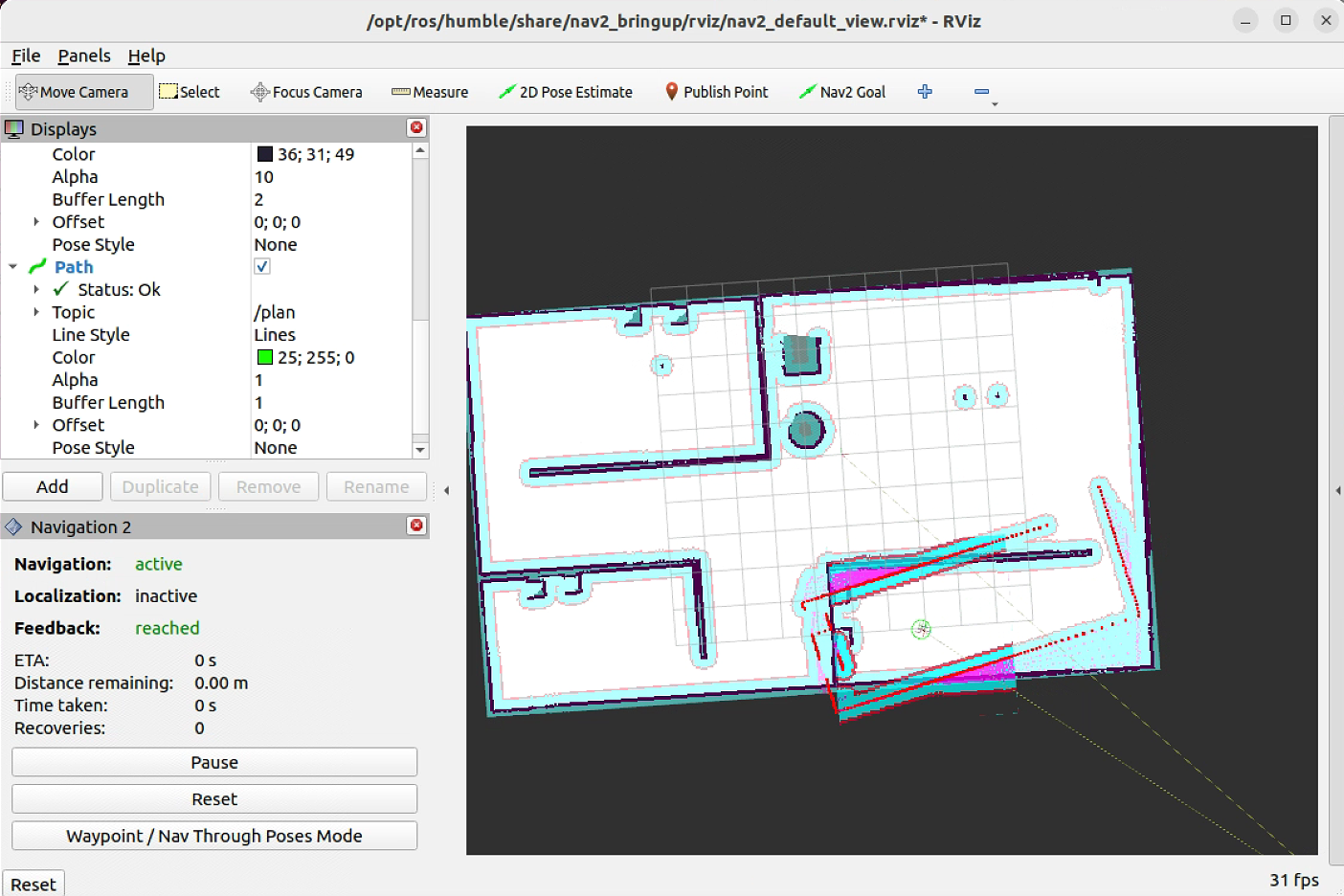
分析问题
墙面转角和门口转角出现的位姿错误问题发现是路径规划在大拐角处出现大折角,设置的路径平滑器并没有生效(导航一直基于path话题进行路径跟踪,path_smoothed话题并没有数据)
目标点出现的位姿匹配错误问题发现是在机器接近目标点之后,路径规划器(planner_server)被取消,后续对接由控制服务器(controller_server)进行接管,机器人会出现大角度的转弯,比如自旋对准最终目标点朝向
解决问题
1. 修改行为树——增加路径平滑
行为树 xml 文件位置
/opt/ros/humble/share/nav2_bt_navigator/
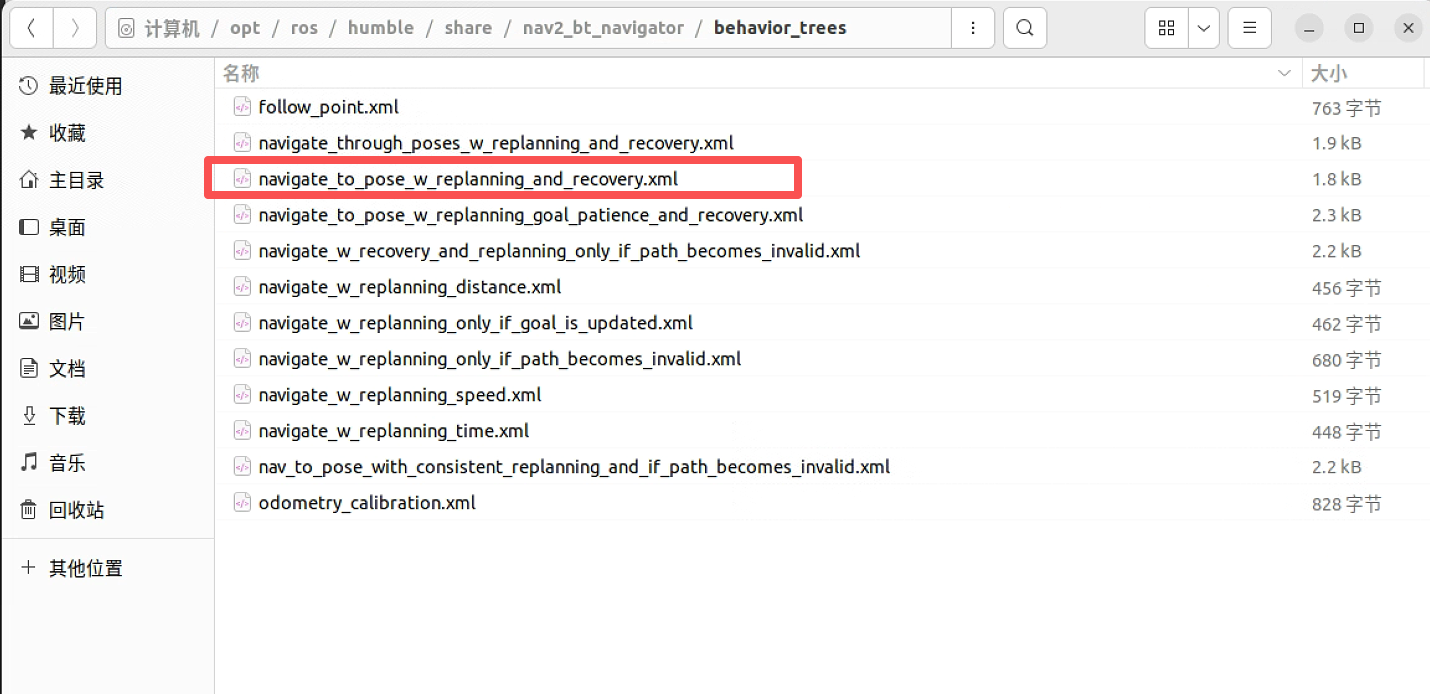
调用新行为树配置(修改位置)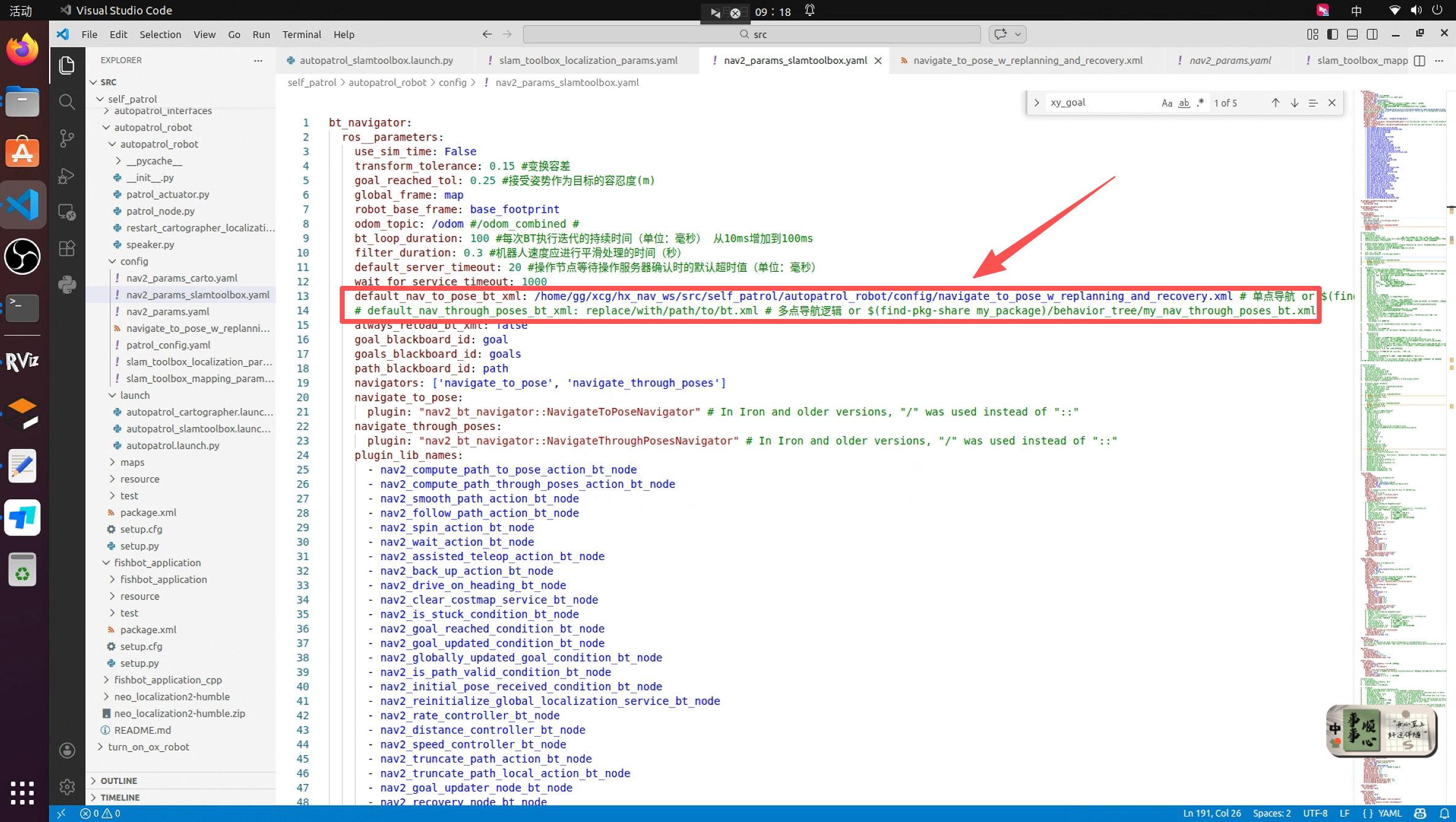
原始行为树
navigate_to_pose_w_replanning_and_recovery.xml
  <root main_tree_to_execute="MainTree">
    <BehaviorTree ID="MainTree">
      <RecoveryNode number_of_retries="6" name="NavigateRecovery">
        <PipelineSequence name="NavigateWithReplanning">
          <RateController hz="1.0">
            <RecoveryNode number_of_retries="1" name="ComputePathToPose">
              <ComputePathToPose goal="{goal}" path="{path}" planner_id="GridBased"/>
              <ClearEntireCostmap name="ClearGlobalCostmap-Context" service_name="global_costmap/clear_entirely_global_costmap"/>
            </RecoveryNode>
          </RateController>
          <RecoveryNode number_of_retries="1" name="FollowPath">
            <FollowPath path="{path}" controller_id="FollowPath"/>
            <ClearEntireCostmap name="ClearLocalCostmap-Context" service_name="local_costmap/clear_entirely_local_costmap"/>
          </RecoveryNode>
        </PipelineSequence>
        <ReactiveFallback name="RecoveryFallback">
          <GoalUpdated/>
          <RoundRobin name="RecoveryActions">
            <Sequence name="ClearingActions">
              <ClearEntireCostmap name="ClearLocalCostmap-Subtree" service_name="local_costmap/clear_entirely_local_costmap"/>
              <ClearEntireCostmap name="ClearGlobalCostmap-Subtree" service_name="global_costmap/clear_entirely_global_costmap"/>
            </Sequence>
            <Spin spin_dist="1.57"/>旋转角度
            <Wait wait_duration="5"/>
            <BackUp backup_dist="0.30" backup_speed="0.05"/>
          </RoundRobin>
        </ReactiveFallback>
      </RecoveryNode>
    </BehaviorTree>
  </root>
新行为树
添加路径平滑操作
修改说明:
- 将规划和平滑封装为Sequence:
将<ComputePathToPose>和<SmoothPath>放在一个<Sequence>节点中
这个Sequence作为RecoveryNode的第一个子节点(主逻辑) - 保持清除代价地图作为恢复逻辑:
<ClearEntireCostmap>仍然是RecoveryNode的第二个子节点
当规划或平滑失败时,会执行清除全局代价地图,然后重试
<root main_tree_to_execute="MainTree">
  <BehaviorTree ID="MainTree">
    <RecoveryNode number_of_retries="6" name="NavigateRecovery">
      <PipelineSequence name="NavigateWithReplanning">
        <RateController hz="1.0">
          <!-- 修改这个RecoveryNode结构 -->
          <RecoveryNode number_of_retries="1" name="ComputePathToPose">
            <!-- 主逻辑:规划 + 平滑的序列 -->
            <Sequence>
              <ComputePathToPose goal="{goal}" path="{path}" planner_id="GridBased"/>
              <SmoothPath unsmoothed_path="{path}" smoothed_path="{smoothed_path}"/>
            </Sequence>
            <!-- 恢复逻辑:清除全局代价地图 -->
            <ClearEntireCostmap name="ClearGlobalCostmap-Context" service_name="global_costmap/clear_entirely_global_costmap"/>
          </RecoveryNode>
        </RateController>
        <RecoveryNode number_of_retries="1" name="FollowPath">
          <FollowPath path="{smoothed_path}" controller_id="FollowPath"/>
          <ClearEntireCostmap name="ClearLocalCostmap-Context" service_name="local_costmap/clear_entirely_local_costmap"/>
        </RecoveryNode>
      </PipelineSequence>
      <ReactiveFallback name="RecoveryFallback">
        <GoalUpdated/>
        <RoundRobin name="RecoveryActions">
          <Sequence name="ClearingActions">
            <ClearEntireCostmap name="ClearLocalCostmap-Subtree" service_name="local_costmap/clear_entirely_local_costmap"/>
            <ClearEntireCostmap name="ClearGlobalCostmap-Subtree" service_name="global_costmap/clear_entirely_global_costmap"/>
          </Sequence>
          <Spin spin_dist="0.78"/>
          <Wait wait_duration="5"/>
          <BackUp backup_dist="0.30" backup_speed="0.05"/>
        </RoundRobin>
      </ReactiveFallback>
    </RecoveryNode>
  </BehaviorTree>
</root>
2. 修改控制服务器配置
修改说明
- 放宽最终对准的阈值:提高 GoalAngleCritic和 GoalCritic的 threshold_to_consider,让机器人更靠近目标时才启动严格的角度和位置对准。这避免了在远处就开始不必要的精细调整。
- 降低最终对准的“攻击性”:减小 GoalAngleCritic的 cost_weight,或者调整 PathAngleCritic的权重/模式,减少对角度误差的惩罚强度,使对准动作更柔和。
- 抑制不必要的旋转偏好:调整 PreferForwardCritic,使其在接近目标时影响力减弱,避免它阻碍必要的原地转向。
- 优化控制器输出限制:在接近目标时,可以动态地(或直接静态地)降低最大角速度 wz_max和角加速度 az_max,强制控制器生成更温和的旋转命令。
- 修改目标点方向偏角容差:调整 yaw_goal_tolerance 为3.14避免大角度自旋,针对目标点与最终导航路径相反朝向的情况
新控制器服务参数配置
controller_server:
  ros__parameters:
    controller_frequency: 30.0
    FollowPath:
      plugin: "nav2_mppi_controller::MPPIController"
      time_steps: 56
      model_dt: 0.05
      batch_size: 2000
      vx_std: 0.2
      vy_std: 0.2
      wz_std: 0.4
      vx_max: 0.5
      vx_min: -0.35
      vy_max: 0.5
      wz_max: 0.8  # 从1.9大幅降低,尝试更小的值
      ax_max: 3.0
      ax_min: -3.0
      ay_min: -3.0
      ay_max: 3.0
      az_max: 1.0  # 从3.5降低
      iteration_count: 1
      temperature: 0.3
      gamma: 0.015
      motion_model: "DiffDrive"
      visualize: false
      reset_period: 1.0 # (only in Humble)
      regenerate_noises: false
      TrajectoryVisualizer:
        trajectory_step: 5
        time_step: 3
      TrajectoryValidator:
        plugin: "mppi::DefaultOptimalTrajectoryValidator"
        collision_lookahead_time: 2.0
        consider_footprint: false
      AckermannConstraints:
        min_turning_r: 0.2
      critics: ["ConstraintCritic", "CostCritic", "GoalCritic", "GoalAngleCritic", "PathAlignCritic", "PathFollowCritic", "PathAngleCritic", "PreferForwardCritic"]
      ConstraintCritic:
        enabled: true
        cost_power: 1
        cost_weight: 4.0
      GoalCritic:
        enabled: true
        cost_power: 1
        cost_weight: 5.0
        threshold_to_consider: 0.5  # 从1.4降低,意味着更近才开始强位置约束
      GoalAngleCritic:
        enabled: true
        cost_power: 1
        cost_weight: 1.5  # 从3.0降低
        threshold_to_consider: 0.3  # 从0.5降低,更近才开始强角度约束
      PreferForwardCritic:
        enabled: true
        cost_power: 1
        cost_weight: 5.0
        threshold_to_consider: 0.5
      # ObstaclesCritic:
      #   enabled: true
      #   cost_power: 1
      #   repulsion_weight: 1.5
      #   critical_weight: 20.0
      #   consider_footprint: false
      #   collision_cost: 10000.0
      #   collision_margin_distance: 0.1
      #   near_goal_distance: 0.5
      #   inflation_radius: 0.55 # (only in Humble)
      #   cost_scaling_factor: 10.0 # (only in Humble)
      CostCritic:
        enabled: true
        cost_power: 1
        cost_weight: 3.81
        critical_cost: 300.0
        consider_footprint: true
        collision_cost: 1000000.0
        near_goal_distance: 1.0
        trajectory_point_step: 2
      PathAlignCritic:
        enabled: true
        cost_power: 1
        cost_weight: 14.0
        max_path_occupancy_ratio: 0.05
        trajectory_point_step: 4
        threshold_to_consider: 0.5
        offset_from_furthest: 20
        use_path_orientations: false
      PathFollowCritic:
        enabled: true
        cost_power: 1
        cost_weight: 5.0
        offset_from_furthest: 5
        threshold_to_consider: 1.4
      PathAngleCritic:
        enabled: true
        cost_power: 1
        cost_weight: 1.0  # 从2.0降低
        offset_from_furthest: 4
        threshold_to_consider: 0.5
        max_angle_to_furthest: 1.0
        mode: 0
    # 全局目标检查器配置
    goal_checker_plugins: ["current_goal_checker"]
    # SimpleGoalChecker配置
    current_goal_checker:
      plugin: "nav2_controller::SimpleGoalChecker"
      xy_goal_tolerance: 0.5
      yaw_goal_tolerance: 3.14
      stateful: True
正常导航结果图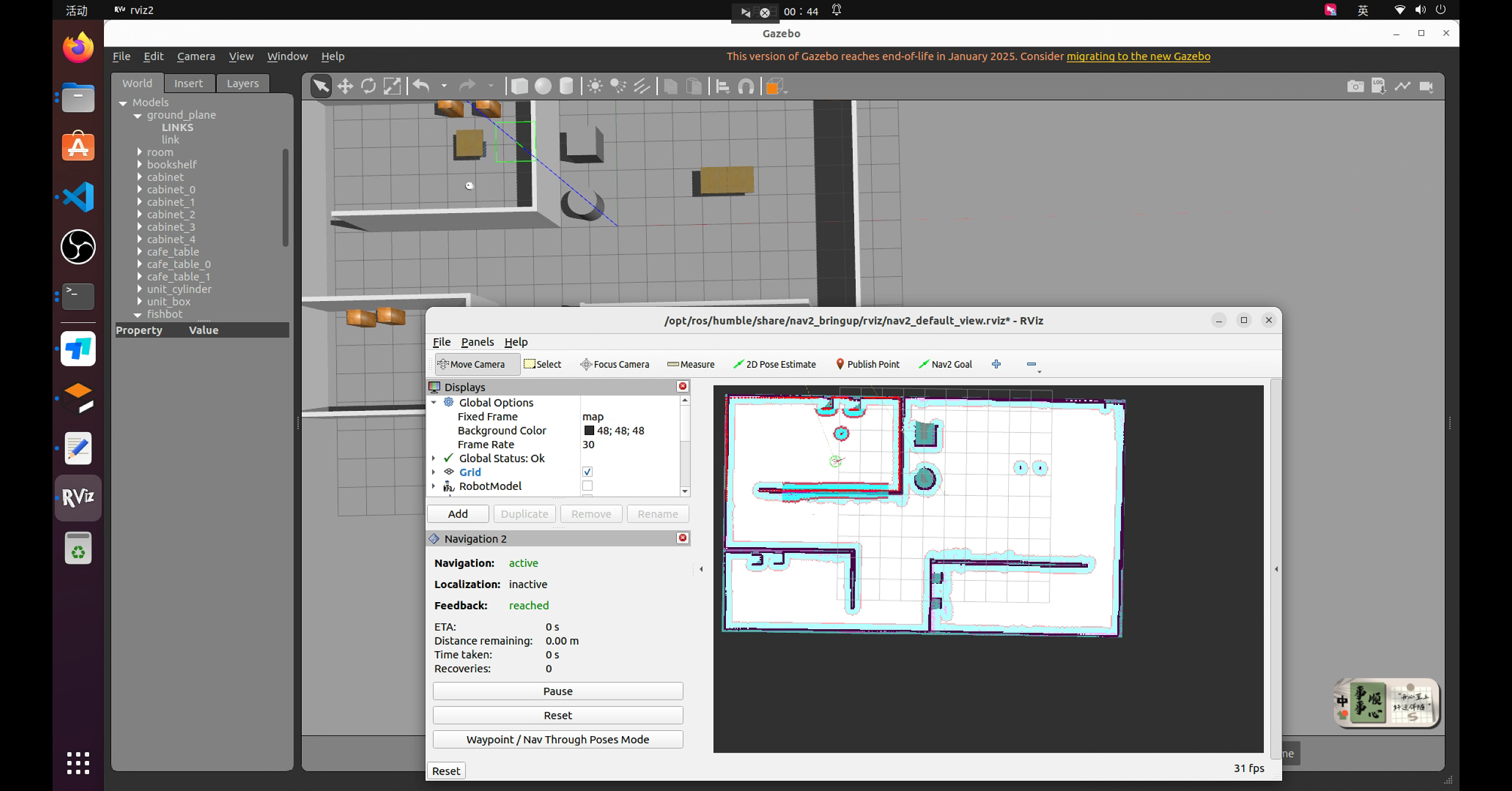

DAMO开发者矩阵,由阿里巴巴达摩院和中国互联网协会联合发起,致力于探讨最前沿的技术趋势与应用成果,搭建高质量的交流与分享平台,推动技术创新与产业应用链接,围绕“人工智能与新型计算”构建开放共享的开发者生态。
更多推荐
 15
15 0
0- 0


 已为社区贡献4条内容

所有评论(0)