HCIP第一次作业-VLAN综合实验
·
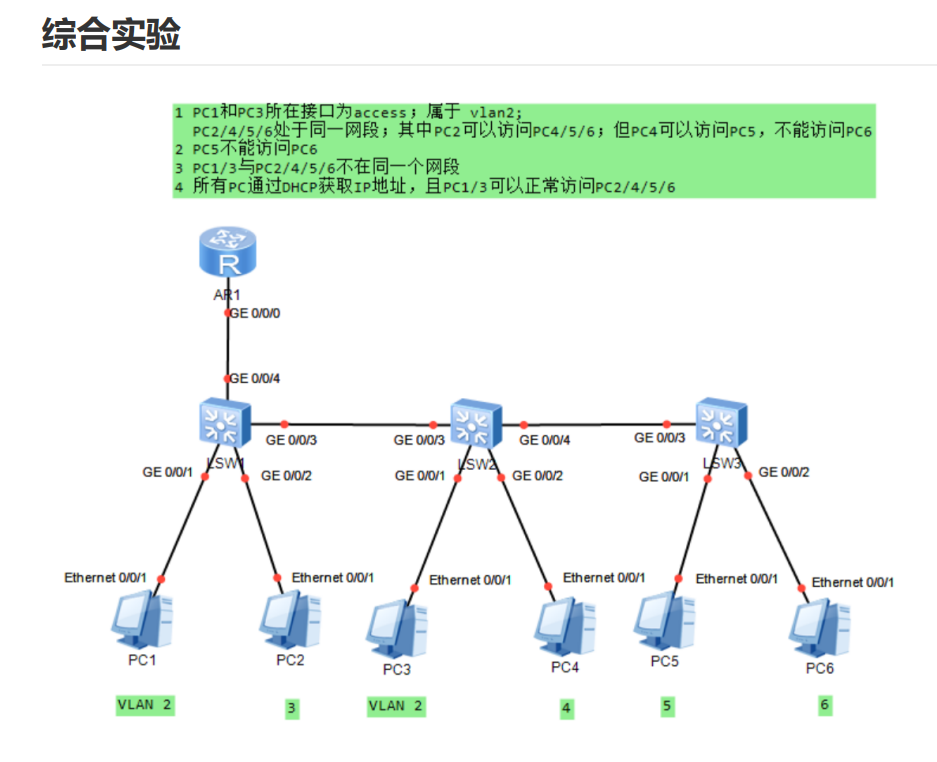
1.配置路由器AR1
sysname AR1
dhcp enable
ip pool vlan2
 network 192.168.2.0 mask 255.255.255.0
 gateway-list 192.168.2.1
 dns-list 8.8.8.8

ip pool vlan3
 network 192.168.3.0 mask 255.255.255.0
 gateway-list 192.168.3.1
 dns-list 8.8.8.8

ip pool vlan4
 network 192.168.4.0 mask 255.255.255.0
 gateway-list 192.168.4.1
 dns-list 8.8.8.8

ip pool vlan5
 network 192.168.5.0 mask 255.255.255.0
 gateway-list 192.168.5.1
 dns-list 8.8.8.8

ip pool vlan6
 network 192.168.6.0 mask 255.255.255.0
 gateway-list 192.168.6.1
 dns-list 8.8.8.8
interface GigabitEthernet0/0/0
 description To-LSW1-Trunk
 undo shutdown
interface GigabitEthernet0/0/0.2
 dot1q termination vid 2
 ip address 192.168.2.1 255.255.255.0
 arp broadcast enable
 dhcp select global

interface GigabitEthernet0/0/0.3
 dot1q termination vid 3
 ip address 192.168.3.1 255.255.255.0
 arp broadcast enable
 dhcp select global

interface GigabitEthernet0/0/0.4
 dot1q termination vid 4
 ip address 192.168.4.1 255.255.255.0
 arp broadcast enable
 dhcp select global

interface GigabitEthernet0/0/0.5
 dot1q termination vid 5
 ip address 192.168.5.1 255.255.255.0
 arp broadcast enable
 dhcp select global

interface GigabitEthernet0/0/0.6
 dot1q termination vid 6
 ip address 192.168.6.1 255.255.255.0
 arp broadcast enable
 dhcp select global

ip pool vlan2
 network 192.168.2.0 mask 255.255.255.0
 gateway-list 192.168.2.1

ip pool vlan3
 network 192.168.3.0 mask 255.255.255.0
 gateway-list 192.168.3.1

ip pool vlan4
 network 192.168.4.0 mask 255.255.255.0
 gateway-list 192.168.4.1

ip pool vlan5
 network 192.168.5.0 mask 255.255.255.0
 gateway-list 192.168.5.1

ip pool vlan6
 network 192.168.6.0 mask 255.255.255.0
 gateway-list 192.168.6.1
acl number 3000
 rule 10 deny ip source 192.168.4.0 0.0.0.255 destination 192.168.6.0 0.0.0.255
 rule 20 deny ip source 192.168.5.0 0.0.0.255 destination 192.168.6.0 0.0.0.255
 rule 30 permit ip
interface GigabitEthernet0/0/0.4
 traffic-filter inbound acl 3000

interface GigabitEthernet0/0/0.5
 traffic-filter inbound acl 3000
2.LSW1配置
sysname LSW1
vlan batch 2 to 6
interface Ethernet0/0/1
 description To-PC1
 port link-type access
 port default vlan 2

interface Ethernet0/0/2
 description To-PC2
 port link-type access
 port default vlan 3
interface GigabitEthernet0/0/3
 description To-LSW2
 port link-type trunk
 port trunk allow-pass vlan 2 to 6
interface GigabitEthernet0/0/4
 description To-AR1
 port link-type trunk
 port trunk allow-pass vlan 2 to 6
3.LSW2配置
sysname LSW2
vlan batch 2 to 6

interface Ethernet0/0/1
 description To-PC3
 port link-type access
 port default vlan 2

interface Ethernet0/0/2
 description To-PC4
 port link-type access
 port default vlan 4

interface GigabitEthernet0/0/1
 description To-LSW1
 port link-type trunk
 port trunk allow-pass vlan 2 to 6

interface GigabitEthernet0/0/4
 description To-LSW3
 port link-type trunk
 port trunk allow-pass vlan 2 to 6
4.LSW3配置
sysname LSW3
vlan batch 2 to 6

interface Ethernet0/0/1
 description To-PC5
 port link-type access
 port default vlan 5

interface Ethernet0/0/2
 description To-PC6
 port link-type access
 port default vlan 6

interface GigabitEthernet0/0/1
 description To-LSW2
 port link-type trunk
 port trunk allow-pass vlan 2 to 6
5.测试
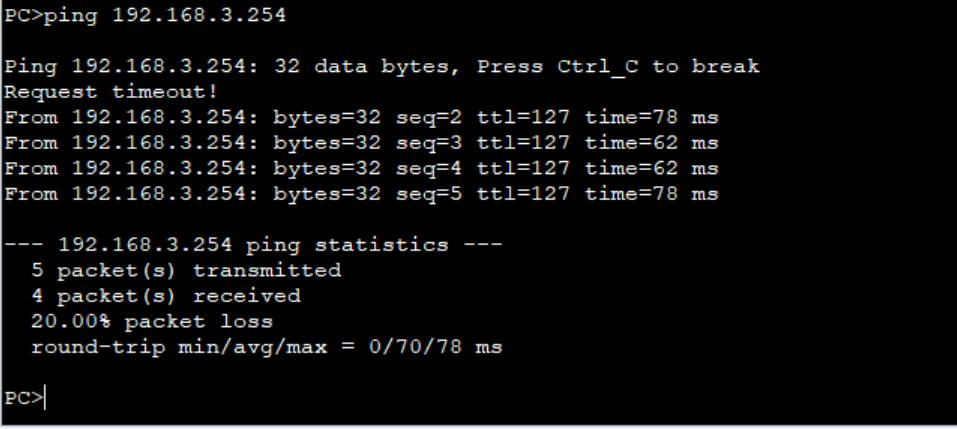
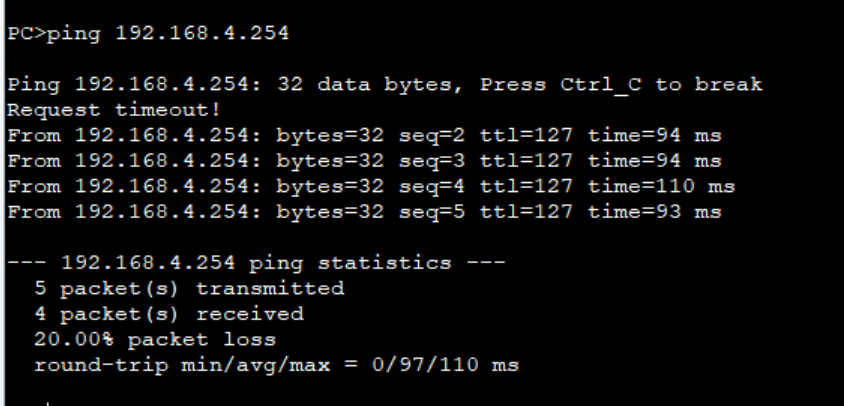
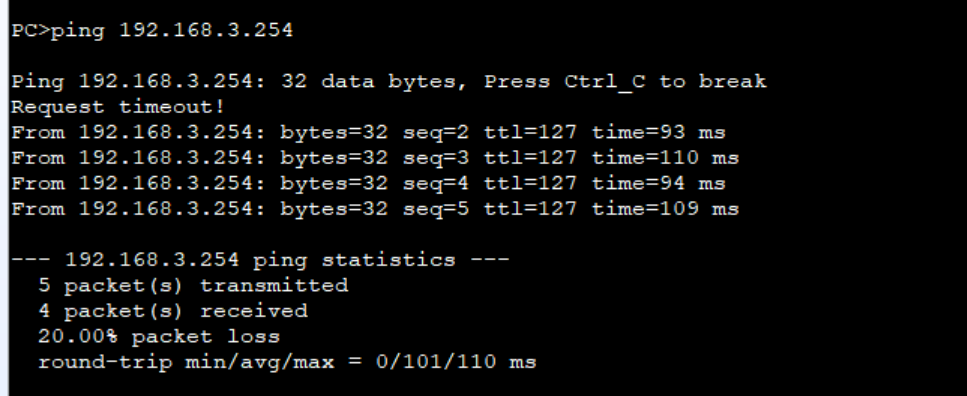
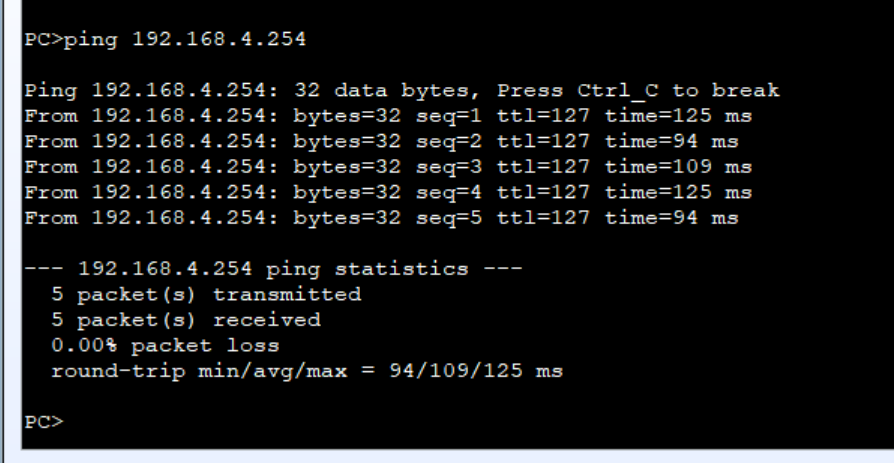
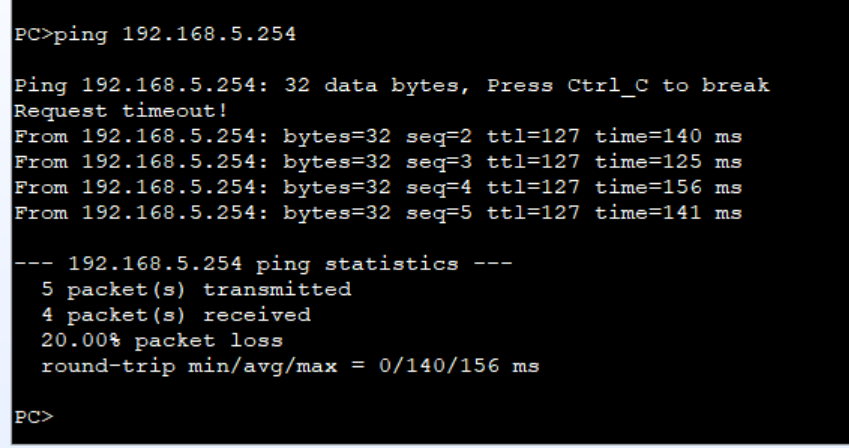
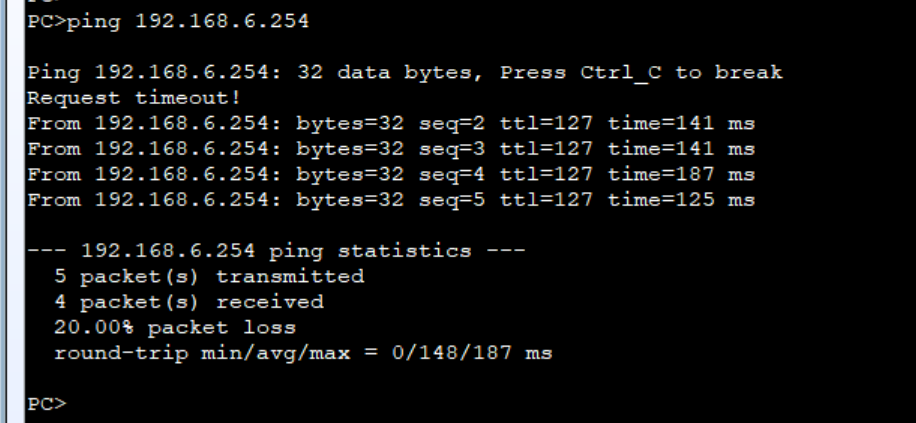
1.PC1/PC3 可以正常访问PC4/5/6
PC1: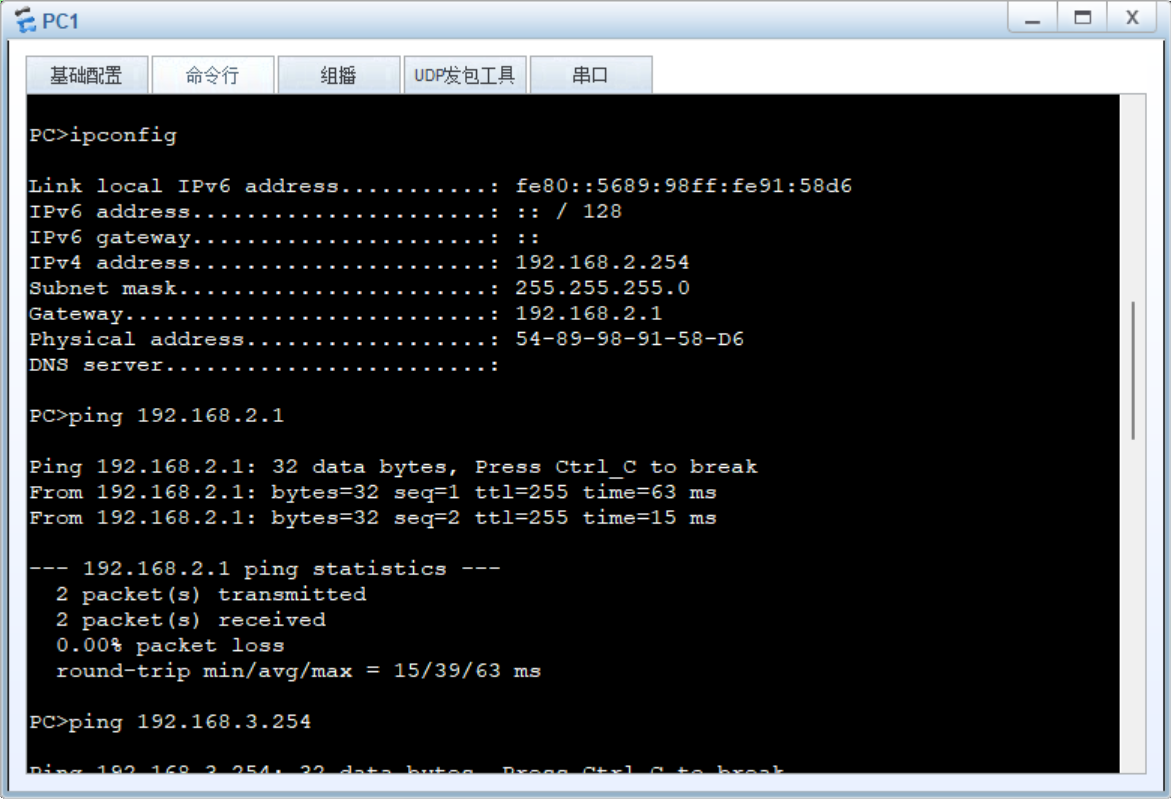
PC1 - PC2/4/5/6:
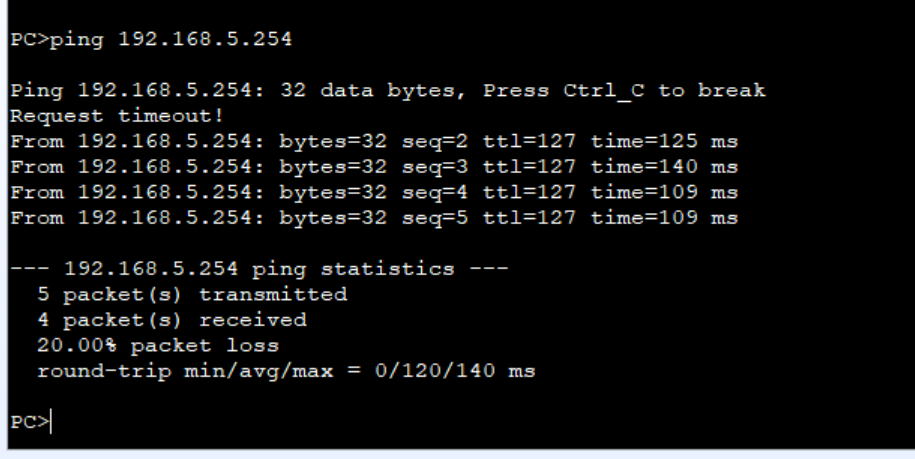
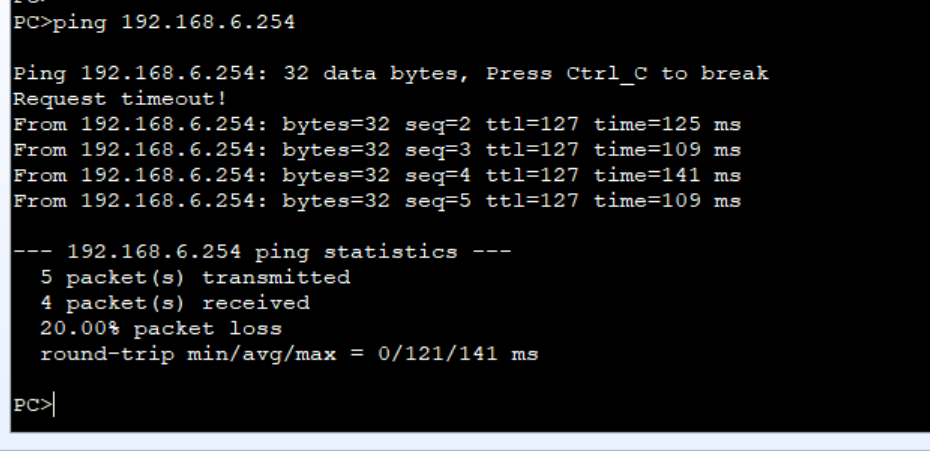
PC3: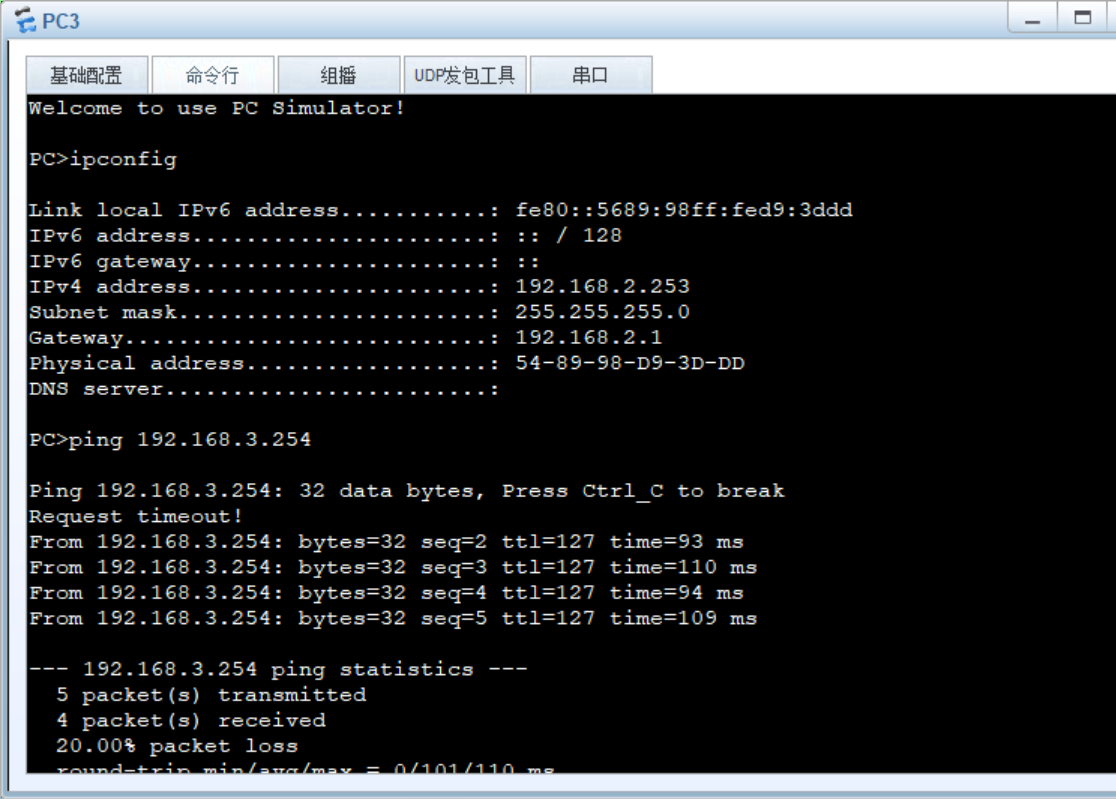
PC3 - PC2/4/5/6:
2.PC2可访问PC4/5/6:
PC2: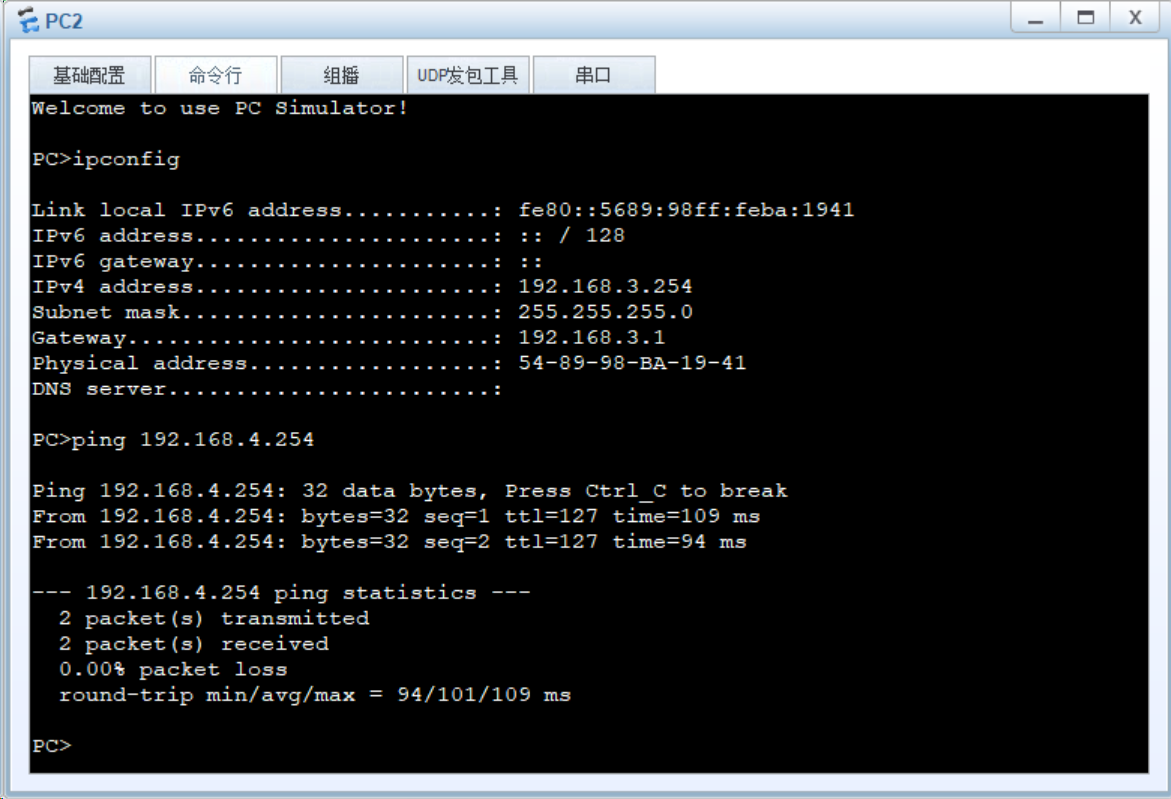
PC2 - PC4/5/6:
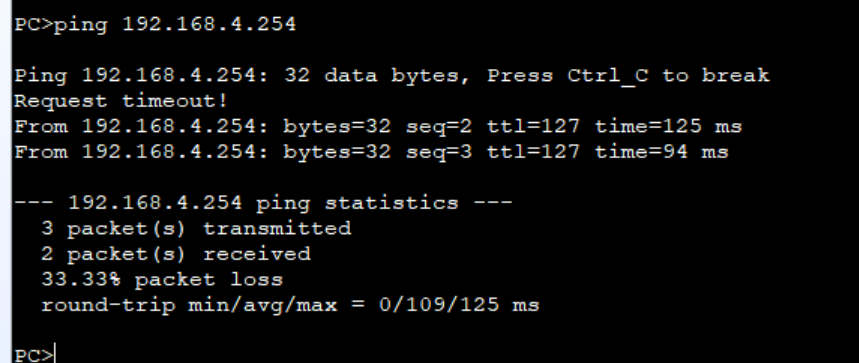
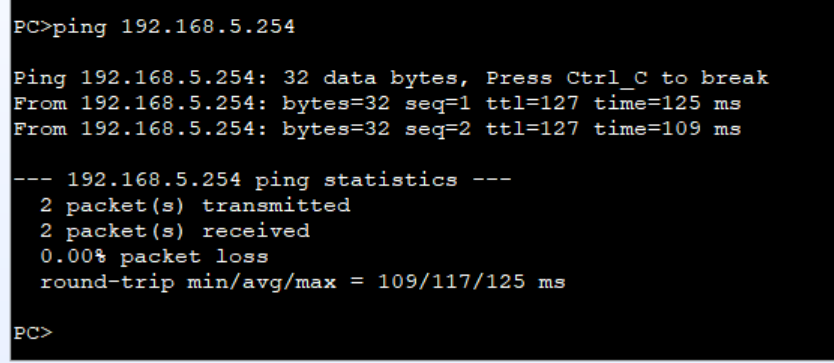
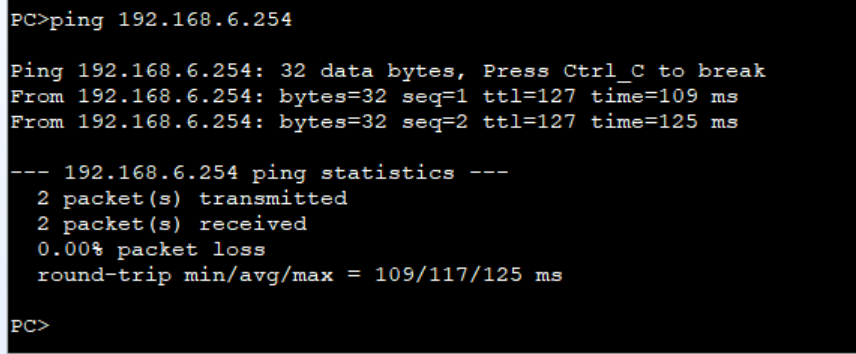
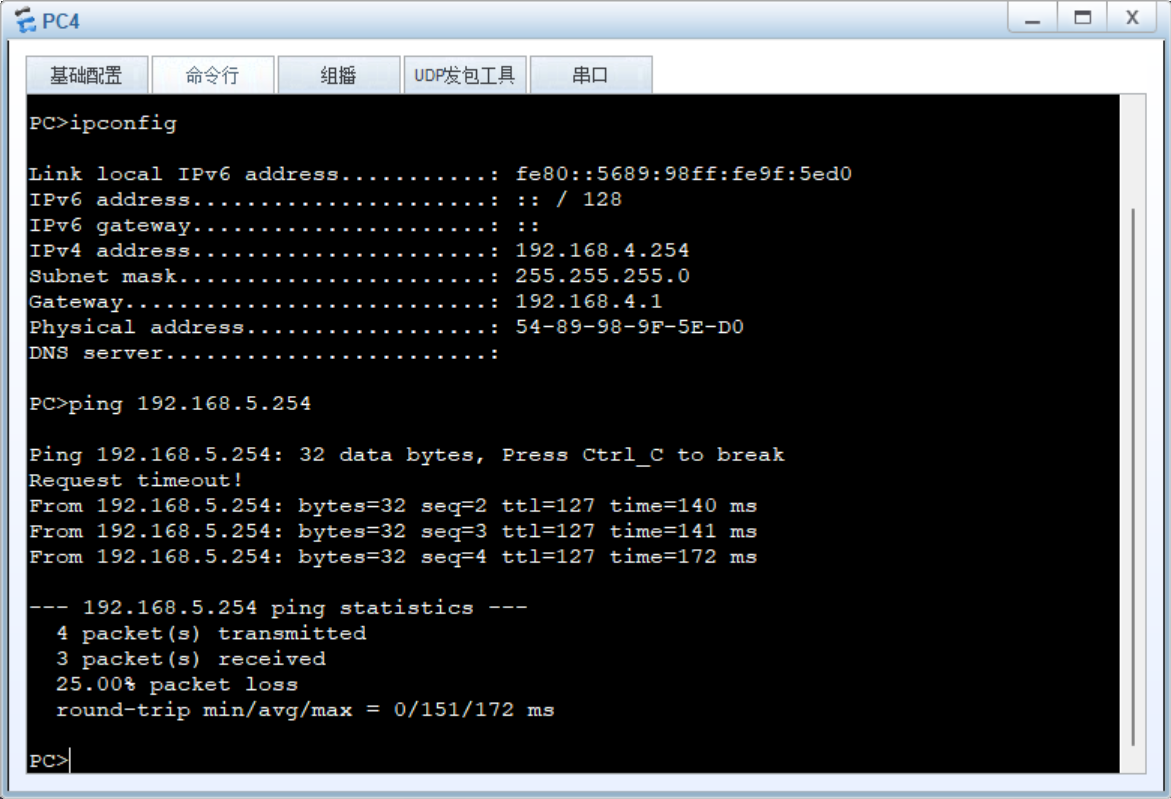
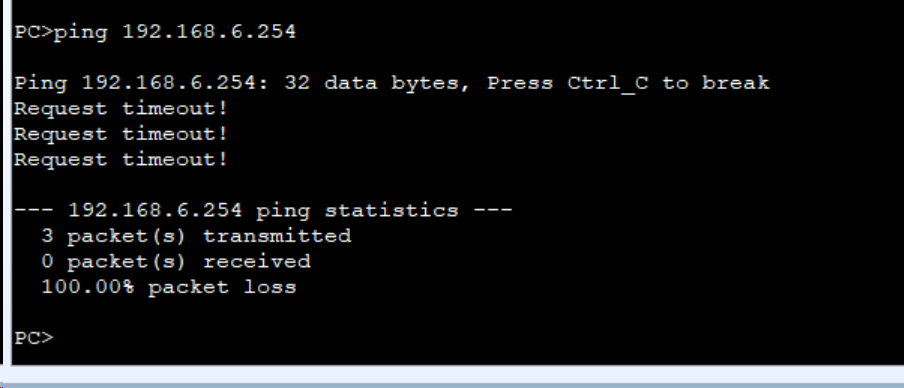
3.PC4可以访问PC5,不能访问PC6
PC4:
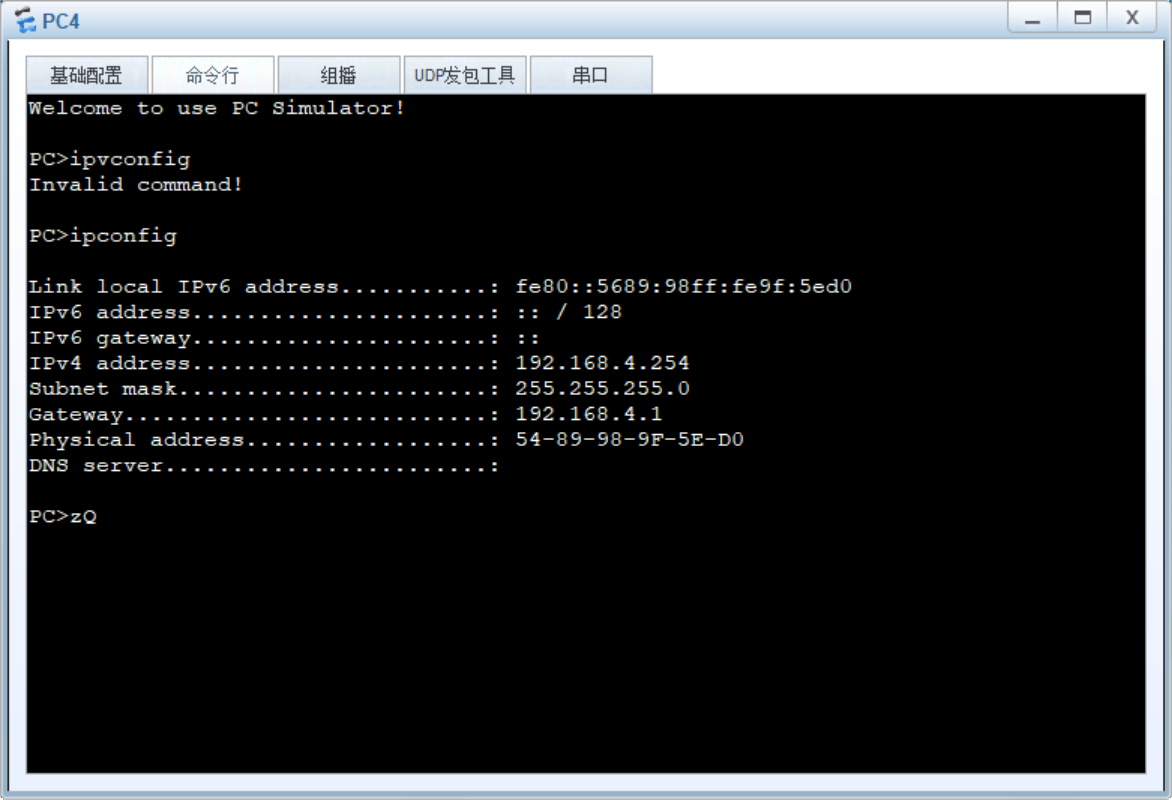
PC4 - PC5:
PC4 X PC6:
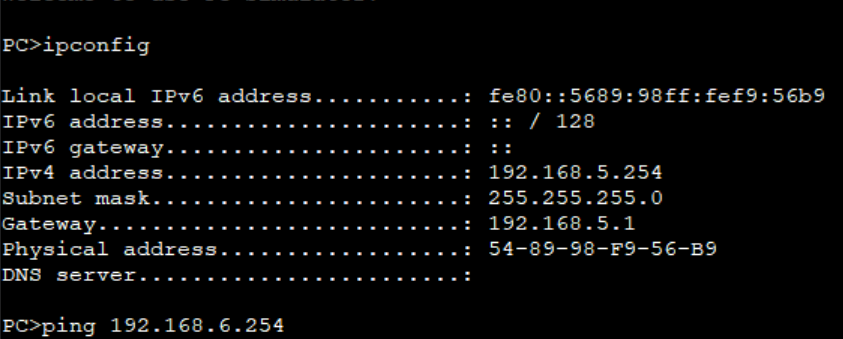
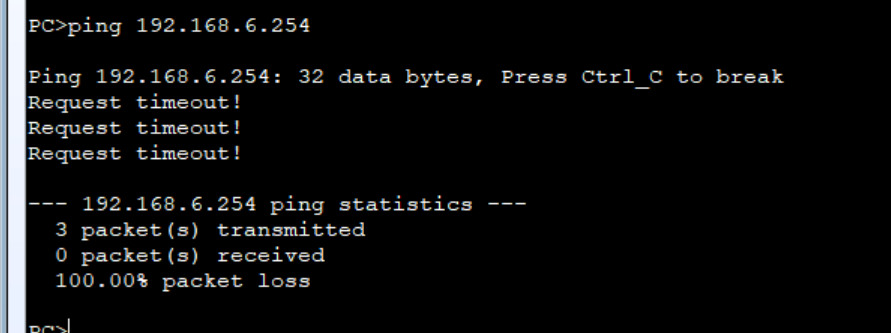
4.PC5不能访问PC6
PC5:
PC5 X PC6:
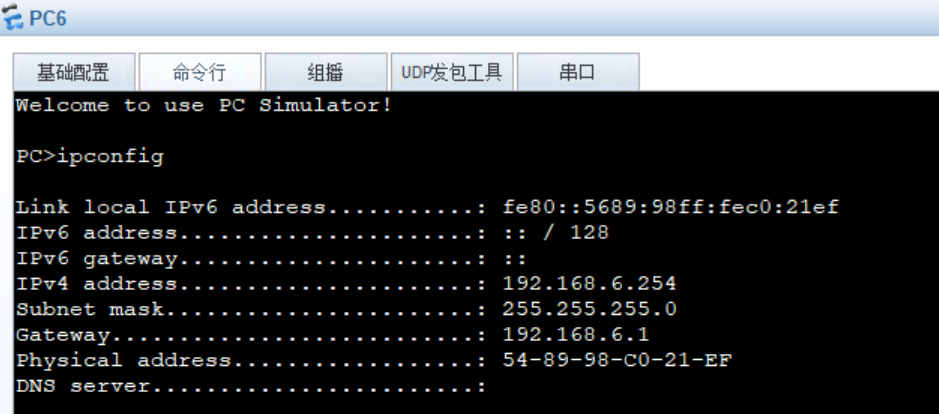
PC6:

DAMO开发者矩阵,由阿里巴巴达摩院和中国互联网协会联合发起,致力于探讨最前沿的技术趋势与应用成果,搭建高质量的交流与分享平台,推动技术创新与产业应用链接,围绕“人工智能与新型计算”构建开放共享的开发者生态。
更多推荐
 22
22 0
0- 0


 已为社区贡献2条内容

所有评论(0)