UniTree_rl_lab中垂直原地起跳
本文档详细说明如何基于Unitree_g1_29dof配置和训练g1机器人垂直跳跃任务。
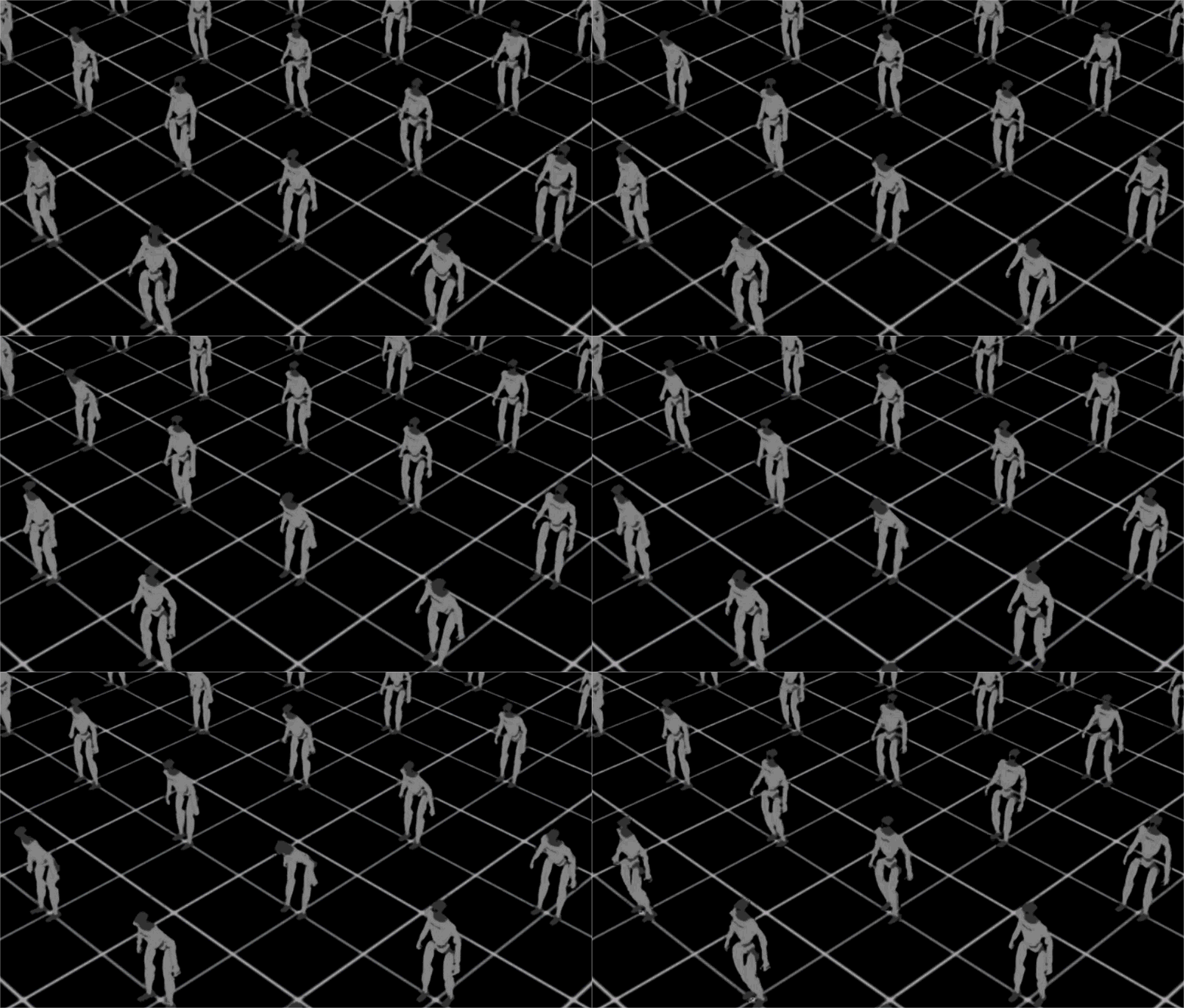
📋 总体流程
1. 导入跳跃奖励模块
   ↓
2. 创建环境配置文件
   ↓
3. 配置场景、观测、奖励、动作、终止条件
   ↓
4. 注册新环境
   ↓
5. 测试环境
   ↓
6. 开始训练
步骤 1: 在 mdp/init.py 中导入跳跃奖励模块
文件: source/unitree_rl_lab/unitree_rl_lab/tasks/locomotion/mdp/init.py
操作: 添加导入语句
from .jump_reward import * # noqa: F401, F403目的: 使跳跃奖励函数可以通过 mdp.jump_height_reward 等方式访问
步骤 2: 创建环境配置文件
文件: source/unitree_rl_lab/unitree_rl_lab/tasks/locomotion/robots/g1/29dof/jump_env_cfg.py
操作: 创建新文件,基于 velocity_env_cfg.py 修改
步骤 3: 详细配置说明
3.1 场景配置 (RobotSceneCfg)
关键点:
-
使用平坦地形(
MeshPlaneTerrainCfg) -
不需要复杂地形生成器
-
保留接触传感器(用于检测落地)
@configclass
class RobotSceneCfg(InteractiveSceneCfg):
    # 平坦地形
    terrain = TerrainImporterCfg(
        prim_path="/World/ground",
        terrain_type="plane",
        collision_group=-1,
        physics_material=sim_utils.RigidBodyMaterialCfg(
            friction_combine_mode="multiply",
            restitution_combine_mode="multiply",
            static_friction=1.0,
            dynamic_friction=1.0,
        ),
    )

    # 机器人配置(与velocity_env_cfg.py相同)
    robot: ArticulationCfg = ROBOT_CFG.replace(prim_path="{ENV_REGEX_NS}/Robot")

    # 接触传感器(必需,用于检测落地)
    contact_forces: ContactSensorCfg = ContactSensorCfg(
        prim_path="{ENV_REGEX_NS}/Robot/.*",  # G1 没有 _foot 结尾的 link,用全匹配
        track_air_time=True,
        history_length=1,
    )
3.2 命令配置 (CommandsCfg)
关键点:
-
创建一个简单的零命令,或者完全移除命令
使用零速度命令:
@configclass
class CommandsCfg:
    base_velocity = mdp.UniformLevelVelocityCommandCfg(
        asset_name="robot",
        resampling_time_range=(100.0, 100.0),  # 很少重新采样
        rel_standing_envs=1.0,  # 100%的环境都是零速度
        ranges=mdp.UniformLevelVelocityCommandCfg.Ranges(
            lin_vel_x=(0.0, 0.0),
            lin_vel_y=(0.0, 0.0),
            ang_vel_z=(0.0, 0.0),
        ),
        limit_ranges=mdp.UniformLevelVelocityCommandCfg.Ranges(
            lin_vel_x=(0.0, 0.0),
            lin_vel_y=(0.0, 0.0),
            ang_vel_z=(0.0, 0.0),
        ),
    )
3.3 动作配置 (ActionsCfg)
关键点:
-
与velocity_env_cfg.py相同
-
使用关节位置控制
@configclass
class ActionsCfg:
    """Action specifications for the MDP."""
    JointPositionAction = mdp.JointPositionActionCfg(
        asset_name="robot",
        joint_names=[".*"],
        scale=0.25,
        use_default_offset=True,
    )
3.4 观测配置 (ObservationsCfg)
关键点:
-
移除速度命令相关观测
-
可以添加基座高度观测(如果可用)
-
保留姿态、关节状态等基本观测
@configclass
class ObservationsCfg:
    """Observation specifications for the MDP."""

    @configclass
    class PolicyCfg(ObsGroup):
        """Observations for policy group."""

        # 基本观测(不需要速度命令)
        base_ang_vel = ObsTerm(func=mdp.base_ang_vel, scale=0.2, noise=Unoise(n_min=-0.2, n_max=0.2))
        projected_gravity = ObsTerm(func=mdp.projected_gravity, noise=Unoise(n_min=-0.05, n_max=0.05))
        joint_pos_rel = ObsTerm(func=mdp.joint_pos_rel, noise=Unoise(n_min=-0.01, n_max=0.01))
        joint_vel_rel = ObsTerm(func=mdp.joint_vel_rel, scale=0.05, noise=Unoise(n_min=-1.5, n_max=1.5))
        last_action = ObsTerm(func=mdp.last_action)

        def __post_init__(self):
            self.history_length = 5
            self.enable_corruption = True
            self.concatenate_terms = True

    policy: PolicyCfg = PolicyCfg()

    @configclass
    class CriticCfg(ObsGroup):
        """Observations for critic group."""

        base_lin_vel = ObsTerm(func=mdp.base_lin_vel)  # 特权信息:基座线速度
        base_ang_vel = ObsTerm(func=mdp.base_ang_vel, scale=0.2)
        projected_gravity = ObsTerm(func=mdp.projected_gravity)
        joint_pos_rel = ObsTerm(func=mdp.joint_pos_rel)
        joint_vel_rel = ObsTerm(func=mdp.joint_vel_rel, scale=0.05)
        last_action = ObsTerm(func=mdp.last_action)

        def __post_init__(self):
            self.history_length = 5

    critic: CriticCfg = CriticCfg()
3.5 奖励配置 (RewardsCfg)
关键点:
-
使用跳跃奖励函数
-
合理设置权重
-
保留基本的稳定性奖励
@configclass
class RewardsCfg:
    """Reward terms for the MDP."""

    # ============ 主要任务奖励 ============
    # 跳跃高度奖励(主要目标)
    jump_height = RewTerm(
        func=mdp.jump_height_reward,
        weight=2.0,  # 主要奖励,权重最高
        params={"target_height": 0.2, "std": 0.1}
    )

    # 垂直速度奖励(鼓励向上跳跃)
    vertical_velocity = RewTerm(
        func=mdp.vertical_velocity_reward,
        weight=1.0,
        params={"min_vel": 0.5, "max_vel": 2.0}
    )

    # ============ 约束和惩罚 ============
    # 水平速度惩罚(保持原地)
    horizontal_velocity = RewTerm(
        func=mdp.horizontal_velocity_penalty,
        weight=-1.0,
        params={"max_vel": 0.1}
    )

    # 垂直姿态奖励(保持垂直)
    vertical_orientation = RewTerm(
        func=mdp.vertical_orientation_reward,
        weight=0.5
    )

    # ============ 落地和周期奖励 ============
    # 落地奖励
    landing = RewTerm(
        func=mdp.landing_reward,
        weight=1.0,
        params={
            "sensor_cfg": SceneEntityCfg("contact_forces", body_names=".*ankle_roll.*"),
            "target_height": 0.0,
            "height_tolerance": 0.05,
        },
    )

    # 跳跃周期奖励
    jump_cycle = RewTerm(
        func=mdp.jump_cycle_reward,
        weight=0.5,
        params={
            "sensor_cfg": SceneEntityCfg("contact_forces", body_names=".*ankle_roll.*"),
            "min_air_time": 0.1,
            "max_air_time": 0.5,
        },
    )

    # ============ 辅助奖励 ============
    # 存活奖励(基本要求)
    alive = RewTerm(func=mdp.is_alive, weight=0.15)

    # 能量效率奖励
    energy_efficiency = RewTerm(
        func=mdp.jump_energy_efficiency,
        weight=0.1,
        params={"max_energy": 100.0}
    )

    # 稳定性奖励
    stability = RewTerm(
        func=mdp.jump_stability_reward,
        weight=0.3,
        params={"max_angular_vel": 0.5}
    )

    # ============ 基本约束 ============
    # 关节限制惩罚
    dof_pos_limits = RewTerm(func=mdp.joint_pos_limits, weight=-5.0)

    # 关节加速度惩罚(平滑运动)
    joint_acc = RewTerm(func=mdp.joint_acc_l2, weight=-2.5e-7)

    # 动作变化率惩罚(平滑控制)
    action_rate = RewTerm(func=mdp.action_rate_l2, weight=-0.05)
3.6 终止配置 (TerminationsCfg)
关键点:
-
添加高度相关的终止条件
-
保留基本的终止条件(超时、摔倒等)
@configclass
class TerminationsCfg:
    """Termination specifications for the MDP."""

    # 超时终止
    time_out = DoneTerm(func=mdp.time_out, time_out=True)

    # 基座高度过低(摔倒)
    base_height = DoneTerm(
        func=mdp.root_height_below_minimum,
        params={"minimum_height": 0.2}
    )

    # 姿态过差(倾斜过度)
    bad_orientation = DoneTerm(
        func=mdp.bad_orientation,
        params={"limit_angle": 0.8}
    )
3.7 事件配置 (EventCfg)
关键点:
-
与velocity_env_cfg.py类似
-
可以简化一些随机化
@configclass
class EventCfg:
    """Configuration for events."""

    # 启动时随机化
    physics_material = EventTerm(
        func=mdp.randomize_rigid_body_material,
        mode="startup",
        params={
            "asset_cfg": SceneEntityCfg("robot", body_names=".*"),
            "static_friction_range": (0.8, 1.2),
            "dynamic_friction_range": (0.8, 1.2),
            "restitution_range": (0.0, 0.1),
            "num_buckets": 64,
        },
    )

    base_mass = EventTerm(
        func=mdp.randomize_rigid_body_mass,
        mode="startup",
        params={
            "asset_cfg": SceneEntityCfg("robot", body_names="torso_link"),  # G1 躯干 link 名称
            "mass_distribution_params": (-0.1, 0.1),
            "operation": "add",
        },
    )

    # 重置时随机化
    reset_base = EventTerm(
        func=mdp.reset_root_state_uniform,
        mode="reset",
        params={
            "pose_range": {"x": (-0.0, 0.0), "y": (-0.0, 0.0), "yaw": (-0.0, 0.0)},
            "velocity_range": {
                "x": (-0.0, 0.0),
                "y": (-0.0, 0.0),
                "z": (0.0, 0.0),
            },
        },
    )

    reset_robot_joints = EventTerm(
        func=mdp.reset_joints_by_offset,
        mode="reset",
        params={
            "position_range": (-0.1, 0.1),
            "velocity_range": (-0.1, 0.1),
        },
    )
3.8 主环境配置 (RobotEnvCfg)
关键点:
-
设置合适的episode长度
-
设置环境数量
-
不需要课程学习(或简化)
@configclass
class RobotEnvCfg(ManagerBasedRLEnvCfg):
    """Configuration for the locomotion environment."""

    # 场景配置
    scene: RobotSceneCfg = RobotSceneCfg(num_envs=4096, env_spacing=2.0)

    # 事件配置
    events: EventCfg = EventCfg()

    # 命令配置
    commands: CommandsCfg = CommandsCfg()

    # 动作配置
    actions: ActionsCfg = ActionsCfg()

    # 观测配置
    observations: ObservationsCfg = ObservationsCfg()

    # 奖励配置
    rewards: RewardsCfg = RewardsCfg()

    # 终止配置
    terminations: TerminationsCfg = TerminationsCfg()

    # 环境参数
    decimation: int = 4  # 控制频率:每4个物理步执行一次动作
    episode_length_s: float = 5.0  # Episode长度:5秒(足够完成一次跳跃)

    # 传感器更新频率
    sensors: dict[str, float] = {
        "contact_forces": 0.01,  # 接触传感器:100Hz
    }

    # 课程学习(可选,跳跃任务可能不需要)
    # curriculum: CurriculumCfg = CurriculumCfg()
3.9 测试环境配置 (RobotPlayEnvCfg)
关键点:
-
用于测试和可视化
-
减少环境数量
@configclass
class RobotPlayEnvCfg(RobotEnvCfg):
    """Configuration for the locomotion play environment."""

    # 减少环境数量用于测试
    scene: RobotSceneCfg = RobotSceneCfg(num_envs=32, env_spacing=2.0)

    # 移除随机化(测试时更稳定)
    events: EventCfg = None
步骤 4: 注册新环境
文件: source/unitree_rl_lab/unitree_rl_lab/tasks/locomotion/robots/g1/29dof/init.py
操作: 添加环境注册
import gymnasium as gym

# 原有环境
gym.register(
    id="Unitree-G1-29dof-Velocity",
    entry_point="isaaclab.envs:ManagerBasedRLEnv",
    disable_env_checker=True,
    kwargs={
        "env_cfg_entry_point": f"{__name__}.velocity_env_cfg:RobotEnvCfg",
        "play_env_cfg_entry_point": f"{__name__}.velocity_env_cfg:RobotPlayEnvCfg",
        "rsl_rl_cfg_entry_point": f"unitree_rl_lab.tasks.locomotion.agents.rsl_rl_ppo_cfg:BasePPORunnerCfg",
    },
)

# 新增跳跃环境
gym.register(
    id="Unitree-G1-29dof-Jump",
    entry_point="isaaclab.envs:ManagerBasedRLEnv",
    disable_env_checker=True,
    kwargs={
        "env_cfg_entry_point": f"{__name__}.jump_env_cfg:RobotEnvCfg",
        "play_env_cfg_entry_point": f"{__name__}.jump_env_cfg:RobotPlayEnvCfg",
        "rsl_rl_cfg_entry_point": f"unitree_rl_lab.tasks.locomotion.agents.rsl_rl_ppo_cfg:BasePPORunnerCfg",
    },
)
步骤 5: 测试环境
操作: 运行测试脚本验证环境是否正常工作
python scripts/rsl_rl/test.py --headless测试脚本:
# 测试脚本示例
import argparse
import gymnasium as gym
from isaaclab.app import AppLauncher
import unitree_rl_lab.tasks  # 触发注册
from unitree_rl_lab.utils.parser_cfg import parse_env_cfg
import torch

parser = argparse.ArgumentParser()
AppLauncher.add_app_launcher_args(parser)
parser.add_argument("--headless", action="store_true", help="无界面测试")
args = parser.parse_args()
app = AppLauncher(args).app

task = "Unitree-G1-29dof-Jump"
env_cfg = parse_env_cfg(task, device=getattr(args, "device", "cuda:0"), num_envs=1)
env = gym.make(task, cfg=env_cfg)

obs, info = env.reset()
env_device = getattr(env, "device", None) or getattr(env.unwrapped, "device", env_cfg.sim.device)
for _ in range(10):
    action_np = env.action_space.sample()
    action = torch.as_tensor(action_np, device=env_device, dtype=torch.float32)
    obs, reward, terminated, truncated, info = env.step(action)
    if terminated or truncated:
        obs, info = env.reset()

print("环境测试通过!")
env.close()
app.close()
步骤 6: 开始训练
训练过程:
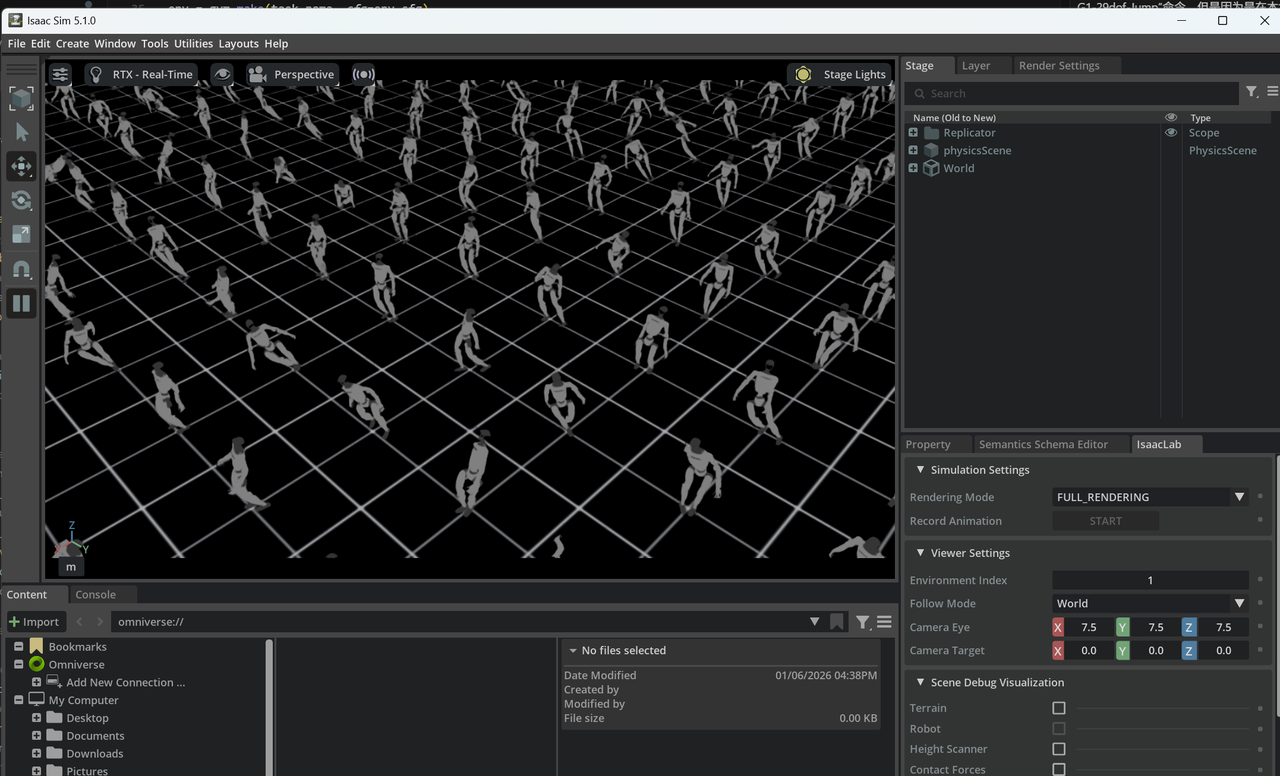
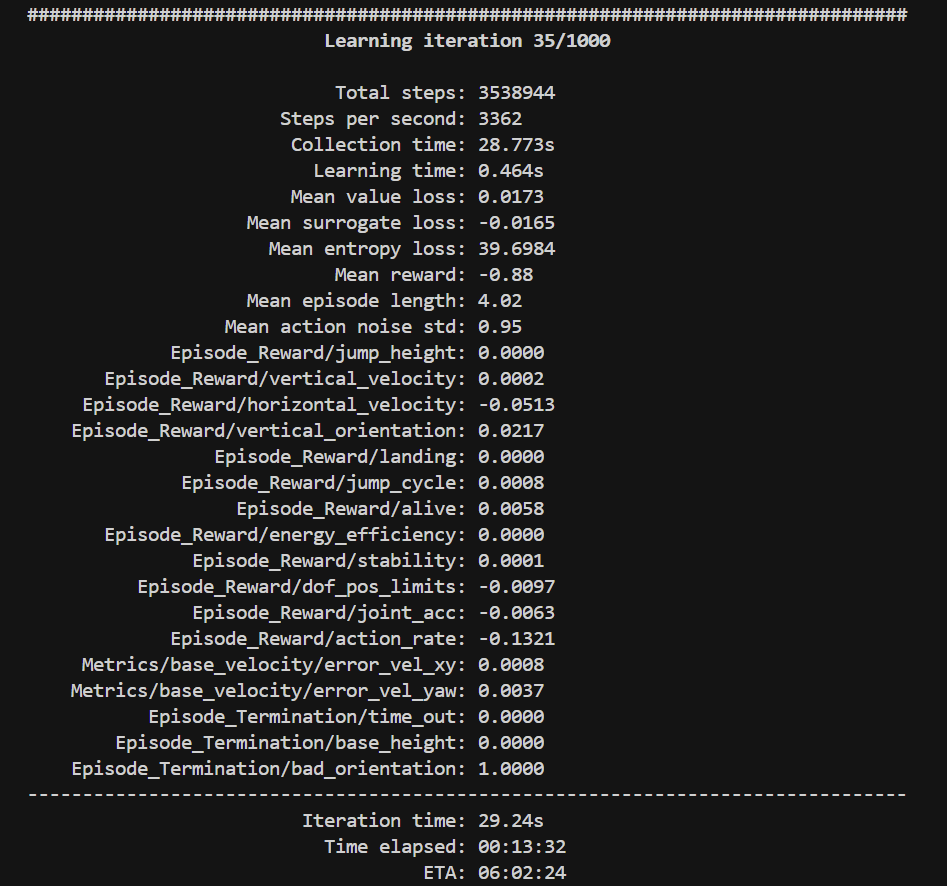
操作: 使用训练脚本开始训练
python scripts/rsl_rl/train.py --task Unitree-G1-29dof-Jump --max_iterations 1000📚 参考文件
-
velocity_env_cfg.py: 参考配置结构->source\unitree_rl_lab\unitree_rl_lab\tasks\locomotion\robots\g1\29dof\velocity_env_cfg.py -
rewards.py: 跳跃奖励函数实现->source\unitree_rl_lab\unitree_rl_lab\tasks\locomotion\mdp\rewards.py -
rsl_rl_ppo_cfg.py: PPO训练配置->source\unitree_rl_lab\unitree_rl_lab\tasks\locomotion\agents\rsl_rl_ppo_cfg.py

DAMO开发者矩阵,由阿里巴巴达摩院和中国互联网协会联合发起,致力于探讨最前沿的技术趋势与应用成果,搭建高质量的交流与分享平台,推动技术创新与产业应用链接,围绕“人工智能与新型计算”构建开放共享的开发者生态。
更多推荐

 9
9 0
0- 0


 已为社区贡献2条内容

所有评论(0)