基于钉钉机器人自动上传文件构建 RAG 可检索知识库的实现方案
在大模型应用场景中,RAG(检索增强生成) 技术是解决大模型知识时效性、领域专业性的核心方案,而构建高质量的可检索知识库是 RAG 落地的基础。本文将分享一种通过机器人自动上传文件至知识库,并实现 RAG 检索的完整流程,从环境搭建到代码实现,全程干货可直接复用。
·
在大模型应用场景中,RAG(检索增强生成) 技术是解决大模型知识时效性、领域专业性的核心方案,而构建高质量的可检索知识库是 RAG 落地的基础。本文将分享一种通过机器人自动上传文件至知识库,并实现 RAG 检索的完整流程,从环境搭建到代码实现,全程干货可直接复用。
一、方案整体架构与核心流程
1. 方案架构
本方案主要分为三大模块:文件上传机器人、知识库存储服务、RAG 检索引擎,各模块职责如下:
- 文件上传机器人:钉钉创建机器人,通过传输文件到知识库
- 知识库存储服务:对上传文件进行解析、分片、向量化,将向量数据存入向量数据库,同时保留文件元信息
- RAG 检索引擎:接收用户查询,将查询语句向量化后在向量库中检索相似知识片段,拼接后送入大模型生成回答
2. 核心流程
- 本地 / 业务系统产生待入库文件(如 PDF、Word、Markdown 等)
- 文件上传通过钉钉监听服务,传输文件到知识库
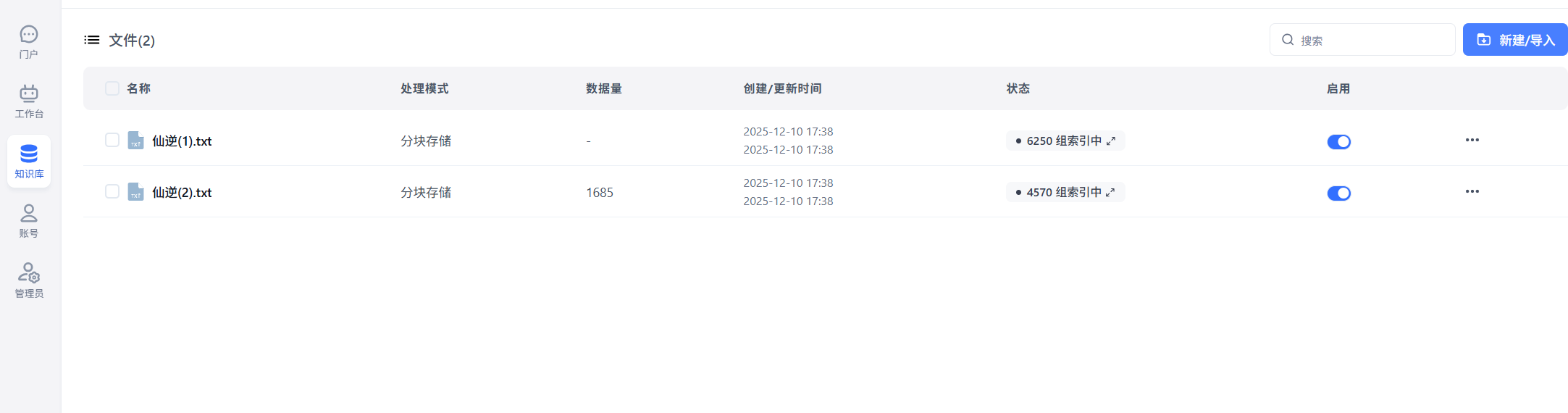
- 知识库服务完成文件解析与向量化,存入向量数据库
- 用户发起检索请求,RAG 引擎完成知识匹配与回答生成
二、环境准备与依赖配置
1. 基础环境
在开始前,需确保本地 / 服务器已配置以下环境:
- Python 3.8 及以上版本
- 本地搭建的fastgpt平台,参考fastgpt官方文档https://doc.fastgpt.cn/docs/introduction
- 本地基于chatgpt-on-wechat项目地址:https://gitee.com/zhayujie/chatgpt-on-wechat
三、核心模块实现
1. 创建钉钉机器人
- 钉钉开发者平台创建机器人
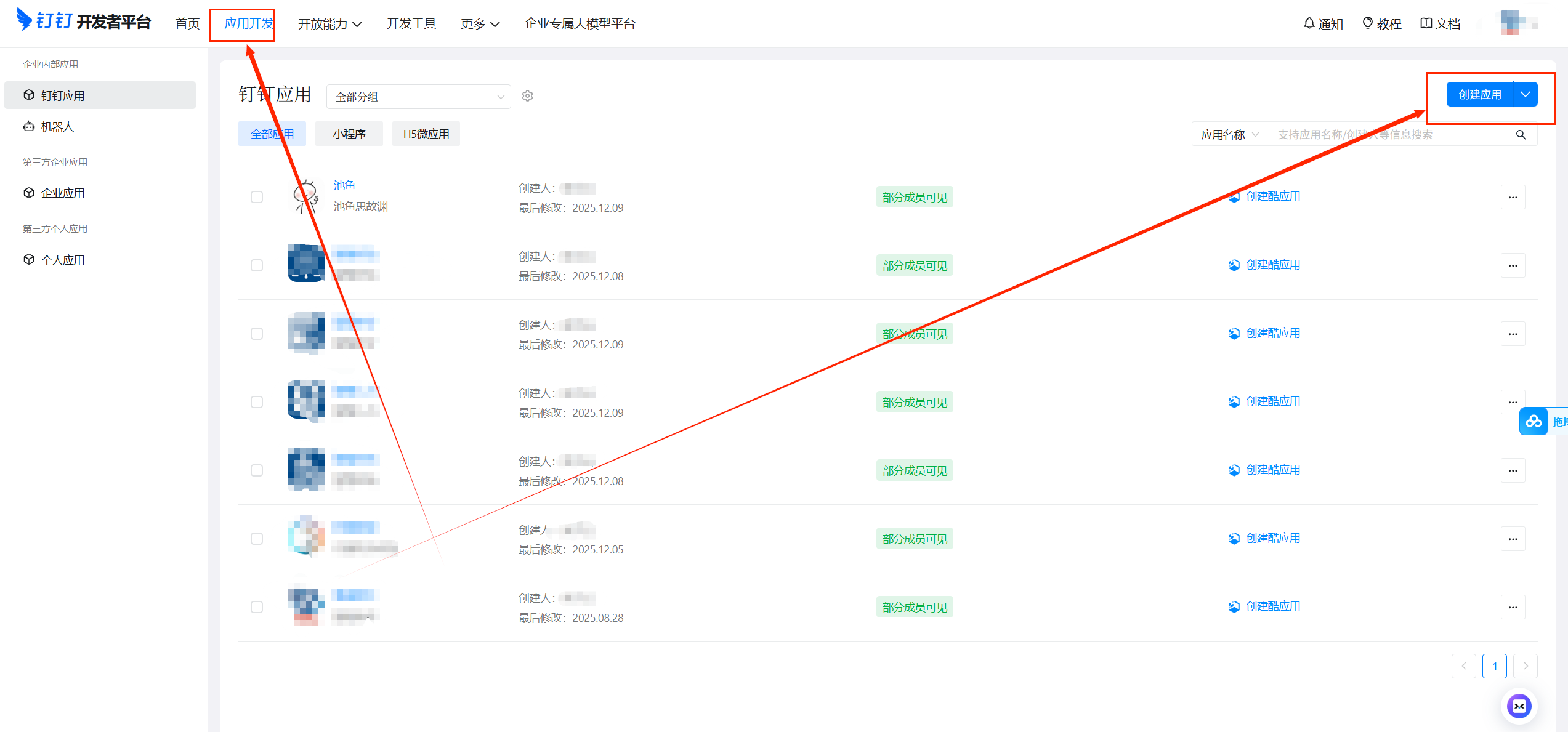
- 获取钉钉平台机器人授权码
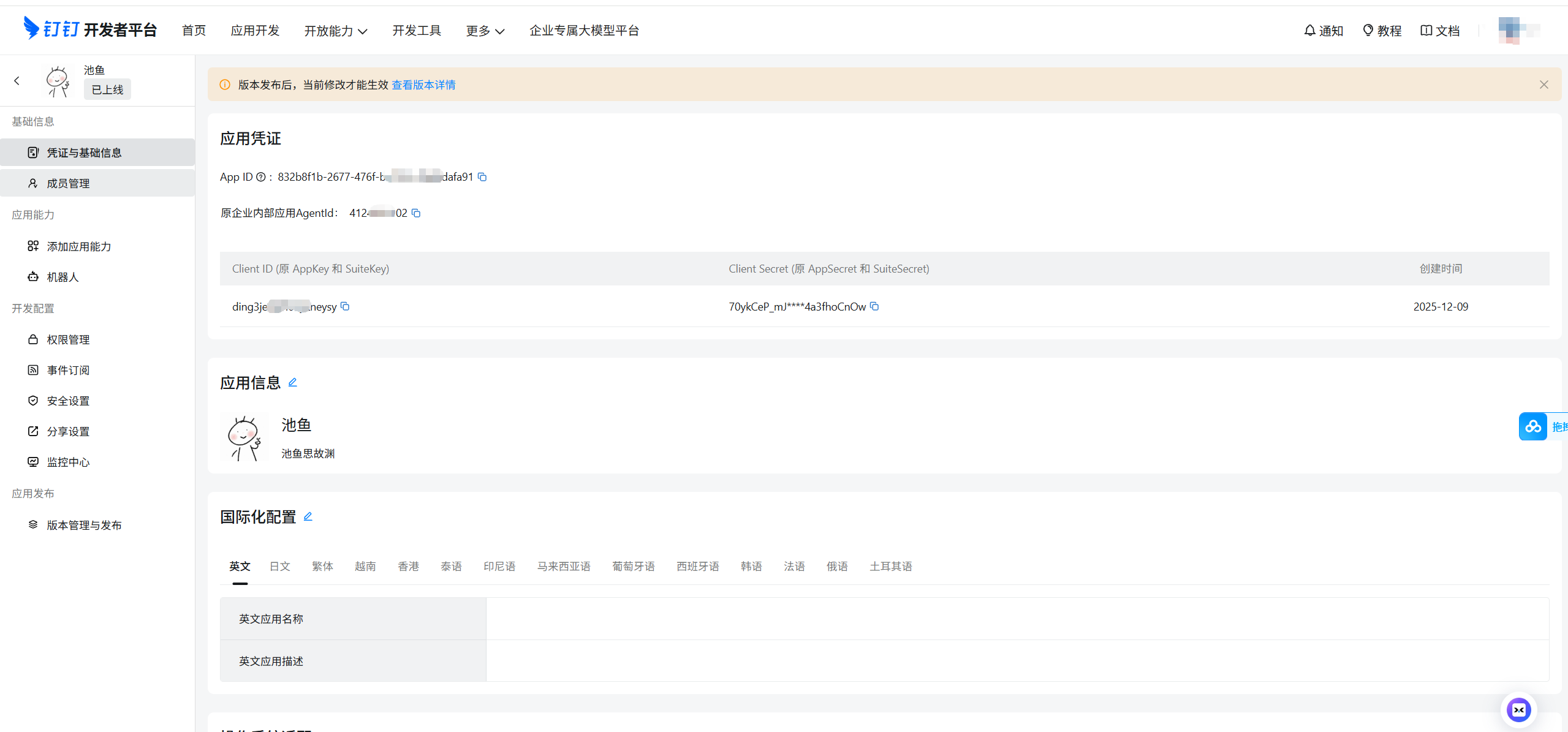
- 需要发布上线
2.fastgpt知识库实现
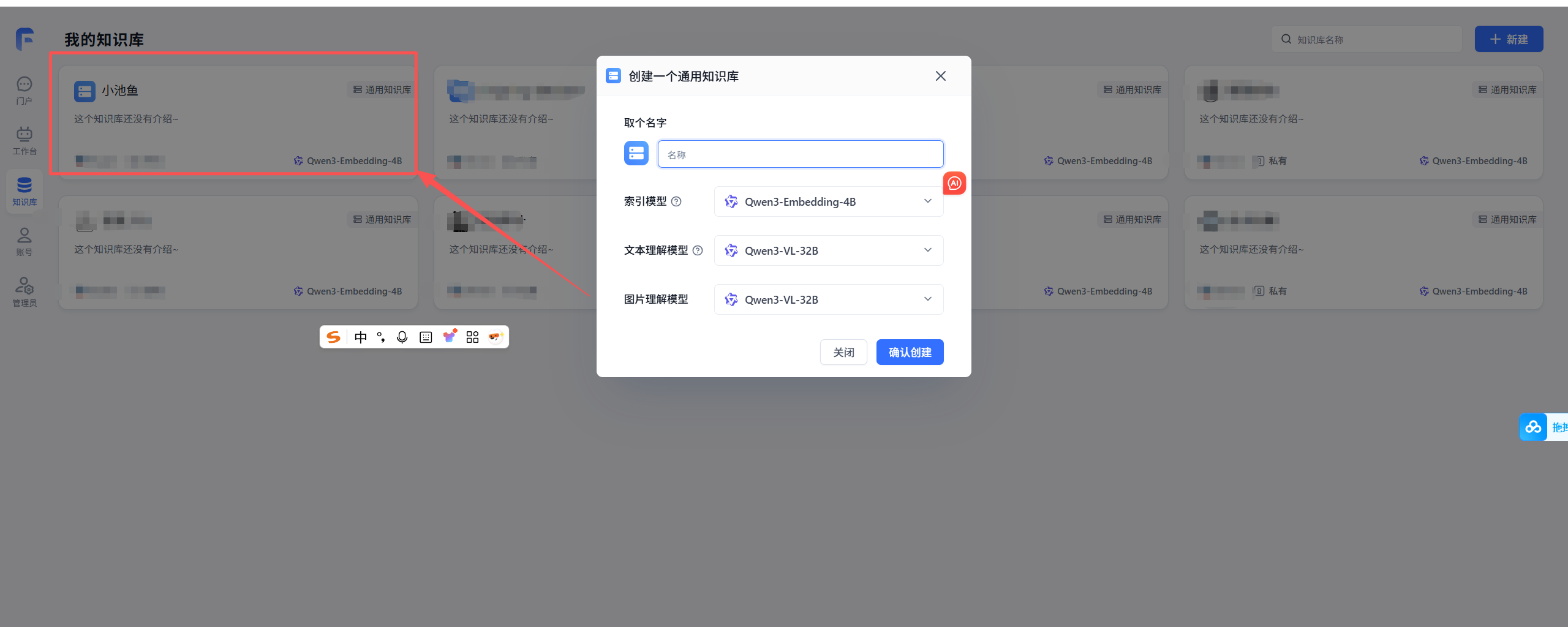
- 创建fastgpt知识库
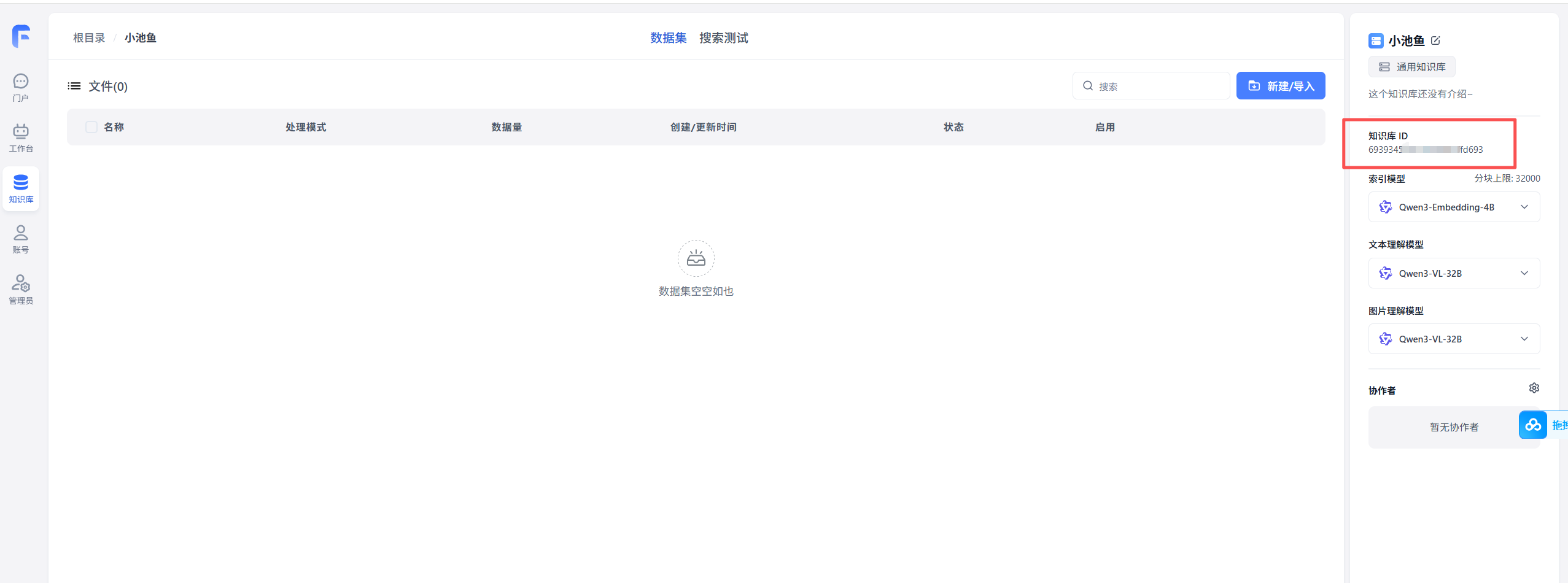
- 获取知识库id
3.创建fastgpt 对话agent
- 创建对话agent,然后挂载知识库,开启文件上传(一定要开启)
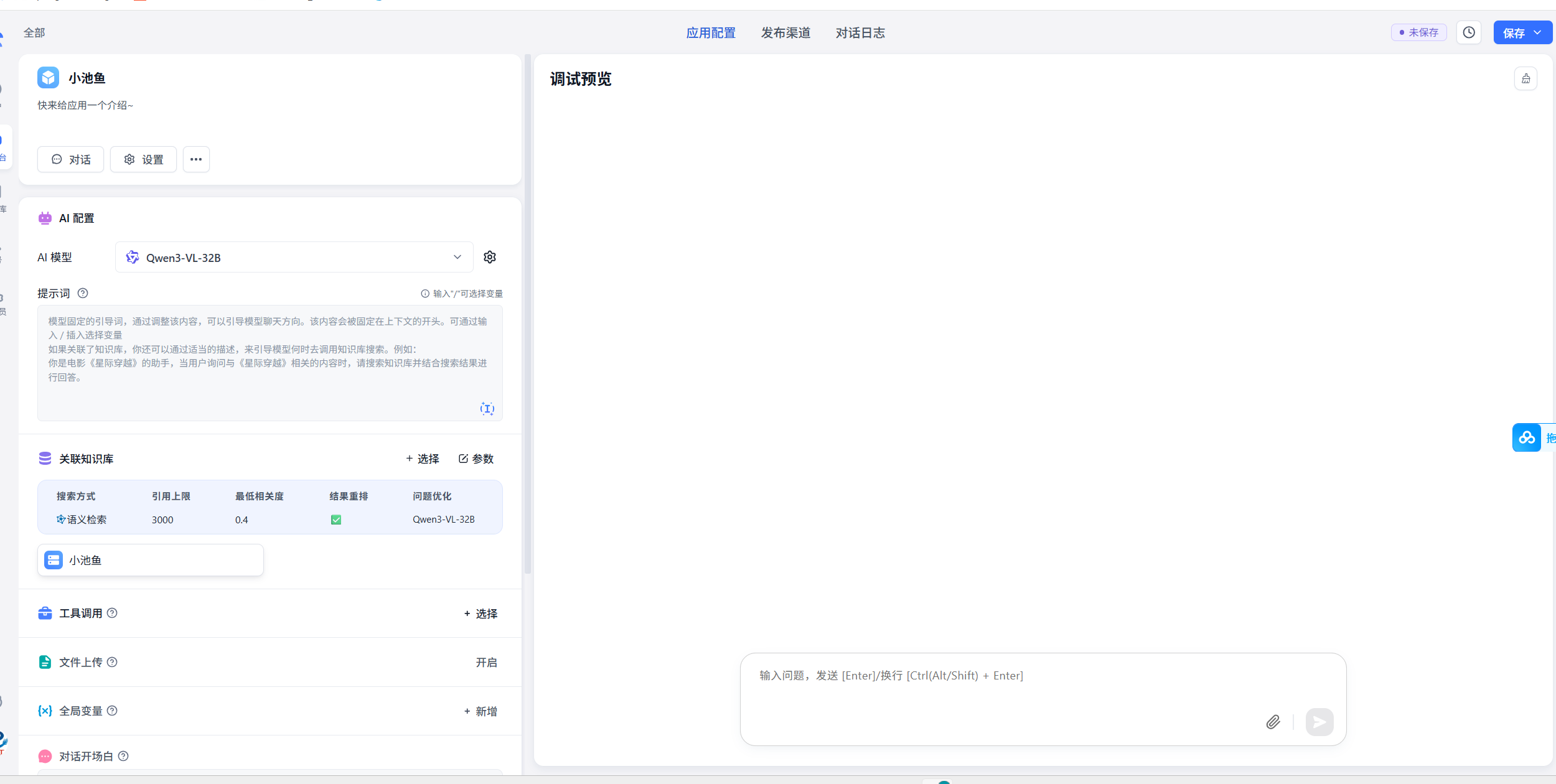
- 填写一下基本提示词和开场白
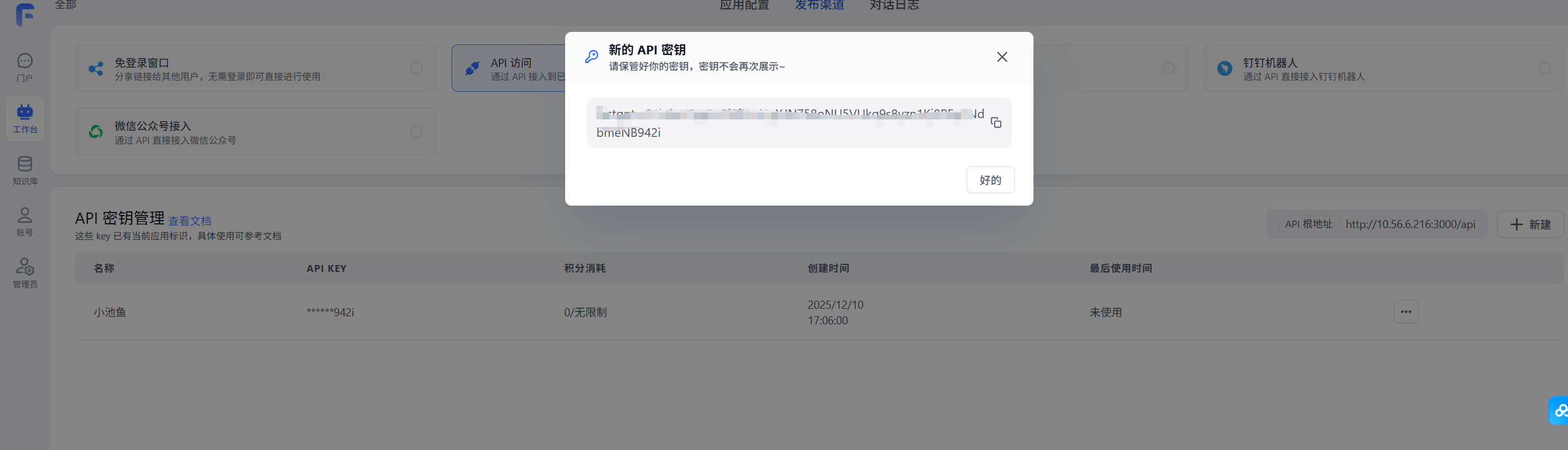
- 拿到fastgpt的key
- 在发布渠道里点api,创建一个新的key
4.代码实现
- 创建util包,实现钉钉文件上传
-
import requests import json import os from datetime import datetime from urllib.parse import quote_plus FASTGPT_BASE = "fastgpt地址" FASTGPT_KEY = "上一步生成的fasgpt的key" DATASET_ID = "知识库的id" headers = { "Authorization": f"Bearer {FASTGPT_KEY}" } def upload_document_to_fastgpt(file_path: str, filename: str, ding_user_id: str, session_id: str): """ 上传本地文件到 FastGPT 文档知识库(localFile) """ url = f"{FASTGPT_BASE}/api/core/dataset/collection/create/localFile" pure_filename = os.path.basename(filename) encoded_filename = quote_plus(pure_filename, encoding="utf-8") data_json = { "datasetId": DATASET_ID, "parentId": None, "trainingType": "chunk", "chunkSize": 2000, "chunkOverlap": 200, "metadata": { "dingUserId": ding_user_id, "sessionId": session_id }, "tags": [f"ding:{ding_user_id}", f"session:{session_id}"] } with open(file_path, "rb") as f: files = { "file": (encoded_filename, f), "data": (None, json.dumps(data_json), "application/json") } resp = requests.post(url, headers=headers, files=files, timeout=60) print("Status:", resp.status_code) print("Response:", resp.text) resp_json = resp.json() collection_id = None try: collection_id = resp_json["data"]["collectionId"] except Exception: pass return resp_json, collection_id - 在chat_channel中增加类型判断,之前代码中是没有的,处理上传文档逻辑
-
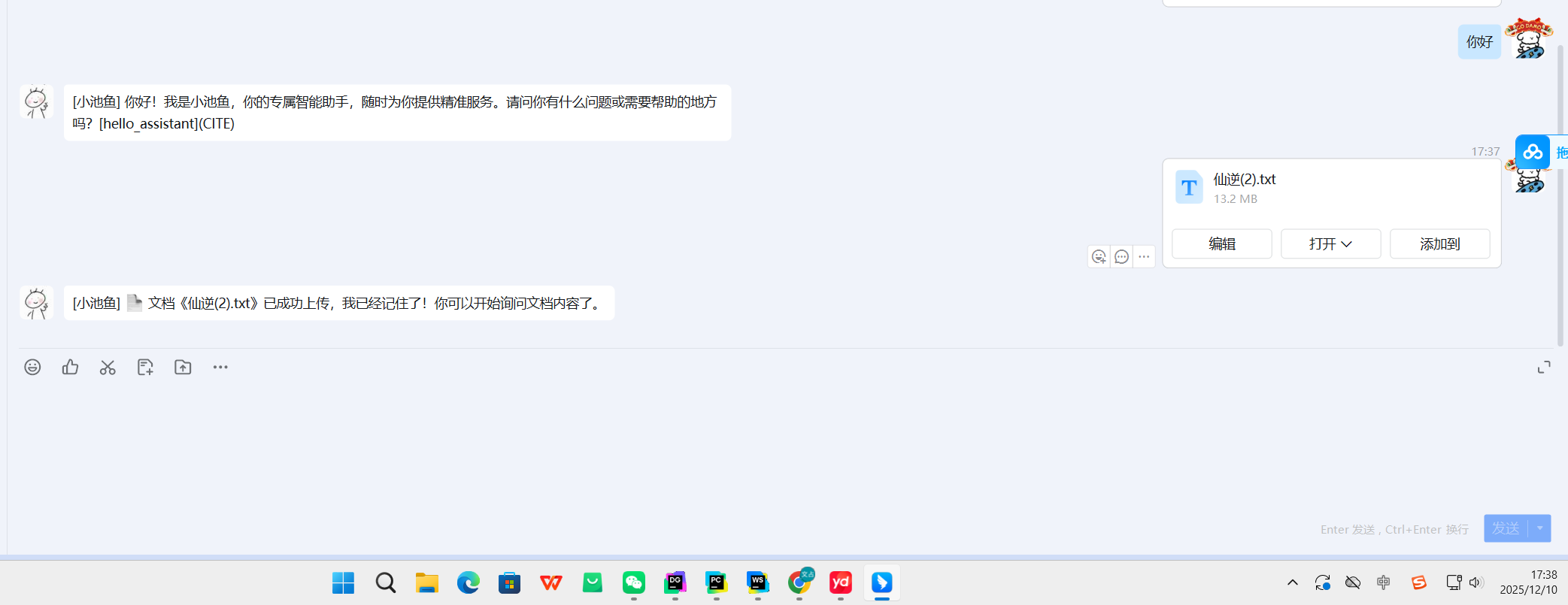
elif context.type == ContextType.FILE: file_path = context.content["data"]["file_path"] filename = context.content["data"]["file_name"] # 这里根据你实际的 context 结构取钉钉 userId / 会话 id # 下面是示例字段名,你用真实的替换: session_id = context.kwargs.get("session_id", "unknown_session") ding_user_id = session_id # 直接用 session_id 当做 user key try: resp_json, collection_id = upload_document_to_fastgpt(file_path, filename, ding_user_id, session_id) reply = Reply() reply.type = ReplyType.TEXT if resp_json.get("error"): reply.content = f"文档上传失败:{resp_json['error']}" else: # if collection_id: # # 存到 Redis,设置 1 小时 TTL(你想 2 小时就改 7200) # save_collection_to_redis(ding_user_id, collection_id, ttl_seconds=SESSION_TTL_SECONDS) reply.content = f"📄 文档《{filename}》已成功上传,我已经记住了!你可以开始询问文档内容了。" return reply except Exception as e: reply = Reply() reply.type = ReplyType.TEXT reply.content = f"文档处理失败:{str(e)}" return reply - 钉钉平台的消息处理增加处理文件类型dingtalk_message 可直接替换
-
class DingTalkMessage(ChatMessage): def __init__(self, event: ChatbotMessage, media_download_handler): super().__init__(event) self.image_download_handler = media_download_handler # 名称改为 media_download_handler 更通用 self.msg_id = event.message_id self.message_type = event.message_type self.incoming_message = event self.sender_staff_id = event.sender_staff_id self.other_user_id = event.conversation_id self.create_time = event.create_at self.image_content = event.image_content self.rich_text_content = event.rich_text_content if event.conversation_type == "1": self.is_group = False else: self.is_group = True # 初始化为 None,之后按类型赋值 self.ctype = None self.content = None try: if self.message_type == "text": self.ctype = ContextType.TEXT self.content = event.text.content.strip() elif self.message_type == "audio": # 钉钉支持直接识别语音,所以此处将直接提取文字,当文字处理 self.content = event.extensions['content']['recognition'].strip() self.ctype = ContextType.TEXT elif self.message_type in ('picture', 'richText'): self.ctype = ContextType.IMAGE image_list = event.get_image_list() if image_list: download_code = image_list[0] download_url = media_download_handler.get_image_download_url(download_code) img_path = download_image_file(download_url, TmpDir().path()) if img_path: self.content = { "type": "image", "data": { "img_path": img_path, "user_text": event.get_text_list() or "" } } else: logger.warning(f"[Dingtalk] image download failed for msg {self.msg_id}") else: logger.debug(f"[Dingtalk] messageType :{self.message_type} , imageList isEmpty") elif self.message_type == "file": self.ctype = ContextType.FILE file_ext = event.extensions.get("content", {}) download_code = file_ext.get("downloadCode") file_name = file_ext.get("fileName") or "unknown_file" if download_code: try: download_url = self.image_download_handler.get_file_download_url(download_code) file_path = download_file(download_url, TmpDir().path(), file_name) self.content = { "type": "file", "data": { "file_path": file_path, "file_name": file_name, "download_code": download_code, "user_text": event.get_text_list() or "" } } except Exception as e: logger.exception(f"[DingTalk] failed to download file: {e}") else: logger.warning("[DingTalk] file message received but no downloadCode in extensions") else: # 兜底:未支持的 message_type,保持 ctype/content 为 None logger.warning(f"[Dingtalk] Unsupported message_type: {self.message_type} for msg {self.msg_id}") self.ctype = None self.content = None except Exception as e: logger.exception(f"[DingtalkMessage] parse failed: {e}") # 避免抛出异常,标记为无效消息 self.ctype = None self.content = None # 设置用户/会话身份(和你原逻辑一致) if self.is_group: self.from_user_id = event.conversation_id self.actual_user_id = event.sender_id self.is_at = True else: self.from_user_id = event.sender_id self.actual_user_id = event.sender_id self.to_user_id = event.chatbot_user_id self.other_user_nickname = event.conversation_title def download_image_file(image_url, temp_dir): headers = { 'User-Agent': 'Mozilla/5.0 (Macintosh; Intel Mac OS X 10_15_7) AppleWebKit/537.36 (KHTML, like Gecko) Chrome/112.0.0.0 Safari/537.36' } # 设置代理 # self.proxies # , proxies=self.proxies response = requests.get(image_url, headers=headers, stream=True, timeout=60 * 5) if response.status_code == 200: # 生成文件名 file_name = image_url.split("/")[-1].split("?")[0] # 检查临时目录是否存在,如果不存在则创建 if not os.path.exists(temp_dir): os.makedirs(temp_dir) # 将文件保存到临时目录 file_path = os.path.join(temp_dir, file_name) with open(file_path, 'wb') as file: file.write(response.content) return file_path else: logger.info(f"[Dingtalk] Failed to download image file, {response.content}") return None def download_file(file_url, temp_dir, prefer_name=None): """ 下载文件到临时目录,返回本地路径或 None。 prefer_name: 如果从 URL 不能得到合理文件名,使用它 """ headers = { 'User-Agent': 'Mozilla/5.0' } try: response = requests.get(file_url, headers=headers, stream=True, timeout=60 * 5) if response.status_code == 200: # 尝试从 Content-Disposition 或 URL 提取文件名 file_name = None cd = response.headers.get('content-disposition') if cd: # 简单解析 filename="..." 或 filename*=... import re m = re.search(r'filename\*?=(?:UTF-8\'\')?"?([^";]+)"?', cd) if m: file_name = m.group(1) if not file_name: # 从 URL 提取 file_name = os.path.basename(file_url.split('?')[0]) or prefer_name or f"file_{int(time.time())}" # 确保临时目录存在 os.makedirs(temp_dir, exist_ok=True) # 防止同名冲突,添加时间戳 safe_name = f"{int(time())}_{file_name}" file_path = os.path.join(temp_dir, safe_name) with open(file_path, 'wb') as fd: for chunk in response.iter_content(chunk_size=8192): if chunk: fd.write(chunk) return file_path else: logger.warning(f"[Dingtalk] download_file status={response.status_code}, content={response.content}") return None except Exception as e: logger.exception(f"[Dingtalk] download_file error: {e}") return None - dingtalk_channel增加处理单聊处理文件类型逻辑可直接替换
-
@time_checker @_check def handle_single(self, cmsg: DingTalkMessage): # 处理单聊消息 if cmsg.ctype == ContextType.VOICE: logger.debug("[DingTalk]receive voice msg: {}".format(cmsg.content)) elif cmsg.ctype == ContextType.IMAGE: logger.debug("[DingTalk]receive image msg: {}".format(cmsg.content)) elif cmsg.ctype == ContextType.IMAGE_CREATE: logger.debug("[DingTalk]receive image create msg: {}".format(cmsg.content)) elif cmsg.ctype == ContextType.PATPAT: logger.debug("[DingTalk]receive patpat msg: {}".format(cmsg.content)) elif cmsg.ctype == ContextType.TEXT: logger.debug("[DingTalk]receive text msg: {}".format(cmsg.content)) elif cmsg.ctype == ContextType.FILE: logger.debug("[DingTalk] receive file msg: {}".format(cmsg.content)) else: logger.debug("[DingTalk]receive other msg: {}".format(cmsg.content)) context = self._compose_context(cmsg.ctype, cmsg.content, isgroup=False, msg=cmsg) if context: self.produce(context) - 配置文件Config.json
{
  "dingtalk_client_id": "钉钉的机器人id",
  "dingtalk_client_secret": "钉钉机器人的key",
  "open_ai_api_base": "fastgpt地址",
  "open_ai_api_key": "fastgpt的可以",
  "model": "Qwen2.5-VL-32B",
  "proxy": "",
  "channel_type": "dingtalk",
  "single_chat_prefix": ["", "@"],
  "single_chat_reply_prefix": "[] ",
  "group_chat_prefix": ["@"],
  "group_name_white_list": ["", ""],
  "group_chat_in_one_session": [""],
  "image_create_prefix": ["画", "看", "找"],
  "conversation_max_tokens": 1000,
  "speech_recognition": false,
  "group_speech_recognition": false,
  "use_azure_chatgpt": false,
  "azure_deployment_id": "",
  "character_desc": "你好啊,我是小池鱼",
  "subscribe_msg": "",
  "use_linkai": false,
  "linkai_api_key": "",
  "linkai_app_code": ""
}
5.效果展示
上传
向量
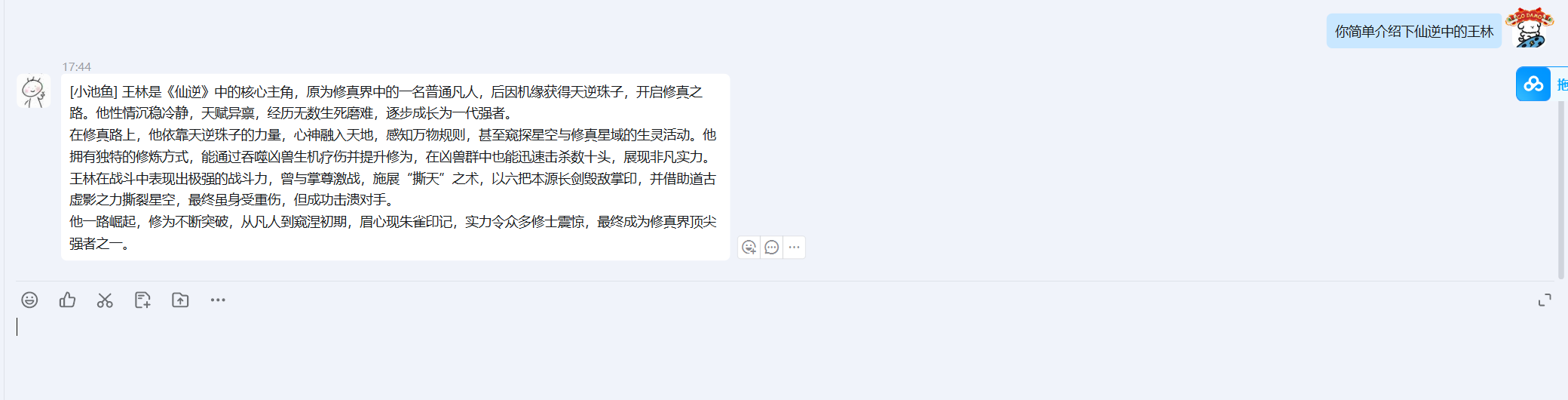
问答

DAMO开发者矩阵,由阿里巴巴达摩院和中国互联网协会联合发起,致力于探讨最前沿的技术趋势与应用成果,搭建高质量的交流与分享平台,推动技术创新与产业应用链接,围绕“人工智能与新型计算”构建开放共享的开发者生态。
更多推荐

 17
17 0
0- 0


 已为社区贡献1条内容

所有评论(0)