工程(五)——小目标检测tph-yolov5
代码】工程(五)——小目标检测tph-yolov5。
·
1、环境安装
1、创建环境
conda create -n yolo python=3.7
conda activate yolo
2、安装pytorch
conda install pytorch torchvision cudatoolkit=11.3 -c pytorch
3、克隆代码
git clone https://github.com/cv516Buaa/tph-yolov5
cd tph-yolov5
pip install -i https://pypi.tuna.tsinghua.edu.cn/simple -r requirements.txt
4、yolov5 报错AttributeError: ‘Upsample‘ object has no attribute ‘recompute_scale_factor
根据自己电脑cuda执行相应命令
# CUDA 10.2
conda install pytorch==1.9.0 torchvision==0.10.0 torchaudio==0.9.0 cudatoolkit=10.2 -c pytorch
# CUDA 11.3
conda install pytorch==1.9.0 torchvision==0.10.0 torchaudio==0.9.0 cudatoolkit=11.3 -c pytorch -c conda-forge
# CPU Only
conda install pytorch==1.9.0 torchvision==0.10.0 torchaudio==0.9.0 cpuonly -c pytorch
2、数据下载
Datasets: [VisDrone](http://aiskyeye.com/download/object-detection-2/)
Weights(PyTorchv1.10):
yolov5l-xs-1.pt: (https://pan.baidu.com/s/1APETgMoeCOvZi1GsBZERrg)
yolov5l-xs-2.pt: (https://pan.baidu.com/s/19S84EevP86yJIvnv9KYXDA)
3、测试
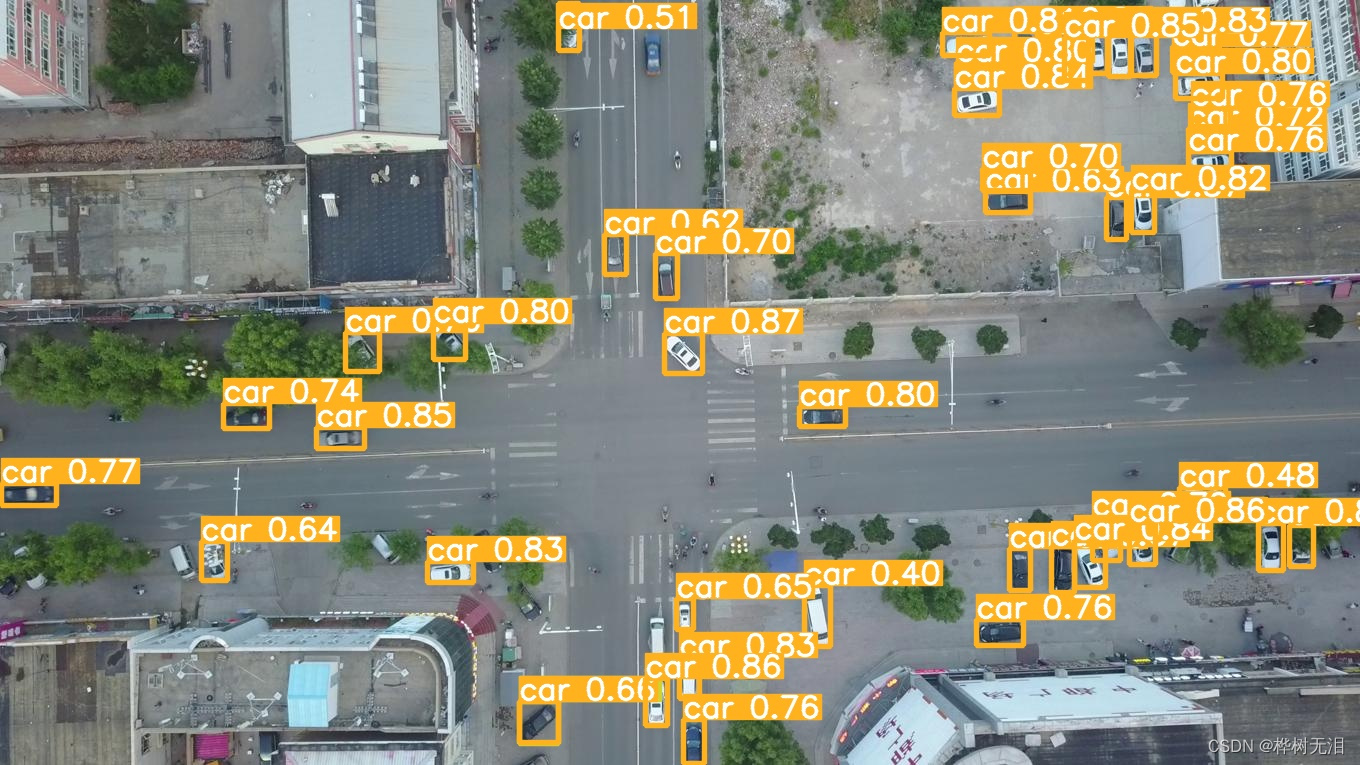
python detect.py --source ./data/images/ --weights weights/yolov5l-xs-1.pt --conf 0.4

DAMO开发者矩阵,由阿里巴巴达摩院和中国互联网协会联合发起,致力于探讨最前沿的技术趋势与应用成果,搭建高质量的交流与分享平台,推动技术创新与产业应用链接,围绕“人工智能与新型计算”构建开放共享的开发者生态。
更多推荐
 0
0 0
0- 0


 已为社区贡献3条内容

所有评论(0)