【XAMPP】启动数据库Error: MySQL shutdown unexpectedly.
启动MySQL时报错如下:Error: MySQL shutdown unexpectedly.This may be due to a blocked port, missing dependencies,improper privileges, a crash, or a shutdown by another method.Press the Logs button to view erro
·
问题:
启动MySQL时报错如下:
Error: MySQL shutdown unexpectedly.
This may be due to a blocked port, missing dependencies,
improper privileges, a crash, or a shutdown by another method.
Press the Logs button to view error logs and check
the Windows Event Viewer for more clues
If you need more help, copy and post this
entire log window on the forums
解决方法:
- 打开注册表编辑器
- 导航到:计算机\HKEY_LOCAL_MACHINE\SYSTEM\CurrentControlSet\Services\MySQL
- 双击 ImagePath ,将数值数据修改为xampp下mysql下bin下文件的地址,例如:d:\xampp\mysql\bin\mysqld.exe --defaults-file=d:\xampp\mysql\bin\my.ini mysql
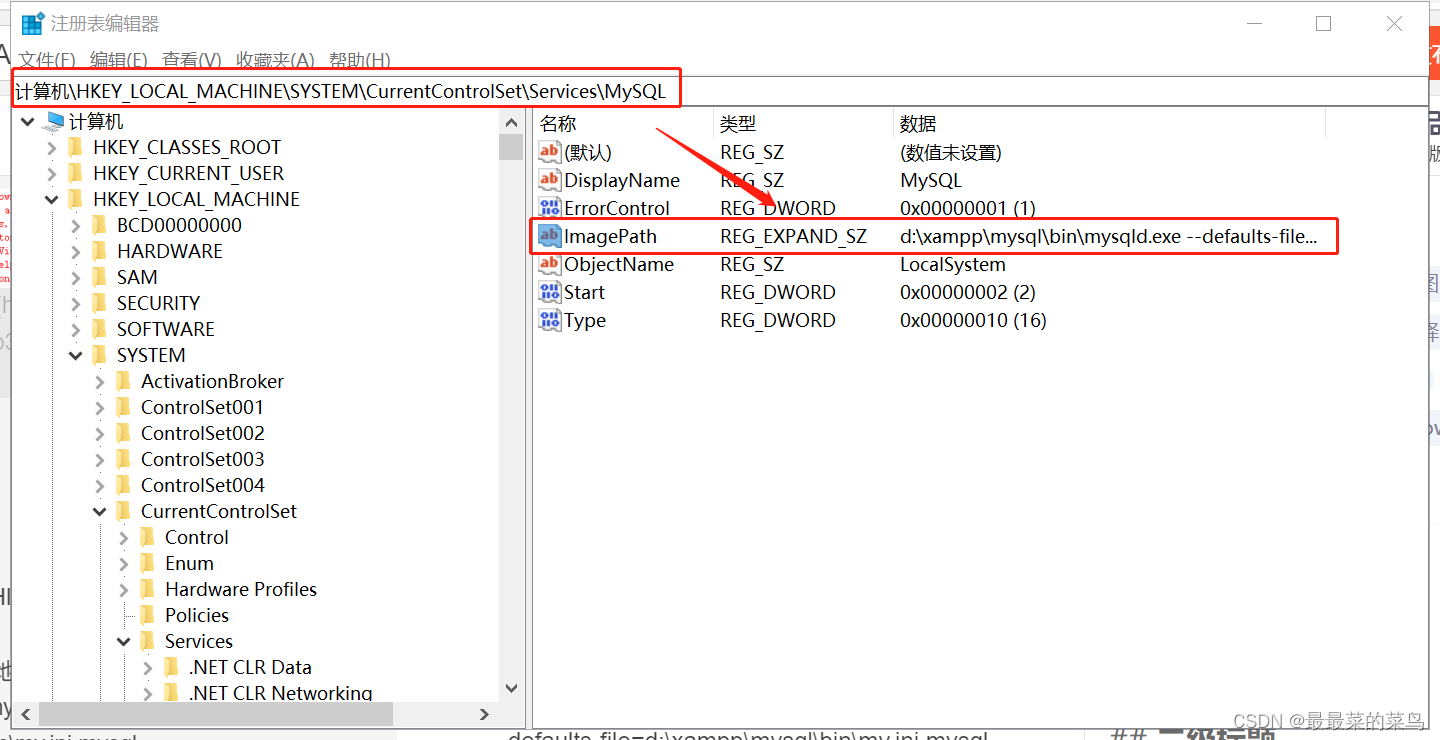
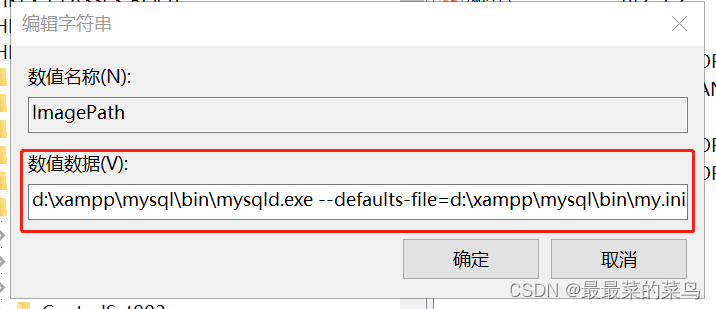
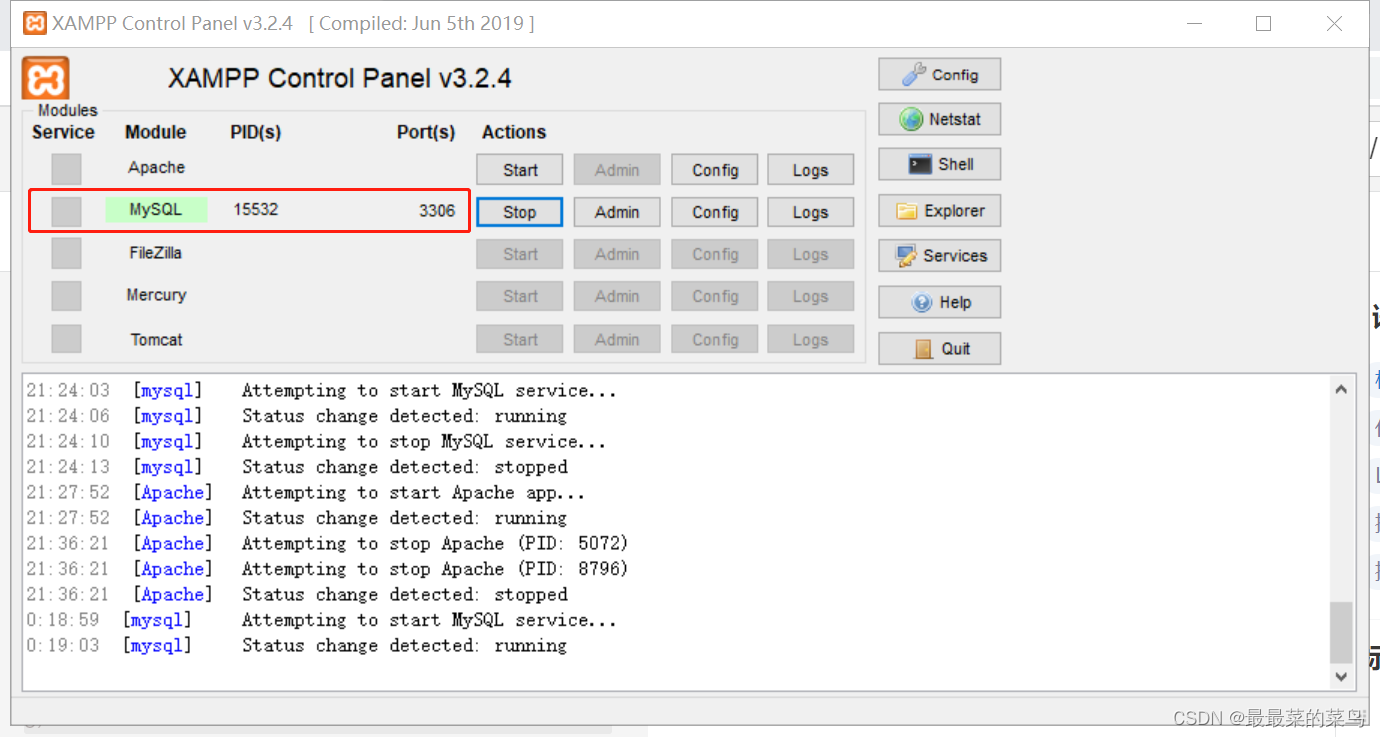
- 设置完毕后,点击Start,启动成功

DAMO开发者矩阵,由阿里巴巴达摩院和中国互联网协会联合发起,致力于探讨最前沿的技术趋势与应用成果,搭建高质量的交流与分享平台,推动技术创新与产业应用链接,围绕“人工智能与新型计算”构建开放共享的开发者生态。
更多推荐
 7
7 0
0- 0


 已为社区贡献1条内容

所有评论(0)