android双日期选择器,AndroidPicker 安卓选择器类库,包括日期选择器、时间选择器、单项选择器、双项选择器、城市地址选择器、车牌号选择器 @codeKK Android开源站...
安卓选择器类库,包括日期及时间选择器(可设置范围)、单项选择器(可用于性别、职业、学历、星座等)、城市地址选择器(分省级、地级及县级)、数字选择器(可用于年龄、身高、体重、温度等)、双项选择器、颜色选择器、文件及目录选择器等……欢迎大伙儿在Issues提交你的意见或建议。欢迎 Fork & Pull requests 贡献您的代码,大家共同学习【AndroidPicker 交流群 6042



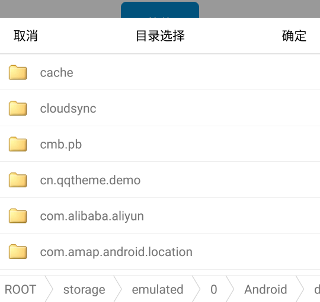
安卓选择器类库,包括日期及时间选择器(可设置范围)、单项选择器(可用于性别、职业、学历、星座等)、城市地址选择器(分省级、地级及县级)、数字选择器(可用于年龄、身高、体重、温度等)、双项选择器、颜色选择器、文件及目录选择器等……
欢迎大伙儿在Issues提交你的意见或建议。
欢迎 Fork & Pull requests 贡献您的代码,大家共同学习【AndroidPicker 交流群 604235437】。
查看更新日志,新版本可能未对旧版 API 作兼容处理,升级后若编译报错请根据错误提示更改。
正在重构 2.x 版本,感兴趣的小伙伴可以点击此处查看
Install
“app”是测试用例;“library”包括 WheelPicker、ColorPicker、FilePicker、MultiplePicker,
WheelPicker 包括 DatePicker、TimePicker、OptionPicker、LinkagePicker、AddressPicker、NumberPicker、DoublePicker 等。
其中 WheelPicker、FilePicker 及 ColorPicker 是独立的,需要用哪个就只依赖哪个,最新版本为,也可以参照此处指定具体的版本号,
具体步骤如下:
第一步,在项目根目录下的 build.gradle 里加:
repositories {
maven {
url "https://jitpack.io"
}
}
第二步,在项目的 app 模块下的 build.gradle 里加:
滚轮选择器:
dependencies {
implementation 'com.github.gzu-liyujiang.AndroidPicker:WheelPicker:版本号'
}
文件目录选择器:
dependencies {
implementation 'com.github.gzu-liyujiang.AndroidPicker:FilePicker:版本号'
}
颜色选择器:
dependencies {
implementation 'com.github.gzu-liyujiang.AndroidPicker:ColorPicker:版本号'
}
注:Support 版本截止 1.5.6,从 2.0.0 开始为 AndroidX 版本。
Support 版本依赖:
dependencies {
implementation 'com.github.gzu-liyujiang.AndroidPicker:WheelPicker:1.5.6.20181018'
}
AndroidX 版本依赖:
dependencies {
implementation 'com.github.gzu-liyujiang.AndroidPicker:Common:2.0.0'
implementation 'com.github.gzu-liyujiang.AndroidPicker:WheelPicker:2.0.0'
}
ProGuard
由于地址选择器使用了fastjson来解析,混淆时候需要加入以下类似的规则,不混淆 Province、City 等实体类。
-keepattributes InnerClasses,Signature
-keepattributes *Annotation*
-keep class cn.qqtheme.framework.entity.** { *;}
Sample (更多用法详见示例项目)
各种设置方法:
picker.setXXX(...);
如:
设置选项偏移量,可用来要设置显示的条目数,范围为 1-5,1 显示 3 行、2 显示 5 行、3 显示 7 行……
picker.setOffset(...);
设置启用循环
picker.setCycleDisable(false);
设置每项的高度,范围为 2-4
picker.setLineSpaceMultiplier(...);
picker.setItemHeight(...);
设置文字颜色、字号、字体等
picker.setTextColor(...);
picker.setTextSize(...);
picker.setTextPadding(...);
picker.setTextSizeAutoFit(...);
picker.setTypeface(...);
设置单位标签
picker.setLabel(...);
picker.setOnlyShowCenterLabel(...))
设置默认选中项
picker.setSelectedItem(...);
picker.setSelectedIndex(...);
设置滚轮项填充宽度,分割线最长
picker.setUseWeight(true);
picker.setDividerRatio(WheelView.DividerConfig.FILL);
设置触摸弹窗外面是否自动关闭
picker.setCanceledOnTouchOutside(...);
设置分隔线配置项,设置 null 将隐藏分割线及阴影
picker.setDividerConfig(...);
picker.setDividerColor(...);
picker.setDividerRatio(...);
picker.setDividerVisible(...);
设置内容边距
picker.setContentPadding(...);
设置选中项背景色
picker.setShadowColor(...)
自定义顶部及底部视图
picker.setHeaderView(...);
picker.setFooterView(...);
获得内容视图(不要调用 picker.show()方法),可以将其加入到其他容器视图(如自定义的 Dialog 的视图)中
picker.getContentView();
获得按钮视图(需要先调用 picker.show()方法),可以调用该视图相关方法,如 setVisibility()
picker.getCancelButton();
picker.getSubmitButton();
自定义选择器示例:
CustomHeaderAndFooterPicker picker = new CustomHeaderAndFooterPicker(this);
picker.setOnOptionPickListener(new OptionPicker.OnOptionPickListener() {
@Override
public void onOptionPicked(int position, String option) {
showToast(option);
}
});
picker.show();
核心滚轮控件为 WheelView,可以参照 SinglePicker、DateTimePicker 及 LinkagePicker 自行扩展。
Screenshots
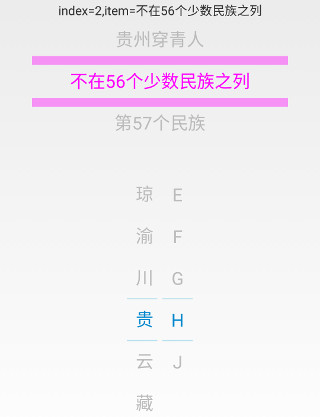
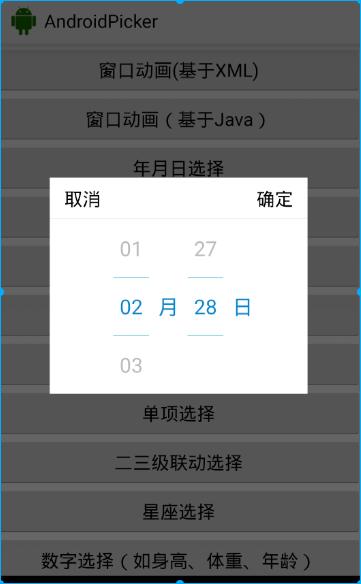
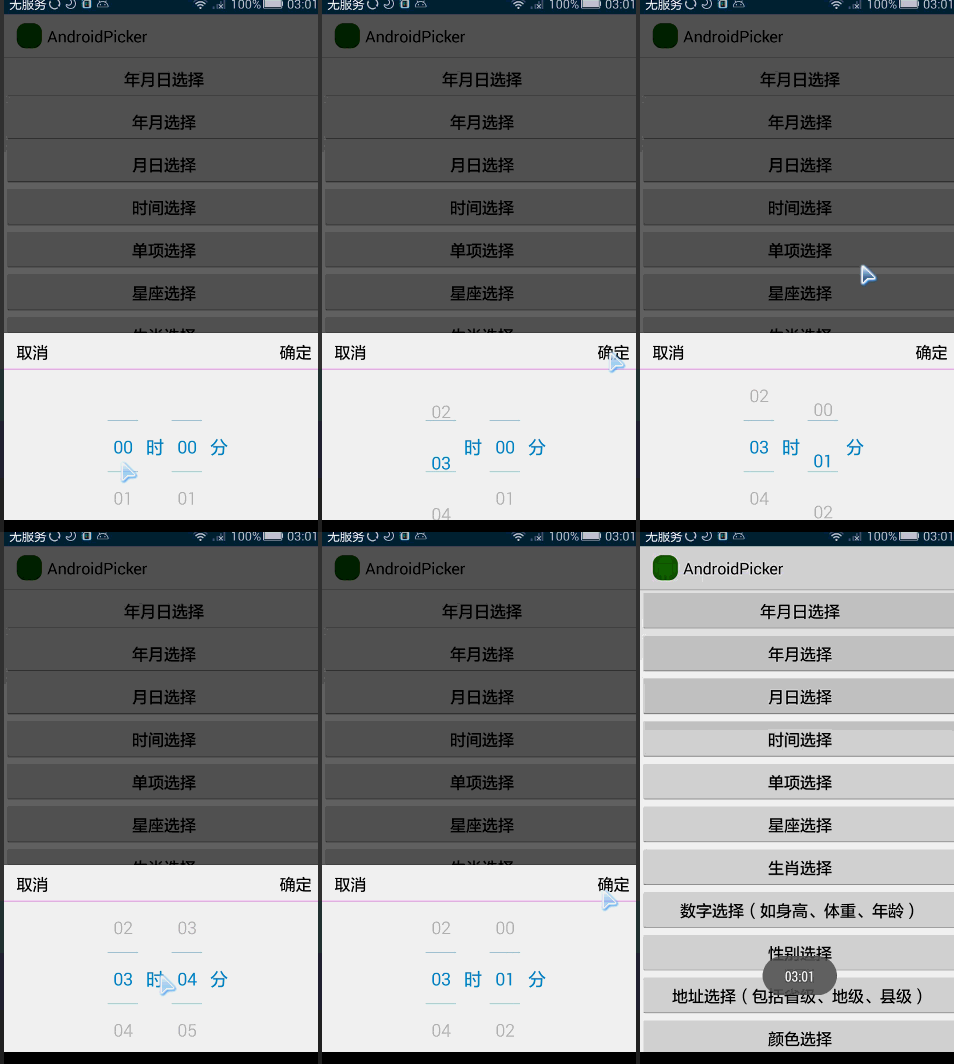
以下图片显示的效果可能已修改过,实际效果请运行 demo 查看。



Thanks
License
MIT License
Copyright (c) 李玉江<1032694760@qq.com>
Permission is hereby granted, free of charge, to any person obtaining a copy
of this software and associated documentation files (the "Software"), to deal
in the Software without restriction, including without limitation the rights
to use, copy, modify, merge, publish, distribute, sublicense, and/or sell
copies of the Software, and to permit persons to whom the Software is
furnished to do so, subject to the following conditions:
The above copyright notice and this permission notice shall be included in all
copies or substantial portions of the Software.
THE SOFTWARE IS PROVIDED "AS IS", WITHOUT WARRANTY OF ANY KIND, EXPRESS OR
IMPLIED, INCLUDING BUT NOT LIMITED TO THE WARRANTIES OF MERCHANTABILITY,
FITNESS FOR A PARTICULAR PURPOSE AND NONINFRINGEMENT. IN NO EVENT SHALL THE
AUTHORS OR COPYRIGHT HOLDERS BE LIABLE FOR ANY CLAIM, DAMAGES OR OTHER
LIABILITY, WHETHER IN AN ACTION OF CONTRACT, TORT OR OTHERWISE, ARISING FROM,
OUT OF OR IN CONNECTION WITH THE SOFTWARE OR THE USE OR OTHER DEALINGS IN THE
SOFTWARE.

DAMO开发者矩阵,由阿里巴巴达摩院和中国互联网协会联合发起,致力于探讨最前沿的技术趋势与应用成果,搭建高质量的交流与分享平台,推动技术创新与产业应用链接,围绕“人工智能与新型计算”构建开放共享的开发者生态。
更多推荐

 0
0 0
0- 0


 已为社区贡献4条内容

所有评论(0)