Mysql 查看数据库各个库表占用空间
【代码】Mysql 查看数据库各个库表占用空间。
·
truncate(x,y) 返回数字X截断为Y位小数的值
一、查看所有数据库容量大小
SELECT
    table_schema AS '数据库',
    sum( table_rows ) AS '记录数',
    sum(TRUNCATE ( data_length / 1024 / 1024, 2 )) AS '数据容量(MB)',
    sum(TRUNCATE ( index_length / 1024 / 1024, 2 )) AS '索引容量(MB)'
FROM
    information_schema.TABLES
GROUP BY
    table_schema
ORDER BY
    sum( data_length ) DESC,
    sum( index_length ) DESC;
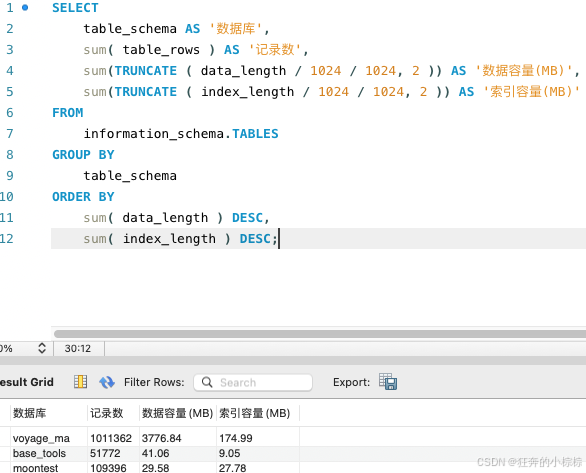
【注意】table_rows在MySQL中,information_schema.TABLES表中的table_rows列并不总是准确反映实际表中的行数。这是因为table_rows列的值是基于表的统计信息估算的,而不是实时计算的。因此,它可能与实际行数存在差异。
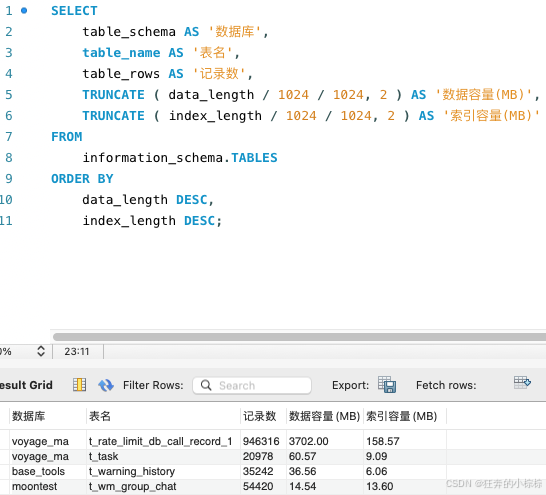
二、查看所有数据库各表容量大小
SELECT
    table_schema AS '数据库',
    table_name AS '表名',
    table_rows AS '记录数',
    TRUNCATE ( data_length / 1024 / 1024, 2 ) AS '数据容量(MB)',
    TRUNCATE ( index_length / 1024 / 1024, 2 ) AS '索引容量(MB)'
FROM
    information_schema.TABLES
ORDER BY
    data_length DESC,
    index_length DESC;
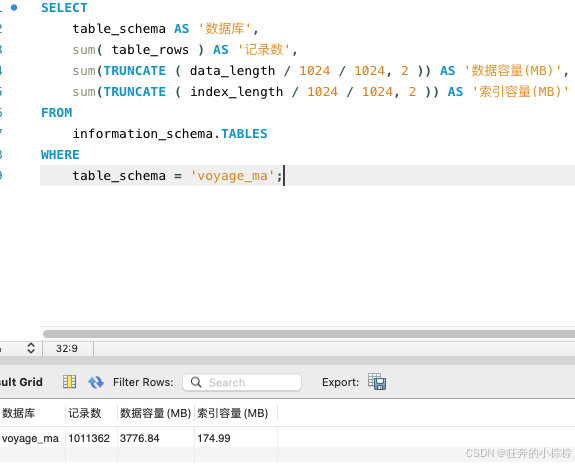
三、查看指定数据库容量大小
    SELECT
    table_schema AS '数据库',
    sum( table_rows ) AS '记录数',
    sum(TRUNCATE ( data_length / 1024 / 1024, 2 )) AS '数据容量(MB)',
    sum(TRUNCATE ( index_length / 1024 / 1024, 2 )) AS '索引容量(MB)'
FROM
    information_schema.TABLES
WHERE
    table_schema = 'voyage_ma';
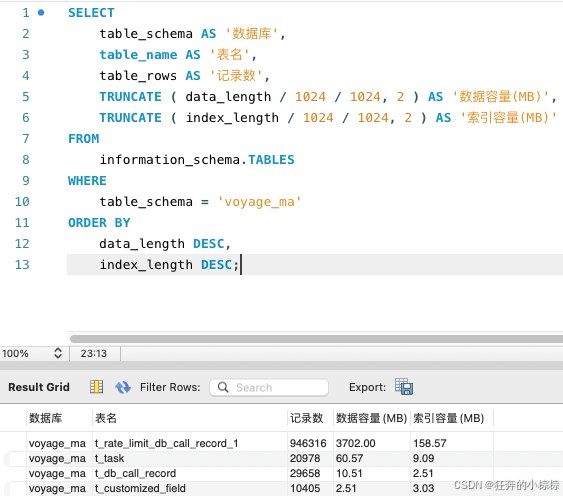
四、查看指定数据库各表容量大小
SELECT
    table_schema AS '数据库',
    table_name AS '表名',
    table_rows AS '记录数',
    TRUNCATE ( data_length / 1024 / 1024, 2 ) AS '数据容量(MB)',
    TRUNCATE ( index_length / 1024 / 1024, 2 ) AS '索引容量(MB)'
FROM
    information_schema.TABLES
WHERE
    table_schema = 'voyage_ma'
ORDER BY
    data_length DESC,
    index_length DESC;
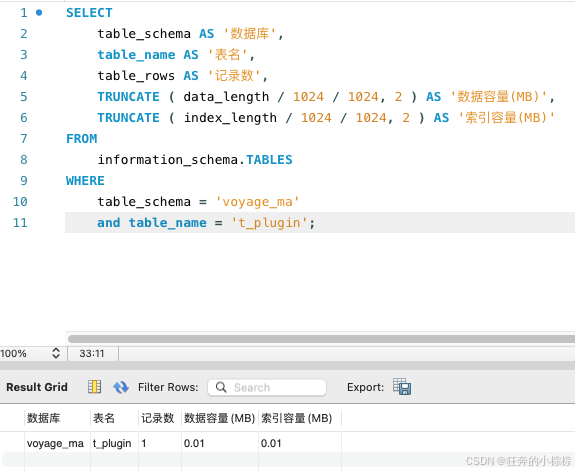
五、查看指定数据库指定表容量大小
SELECT
    table_schema AS '数据库',
    table_name AS '表名',
    table_rows AS '记录数',
    TRUNCATE ( data_length / 1024 / 1024, 2 ) AS '数据容量(MB)',
    TRUNCATE ( index_length / 1024 / 1024, 2 ) AS '索引容量(MB)'
FROM
    information_schema.TABLES
WHERE
    table_schema = 'voyage_ma'
    and table_name = 't_plugin';

DAMO开发者矩阵,由阿里巴巴达摩院和中国互联网协会联合发起,致力于探讨最前沿的技术趋势与应用成果,搭建高质量的交流与分享平台,推动技术创新与产业应用链接,围绕“人工智能与新型计算”构建开放共享的开发者生态。
更多推荐

 4
4 0
0- 0


 已为社区贡献1条内容

所有评论(0)