新野来噶--M1 芯片下Seata1.4版本安装和配置
theme: greenwillow
「这是我参与2022首次更文挑战的第6天,活动详情查看:2022首次更文挑战」
Seata 是什么?
Seata 是一款开源的分布式事务解决方案,致力于在微服务架构下提供高性能和简单易用的分布式事务服务。在 Seata 开源之前,Seata 对应的内部版本在阿里经济体内部一直扮演着分布式一致性中间件的角色,帮助经济体平稳的度过历年的双11,对各BU业务进行了有力的支撑。经过多年沉淀与积累,商业化产品先后在阿里云、金融云进行售卖。2019.1 为了打造更加完善的技术生态和普惠技术成果,Seata 正式宣布对外开源,未来 Seata 将以社区共建的形式帮助其技术更加可靠与完备。
注意这里的注册中心是Nacos
官网https://seata.io/zh-cn/index.html
下载地址
https://seata.io/zh-cn/blog/download.html
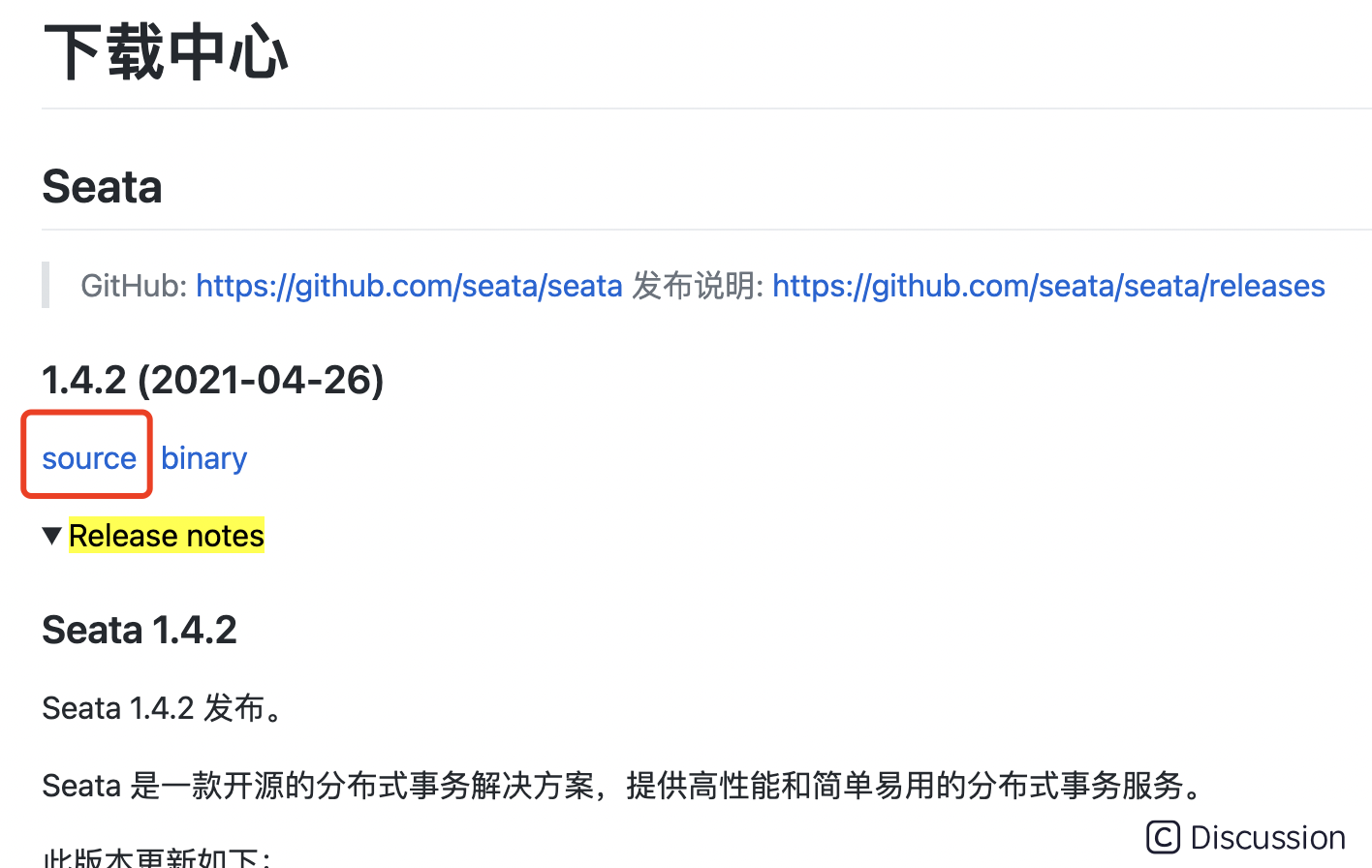
source 为源码
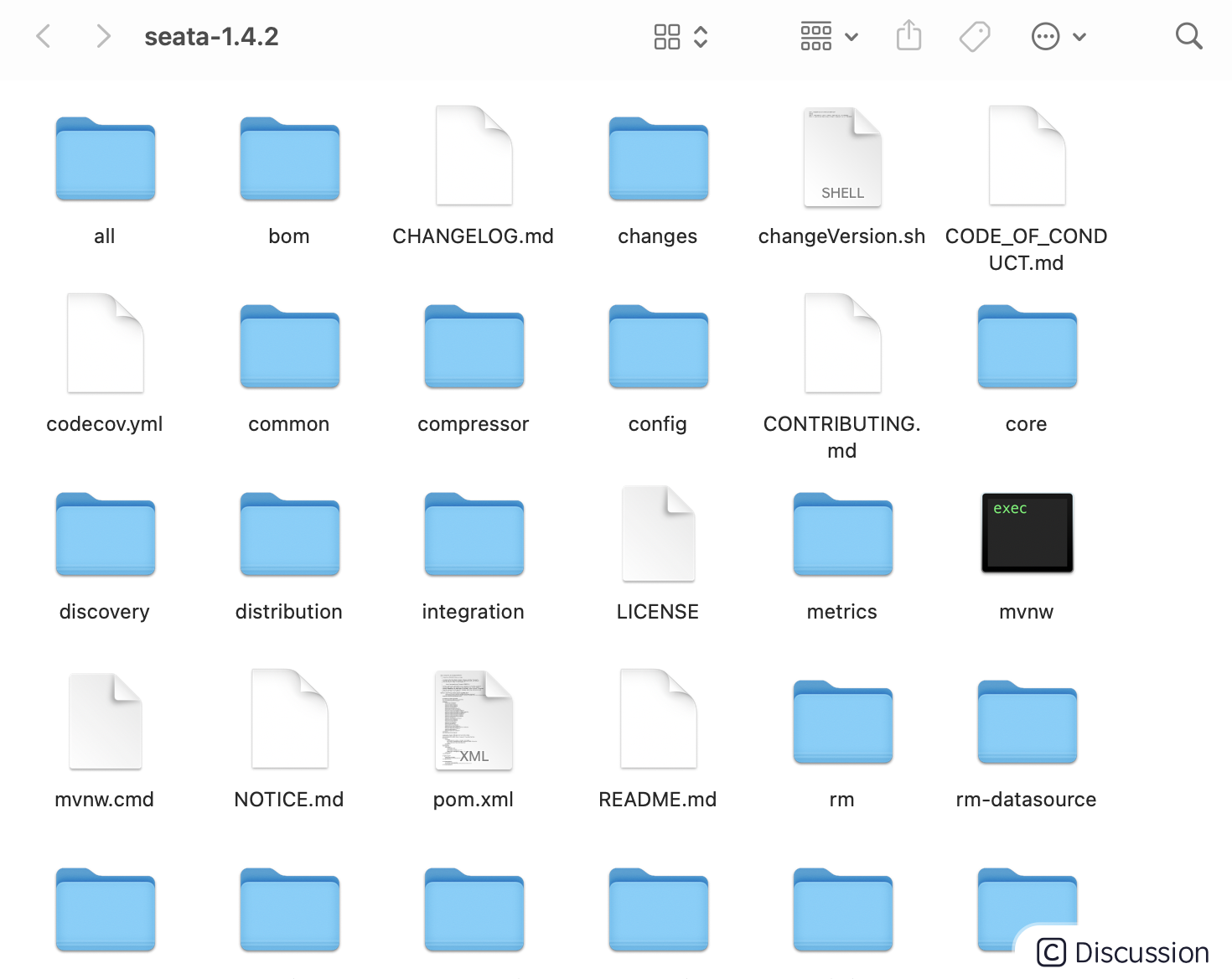
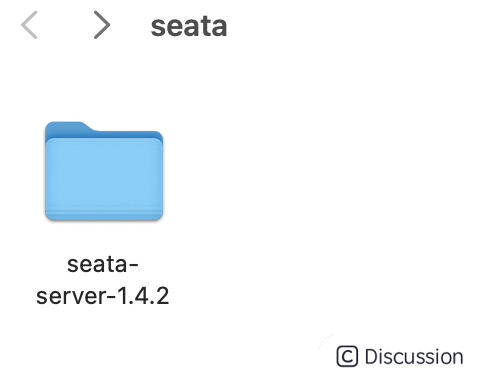
binary才是要下载的
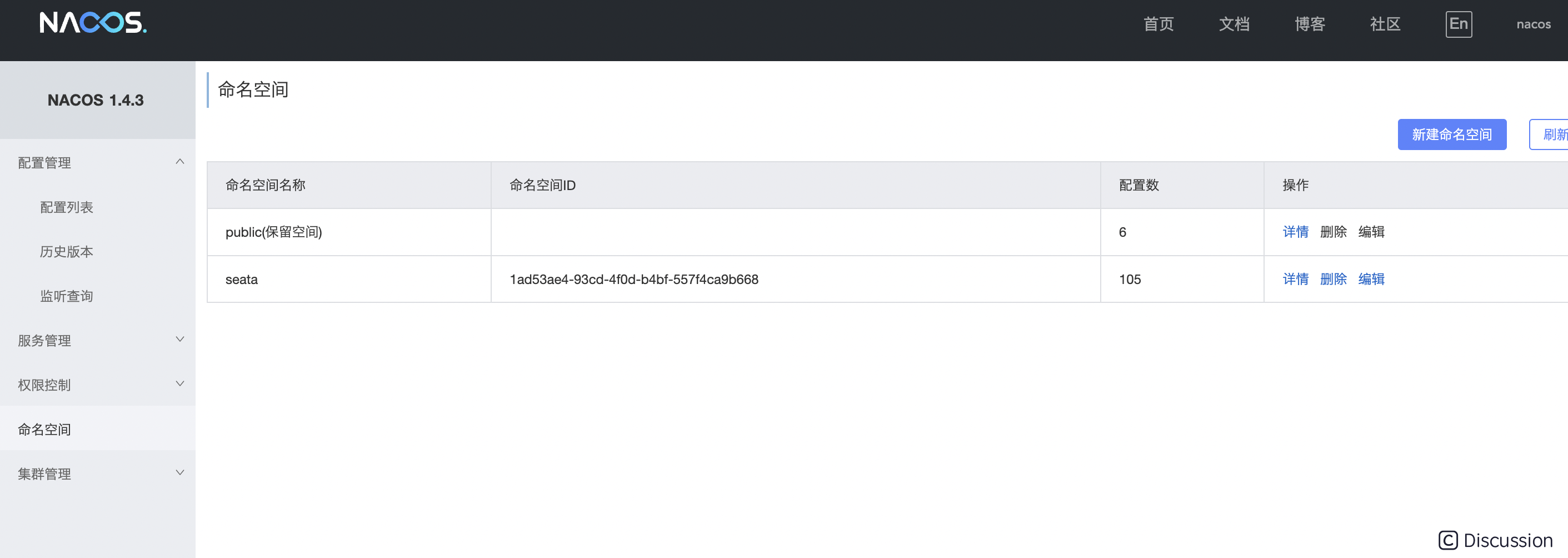
在Nacos中配置Seata
- 命名空间,新建命名空间
- id会自动生成,复制好,待会有用
#
#
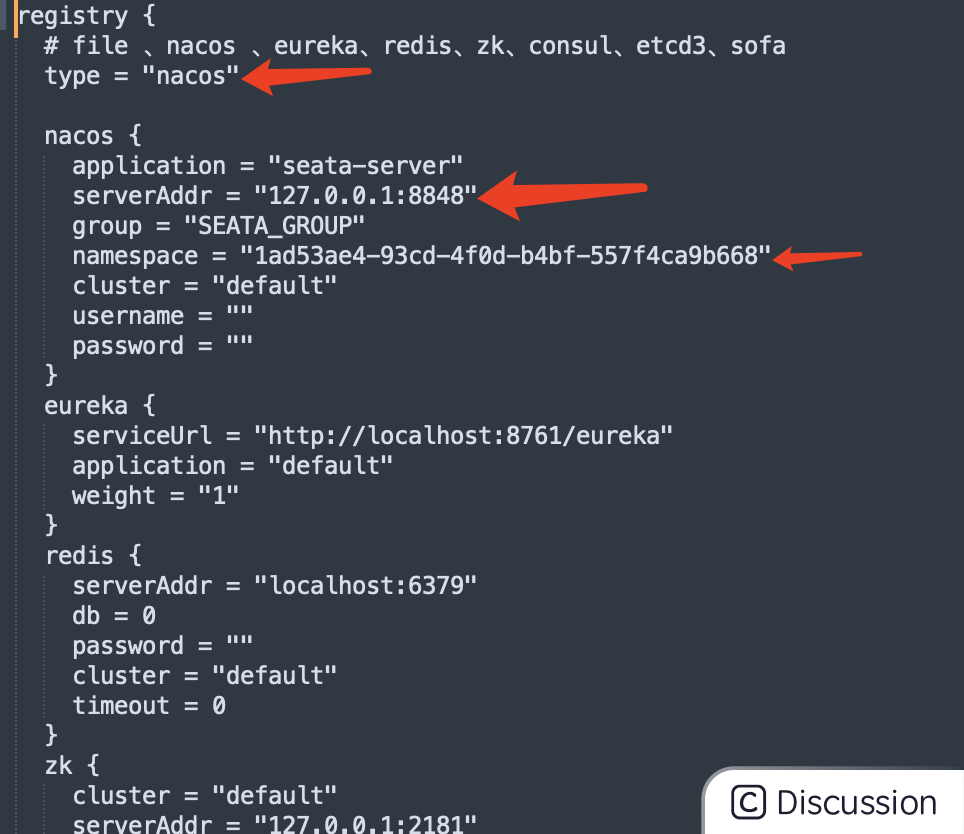
修改registry.conf文件
- type类型 修成自己的注册中心方式,我的是用nacos
- 修改nacos的地址,如果是本地就不用更改
- 添加在nacos配置的seata namespace 的id(上面复制的)
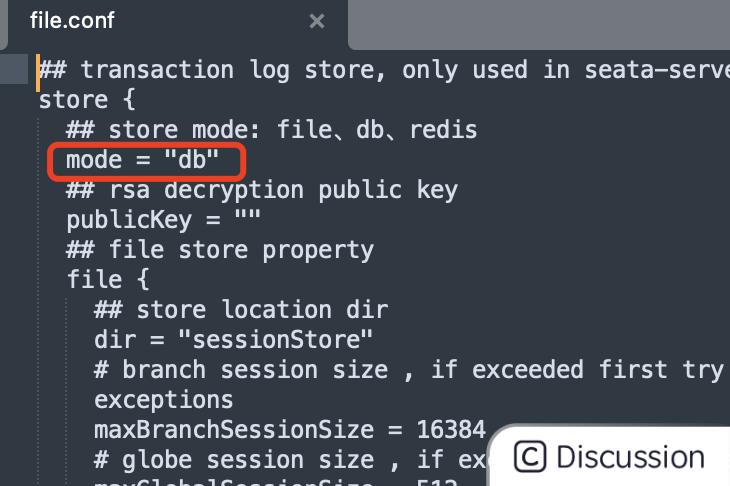
修改file.conf文件
mode改成db
在bin同层目录下创建script文件夹
该文件夹里添加nacos-config.sh,内容为
```sh
!/bin/sh
Copyright 1999-2019 Seata.io Group.
#
Licensed under the Apache License, Version 2.0 (the "License");
you may not use this file except in compliance with the License.
You may obtain a copy of the License at、
#
http://www.apache.org/licenses/LICENSE-2.0
#
Unless required by applicable law or agreed to in writing, software
distributed under the License is distributed on an "AS IS" BASIS,
WITHOUT WARRANTIES OR CONDITIONS OF ANY KIND, either express or implied.
See the License for the specific language governing permissions and
limitations under the License.
while getopts ":h:p:g:t:u:w:" opt do case $opt in h) host=$OPTARG ;; p) port=$OPTARG ;; g) group=$OPTARG ;; t) tenant=$OPTARG ;; u) username=$OPTARG ;; w) password=$OPTARG ;; ?) echo " USAGE OPTION: $0 [-h host] [-p port] [-g group] [-t tenant] [-u username] [-w password] " exit 1 ;; esac done
if [ -z ${host} ]; then host=localhost fi if [ -z ${port} ]; then port=8848 fi if [ -z ${group} ]; then group="SEATA_GROUP" fi if [ -z ${tenant} ]; then tenant="" fi if [ -z ${username} ]; then username="" fi if [ -z ${password} ]; then password="" fi
nacosAddr=$host:$port contentType="content-type:application/json;charset=UTF-8"
echo "set nacosAddr=$nacosAddr" echo "set group=$group"
urlencode() { length="${#1}" i=0 while [ $length -gt $i ]; do char="${1:$i:1}" case $char in [a-zA-Z0-9.~_-]) printf $char ;; *) printf '%%%02X' "'$char" ;; esac i=expr $i + 1 done }
failCount=0 tempLog=$(mktemp -u) function addConfig() { dataId=urlencode $1 content=urlencode $2 curl -X POST -H "${contentType}" "http://$nacosAddr/nacos/v1/cs/configs?dataId=$dataId&group=$group&content=$content&tenant=$tenant&username=$username&password=$password" >"${tempLog}" 2>/dev/null if [ -z $(cat "${tempLog}") ]; then echo " Please check the cluster status. " exit 1 fi if [ "$(cat "${tempLog}")" == "true" ]; then echo "Set $1=$2 successfully " else echo "Set $1=$2 failure " failCount=expr $failCount + 1 fi }
count=0 COMMENTSTART="#" for line in $(cat $(dirname "$PWD")/config.txt | sed s/[[:space:]]//g); do if [[ "$line" =~ ^"${COMMENTSTART}".* ]]; then continue fi count=expr $count + 1 key=${line%%=} value=${line#=} addConfig "${key}" "${value}" done
echo "=========================================================================" echo " Complete initialization parameters, total-count:$count , failure-count:$failCount " echo "========================================================================="
if [ ${failCount} -eq 0 ]; then echo " Init nacos config finished, please start seata-server. " else echo " init nacos config fail. " fi ```
在bin同层目录创建config.txt
```txt
For details about configuration items, see https://seata.io/zh-cn/docs/user/configurations.html
Transport configuration, for client and server
transport.type=TCP transport.server=NIO transport.heartbeat=true transport.enableTmClientBatchSendRequest=false transport.enableRmClientBatchSendRequest=true transport.enableTcServerBatchSendResponse=false transport.rpcRmRequestTimeout=30000 transport.rpcTmRequestTimeout=30000 transport.rpcTcRequestTimeout=30000 transport.threadFactory.bossThreadPrefix=NettyBoss transport.threadFactory.workerThreadPrefix=NettyServerNIOWorker transport.threadFactory.serverExecutorThreadPrefix=NettyServerBizHandler transport.threadFactory.shareBossWorker=false transport.threadFactory.clientSelectorThreadPrefix=NettyClientSelector transport.threadFactory.clientSelectorThreadSize=1 transport.threadFactory.clientWorkerThreadPrefix=NettyClientWorkerThread transport.threadFactory.bossThreadSize=1 transport.threadFactory.workerThreadSize=default transport.shutdown.wait=3 transport.serialization=seata transport.compressor=none
Transaction routing rules configuration, only for the client
service.vgroupMapping.mytesttx_group=default
If you use a registry, you can ignore it
service.default.grouplist=127.0.0.1:8091 service.enableDegrade=false service.disableGlobalTransaction=false
Transaction rule configuration, only for the client
client.rm.asyncCommitBufferLimit=10000 client.rm.lock.retryInterval=10 client.rm.lock.retryTimes=30 client.rm.lock.retryPolicyBranchRollbackOnConflict=true client.rm.reportRetryCount=5 client.rm.tableMetaCheckEnable=false client.rm.tableMetaCheckerInterval=60000 client.rm.sqlParserType=druid client.rm.reportSuccessEnable=false client.rm.sagaBranchRegisterEnable=false client.rm.sagaJsonParser=fastjson client.rm.tccActionInterceptorOrder=-2147482648 client.rm.sqlParserType=druid client.tm.commitRetryCount=5 client.tm.rollbackRetryCount=5 client.tm.defaultGlobalTransactionTimeout=60000 client.tm.degradeCheck=false client.tm.degradeCheckAllowTimes=10 client.tm.degradeCheckPeriod=2000 client.tm.interceptorOrder=-2147482648 client.undo.dataValidation=true client.undo.logSerialization=jackson client.undo.onlyCareUpdateColumns=true server.undo.logSaveDays=7 server.undo.logDeletePeriod=86400000 client.undo.logTable=undo_log client.undo.compress.enable=true client.undo.compress.type=zip client.undo.compress.threshold=64k
For TCC transaction mode
tcc.fence.logTableName=tccfencelog tcc.fence.cleanPeriod=1h
Log rule configuration, for client and server
log.exceptionRate=100
Transaction storage configuration, only for the server. The file, DB, and redis configuration values are optional.
store.mode=db store.lock.mode=file store.session.mode=file
Used for password encryption
store.publicKey=
If store.mode,store.lock.mode,store.session.mode are not equal to file, you can remove the configuration block.
store.file.dir=file_store/data store.file.maxBranchSessionSize=16384 store.file.maxGlobalSessionSize=512 store.file.fileWriteBufferCacheSize=16384 store.file.flushDiskMode=async store.file.sessionReloadReadSize=100
These configurations are required if the store mode is db. If store.mode,store.lock.mode,store.session.mode are not equal to db, you can remove the configuration block.
store.db.datasource=druid store.db.dbType=mysql store.db.driverClassName=com.mysql.jdbc.Driver store.db.url=jdbc:mysql://127.0.0.1:3306/mallseata?useUnicode=true&rewriteBatchedStatements=true store.db.user=root store.db.password=root store.db.minConn=5 store.db.maxConn=30 store.db.globalTable=globaltable store.db.branchTable=branchtable store.db.distributedLockTable=distributedlock store.db.queryLimit=100 store.db.lockTable=lock_table store.db.maxWait=5000
These configurations are required if the store mode is redis. If store.mode,store.lock.mode,store.session.mode are not equal to redis, you can remove the configuration block.
store.redis.mode=single store.redis.single.host=127.0.0.1 store.redis.single.port=6379 store.redis.sentinel.masterName= store.redis.sentinel.sentinelHosts= store.redis.maxConn=10 store.redis.minConn=1 store.redis.maxTotal=100 store.redis.database=0 store.redis.password= store.redis.queryLimit=100
Transaction rule configuration, only for the server
server.recovery.committingRetryPeriod=1000 server.recovery.asynCommittingRetryPeriod=1000 server.recovery.rollbackingRetryPeriod=1000 server.recovery.timeoutRetryPeriod=1000 server.maxCommitRetryTimeout=-1 server.maxRollbackRetryTimeout=-1 server.rollbackRetryTimeoutUnlockEnable=false server.distributedLockExpireTime=10000 server.session.branchAsyncQueueSize=5000 server.session.enableBranchAsyncRemove=true
Metrics configuration, only for the server
metrics.enabled=false metrics.registryType=compact metrics.exporterList=prometheus metrics.exporterPrometheusPort=9898 ```
启动.进入bin目录启动
cd ../bin
nohup sh seata-server.sh -p 8091 -h ip地址 -m file &> seata.log &
-p 指定启动seata server的端口号。
-h 指定seata server所绑定的主机。
-m 事务日志、事务执行信息存储的方式,目前支持file(文件方式)、db(数据库方式,建表语句请查看config/dbstore.sql、config/dbundo_log.sql)
成功如下图:

跋尾
本篇内容就到这里了~ 我是Zeus👩🏻🚀来自一个互联网底层组装员,下一篇再见! 📖

DAMO开发者矩阵,由阿里巴巴达摩院和中国互联网协会联合发起,致力于探讨最前沿的技术趋势与应用成果,搭建高质量的交流与分享平台,推动技术创新与产业应用链接,围绕“人工智能与新型计算”构建开放共享的开发者生态。
更多推荐
 0
0 0
0- 0


 已为社区贡献3条内容

所有评论(0)