钉钉机器人群消息通知
·
基础的顶顶机器人消息通知
# 获取配置参数
钉钉群内,选择机器人管理-- 添加机器人 -- 自定义 -- 然后获取webhook, 安全设置加签后获取即可
测试代码如下
import requests
import json
import time
import hmac
import hashlib
import base64
import urllib.parse
# 配置参数
webhook_token = "自己的自定义群机器人的"
secret = "同上" # 请在机器人设置页面获取
# 生成签名
timestamp = str(round(time.time() * 1000))
secret_enc = secret.encode('utf-8')
string_to_sign = f'{timestamp}\n{secret}'
string_to_sign_enc = string_to_sign.encode('utf-8')
hmac_code = hmac.new(secret_enc, string_to_sign_enc, digestmod=hashlib.sha256).digest()
sign = urllib.parse.quote_plus(base64.b64encode(hmac_code))
# 构造最终webhook
webhook = f'https://oapi.dingtalk.com/robot/send?access_token={webhook_token}×tamp={timestamp}&sign={sign}'
# 普通消息内容
content = '打包信息'
data = {
"msgtype": "text",
"text": {
"content": f"打包通知:{content}"
},
"at":{
"isAtAll": True # 是否@所有人
# "atMobiles": ["12345678901","123123213"], # 可选,@特定手机号的用户
# "atUserIds": ["user_id1", "user_id2"] # 可选,@特定用户ID的用户
# "atDingtalkIds": ["dingtalk_id1", "dingtalk_id2"] # 可选,@特定钉钉ID的用户
}
}
# 富文本消息内容
mdData ={
"msgtype":"markdown",
"markdown": {
"title": "打包通知",
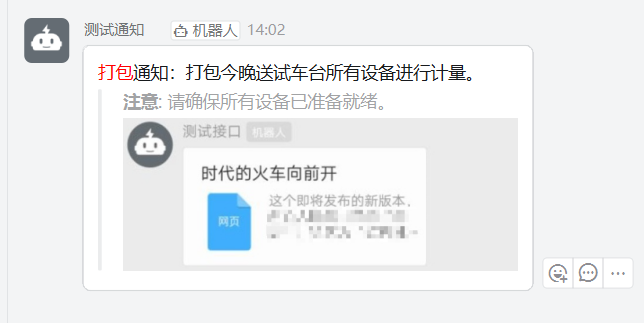
"text": f"<font color='#FF0000'>打包</font>通知:{content}\n\n> **注意**: 请确保所有设备已准备就绪。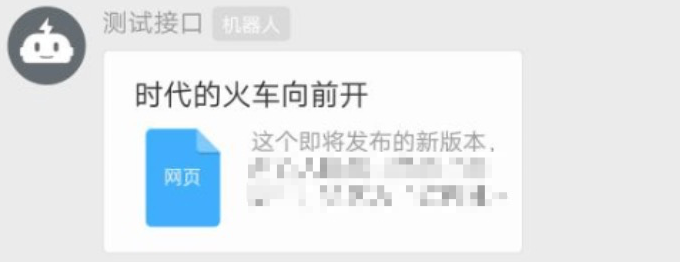"
},
}
# 发送请求
response = requests.post(
webhook,
headers={'Content-Type': 'application/json'},
data=json.dumps(mdData),
)
# 输出结果
print(f"Status Code: {response.status_code}")
print(f"Response: {response.text}")
# 官方文档参考: https://open.dingtalk.com/document/connector/webhook-synchronization-task
# https://open.dingtalk.com/document/orgapp/custom-bot-send-message-type

DAMO开发者矩阵,由阿里巴巴达摩院和中国互联网协会联合发起,致力于探讨最前沿的技术趋势与应用成果,搭建高质量的交流与分享平台,推动技术创新与产业应用链接,围绕“人工智能与新型计算”构建开放共享的开发者生态。
更多推荐

 3
3 0
0- 0


 已为社区贡献1条内容

所有评论(0)