

import netCDF4 as nc
import numpy as np
import matplotlib.pyplot as plt
import cartopy.crs as ccrs

def plot_currents(file_path, variable_name, time, lon_name, lat_name):
    """
    绘制洋流并保存为JPEG图片。

    参数:
    file_path (str): NetCDF文件路径。
    variable_name (str): 数据变量名。
    time(str): 时间变量名。
    lon_name (str): 经度变量名。
    lat_name (str): 纬度变量名。
    """
    # 打开NetCDF文件
    dataset = nc.Dataset(file_path, 'r')

    # 获取经度、纬度、数据、时间
    lons = dataset.variables[lon_name][:]
    lats = dataset.variables[lat_name][:]
    currents = dataset.variables[variable_name][:]
    time_var = dataset.variables[time]

    # 将时间变量转换为日期对象
    times = nc.num2date(time_var[:], units=time_var.units).data

    # 将日期对象转换为字符串格式 "年-月-日 时:分"
    formatted_times = [t.strftime('%Y年%m月%d日') for t in times]

    # 关闭NetCDF文件
    # dataset.close()

    # 创建经纬度网格
    lon, lat = np.meshgrid(lons, lats)

    # 设置地图投影为PlateCarree投影
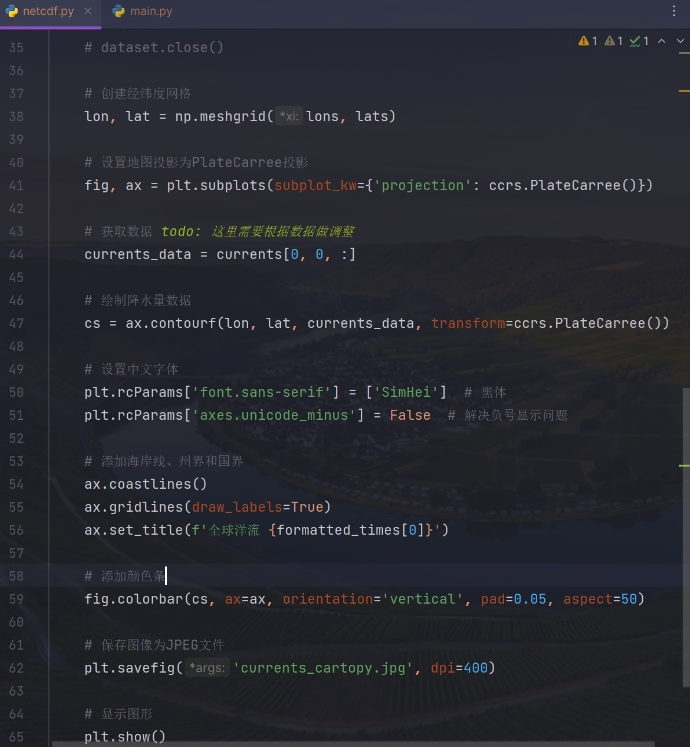
    fig, ax = plt.subplots(subplot_kw={'projection': ccrs.PlateCarree()})

    # 获取数据 todo: 这里需要根据数据做调整
    currents_data = currents[0, 0, :]

    # 绘制降水量数据
    cs = ax.contourf(lon, lat, currents_data, transform=ccrs.PlateCarree())

    # 设置中文字体
    plt.rcParams['font.sans-serif'] = ['SimHei']  # 黑体
    plt.rcParams['axes.unicode_minus'] = False  # 解决负号显示问题

    # 添加海岸线、州界和国界
    ax.coastlines()
    ax.gridlines(draw_labels=True)
    ax.set_title(f'全球洋流 {formatted_times[0]}')

    # 添加颜色条
    fig.colorbar(cs, ax=ax, orientation='vertical', pad=0.05, aspect=50)

    # 保存图像为JPEG文件
    plt.savefig('currents_cartopy.jpg', dpi=400)

    # 显示图形
plt.show()- 1.
- 2.
- 3.
- 4.
- 5.
- 6.
- 7.
- 8.
- 9.
- 10.
- 11.
- 12.
- 13.
- 14.
- 15.
- 16.
- 17.
- 18.
- 19.
- 20.
- 21.
- 22.
- 23.
- 24.
- 25.
- 26.
- 27.
- 28.
- 29.
- 30.
- 31.
- 32.
- 33.
- 34.
- 35.
- 36.
- 37.
- 38.
- 39.
- 40.
- 41.
- 42.
- 43.
- 44.
- 45.
- 46.
- 47.
- 48.
- 49.
- 50.
- 51.
- 52.
- 53.
- 54.
- 55.
- 56.
- 57.
- 58.
- 59.
- 60.
- 61.
- 62.
- 63.
参考链接
matplotlib文档 cartopy文档
利用Python(netCDF4库)读取.nc文件(NetCDF气象数据文件)的基本操作





 已为社区贡献2条内容

所有评论(0)